- Local time
- 12:38 PM
- Posts
- 4,981
- OS
- Win11 Pro RTM Version 24H2 Build 26100.4202
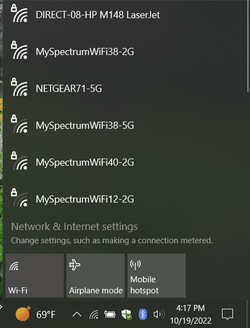
Setting up a slightly older HP Officejet Pro 8610 as Wireless encountered an issue. The client had a new modem/router installed and it gave both the standard wireless [2G] and the 5G wireless. It turned out I had to change the Notebook connection from 5G to the standard then the printer could be found on Wi-Fi, wouldn't see the 5G connection. Sometimes technology outpaces us.
My Computers
-
At a glance
Win11 Pro RTM Version 24H2 Build 26100.4202Intel Core i5 11th Gen. 2.40GHz12GB- OS
- Win11 Pro RTM Version 24H2 Build 26100.4202
- Computer type
- Laptop
- Manufacturer/Model
- Dell Vostro 3400
- CPU
- Intel Core i5 11th Gen. 2.40GHz
- Memory
- 12GB
- Hard Drives
- 256GB SSD NVMe M.2
-
At a glance
Win11 Pro RTM Version 24H2 Build 26100.4202Intel Core i5 10th Gen. 2.90GHz16GBOnboard, no VGA, using a DisplayPort-to-VGA a...- Operating System
- Win11 Pro RTM Version 24H2 Build 26100.4202
- Computer type
- PC/Desktop
- Manufacturer/Model
- Dell Vostro 5890
- CPU
- Intel Core i5 10th Gen. 2.90GHz
- Memory
- 16GB
- Graphics card(s)
- Onboard, no VGA, using a DisplayPort-to-VGA adapter
- Monitor(s) Displays
- 24" Dell
- Hard Drives
- 512GB SSD NVMe, 4TB Seagate HDD
- Browser
- Firefox, Edge
- Antivirus
- Windows Defender/Microsoft Security