Now may be a good time to do some drivers cleaning job before preparing for a possible 26H2 release this Fall.


Edit: I used D: drive letter and forum script placed an emoji in place of D: I changed D: to E:

Side note, if you wrap it in a code block, it doesn't do that.

Code:
dism /online /export-driver /destination:D:\DRIVERS

Screenshot 2026-07-23 184628.webp

If you wrap it in [C] tags, it becomes copyable. Hover your mouse over this one:

dism /online /export-driver /destination:D:\DRIVERS
 

My Computer My Computer

At a glance

Windows 11 Enterprise 25H2 [rev. 8893]
OS
Windows 11 Enterprise 25H2 [rev. 8893]
Why bother just to save a megabyte or two? You lose the ability to roll back if a driver causes problems.
My Nvidia and Intel Display drivers are updated constantly. I have one laptop that has both Intel and Nvidia. When I delete old cversions of drivers, it deletes several GB. Also, when doing a clen install, it is markedly faster when the old drivers have been deleted first.
 

My Computers My Computers

  • At a glance

    Win11 Pro 25H2 (RTM+)Intel i7-14650HX32 GBNo GPU - Built-in Intel Graphics
    OS
    Win11 Pro 25H2 (RTM+)
    Computer type
    PC/Desktop
    Manufacturer/Model
    Acemagic
    CPU
    Intel i7-14650HX
    Memory
    32 GB
    Graphics Card(s)
    No GPU - Built-in Intel Graphics
    Sound Card
    Integrated
    Monitor(s) Displays
    Varies as machine will often be moved to locations with different monitors
    Screen Resolution
    Varies
    Hard Drives
    1 x 1TB Gen 4 NVMe SSD
    PSU
    120W Power Brick
    Keyboard
    Corsair K70 Max RGB Magnetic Keyboard
    Mouse
    Logitech MX Master 3
    Internet Speed
    1Gb Up / 1 Gb Down
    Browser
    Edge
    Antivirus
    Windows Defender
  • At a glance

    Win11 Pro 25H2 (RTM+)Intel i7-1255U16 GBIntel Iris Xe Graphics
    Operating System
    Win11 Pro 25H2 (RTM+)
    Computer type
    Laptop
    Manufacturer/Model
    Lenovo ThinkBook 13x Gen 2
    CPU
    Intel i7-1255U
    Memory
    16 GB
    Graphics card(s)
    Intel Iris Xe Graphics
    Sound Card
    Realtek® ALC3306-CG codec
    Monitor(s) Displays
    13.3-inch IPS Display
    Screen Resolution
    WQXGA (2560 x 1600)
    Hard Drives
    2 TB 4 x 4 NVMe SSD
    PSU
    USB-C / Thunderbolt 4 Power / Charging
    Keyboard
    Backlit, spill resistant keyboard
    Mouse
    Buttonless Glass Precision Touchpad
    Internet Speed
    1Gb Up / 1Gb Down
    Browser
    Edge
    Antivirus
    Windows Defender
    Other Info
    WiFi 6e / Bluetooth 5.1 / Facial Recognition / Fingerprint Sensor / ToF (Time of Flight) Human Presence Sensor
This is an interesting approach - I like it.
I appreciate that. I install Windows multiple times EVERY single day so any little tricks that makes that process easier (like backing up all my drivers and auto installing them during setup) makes a HUGE difference for me. If I were just doing the occasional installation, I wouldn't be so insistant on saving every moment I can in that workflow.
 

My Computers My Computers

  • At a glance

    Win11 Pro 25H2 (RTM+)Intel i7-14650HX32 GBNo GPU - Built-in Intel Graphics
    OS
    Win11 Pro 25H2 (RTM+)
    Computer type
    PC/Desktop
    Manufacturer/Model
    Acemagic
    CPU
    Intel i7-14650HX
    Memory
    32 GB
    Graphics Card(s)
    No GPU - Built-in Intel Graphics
    Sound Card
    Integrated
    Monitor(s) Displays
    Varies as machine will often be moved to locations with different monitors
    Screen Resolution
    Varies
    Hard Drives
    1 x 1TB Gen 4 NVMe SSD
    PSU
    120W Power Brick
    Keyboard
    Corsair K70 Max RGB Magnetic Keyboard
    Mouse
    Logitech MX Master 3
    Internet Speed
    1Gb Up / 1 Gb Down
    Browser
    Edge
    Antivirus
    Windows Defender
  • At a glance

    Win11 Pro 25H2 (RTM+)Intel i7-1255U16 GBIntel Iris Xe Graphics
    Operating System
    Win11 Pro 25H2 (RTM+)
    Computer type
    Laptop
    Manufacturer/Model
    Lenovo ThinkBook 13x Gen 2
    CPU
    Intel i7-1255U
    Memory
    16 GB
    Graphics card(s)
    Intel Iris Xe Graphics
    Sound Card
    Realtek® ALC3306-CG codec
    Monitor(s) Displays
    13.3-inch IPS Display
    Screen Resolution
    WQXGA (2560 x 1600)
    Hard Drives
    2 TB 4 x 4 NVMe SSD
    PSU
    USB-C / Thunderbolt 4 Power / Charging
    Keyboard
    Backlit, spill resistant keyboard
    Mouse
    Buttonless Glass Precision Touchpad
    Internet Speed
    1Gb Up / 1Gb Down
    Browser
    Edge
    Antivirus
    Windows Defender
    Other Info
    WiFi 6e / Bluetooth 5.1 / Facial Recognition / Fingerprint Sensor / ToF (Time of Flight) Human Presence Sensor
Hmmm, this discussion got me wondering about a few things, so I started asking my AI overlords a few questions about this.

It turns out that RAPR (Driver Store Explorer) has a command line mode as well (I was not aware of this). This means that you can script all the actions like selecting old drivers, deleting them, etc. and you can completely suppress the UI with the /SILENT switch added to any commands.

Since RAPR is a portable app, there is also no need to even install the program.

I noted earlier that I'm a big fan of doing things natively where possible, but since RAPR is a portable app and does everything that I need as far as managing my drivers, I'm only expanding my usage of it to script a cleanup of drivers into my workflow.

@suatcini54, thanks for starting this thread. I have learned a few very helpful things from this discussion.
 

My Computers My Computers

  • At a glance

    Win11 Pro 25H2 (RTM+)Intel i7-14650HX32 GBNo GPU - Built-in Intel Graphics
    OS
    Win11 Pro 25H2 (RTM+)
    Computer type
    PC/Desktop
    Manufacturer/Model
    Acemagic
    CPU
    Intel i7-14650HX
    Memory
    32 GB
    Graphics Card(s)
    No GPU - Built-in Intel Graphics
    Sound Card
    Integrated
    Monitor(s) Displays
    Varies as machine will often be moved to locations with different monitors
    Screen Resolution
    Varies
    Hard Drives
    1 x 1TB Gen 4 NVMe SSD
    PSU
    120W Power Brick
    Keyboard
    Corsair K70 Max RGB Magnetic Keyboard
    Mouse
    Logitech MX Master 3
    Internet Speed
    1Gb Up / 1 Gb Down
    Browser
    Edge
    Antivirus
    Windows Defender
  • At a glance

    Win11 Pro 25H2 (RTM+)Intel i7-1255U16 GBIntel Iris Xe Graphics
    Operating System
    Win11 Pro 25H2 (RTM+)
    Computer type
    Laptop
    Manufacturer/Model
    Lenovo ThinkBook 13x Gen 2
    CPU
    Intel i7-1255U
    Memory
    16 GB
    Graphics card(s)
    Intel Iris Xe Graphics
    Sound Card
    Realtek® ALC3306-CG codec
    Monitor(s) Displays
    13.3-inch IPS Display
    Screen Resolution
    WQXGA (2560 x 1600)
    Hard Drives
    2 TB 4 x 4 NVMe SSD
    PSU
    USB-C / Thunderbolt 4 Power / Charging
    Keyboard
    Backlit, spill resistant keyboard
    Mouse
    Buttonless Glass Precision Touchpad
    Internet Speed
    1Gb Up / 1Gb Down
    Browser
    Edge
    Antivirus
    Windows Defender
    Other Info
    WiFi 6e / Bluetooth 5.1 / Facial Recognition / Fingerprint Sensor / ToF (Time of Flight) Human Presence Sensor
Well, it turns out that my enthusiasm got the best of me. I should have checked what AI told me first. A lot of the command line options it gave me were fictitious, most notably, /silent does nothing.
 

My Computers My Computers

  • At a glance

    Win11 Pro 25H2 (RTM+)Intel i7-14650HX32 GBNo GPU - Built-in Intel Graphics
    OS
    Win11 Pro 25H2 (RTM+)
    Computer type
    PC/Desktop
    Manufacturer/Model
    Acemagic
    CPU
    Intel i7-14650HX
    Memory
    32 GB
    Graphics Card(s)
    No GPU - Built-in Intel Graphics
    Sound Card
    Integrated
    Monitor(s) Displays
    Varies as machine will often be moved to locations with different monitors
    Screen Resolution
    Varies
    Hard Drives
    1 x 1TB Gen 4 NVMe SSD
    PSU
    120W Power Brick
    Keyboard
    Corsair K70 Max RGB Magnetic Keyboard
    Mouse
    Logitech MX Master 3
    Internet Speed
    1Gb Up / 1 Gb Down
    Browser
    Edge
    Antivirus
    Windows Defender
  • At a glance

    Win11 Pro 25H2 (RTM+)Intel i7-1255U16 GBIntel Iris Xe Graphics
    Operating System
    Win11 Pro 25H2 (RTM+)
    Computer type
    Laptop
    Manufacturer/Model
    Lenovo ThinkBook 13x Gen 2
    CPU
    Intel i7-1255U
    Memory
    16 GB
    Graphics card(s)
    Intel Iris Xe Graphics
    Sound Card
    Realtek® ALC3306-CG codec
    Monitor(s) Displays
    13.3-inch IPS Display
    Screen Resolution
    WQXGA (2560 x 1600)
    Hard Drives
    2 TB 4 x 4 NVMe SSD
    PSU
    USB-C / Thunderbolt 4 Power / Charging
    Keyboard
    Backlit, spill resistant keyboard
    Mouse
    Buttonless Glass Precision Touchpad
    Internet Speed
    1Gb Up / 1Gb Down
    Browser
    Edge
    Antivirus
    Windows Defender
    Other Info
    WiFi 6e / Bluetooth 5.1 / Facial Recognition / Fingerprint Sensor / ToF (Time of Flight) Human Presence Sensor
Glancing at the code, it looks like it ignores switches altogether. It's just public static void Main(). There should be an array between the parentheses to hold the arguments.
 

My Computer My Computer

At a glance

Windows 11 Enterprise 25H2 [rev. 8893]
OS
Windows 11 Enterprise 25H2 [rev. 8893]
Glancing at the code, it looks like it ignores switches altogether. It's just public static void Main(). There should be an array between the parentheses to hold the arguments.

The line I'm getting (unverified) is that the command line switches are missing in the current version, and they were never documented because they were intended for internal testing and are not at all present in the current released version.

My apologies if I got anyone's hopes up. I should have tested it after finding the info.
 

My Computers My Computers

  • At a glance

    Win11 Pro 25H2 (RTM+)Intel i7-14650HX32 GBNo GPU - Built-in Intel Graphics
    OS
    Win11 Pro 25H2 (RTM+)
    Computer type
    PC/Desktop
    Manufacturer/Model
    Acemagic
    CPU
    Intel i7-14650HX
    Memory
    32 GB
    Graphics Card(s)
    No GPU - Built-in Intel Graphics
    Sound Card
    Integrated
    Monitor(s) Displays
    Varies as machine will often be moved to locations with different monitors
    Screen Resolution
    Varies
    Hard Drives
    1 x 1TB Gen 4 NVMe SSD
    PSU
    120W Power Brick
    Keyboard
    Corsair K70 Max RGB Magnetic Keyboard
    Mouse
    Logitech MX Master 3
    Internet Speed
    1Gb Up / 1 Gb Down
    Browser
    Edge
    Antivirus
    Windows Defender
  • At a glance

    Win11 Pro 25H2 (RTM+)Intel i7-1255U16 GBIntel Iris Xe Graphics
    Operating System
    Win11 Pro 25H2 (RTM+)
    Computer type
    Laptop
    Manufacturer/Model
    Lenovo ThinkBook 13x Gen 2
    CPU
    Intel i7-1255U
    Memory
    16 GB
    Graphics card(s)
    Intel Iris Xe Graphics
    Sound Card
    Realtek® ALC3306-CG codec
    Monitor(s) Displays
    13.3-inch IPS Display
    Screen Resolution
    WQXGA (2560 x 1600)
    Hard Drives
    2 TB 4 x 4 NVMe SSD
    PSU
    USB-C / Thunderbolt 4 Power / Charging
    Keyboard
    Backlit, spill resistant keyboard
    Mouse
    Buttonless Glass Precision Touchpad
    Internet Speed
    1Gb Up / 1Gb Down
    Browser
    Edge
    Antivirus
    Windows Defender
    Other Info
    WiFi 6e / Bluetooth 5.1 / Facial Recognition / Fingerprint Sensor / ToF (Time of Flight) Human Presence Sensor
Side note, if you wrap it in a code block, it doesn't do that.

Code:
dism /online /export-driver /destination:D:\DRIVERS

View attachment 177410

If you wrap it in [C] tags, it becomes copyable. Hover your mouse over this one:

dism /online /export-driver /destination:D:\DRIVERS
Thank you for the tip. It is much appreciated. I will be using the tip next time. I remember your giving me the tip before but it seems it slipped my mind.
 

My Computers My Computers

  • At a glance

    Windows 11 Pro build 26200.8524Intel i7-4790Teams DDR3-1600 4x4 GBMSI Nvidia GeForce GTX 1050Ti
    OS
    Windows 11 Pro build 26200.8524
    Computer type
    PC/Desktop
    Manufacturer/Model
    Home Built
    CPU
    Intel i7-4790
    Motherboard
    Asus H97 Pro Gamer with add-on TPM1.2 module
    Memory
    Teams DDR3-1600 4x4 GB
    Graphics Card(s)
    MSI Nvidia GeForce GTX 1050Ti
    Sound Card
    Realtek ALC1150
    Monitor(s) Displays
    Dell P2425D
    Screen Resolution
    2560 by 1440 pixels
    Hard Drives
    Corsair NVMe M.2 Core XT 1000 GB (Windows 11 v.25H2); Samsung SATA Evo 870 500 GB (Windows 11 v.25H2);
    PSU
    Corsair HX850
    Case
    Gigabyte Solo 210
    Cooling
    Zalman CNPS7X Tower
    Keyboard
    Microsoft AIO Wireless (includes touchpad)
    Mouse
    HP S1000 Plus Wireless
    Internet Speed
    500 Mb fiber optic
    Browser
    Chrome; MS Edge
    Antivirus
    Windows Defender
  • At a glance

    MacOS 12 MontereyIntel Core i58 GBIntel integrated
    Operating System
    MacOS 12 Monterey
    Computer type
    Laptop
    Manufacturer/Model
    Apple Macbook Air
    CPU
    Intel Core i5
    Memory
    8 GB
    Graphics card(s)
    Intel integrated
    Screen Resolution
    1440 by 900 pixels
    Hard Drives
    128 GB
    Keyboard
    Built-in
    Mouse
    Microsoft Wireless
    Internet Speed
    802.11 ac
    Browser
    Chrome; Safari
    Antivirus
    N/A
I honestly think the DriverStore Explorer program is one of the best I've used. To recover over 2gb of space just by deleting nearly 120 duplicate drivers, is an absolute bonus.
 

My Computer My Computer

At a glance

Windows 11 Pro 25H2 26200.8894Intel i5 10400x2 8gb Corsair Vengeance LPX 3600Intel(R) UHD Graphics 630
OS
Windows 11 Pro 25H2 26200.8894
Computer type
PC/Desktop
Manufacturer/Model
MSI
CPU
Intel i5 10400
Motherboard
B560M PRO-VDH WiFi BIOS 1.A1
Memory
x2 8gb Corsair Vengeance LPX 3600
Graphics Card(s)
Intel(R) UHD Graphics 630
Sound Card
Realtek onboard AL897
Monitor(s) Displays
MSI MAG Artymis 242C
Screen Resolution
1920 x 1080
Hard Drives
Samsung 970 Evo Plus 500gb
PSU
EVGA SuperNova 650w G3
Case
Gaming case
Keyboard
MSI GK20
Mouse
MSI Versa 300
Internet Speed
500mbps
Browser
Brave
Antivirus
Bitdefender
Other Info
MSI Herald BE9400 WiFi PCIe
Printer - Brother MFC-L2750DW
I downloaded DriverStore Explorer, ran it. It found 78 drivers. I installed after installing the motherboard some drivers from the motherboard manufacturer. But once in a while MS pushes an updated driver to my system and replaces the old driver. This doesn't happen often. I run IOBit's DriverBooster Pro on a regular basis. I have used some other third party version before but that caused unwanted problems. Identifying an new driver and installed the wrong one. (Their Driver Database had clearly issues.) DriverBooster also uses a database and I found it was never wrong and in the end result was stable. It saw a new version of driver, installed it and removed the obsolete driver. (It probably copies it first to it's own directory out of sight of windows before installing the new one in case I want to revert the situation.) The program sees all drivers of nearly all manufactures. And it is accurate! I can go to the motherboard manufacturer site only to find they still have old drivers. They only update those if there were real issues with the old ones.

So in my case DriverBooster does this job for me...... You went from 113 down to 74. Mine was already 78. Some bare minimum depending on what kind of motherboard etc. you have.

Found out it also sees a new (RTX. Same applies for AMD.) GPU driver update. I ignore that because it installs not the latest version but one below the real latest drivers. (their database is only updated if the outcome is: It's a stable version. Newly drivers can have some hidden issues with it that is later corrected by NVIDIA itself.) If I go to the official site of NVIDIA I always find there the real latest driver of NVIDIA. (including hidden issues or not) It also never updated my Steelseries drivers for my keyboard. A steelseries program that runs in the background at startup checks for itself at each startup if there is a newer version. (incl driver) It automatically downloads that version and applies it. Is suspect that the program checks first it that Steelseries program is running. If so then it goes on to check other items. If it is not running it checks if a new driver is available. That program does not contain only a possible updated driver but also does other things like changing the led colors of the keys on a regular basis. (Shaved ICE profile. A calm cycle of colors throughout the whole light spectrum. An other profile is just totally mental. Random colors of all keys every half a second. If you are epileptic? You will get an immediate seizure of these lights.... 😅😂)
 

My Computers My Computers

  • At a glance

    Win 11 Pro 25H2 Build 26200.8894, Zorin OS ProIntel® Core™ i7-12700KF 12th Gen. (S1700)32GB DDR5 5600-36 Vengeance (2x16)PCIe4.0 Asus NVIDIA RTX3060Ti
    OS
    Win 11 Pro 25H2 Build 26200.8894, Zorin OS Pro
    Computer type
    PC/Desktop
    Manufacturer/Model
    Self built
    CPU
    Intel® Core™ i7-12700KF 12th Gen. (S1700)
    Motherboard
    ASUS Prime Z690-A, BIOS v4505 (Z690 Intel Chipset)
    Memory
    32GB DDR5 5600-36 Vengeance (2x16)
    Graphics Card(s)
    PCIe4.0 Asus NVIDIA RTX3060Ti
    Sound Card
    Onboard; Realtek
    Monitor(s) Displays
    34" LG 34UC79G-B Curved 21:9 144Hz
    Screen Resolution
    2560x1080 (No HDR)
    Hard Drives
    250Gb Samsung 870PRO NVMe (Win 11 Pro)
    1Tb Samsung 980PRO NVMe
    1Tb Samsung 970EVO NVMe
    2Tb Samsung 990PRO NVMe with heatsink.
    4Tb WDC WD40EZRZ Blue SATA (Int.)
    4Tb WDC WD40EZRZ Blue SATA (Int.)
    3Tb WDC WD30EFRZ Red SATA (Int.)
    256Gb Samsung 840PRO SSD (RHEL 9,5)
    256Gb Samsung 850PRO SSD (Zorin OS Pro 18)
    PSU
    Coolermaster 850W V2 Gold with internal 12cm exaust fan
    Case
    Be-Quiet Pure Base 600.
    Cooling
    3x Be-Quiet! 12/14cm "Silent Wings 4" casefans, 1x Arctic Freezer i35 CPU towerblock with fan.
    Keyboard
    Steelseries APEX 7 keyboard.
    Mouse
    Logitech G-502 Hero
    Internet Speed
    1Gb
    Browser
    Brave
    Antivirus
    F-Secure
    Other Info
    No Noise system.
    256Gb Kingston Travler USB 3.0 drive.
    64Gb Sandisk USB 3.2 drive. (Ventoy)
    8Gb Philips USB 3.0 drive. (Win. Inst.)
    8Gb Philips USB 3.0 drive. (Rescue disk)
    2Tb WD USB 3.0 Passport drive.
    USB Ext. 500Gb WD SATA drive.
    External USB 3.0 C.A. CD/DVD* burner.
  • At a glance

    Windows 11 Pro 25H2Intel® Core™ i7-6700K 6th Gen. (S1151)32Gb DDR4 2400 Corsair Vengeance (4x8)ASUS GeForce GTX1080
    Operating System
    Windows 11 Pro 25H2
    Computer type
    PC/Desktop
    Manufacturer/Model
    Selfbuild
    CPU
    Intel® Core™ i7-6700K 6th Gen. (S1151)
    Motherboard
    ASUS Maximus VIII Ranger (Intel Chipset Z170)
    Memory
    32Gb DDR4 2400 Corsair Vengeance (4x8)
    Graphics card(s)
    ASUS GeForce GTX1080
    Sound Card
    Onboard; Realtek
    Monitor(s) Displays
    LG IPS277L 27" WideLED, IPS
    Screen Resolution
    1920x1080
    Hard Drives
    Samsung 850 Pro SSD
    PSU
    Zalman ZM600-HP with internal exhaust fan. Heatpipes & Modular cables.
    Case
    Cooler Master Aero
    Cooling
    Scythe Mugen 4 dual fan towerblock.
    Keyboard
    Red Dragon
    Mouse
    Red Dragon
    Internet Speed
    1Gb
    Browser
    Chrome
    Antivirus
    F-Secure
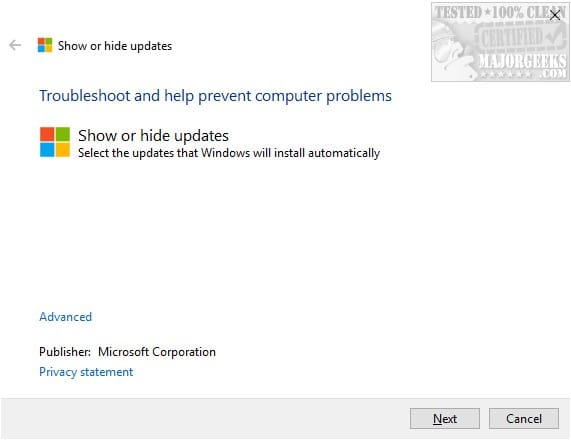
Avoid driver tools because they might install incompatible versions by partially matching the hardware IDs. I don't even trust Windows Update for the same reason. Even if it does match the hardware ID properly, the drivers are usually core-functionality, not compared to the full-featured OEM drivers. I prefer to manually download the latest official drivers from the manufacturer (another advantage of having an old computer, all that changes is only the graphics driver). To block Windows Update from installing undesired drivers (or other updates), use the Microsoft Windows Update Show/Hide Tool or the Windows Automatic Updates Manager (aka WAU Manager), both available from Major Geeks. Either utility scans for available updates and lets you hide (block) the ones you want. Pretty much like good old Windows 7 let you hide undesired updates. Of course this works only if the update is not already installed, so you have to run the utility immediately after installing the OEM driver, so as Windows Update won't have the chance to replace it.


My Computers My Computers

  • At a glance

    Windows 11 Pro 23H2 (5699), 25H2 (8875)Mobile DualCore Intel Core 2 Duo T7250, 2000 MHz4GBMobile Intel(R) GMA 4500M (Mobile 4 series)
    OS
    Windows 11 Pro 23H2 (5699), 25H2 (8875)
    Computer type
    Laptop
    Manufacturer/Model
    Acer Extensa 5630EZ
    CPU
    Mobile DualCore Intel Core 2 Duo T7250, 2000 MHz
    Motherboard
    Acer Extensa 5630
    Memory
    4GB
    Graphics Card(s)
    Mobile Intel(R) GMA 4500M (Mobile 4 series)
    Sound Card
    Realtek ALC268 @ Intel 82801IB ICH9 - High Definition Audio Controller
    Monitor(s) Displays
    1
    Screen Resolution
    1280x800
    Hard Drives
    Samsung SSD 850 EVO 250GB SATA Device (250 GB, SATA-III)
    Internet Speed
    VDSL 50 Mbps
    Browser
    MICROSOFT EDGE
    Antivirus
    WINDOWS DEFENDER
    Other Info
    Legacy MBR installation, no TPM, no Secure Boot, no WDDM 2.0 graphics drivers, no SSE4.2, cannot get more unsupported ;) This is only my test laptop. I had installed Windows 11 here before upgrading my main PC. For my main PC I use everyday see my 2nd system specs.
  • At a glance

    Windows 11 Pro v25H2 (build 26200.8875)Intel Core-i7 3770 3.40GHz s1155 (3rd generat...2x Kingston Hyper-X Blu 8GB DDR3-1600GIGABYTE GeForce RTX 3050 WINDFORCE OC V2 6GB...
    Operating System
    Windows 11 Pro v25H2 (build 26200.8875)
    Computer type
    PC/Desktop
    Manufacturer/Model
    Custom-built PC
    CPU
    Intel Core-i7 3770 3.40GHz s1155 (3rd generation)
    Motherboard
    Asus P8H61 s1155 ATX
    Memory
    2x Kingston Hyper-X Blu 8GB DDR3-1600
    Graphics card(s)
    GIGABYTE GeForce RTX 3050 WINDFORCE OC V2 6GB (GV-N3050WF2OCV2-6GD)
    Sound Card
    Realtek HD audio (ALC887)
    Monitor(s) Displays
    Sony Bravia KDL-19L4000 19" LCD TV via VGA
    Screen Resolution
    1440x900 32-bit 60Hz
    Hard Drives
    WD Blue SA510 2.5 1000GB SSD as system disk, Western Digital Caviar Purple 4TB SATA III (WD40PURZ) as second
    PSU
    Thermaltake Litepower RGB 550W Full Wired
    Case
    SUPERCASE MIDI-TOWER
    Cooling
    Deepcool Gamma Archer CPU cooler, 1x 8cm fan at the back
    Keyboard
    Mitsumi 101-key PS/2
    Mouse
    Sunnyline OptiEye PS/2
    Internet Speed
    100Mbps
    Browser
    Microsoft Edge, Mozilla Firefox
    Antivirus
    Microsoft Windows Defender
    Other Info
    Legacy BIOS (MBR) installation, no TPM, no Secure Boot, WDDM 3.0 graphics drivers, WEI score 7.4
So in my case DriverBooster does this job for me...... You went from 113 down to 74. Mine was already 78. Some bare minimum depending on what kind of motherboard etc. you have.
I went from 113 to 47, not 74, if you referred to my driver cleaning job. When I clean-install Windows, which I very rarely do - I am not a heavy computer user -, I prefer to integrate drivers into the install.wim. This also prevents MS generic drivers from installing. Mine is not a space-saving attempt but clean-installing endeavor in the sense of clean Windows. My PCs are out of support cycle, including gfx cards - Nvidia also stopped including my gfx card in their new driver releases - so once clean always clean or something like that.

Happy computing.
 

My Computers My Computers

  • At a glance

    Windows 11 Pro build 26200.8524Intel i7-4790Teams DDR3-1600 4x4 GBMSI Nvidia GeForce GTX 1050Ti
    OS
    Windows 11 Pro build 26200.8524
    Computer type
    PC/Desktop
    Manufacturer/Model
    Home Built
    CPU
    Intel i7-4790
    Motherboard
    Asus H97 Pro Gamer with add-on TPM1.2 module
    Memory
    Teams DDR3-1600 4x4 GB
    Graphics Card(s)
    MSI Nvidia GeForce GTX 1050Ti
    Sound Card
    Realtek ALC1150
    Monitor(s) Displays
    Dell P2425D
    Screen Resolution
    2560 by 1440 pixels
    Hard Drives
    Corsair NVMe M.2 Core XT 1000 GB (Windows 11 v.25H2); Samsung SATA Evo 870 500 GB (Windows 11 v.25H2);
    PSU
    Corsair HX850
    Case
    Gigabyte Solo 210
    Cooling
    Zalman CNPS7X Tower
    Keyboard
    Microsoft AIO Wireless (includes touchpad)
    Mouse
    HP S1000 Plus Wireless
    Internet Speed
    500 Mb fiber optic
    Browser
    Chrome; MS Edge
    Antivirus
    Windows Defender
  • At a glance

    MacOS 12 MontereyIntel Core i58 GBIntel integrated
    Operating System
    MacOS 12 Monterey
    Computer type
    Laptop
    Manufacturer/Model
    Apple Macbook Air
    CPU
    Intel Core i5
    Memory
    8 GB
    Graphics card(s)
    Intel integrated
    Screen Resolution
    1440 by 900 pixels
    Hard Drives
    128 GB
    Keyboard
    Built-in
    Mouse
    Microsoft Wireless
    Internet Speed
    802.11 ac
    Browser
    Chrome; Safari
    Antivirus
    N/A
I went from 113 to 47, not 74, if you referred to my driver cleaning job. When I clean-install Windows, which I very rarely do - I am not a heavy computer user -, I prefer to integrate drivers into the install.wim. This also prevents MS generic drivers from installing. Mine is not a space-saving attempt but clean-installing endeavor in the sense of clean Windows. My PCs are out of support cycle, including gfx cards - Nvidia also stopped including my gfx card in their new driver releases - so once clean always clean or something like that.

Happy computing.
Sorry. 47. My mistake. If your PC and GPU are out of the support cycle. That is a different situation all together. Then it is wise to stick to the latest stable releases known. My system and GPU are "recent". (4 years old) but still in it's support range. That is a different situation. My old PC of 2013 is out of range but it's keeping up driver-wise so to speak fairly up to date. (DriverBooster "sees" old components so it updates this system seldom. Despite of this it runs fine 25H2 26200.8894 but not as fast as my "new" system. To my surprise I must admit. *No supported CPU and no TPM* That MS claimed with the introduction of Windows 11 it needed new hardware was based on a lie! I already suspected this. They made a deal with the manufactures they all want to earn more money. Countless people went to the stores for new equipment. I didn't. I changed my system because newer systems etc. were much faster. I bought initially an RTX card intended to replace my GTX1080 in my old system. It did not work properly; blue screens. So I bought new hardware. Issue resolved.)
 
Last edited:

My Computers My Computers

  • At a glance

    Win 11 Pro 25H2 Build 26200.8894, Zorin OS ProIntel® Core™ i7-12700KF 12th Gen. (S1700)32GB DDR5 5600-36 Vengeance (2x16)PCIe4.0 Asus NVIDIA RTX3060Ti
    OS
    Win 11 Pro 25H2 Build 26200.8894, Zorin OS Pro
    Computer type
    PC/Desktop
    Manufacturer/Model
    Self built
    CPU
    Intel® Core™ i7-12700KF 12th Gen. (S1700)
    Motherboard
    ASUS Prime Z690-A, BIOS v4505 (Z690 Intel Chipset)
    Memory
    32GB DDR5 5600-36 Vengeance (2x16)
    Graphics Card(s)
    PCIe4.0 Asus NVIDIA RTX3060Ti
    Sound Card
    Onboard; Realtek
    Monitor(s) Displays
    34" LG 34UC79G-B Curved 21:9 144Hz
    Screen Resolution
    2560x1080 (No HDR)
    Hard Drives
    250Gb Samsung 870PRO NVMe (Win 11 Pro)
    1Tb Samsung 980PRO NVMe
    1Tb Samsung 970EVO NVMe
    2Tb Samsung 990PRO NVMe with heatsink.
    4Tb WDC WD40EZRZ Blue SATA (Int.)
    4Tb WDC WD40EZRZ Blue SATA (Int.)
    3Tb WDC WD30EFRZ Red SATA (Int.)
    256Gb Samsung 840PRO SSD (RHEL 9,5)
    256Gb Samsung 850PRO SSD (Zorin OS Pro 18)
    PSU
    Coolermaster 850W V2 Gold with internal 12cm exaust fan
    Case
    Be-Quiet Pure Base 600.
    Cooling
    3x Be-Quiet! 12/14cm "Silent Wings 4" casefans, 1x Arctic Freezer i35 CPU towerblock with fan.
    Keyboard
    Steelseries APEX 7 keyboard.
    Mouse
    Logitech G-502 Hero
    Internet Speed
    1Gb
    Browser
    Brave
    Antivirus
    F-Secure
    Other Info
    No Noise system.
    256Gb Kingston Travler USB 3.0 drive.
    64Gb Sandisk USB 3.2 drive. (Ventoy)
    8Gb Philips USB 3.0 drive. (Win. Inst.)
    8Gb Philips USB 3.0 drive. (Rescue disk)
    2Tb WD USB 3.0 Passport drive.
    USB Ext. 500Gb WD SATA drive.
    External USB 3.0 C.A. CD/DVD* burner.
  • At a glance

    Windows 11 Pro 25H2Intel® Core™ i7-6700K 6th Gen. (S1151)32Gb DDR4 2400 Corsair Vengeance (4x8)ASUS GeForce GTX1080
    Operating System
    Windows 11 Pro 25H2
    Computer type
    PC/Desktop
    Manufacturer/Model
    Selfbuild
    CPU
    Intel® Core™ i7-6700K 6th Gen. (S1151)
    Motherboard
    ASUS Maximus VIII Ranger (Intel Chipset Z170)
    Memory
    32Gb DDR4 2400 Corsair Vengeance (4x8)
    Graphics card(s)
    ASUS GeForce GTX1080
    Sound Card
    Onboard; Realtek
    Monitor(s) Displays
    LG IPS277L 27" WideLED, IPS
    Screen Resolution
    1920x1080
    Hard Drives
    Samsung 850 Pro SSD
    PSU
    Zalman ZM600-HP with internal exhaust fan. Heatpipes & Modular cables.
    Case
    Cooler Master Aero
    Cooling
    Scythe Mugen 4 dual fan towerblock.
    Keyboard
    Red Dragon
    Mouse
    Red Dragon
    Internet Speed
    1Gb
    Browser
    Chrome
    Antivirus
    F-Secure
I went from 113 to 47, not 74, if you referred to my driver cleaning job. When I clean-install Windows, which I very rarely do - I am not a heavy computer user -, I prefer to integrate drivers into the install.wim. This also prevents MS generic drivers from installing. Mine is not a space-saving attempt but clean-installing endeavor in the sense of clean Windows. My PCs are out of support cycle, including gfx cards - Nvidia also stopped including my gfx card in their new driver releases - so once clean always clean or something like that.

Happy computing.
Old school method: Download all drivers in advance. DON'T connect to the internet yet. You wouldn't connect anyway if you want to create a local Administrator account instead of using a Microsoft account to login (see relevant posts). Install all drivers starting from the chipset drivers (aka platform drivers) because this increases compatibility and stability as every other device depends on that. After all drivers are complete you can connect to the internet and activate Windows. Also run one of the tools I mentioned in my previous post to block unwanted drivers updates.
 

My Computers My Computers

  • At a glance

    Windows 11 Pro 23H2 (5699), 25H2 (8875)Mobile DualCore Intel Core 2 Duo T7250, 2000 MHz4GBMobile Intel(R) GMA 4500M (Mobile 4 series)
    OS
    Windows 11 Pro 23H2 (5699), 25H2 (8875)
    Computer type
    Laptop
    Manufacturer/Model
    Acer Extensa 5630EZ
    CPU
    Mobile DualCore Intel Core 2 Duo T7250, 2000 MHz
    Motherboard
    Acer Extensa 5630
    Memory
    4GB
    Graphics Card(s)
    Mobile Intel(R) GMA 4500M (Mobile 4 series)
    Sound Card
    Realtek ALC268 @ Intel 82801IB ICH9 - High Definition Audio Controller
    Monitor(s) Displays
    1
    Screen Resolution
    1280x800
    Hard Drives
    Samsung SSD 850 EVO 250GB SATA Device (250 GB, SATA-III)
    Internet Speed
    VDSL 50 Mbps
    Browser
    MICROSOFT EDGE
    Antivirus
    WINDOWS DEFENDER
    Other Info
    Legacy MBR installation, no TPM, no Secure Boot, no WDDM 2.0 graphics drivers, no SSE4.2, cannot get more unsupported ;) This is only my test laptop. I had installed Windows 11 here before upgrading my main PC. For my main PC I use everyday see my 2nd system specs.
  • At a glance

    Windows 11 Pro v25H2 (build 26200.8875)Intel Core-i7 3770 3.40GHz s1155 (3rd generat...2x Kingston Hyper-X Blu 8GB DDR3-1600GIGABYTE GeForce RTX 3050 WINDFORCE OC V2 6GB...
    Operating System
    Windows 11 Pro v25H2 (build 26200.8875)
    Computer type
    PC/Desktop
    Manufacturer/Model
    Custom-built PC
    CPU
    Intel Core-i7 3770 3.40GHz s1155 (3rd generation)
    Motherboard
    Asus P8H61 s1155 ATX
    Memory
    2x Kingston Hyper-X Blu 8GB DDR3-1600
    Graphics card(s)
    GIGABYTE GeForce RTX 3050 WINDFORCE OC V2 6GB (GV-N3050WF2OCV2-6GD)
    Sound Card
    Realtek HD audio (ALC887)
    Monitor(s) Displays
    Sony Bravia KDL-19L4000 19" LCD TV via VGA
    Screen Resolution
    1440x900 32-bit 60Hz
    Hard Drives
    WD Blue SA510 2.5 1000GB SSD as system disk, Western Digital Caviar Purple 4TB SATA III (WD40PURZ) as second
    PSU
    Thermaltake Litepower RGB 550W Full Wired
    Case
    SUPERCASE MIDI-TOWER
    Cooling
    Deepcool Gamma Archer CPU cooler, 1x 8cm fan at the back
    Keyboard
    Mitsumi 101-key PS/2
    Mouse
    Sunnyline OptiEye PS/2
    Internet Speed
    100Mbps
    Browser
    Microsoft Edge, Mozilla Firefox
    Antivirus
    Microsoft Windows Defender
    Other Info
    Legacy BIOS (MBR) installation, no TPM, no Secure Boot, WDDM 3.0 graphics drivers, WEI score 7.4
Old school method: Download all drivers in advance. DON'T connect to the internet yet. You wouldn't connect anyway if you want to create a local Administrator account instead of using a Microsoft account to login (see relevant posts). Install all drivers starting from the chipset drivers (aka platform drivers) because this increases compatibility and stability as every other device depends on that. After all drivers are complete you can connect to the internet and activate Windows. Also run one of the tools I mentioned in my previous post to block unwanted drivers updates.

I do a variation on your method. For any new system that I get, I perform a clean install with all the factory drivers and I allow Windows update to update any older drivers. I then use RAPR to delete old drivers and to export all my drivers. That backed up driver set becomes my new base driver set. So now, any time I do another clean install, I can simply import the exported drivers or let unattended setup of Windows install them right with the OS.
 

My Computers My Computers

  • At a glance

    Win11 Pro 25H2 (RTM+)Intel i7-14650HX32 GBNo GPU - Built-in Intel Graphics
    OS
    Win11 Pro 25H2 (RTM+)
    Computer type
    PC/Desktop
    Manufacturer/Model
    Acemagic
    CPU
    Intel i7-14650HX
    Memory
    32 GB
    Graphics Card(s)
    No GPU - Built-in Intel Graphics
    Sound Card
    Integrated
    Monitor(s) Displays
    Varies as machine will often be moved to locations with different monitors
    Screen Resolution
    Varies
    Hard Drives
    1 x 1TB Gen 4 NVMe SSD
    PSU
    120W Power Brick
    Keyboard
    Corsair K70 Max RGB Magnetic Keyboard
    Mouse
    Logitech MX Master 3
    Internet Speed
    1Gb Up / 1 Gb Down
    Browser
    Edge
    Antivirus
    Windows Defender
  • At a glance

    Win11 Pro 25H2 (RTM+)Intel i7-1255U16 GBIntel Iris Xe Graphics
    Operating System
    Win11 Pro 25H2 (RTM+)
    Computer type
    Laptop
    Manufacturer/Model
    Lenovo ThinkBook 13x Gen 2
    CPU
    Intel i7-1255U
    Memory
    16 GB
    Graphics card(s)
    Intel Iris Xe Graphics
    Sound Card
    Realtek® ALC3306-CG codec
    Monitor(s) Displays
    13.3-inch IPS Display
    Screen Resolution
    WQXGA (2560 x 1600)
    Hard Drives
    2 TB 4 x 4 NVMe SSD
    PSU
    USB-C / Thunderbolt 4 Power / Charging
    Keyboard
    Backlit, spill resistant keyboard
    Mouse
    Buttonless Glass Precision Touchpad
    Internet Speed
    1Gb Up / 1Gb Down
    Browser
    Edge
    Antivirus
    Windows Defender
    Other Info
    WiFi 6e / Bluetooth 5.1 / Facial Recognition / Fingerprint Sensor / ToF (Time of Flight) Human Presence Sensor
Back
Top Bottom