I decided to install an older AMD Adrenalin Edition video driver as it's much smoother and stable. But Windows kept replacing it with well a crappy newer version.
So I thought I would try out the "Device Installation Restrictions" policy.
I went ahead and booted into safe-mode and removed the previous drivers with DDU (network unplugged) and booted back into windows, installed the video drivers that I wanted and headed over to Group Policy Editor.
In Group Policy Editor I went to: Computer Configuration > Administrative Templates > System > Device Installation > Device Installation Restrictions.
In the right pane, "Prevent installation of devices that match any of these device IDs" policy I put my decice ID from my video in. PCI\VEN_1002&DEV_15BF&SUBSYS_D0001458 in my case.
Rebooted and all ok. Plugged in LAN again.
Windows no longer tried to force the uggy drivers!
Today I was about to make another backup with Macrium and noticed "Microsoft Windows Application Compatibility Fix Database" under Programs and Features - Uninstall.
I tried Google search but found very little info.
Found this MS link but at the time I am writing this someone allready uninstalled it.
 techcommunity.microsoft.com
it does NOT showup under Updates History.
Anybody that has a clue on this ?
So I thought I would try out the "Device Installation Restrictions" policy.
I went ahead and booted into safe-mode and removed the previous drivers with DDU (network unplugged) and booted back into windows, installed the video drivers that I wanted and headed over to Group Policy Editor.
In Group Policy Editor I went to: Computer Configuration > Administrative Templates > System > Device Installation > Device Installation Restrictions.
In the right pane, "Prevent installation of devices that match any of these device IDs" policy I put my decice ID from my video in. PCI\VEN_1002&DEV_15BF&SUBSYS_D0001458 in my case.
Rebooted and all ok. Plugged in LAN again.
Windows no longer tried to force the uggy drivers!
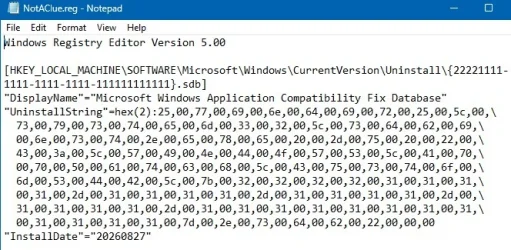
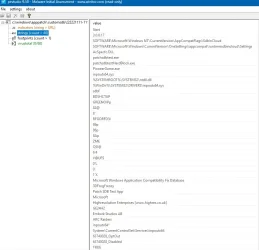
Today I was about to make another backup with Macrium and noticed "Microsoft Windows Application Compatibility Fix Database" under Programs and Features - Uninstall.
I tried Google search but found very little info.
Found this MS link but at the time I am writing this someone allready uninstalled it.
Is this the Microsoft Windows Application Compatibility fix Database? | Microsoft Community Hub
My Windows 11 25H2 laptop has an application called "Microsoft Windows Application Compatibility fix Database" that inexplicably appeared in "Settings" →...
techcommunity.microsoft.com
it does NOT showup under Updates History.
Anybody that has a clue on this ?
- Windows Build/Version
- Windows 11 25H2
Attachments


My Computer
At a glance
Win11 24H2 IOT LTSC / Win11 Pro 25H2AMD Ryzen 7 8700G / Ryzen 7 8700G / Ryzen 8600GF5-6000J3636F16GX2-FX5 32GB / Lexar Ares RGB ...internal
- OS
- Win11 24H2 IOT LTSC / Win11 Pro 25H2
- Computer type
- PC/Desktop
- Manufacturer/Model
- Gigabyte x2 / Asus = Home builds
- CPU
- AMD Ryzen 7 8700G / Ryzen 7 8700G / Ryzen 8600G
- Motherboard
- Gigabyte B650 AORUS ELITE AX V2 / ASUS TUF GAMING B650-PLUS / B650 GAMING X AX V2
- Memory
- F5-6000J3636F16GX2-FX5 32GB / Lexar Ares RGB LD5BU016G-R6000GDLA 32GB / Kingston FURY Beast 32 GB DDR5-5600
- Graphics Card(s)
- internal
- Sound Card
- Realtek
- Monitor(s) Displays
- BenQ 27 L EW2780
- Screen Resolution
- 1920x1080
- Hard Drives
- Many M.2's (WD)
- PSU
- be quiet! Pure Power 13 M 550W
- Case
- Chieftec HC-10B-OP
- Cooling
- Gelid Solutions Tranquillo 5, many Noctua's 12x12
- Keyboard
- Microsoft
- Mouse
- Cherry
- Internet Speed
- 500 mbs
- Browser
- Vivaldi
- Antivirus
- Eset
- Other Info
- PC builder / repair / Trouble-shooter etc.