I propose a different workaround for this issue, while everyone waits.
Microsoft has gone on record that the Vulnerable Driver Blocklist (
driversipolicy.p7b) can be updated at least 1-2 times per year. Normally it's always refreshed by the release of a new Windows in October. And sometimes an off-schedule update is pushed in the Monthly Update cycle.
But in reality, the blocklist doesn't change that often.
Unlike most malware, which is handled by Defender; the Vulnerable Driver Blocklist represents drivers provided by known legitimate software companies and individual developers. There is no malicious intent, but bad coding which leaves the drivers open to attack. Either those providers have failed to replace their vulnerable drivers, or users are stuck using outdated (and insecure) versions of the driver.
Looking back at Windows 11 24H2/25H2, the driver blocklist was replaced on: February 2025, May 2025, and April 2026
Instead of disabling the Vulnerable Driver Blocklist from the Security Center, or by using a reg key, we roll back to the March 2026 (or in reality, the May 2025) version of
driversipolicy.p7b. After copying back the file, you must restart Windows for changes to take effect.
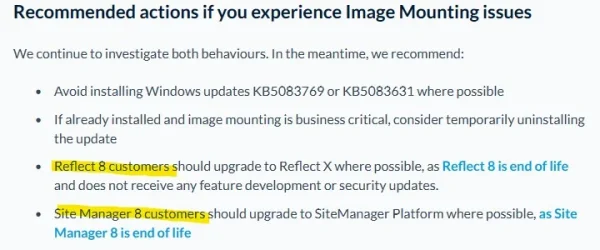
Macrium 8 will work exactly as before, because it's no longer blocked.
You should not be copying this file by hand. First, the policy file is protected by TrustedInstaller rights. This is a level above having normal Administrator privileges.
NEVER use the takeown & icacls method to tamper with security files. Just don't mess up your Windows!!
1. This batch file (which really is PowerShell code) can safely remove
driversipolicy.p7b, and hard links the previous policy file that's provided in the WinSxS component store. This is where Windows keeps older versions of files which have been replaced by later updates.
If you need to restore the latest (April 2026) version, the script will find it from WinSxS and link that version in place. When you switch between the two versions, the script will automatically change the Vulnerable Driver Blocklist setting to "on" or "off".
You can run the script as a normal user or Admin. If you're not Admin, it asks permission for Admin rights.
Code:
> Rollback-VulnerableDriverPolicy.bat
Rolling back to older version (.7623) of driversipolicy.p7b.  Please be patient.

 Volume in drive C has no label.
 Volume Serial Number is DE36-5A58

 Directory of C:\Windows\System32\CodeIntegrity

12/06/2025  06:27 PM           229,162 driversipolicy.p7b
               1 File(s)        229,162 bytes
               0 Dir(s)  21,264,400,384 bytes free

RESTART WINDOWS NOW.
Code:
> Rollback-VulnerableDriverPolicy.bat -restore
Restoring latest version (.8246) of driversipolicy.p7b.  Please be patient.

 Volume in drive C has no label.
 Volume Serial Number is DE36-5A58

 Directory of C:\Windows\System32\CodeIntegrity

04/15/2026  12:17 AM           242,130 driversipolicy.p7b
               1 File(s)        242,130 bytes
               0 Dir(s)  21,264,400,384 bytes free

RESTART WINDOWS NOW.
2.
Restarting Windows is required.
3. If you run "
sfc /scannow" to repair your Windows system, please re-run the batch file. A repair action will determine the wrong version of the policy file is in place, and restore the latest copy (which blocks Macrium 8).
4. This method won't help if your Windows is a clean install from the April 2026 Media Creation Tool. There may not be an older version to fallback on. You will have to copy the file from an older Windows system.