dwsiddall
Member
- Local time
- 11:57 PM
- Posts
- 6
- OS
- Windows 11
I love the software Paint Shop Pro 7. I saw other posts about Paint Shop Pro, so I hope some users here have knowledge about it.
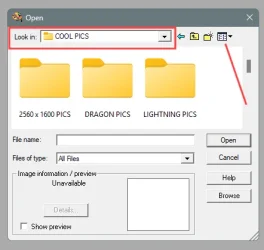
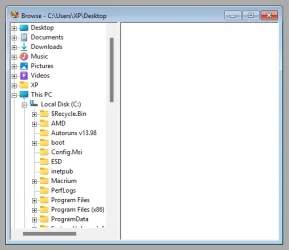
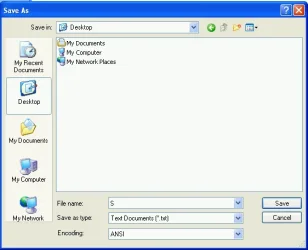
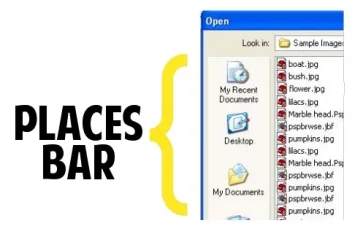
In a help file for the program, I noticed that when using the Open or Save dialog, there is supposed to be the Windows Vertical Places Bar (see attached image).
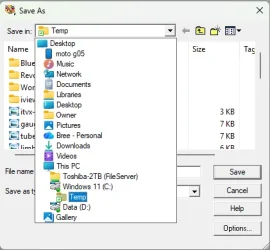
I don't have this and cannot figure out why. I have done the registry fix to add the places (Place0, Place1, Place2....etc) and it still doesn't show.
Although I understand that there are alternate ways to achieve "browsing", as an intellectual exercise, I am really interested in solving this!
Any insight is appreciated!
In a help file for the program, I noticed that when using the Open or Save dialog, there is supposed to be the Windows Vertical Places Bar (see attached image).
I don't have this and cannot figure out why. I have done the registry fix to add the places (Place0, Place1, Place2....etc) and it still doesn't show.
Although I understand that there are alternate ways to achieve "browsing", as an intellectual exercise, I am really interested in solving this!
Any insight is appreciated!
Attachments
Last edited:
My Computer
At a glance
Windows 11
- OS
- Windows 11
- Computer type
- PC/Desktop
- Manufacturer/Model
- Asus