surio
Well-known member
- Local time
- 6:06 AM
- Posts
- 117
- OS
- Windows 11 Pro
Greetings, friends,
For some reason, every year I seem to get this problem where I can put my PC to sleep, but it won't wake up from sleep state properly.
The CPU lights up and fans power up but keyboard, mouse and monitor are all unresponsive. The only way to recover is to hard reboot PC.
I have changed my card to an NVIDIA instead of Radeon in the previous profile of my PC.
I am attaching the event viewer logs of "System" to help with any early troubleshooting or tips for further information.
Kindly let me know if you have any suggestions for me, or any other information.
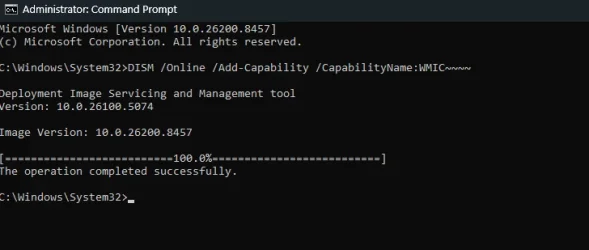
Windows 25H2, version 26200.8457
Thanks,
surio.
For some reason, every year I seem to get this problem where I can put my PC to sleep, but it won't wake up from sleep state properly.
The CPU lights up and fans power up but keyboard, mouse and monitor are all unresponsive. The only way to recover is to hard reboot PC.
I have changed my card to an NVIDIA instead of Radeon in the previous profile of my PC.
I am attaching the event viewer logs of "System" to help with any early troubleshooting or tips for further information.
Kindly let me know if you have any suggestions for me, or any other information.
Windows 25H2, version 26200.8457
Thanks,
surio.
Attachments
My Computer
At a glance
Windows 11 ProAMD Ryzen 7 7700X 8-CoreCorsair 16GB DDR5 XMP x24054MB NVIDIA GeForce RTX 5060 Ti (MSI)
- OS
- Windows 11 Pro
- Computer type
- PC/Desktop
- Manufacturer/Model
- Assembled
- CPU
- AMD Ryzen 7 7700X 8-Core
- Motherboard
- B650M AORUS ELITE AX
- Memory
- Corsair 16GB DDR5 XMP x2
- Graphics Card(s)
- 4054MB NVIDIA GeForce RTX 5060 Ti (MSI)
- Monitor(s) Displays
- 2
- Screen Resolution
- 2351 x 1323 (NVIDIA DSR)
- Hard Drives
- SSD
- PSU
- CORSAIR CV750 Watts bronze80 PLUS
- Cooling
- cooler master AIO water cooled
- Keyboard
- red dragon cherry
- Mouse
- Galax 04
- Browser
- Brave, floorp, zen and others
- Antivirus
- windows defender
- Other Info
- I also have two more desktops, a windows 10 and 11 gaming desktop and a dell gaming laptop that runs windows 11