

CKavanagh
Member
- Local time
- 8:06 AM
- Posts
- 31
- OS
- Window 11 Pro
I bought a HP Elitebook Dec 31 running Windows 11 Pro 25H2. All seemed well upon first setup OOBE, I saw my laptop under Microsoft Account Devices as well as in Windows Settings - Linked Devices and was able to use Find My Device. The issue I had was in trying to delete some HP bloatware. Once I selected to uninstall HP Insights it would automatically reinstall and start running. There was an icon in the system tray saying not enrolled so I clicked to enroll and said denied and I could not remove the icon in the system tray, it just kept popping up even if I chose to not be notified about it. So I decided to just reset the pc and leave the HP Insights on my laptop and not attempt to uninstall it.
From the Windows built-in Recovery Tool, I choose Reset PC - Remove All Files - Clean Drive - Cloud Windows Reinstall. Once all was installed as new user and configured I no longer had an issue with the HP Inights icon in the system tray. All seemed well after install and setup; however, now I no longer see my device in My Microsoft Account - says No Device Registered. I entered my serial number to register and says not found. In Windows Settings - Linked Devices I do see my laptop plus 2 old laptops I am unable to remove - trace error. Find My Device does not locate my device because it is no longer registered on my Microsoft Account - Devices.
I am logged into Microsoft with the same login as inital setup and my location is configured in Windows Settings - Location.
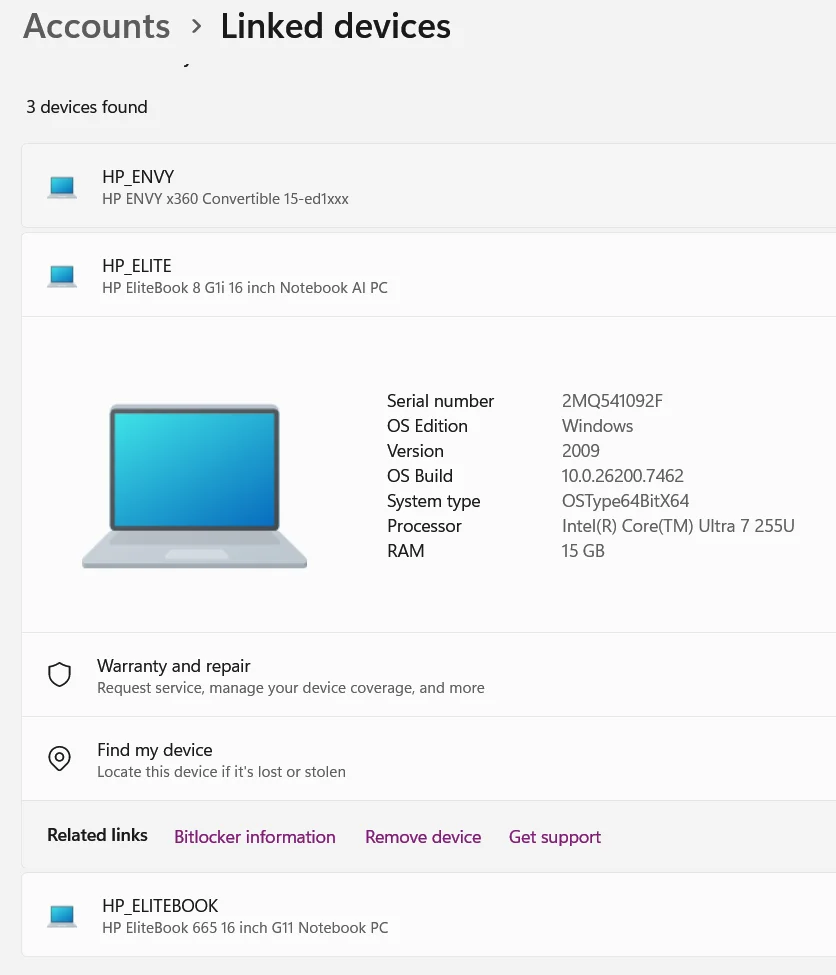


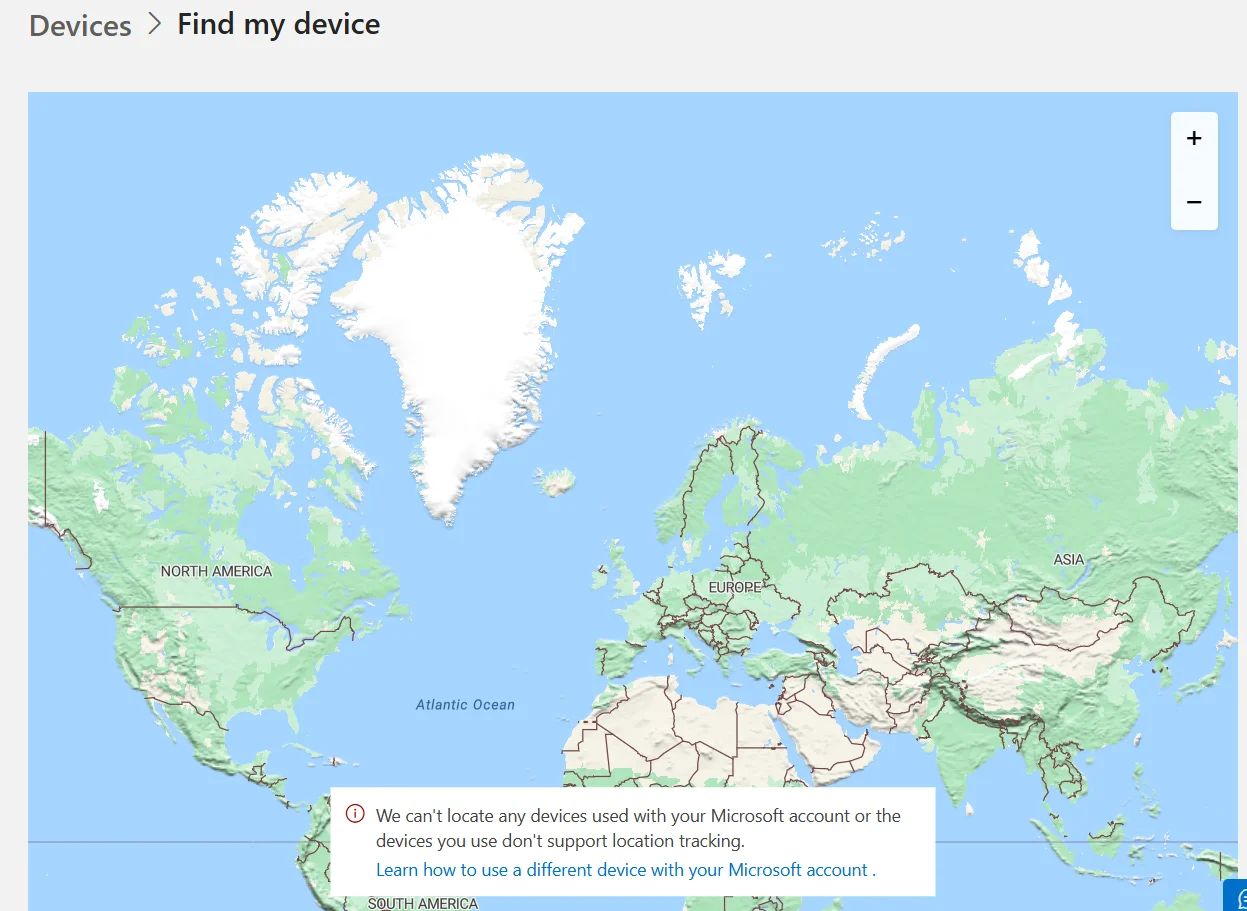
From the Windows built-in Recovery Tool, I choose Reset PC - Remove All Files - Clean Drive - Cloud Windows Reinstall. Once all was installed as new user and configured I no longer had an issue with the HP Inights icon in the system tray. All seemed well after install and setup; however, now I no longer see my device in My Microsoft Account - says No Device Registered. I entered my serial number to register and says not found. In Windows Settings - Linked Devices I do see my laptop plus 2 old laptops I am unable to remove - trace error. Find My Device does not locate my device because it is no longer registered on my Microsoft Account - Devices.
I am logged into Microsoft with the same login as inital setup and my location is configured in Windows Settings - Location.
- Windows Build/Version
- Windows 11 Pro, 25H2 26200.7462
My Computer
At a glance
Window 11 Pro
- OS
- Window 11 Pro
- Computer type
- Laptop
- Manufacturer/Model
- HP Elitebook 8






