- Local time
- 3:08 PM
- Posts
- 1,842
- Location
- Newcastle NSW AUS
- OS
- Windows 11 2xH2 (latest update ... forever anal)
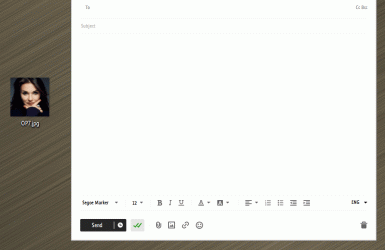
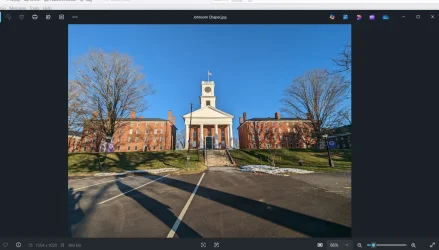
OMG!! How much more messy can this get.I installed it, then started an email, added an app, tried to open it, which brought up a menu to see the image, , which opened in a editor; no change.
Yesterday, I saw something abut being able to keep MS Photos from starting during a restart, which sounded promising. As I had deleted MS Photos, I downloaded and ran the installer. I was not at al l pleased by what happened when I clicked on the installer, which ran, and then told me to install two more programs, names forgotten ( I am good at that.}
WTF???? What "app"?????I installed it, then started an email, added an app,
Hang on! Why am I starting to think about a mythical Scandinavian being of Nordic folklore origins ..... ??
My Computers
-
At a glance
Windows 11 2xH2 (latest update ... forever anal)Intel i5-124008GBNVIDIA GeForce GT730- OS
- Windows 11 2xH2 (latest update ... forever anal)
- Computer type
- PC/Desktop
- Manufacturer/Model
- HP Slim S01
- CPU
- Intel i5-12400
- Memory
- 8GB
- Graphics Card(s)
- NVIDIA GeForce GT730
- Sound Card
- OOBE
- Monitor(s) Displays
- Acer 32"
- Screen Resolution
- 1920x1080
- Hard Drives
- 512GB KIOXIA NVMe
1TB SATA SSD
- PSU
- OOBE
- Case
- OOBE
- Cooling
- OOBE
- Keyboard
- BT
- Mouse
- BT
- Browser
- Brave FFox Chrome Opera
- Antivirus
- KIS
-
At a glance
Windows 11 Pro 2xH2 (latest update ... 4ever ...i7-1165G7 @ 2.80GHzIntel Iris Xe Graphics- Operating System
- Windows 11 Pro 2xH2 (latest update ... 4ever anal)
- Computer type
- Laptop
- Manufacturer/Model
- HP Pavillion 15
- CPU
- i7-1165G7 @ 2.80GHz
- Graphics card(s)
- Intel Iris Xe Graphics
- Hard Drives
- Samsung NVMe 512GB
+ numerous/multiple SSD Type C USB enclosures
- Internet Speed
- NBN FTTN 50
- Browser
- Brave
- Antivirus
- KIS