Microsoft 365 Blog:
The PowerPoint team is modernizing the creation experience to help you build polished presentations with less friction. Over the past several months, we’ve focused on updates you can use directly—new SmartArt layouts, fresh themes, and a simpler Design ribbon—alongside improvements that make opening files feel clearer and more reliable.
1. New SmartArt for Modern Storytelling
What’s new
We’ve shipped 13 new SmartArt layouts, including timelines, lists, and “Meet the Team” designs, with more layouts rolling out very soon. These updates make it easier to turn information into polished visuals directly in PowerPoint.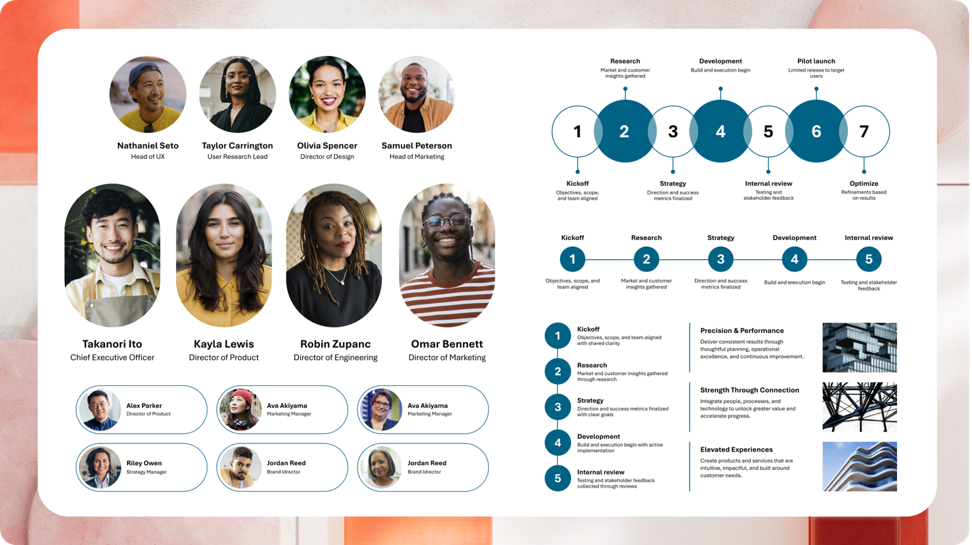
The SmartArt gallery now has updated categories, and we’re addressing longstanding editing friction with improvements like multi-image insert support and clearer placeholder text for unedited nodes.
Availability
Windows & Mac: New SmartArt layouts are rolling out now, with full availability by July 2026.2. Fresh Themes
What’s new
We’ve added 13 new themes to the Design tab in PowerPoint ribbon for Windows and Mac. These themes offer a range of styles, from professional and minimal to playful and educational, so you can find the right look for your presentation.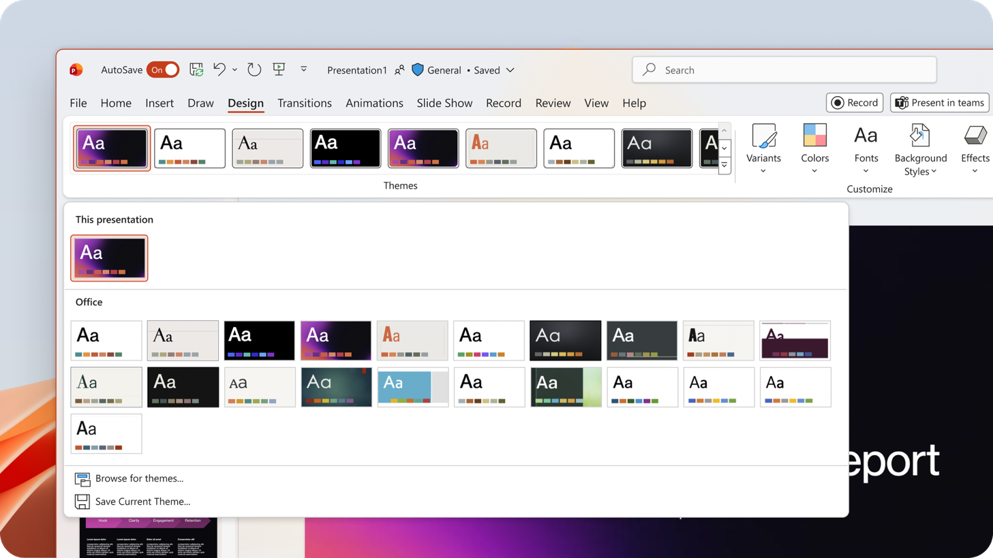
Many older themes have been retired from the gallery, but they remain searchable from Backstage if you need them. Existing presentations that use those themes are unaffected.
Availability
- Windows & Mac: Rolled out to Beta users now, with full general availability by July 2026.
3. A Simpler Design Ribbon
What’s new
We’ve updated the Design ribbon so the settings you most often need, such as Colors, Fonts, Effects, Background Styles, and Layout are easier to find and apply while you customize your slides.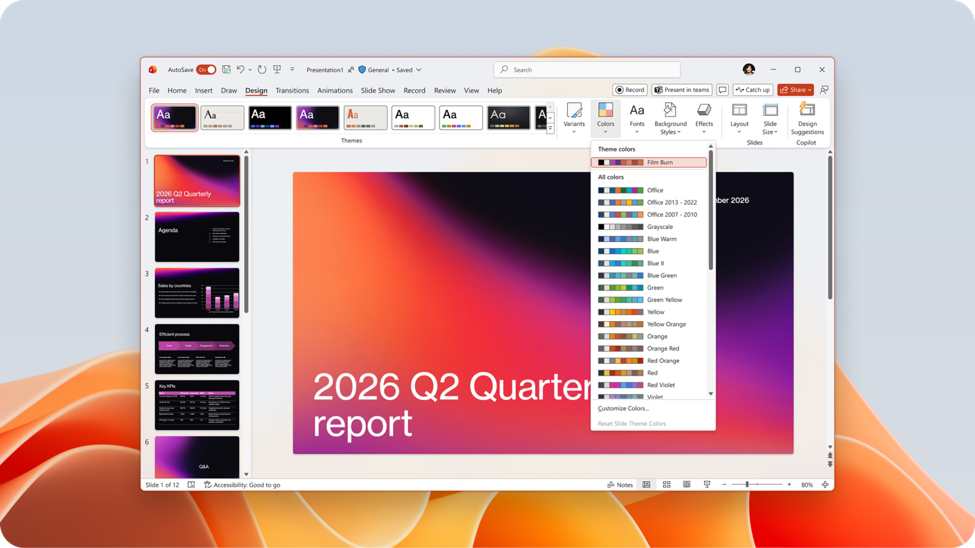
Availability
- Windows & Mac: Rolling out to Beta users now, with full general availability by July 2026.
4. A Modern File Open Progress Experience
What’s new
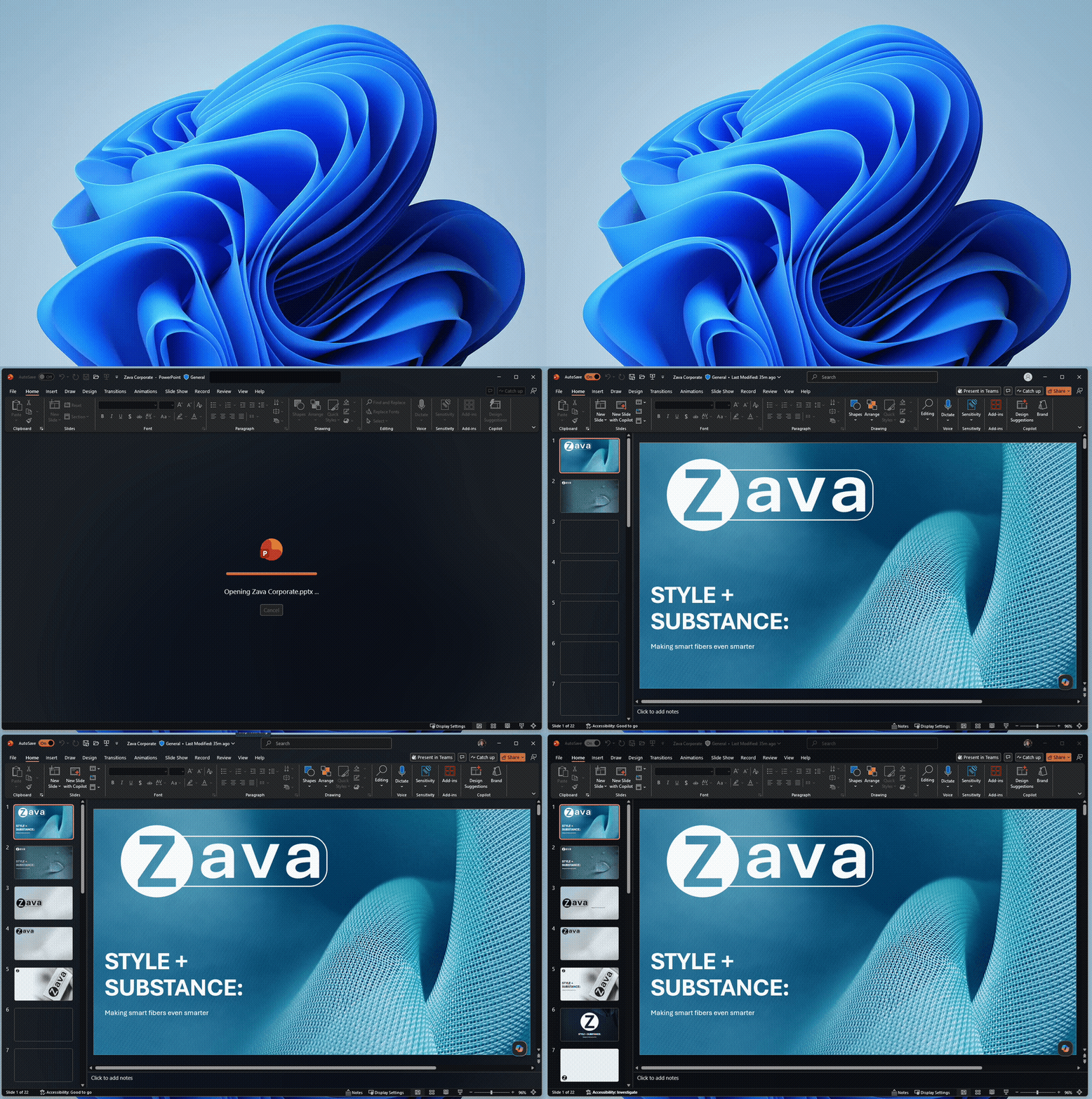
The file open experience has been completely redesigned. Instead of seeing multiple, overlapping progress dialogs (for authentication, downloading, and loading), you will now see see a single, cohesive progress dialog that clearly communicates what’s happening.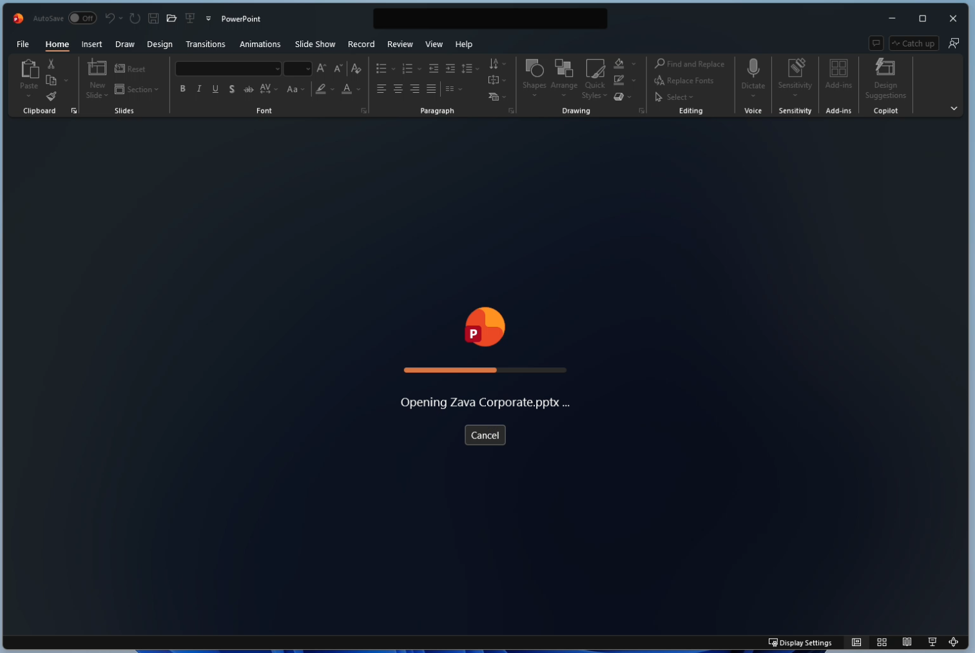
The result is a more cohesive, lower-friction experience that reduces visual noise from the very first click, helping you better understand what's happening during your file opening experience.
Availability
- Windows & Mac: In production for most users; full rollout is expected by July 2026.
Source: