Microsoft Support:
Summary
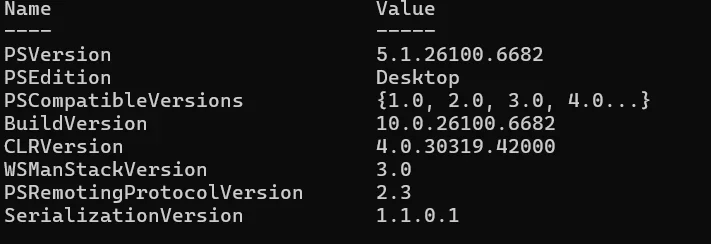
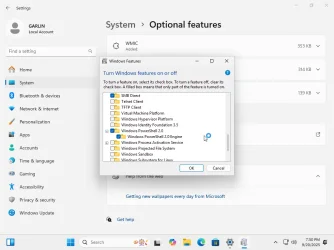
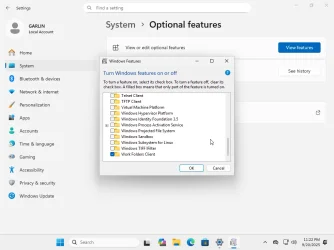
Windows PowerShell 2.0, a legacy component first introduced with Windows 7, is being removed from the Windows operating system (OS) in upcoming releases. PowerShell 2.0 was officially deprecated in 2017, and it remained available as an optional feature for compatibility as described in the Windows PowerShell 2.0 Deprecation blog.PowerShell 2.0 will be removed in a later release starting in August 2025 for Windows 11, version 24H2 and a September 2025 release for Windows Server 2025. All later releases for Windows 11 and Windows Server 2025 will not include PowerShell 2.0. Windows Insider preview builds already reflect this change, with the PowerShell 2.0 feature removed as of July 2025. This removal is part of a broader effort to clean up legacy code, reduce the complexity of the PowerShell ecosystem, and improve Windows security.
For most users and organizations, this change will be uneventful – newer versions of PowerShell such as PowerShell 5.1 and PowerShell 7.x continue to be available and supported. However, if you have legacy scripts or software that explicitly depends on PowerShell 2.0, you will need to take action and update them or use a workaround to prevent any disruptions.
This article provides a timeline of the change, the impact on different user groups, and guidance on how to mitigate any issues.
Mitigation Guidance
If you do have a dependency on PowerShell 2.0 in your environment, here’s how you can mitigate issues:- Recommended: Migrate scripts and tools to a newer PowerShell version
Microsoft primary guidance is to update anything using PowerShell 2.0 to use PowerShell 5.1 or PowerShell 7. PowerShell 5.1 introduced many improvements and is backward-compatible for almost all commands and modules. The PowerShell team blog provides a guide for this migration. - Update or replace outdated software
In some cases, the “fix” might be to upgrade the software that needed PowerShell 2.0. For example, if an old installer fails, look for a newer version of that product.- Many Microsoft server products that once used PowerShell 2.0 (Exchange, SharePoint, SQL, and so forth) have newer versions that use modern PowerShell. Use those updated versions if you plan to run them on new versions of Windows.
- If it’s a third-party tool, check the vendor’s website for an update or a newer release that removes the PowerShell 2.0 requirement. Given the deprecation has been known for years, some vendors may have addressed it.
Read more:
PowerShell 2.0 removal from Windows | Microsoft Support
PowerShell 2.0 removal from Windows
 support.microsoft.com

Deprecated features in the Windows client
Review the list of features that Microsoft is no longer actively developing in Windows 10 and Windows 11.
learn.microsoft.com
See also:
Check PowerShell Version in Windows 11
This tutorial will show you how to check the current version of PowerShell in Windows 10 and Windows 11. Windows PowerShell is a task-based command-line shell and scripting language designed especially for system administration. Built on the .NET Framework, Windows PowerShell helps IT...
 www.elevenforum.com