Problem Installing A Software Program- Tech Support Has Given Up


Toughbook

Well-known member
Member
Local time
9:20 AM
Posts
41
Location
Georgia
OS
Windows 11 Pro 26H2 26300.9711
I need to install and use a program called GTS+. It is the official program/software that Toyota/Lexus dealers use in the service department. I have paid and used this program for many years. I pay an annual subscription cost of $1600.00. I recently have the need to install it on a laptop I use in my shop that is more convenient for my productivity. This program has been installed and performed perfectly on the certain laptop.
Here is my problem. I have to download a program called AgentLite from their site. It installs it in my C: drive etc and I can see the full path after it is finished. I am supposed to click on the AgentLite and it is supposed to start the install of a program called GTS+. I immediately get a window that pops up stating it can't find the path. However, when I go to my folder/files I can see the full path. I have spent several hours with tech support with them remotely on my computer. They have checked everything they know of but can't get it to install. They basically have told me I need to do a reimage of my W11 and see if that works. I refuse to accept this. Something has to be blocking this program from installing.
Below is some information that might help.
W11 Pro 26H2
Malwarebytes- I have tried installing with it uninstalled with no luck.
I have tried installing it in Admin rights.
They turned off my firewall settings and that didn't work either.

Any advice would be greatly appreciated!
 

My Computer My Computer

At a glance

Windows 11 Pro 26H2 26300.9711Intel Core i7-1370P vPro32GB DDR4-3200MhzIntel Iris Xe Graphics
OS
Windows 11 Pro 26H2 26300.9711
Computer type
Laptop
Manufacturer/Model
Panasonic Toughbook FZ-55 MK-3
CPU
Intel Core i7-1370P vPro
Motherboard
Panasonic
Memory
32GB DDR4-3200Mhz
Graphics Card(s)
Intel Iris Xe Graphics
Monitor(s) Displays
ASUS
Hard Drives
1st Samsung SSD 990 PRO 2TB
2nd Panasonic Opal 1Tb Quick Release
Keyboard
Logitech MX Keys
Mouse
LogiTech MX-3
Browser
Chrome
Antivirus
Malwarebytes
Other Info
Logitech BRIO Webcam
Hi.

Did you check if you have Smart App Control turned off or on ? If on, try to turn it off. Smart App Control blocks some programs from running or installing. But if you turn it off, you may not be able to turn it back on without clean installation of Windows.
 

My Computers My Computers

  • At a glance

    Windows 11 Pro build 26300.9711Intel i7-4790Teams DDR3-1600 4x4 GBMSI Nvidia GeForce GTX 1050Ti
    OS
    Windows 11 Pro build 26300.9711
    Computer type
    PC/Desktop
    Manufacturer/Model
    Home Built
    CPU
    Intel i7-4790
    Motherboard
    Asus H97 Pro Gamer with add-on TPM1.2 module
    Memory
    Teams DDR3-1600 4x4 GB
    Graphics Card(s)
    MSI Nvidia GeForce GTX 1050Ti
    Sound Card
    Realtek ALC1150
    Monitor(s) Displays
    Dell P2425D
    Screen Resolution
    2560 by 1440 pixels
    Hard Drives
    Corsair NVMe M.2 Core XT 1000 GB (Windows 11 v.25H2); Samsung SATA Evo 870 500 GB (Windows 11 v.25H2);
    PSU
    Corsair HX850
    Case
    Gigabyte Solo 210
    Cooling
    Zalman CNPS7X Tower
    Keyboard
    Microsoft AIO Wireless (includes touchpad)
    Mouse
    HP S1000 Plus Wireless
    Internet Speed
    1000 Mb fiber optic
    Browser
    Chrome; MS Edge
    Antivirus
    Windows Defender
  • At a glance

    MacOS 12 MontereyIntel Core i58 GBIntel integrated
    Operating System
    MacOS 12 Monterey
    Computer type
    Laptop
    Manufacturer/Model
    Apple Macbook Air
    CPU
    Intel Core i5
    Memory
    8 GB
    Graphics card(s)
    Intel integrated
    Screen Resolution
    1440 by 900 pixels
    Hard Drives
    128 GB
    Keyboard
    Built-in
    Mouse
    Microsoft Wireless
    Internet Speed
    802.11 ac
    Browser
    Chrome; Safari
    Antivirus
    N/A
My Smart App Control is off and it is grayed out, which means I can't turn it on without clean installation of Windows. Recent builds of clean-installed Windows 11 25H2 and on allows turning on and off of this feature, I guess.

SAC.webp
 

My Computers My Computers

  • At a glance

    Windows 11 Pro build 26300.9711Intel i7-4790Teams DDR3-1600 4x4 GBMSI Nvidia GeForce GTX 1050Ti
    OS
    Windows 11 Pro build 26300.9711
    Computer type
    PC/Desktop
    Manufacturer/Model
    Home Built
    CPU
    Intel i7-4790
    Motherboard
    Asus H97 Pro Gamer with add-on TPM1.2 module
    Memory
    Teams DDR3-1600 4x4 GB
    Graphics Card(s)
    MSI Nvidia GeForce GTX 1050Ti
    Sound Card
    Realtek ALC1150
    Monitor(s) Displays
    Dell P2425D
    Screen Resolution
    2560 by 1440 pixels
    Hard Drives
    Corsair NVMe M.2 Core XT 1000 GB (Windows 11 v.25H2); Samsung SATA Evo 870 500 GB (Windows 11 v.25H2);
    PSU
    Corsair HX850
    Case
    Gigabyte Solo 210
    Cooling
    Zalman CNPS7X Tower
    Keyboard
    Microsoft AIO Wireless (includes touchpad)
    Mouse
    HP S1000 Plus Wireless
    Internet Speed
    1000 Mb fiber optic
    Browser
    Chrome; MS Edge
    Antivirus
    Windows Defender
  • At a glance

    MacOS 12 MontereyIntel Core i58 GBIntel integrated
    Operating System
    MacOS 12 Monterey
    Computer type
    Laptop
    Manufacturer/Model
    Apple Macbook Air
    CPU
    Intel Core i5
    Memory
    8 GB
    Graphics card(s)
    Intel integrated
    Screen Resolution
    1440 by 900 pixels
    Hard Drives
    128 GB
    Keyboard
    Built-in
    Mouse
    Microsoft Wireless
    Internet Speed
    802.11 ac
    Browser
    Chrome; Safari
    Antivirus
    N/A
I also remember that, if you right-click the installer of a program and click its properties, you see that the program may be blocked. There is a checkbox which you can put a checkmark in to unblock that program. You should also check that.

Hope this helps.
 

My Computers My Computers

  • At a glance

    Windows 11 Pro build 26300.9711Intel i7-4790Teams DDR3-1600 4x4 GBMSI Nvidia GeForce GTX 1050Ti
    OS
    Windows 11 Pro build 26300.9711
    Computer type
    PC/Desktop
    Manufacturer/Model
    Home Built
    CPU
    Intel i7-4790
    Motherboard
    Asus H97 Pro Gamer with add-on TPM1.2 module
    Memory
    Teams DDR3-1600 4x4 GB
    Graphics Card(s)
    MSI Nvidia GeForce GTX 1050Ti
    Sound Card
    Realtek ALC1150
    Monitor(s) Displays
    Dell P2425D
    Screen Resolution
    2560 by 1440 pixels
    Hard Drives
    Corsair NVMe M.2 Core XT 1000 GB (Windows 11 v.25H2); Samsung SATA Evo 870 500 GB (Windows 11 v.25H2);
    PSU
    Corsair HX850
    Case
    Gigabyte Solo 210
    Cooling
    Zalman CNPS7X Tower
    Keyboard
    Microsoft AIO Wireless (includes touchpad)
    Mouse
    HP S1000 Plus Wireless
    Internet Speed
    1000 Mb fiber optic
    Browser
    Chrome; MS Edge
    Antivirus
    Windows Defender
  • At a glance

    MacOS 12 MontereyIntel Core i58 GBIntel integrated
    Operating System
    MacOS 12 Monterey
    Computer type
    Laptop
    Manufacturer/Model
    Apple Macbook Air
    CPU
    Intel Core i5
    Memory
    8 GB
    Graphics card(s)
    Intel integrated
    Screen Resolution
    1440 by 900 pixels
    Hard Drives
    128 GB
    Keyboard
    Built-in
    Mouse
    Microsoft Wireless
    Internet Speed
    802.11 ac
    Browser
    Chrome; Safari
    Antivirus
    N/A
Here is my problem. I have to download a program called AgentLite from their site. It installs it in my C: drive etc and I can see the full path after it is finished. I am supposed to click on the AgentLite and it is supposed to start the install of a program called GTS+. I immediately get a window that pops up stating it can't find the path.

Can you please post screenshots illustrating this?

Thanks.
 

My Computer My Computer

At a glance

Windows 11 Proi7-8650U16GBIntel UHD 620
OS
Windows 11 Pro
Computer type
Laptop
Manufacturer/Model
Lenovo t480s
CPU
i7-8650U
Memory
16GB
Graphics Card(s)
Intel UHD 620
Screen Resolution
1920x1080
Hard Drives
C SN810 SDCPNRY-512G-1006
Browser
Edge, Firefox
Antivirus
Defender
a program called GTS+ official program/software that Toyota/Lexus dealers AgentLite

They basically have told me I need to do a reimage of my W11 and see if that works. I refuse to accept this. Something has to be blocking this program from installing.


An alternative trial and error approach:


1) Consider making a free backup image.
Save the backup image to another disk drive or to the cloud.


(Acronis, Aoemi, EaseUS, Hasleo, Macrium, Paragon, etc.)

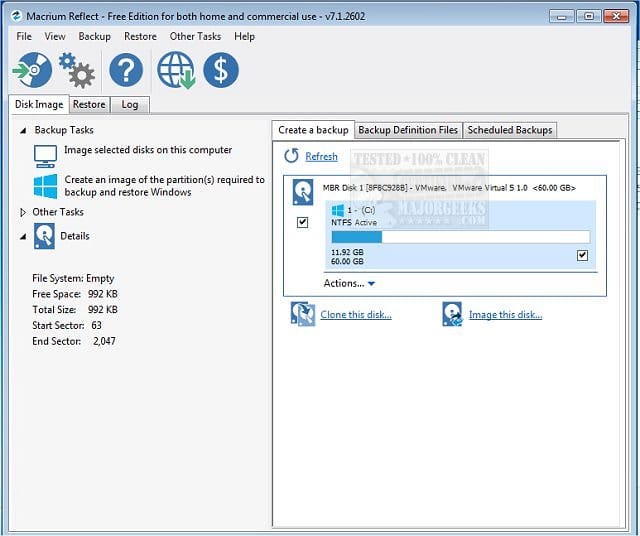
Macrium is widely used in Ten Forums.

Macrium Software | Your Image is Everything


Backup and Restore with Macrium Reflect


2) Clean install Windows 11 > attempt to install the AgentLite and Toyota/Lexus software GTS+ >

a) if it installs without problems on this computer then > restore the image > resume troubleshooting the AgentLite and Toyota/Lexus software GTS+

b) if it fails to install on this computer then > restore the image > contact Toyota/Lexus software support for GTS+
 

My Computer My Computer

At a glance

Windows 10Intel(R) Core(TM) i7-4800MQ CPU @ 2.70GHz16 GB Total: Manufacturer : Samsung MemoryTyp...NVIDIA Quadro K3100M; Intel(R) HD Graphics 4600
OS
Windows 10
Computer type
Laptop
Manufacturer/Model
HP
CPU
Intel(R) Core(TM) i7-4800MQ CPU @ 2.70GHz
Motherboard
Product : 190A Version : KBC Version 94.56
Memory
16 GB Total: Manufacturer : Samsung MemoryType : DDR3 FormFactor : SODIMM Capacity : 8GB Speed : 1600
Graphics Card(s)
NVIDIA Quadro K3100M; Intel(R) HD Graphics 4600
Sound Card
IDT High Definition Audio CODEC; PNP Device ID HDAUDIO\FUNC_01&VEN_111D&DEV_76E0
Hard Drives
Model Hitachi HTS727575A9E364
Antivirus
Microsoft Defender
Other Info
Mobile Workstation
I have to download a program called AgentLite from their site. It installs it in my C: drive etc and I can see the full path after it is finished. I am supposed to click on the AgentLite and it is supposed to start the install of a program called GTS+. I immediately get a window that pops up stating it can't find the path. However, when I go to my folder/files I can see the full path.
That may be Controlled Folder Access that's blocking it from seeing the folder. You can open Windows Security and check the protection history to see if AgentLite has been blocked. You may need to add it to the 'Allowed apps' list.


My Computers My Computers

  • At a glance

    Windows 11 HomeAMD Athlon Silver 3050U8GBRadeon Graphics
    OS
    Windows 11 Home
    Computer type
    Laptop
    Manufacturer/Model
    Acer Aspire 3 A315-23-R9VY
    CPU
    AMD Athlon Silver 3050U
    Memory
    8GB
    Graphics Card(s)
    Radeon Graphics
    Monitor(s) Displays
    laptop screen
    Screen Resolution
    1366x768 native resolution, up to 2560x1440 with Radeon Virtual Super Resolution
    Hard Drives
    1TB Samsung EVO 870 SSD (from April 2026: 250GB EVO 850)
    Internet Speed
    150 Mbps
    Browser
    Edge, Firefox
    Antivirus
    Defender
    Other Info
    UPDATE - 11 April 2026: due to lid hinges starting to break up this laptop has been retired from active duty. The OS with all software and files has been migrated to my System Seven in 'Other systems' to carry on as my general purpose 'main machine'.

    I've now clean installed 25H2 and used Garlin's scripts to update Secure Boot to CA 2023 and revoke the PCA 2011 certificates. It's new role is to test secure boot issues.

    Info for 2021-2026:
    fully 'Windows 11 ready' laptop. Windows 10 C: partition migrated from my old unsupported 'main machine' then upgraded to 11. A test migration ran Insider builds for 2 months. When 11 was released on 5th October 2021 it was re-imaged back to 10 and was offered the upgrade in Windows Update on 20th October. Windows Update offered the 22H2 Feature Update on 20th September 2022. It got the 23H2 Feature Update on 4th November 2023 through Windows Update, 24H2 on 3rd October 2024 through Windows Update by setting the Target Release Version for 24H2, and 25H2 on 30th September 2025 through Windows Update by setting the Target Release Version for 25H2.
  • At a glance

    Windows 11 ProIntel® Core™ i5-520M8GB(integrated graphics) Intel HD Graphics
    Operating System
    Windows 11 Pro
    Computer type
    Laptop
    Manufacturer/Model
    Dell Latitude E4310
    CPU
    Intel® Core™ i5-520M
    Motherboard
    0T6M8G
    Memory
    8GB
    Graphics card(s)
    (integrated graphics) Intel HD Graphics
    Screen Resolution
    1366x768
    Hard Drives
    500GB Crucial MX500 SSD
    Browser
    Firefox, Edge
    Antivirus
    Defender
    Other Info
    unsupported machine: Legacy bios, MBR, TPM 1.2, upgraded from W10 to W11 using W10/W11 hybrid install media workaround.

    In-place upgrade to 22H2 using ISO and a workaround.
    Feature Update to 23H2 by manually installing the Enablement Package.
    In-place upgrade to 24H2 using hybrid 23H2/24H2 install media.
    Upgraded to 25H2 by Enablement Package.
    Upgraded to 26H2 by Enablement Package.

    Also running Insider Experimental 263xx and 29xxx builds and Windows 10 as native boot .vhdx.
  • My SYSTEM THREE is a Dell Latitude 5410, i7-10610U, 32GB RAM, 512GB NVMe ssd, supported device running Windows 11 Pro.

    My SYSTEM FOUR was a 2-in-1 convertible Lenovo Yoga 11e (1st gen) type 20DA, Celeron N2930, 8GB RAM, 256GB ssd. Unsupported device. This has now been sold. It has been replaced by my System Eight.

    My SYSTEM FIVE is a Dell Latitude 3190 2-in-1, Pentium Silver N5030, 8GB RAM, 1TB NVMe ssd, supported device running Windows 11 Pro, plus Insider Beta, Experimental 263xx and 29xxx builds (and a few others) as a native boot .vhdx.

    My SYSTEM SIX is a Dell Latitude 5550, Core Ultra 7 165H, 64GB RAM, 1TB NVMe SSD, supported device, Windows 11 Pro, Hyper-V host machine. Updated to 25H2 on 30th September 2025, 26H2 on 29th September 2026.

    My SYSTEM SEVEN is a Lenovo Thinkpad T580, 1920x1080 touchscreen, Intel Core i7-8650U, 16GB RAM, 512GB NVMe SSD + 2nd 512GB NVMe SSD, a supported device for Windows 11. This is my current general purpose 'main machine'. The installed Windows 11 Home from my System One has been migrated to this machine. As its new home has an existing digital licence for Pro I've been able to upgrade the migrated OS from Home to Pro.
    29 Sept. 2026 Feature Update to 26H2 through Windows Update.

    My SYSTEM EIGHT is a 2-in-1 convertible Lenovo Yoga 11e (5th gen) type 20LN, Celeron N4120, 8GB RAM, 512GB NVMe ssd, a supported device for Windows 11. Currently running Windows 11 Pro, plus Insider Beta, Experimental 263xx and 29xxx builds as native boot vhdx.
I was looking at the Smart App Control this morning. I would like to maybe have that has a last chance since I don't want to reimage.
I have attached a snip it of the window I get when trying to open it.
Screenshot 2026-10-25 072723.webp
 

My Computer My Computer

At a glance

Windows 11 Pro 26H2 26300.9711Intel Core i7-1370P vPro32GB DDR4-3200MhzIntel Iris Xe Graphics
OS
Windows 11 Pro 26H2 26300.9711
Computer type
Laptop
Manufacturer/Model
Panasonic Toughbook FZ-55 MK-3
CPU
Intel Core i7-1370P vPro
Motherboard
Panasonic
Memory
32GB DDR4-3200Mhz
Graphics Card(s)
Intel Iris Xe Graphics
Monitor(s) Displays
ASUS
Hard Drives
1st Samsung SSD 990 PRO 2TB
2nd Panasonic Opal 1Tb Quick Release
Keyboard
Logitech MX Keys
Mouse
LogiTech MX-3
Browser
Chrome
Antivirus
Malwarebytes
Other Info
Logitech BRIO Webcam
That may be Controlled Folder Access that's blocking it from seeing the folder. You can open Windows Security and check the protection history to see if AgentLite has been blocked. You may need to add it to the 'Allowed apps' list.

I just checked your suggestion. The Controlled Folder Access button is turned off. Should it be turned off? I have never touched it.
 

My Computer My Computer

At a glance

Windows 11 Pro 26H2 26300.9711Intel Core i7-1370P vPro32GB DDR4-3200MhzIntel Iris Xe Graphics
OS
Windows 11 Pro 26H2 26300.9711
Computer type
Laptop
Manufacturer/Model
Panasonic Toughbook FZ-55 MK-3
CPU
Intel Core i7-1370P vPro
Motherboard
Panasonic
Memory
32GB DDR4-3200Mhz
Graphics Card(s)
Intel Iris Xe Graphics
Monitor(s) Displays
ASUS
Hard Drives
1st Samsung SSD 990 PRO 2TB
2nd Panasonic Opal 1Tb Quick Release
Keyboard
Logitech MX Keys
Mouse
LogiTech MX-3
Browser
Chrome
Antivirus
Malwarebytes
Other Info
Logitech BRIO Webcam

My Computer My Computer

At a glance

Windows 11 Pro 26H2 26300.9711Intel Core i7-1370P vPro32GB DDR4-3200MhzIntel Iris Xe Graphics
OS
Windows 11 Pro 26H2 26300.9711
Computer type
Laptop
Manufacturer/Model
Panasonic Toughbook FZ-55 MK-3
CPU
Intel Core i7-1370P vPro
Motherboard
Panasonic
Memory
32GB DDR4-3200Mhz
Graphics Card(s)
Intel Iris Xe Graphics
Monitor(s) Displays
ASUS
Hard Drives
1st Samsung SSD 990 PRO 2TB
2nd Panasonic Opal 1Tb Quick Release
Keyboard
Logitech MX Keys
Mouse
LogiTech MX-3
Browser
Chrome
Antivirus
Malwarebytes
Other Info
Logitech BRIO Webcam
I have attached a snip it of the window I get when trying to open it.
A screen shot of file explorer showing the contents of the C:\Program Files (x86)\DENSO CORPORATION\Agent Lite\ folder would help.

The Controlled Folder Access button is turned off. Should it be turned off? I have never touched it.
On or off is a personal choice, if it's off then it's not causing the issue.
 

My Computers My Computers

  • At a glance

    Windows 11 HomeAMD Athlon Silver 3050U8GBRadeon Graphics
    OS
    Windows 11 Home
    Computer type
    Laptop
    Manufacturer/Model
    Acer Aspire 3 A315-23-R9VY
    CPU
    AMD Athlon Silver 3050U
    Memory
    8GB
    Graphics Card(s)
    Radeon Graphics
    Monitor(s) Displays
    laptop screen
    Screen Resolution
    1366x768 native resolution, up to 2560x1440 with Radeon Virtual Super Resolution
    Hard Drives
    1TB Samsung EVO 870 SSD (from April 2026: 250GB EVO 850)
    Internet Speed
    150 Mbps
    Browser
    Edge, Firefox
    Antivirus
    Defender
    Other Info
    UPDATE - 11 April 2026: due to lid hinges starting to break up this laptop has been retired from active duty. The OS with all software and files has been migrated to my System Seven in 'Other systems' to carry on as my general purpose 'main machine'.

    I've now clean installed 25H2 and used Garlin's scripts to update Secure Boot to CA 2023 and revoke the PCA 2011 certificates. It's new role is to test secure boot issues.

    Info for 2021-2026:
    fully 'Windows 11 ready' laptop. Windows 10 C: partition migrated from my old unsupported 'main machine' then upgraded to 11. A test migration ran Insider builds for 2 months. When 11 was released on 5th October 2021 it was re-imaged back to 10 and was offered the upgrade in Windows Update on 20th October. Windows Update offered the 22H2 Feature Update on 20th September 2022. It got the 23H2 Feature Update on 4th November 2023 through Windows Update, 24H2 on 3rd October 2024 through Windows Update by setting the Target Release Version for 24H2, and 25H2 on 30th September 2025 through Windows Update by setting the Target Release Version for 25H2.
  • At a glance

    Windows 11 ProIntel® Core™ i5-520M8GB(integrated graphics) Intel HD Graphics
    Operating System
    Windows 11 Pro
    Computer type
    Laptop
    Manufacturer/Model
    Dell Latitude E4310
    CPU
    Intel® Core™ i5-520M
    Motherboard
    0T6M8G
    Memory
    8GB
    Graphics card(s)
    (integrated graphics) Intel HD Graphics
    Screen Resolution
    1366x768
    Hard Drives
    500GB Crucial MX500 SSD
    Browser
    Firefox, Edge
    Antivirus
    Defender
    Other Info
    unsupported machine: Legacy bios, MBR, TPM 1.2, upgraded from W10 to W11 using W10/W11 hybrid install media workaround.

    In-place upgrade to 22H2 using ISO and a workaround.
    Feature Update to 23H2 by manually installing the Enablement Package.
    In-place upgrade to 24H2 using hybrid 23H2/24H2 install media.
    Upgraded to 25H2 by Enablement Package.
    Upgraded to 26H2 by Enablement Package.

    Also running Insider Experimental 263xx and 29xxx builds and Windows 10 as native boot .vhdx.
  • My SYSTEM THREE is a Dell Latitude 5410, i7-10610U, 32GB RAM, 512GB NVMe ssd, supported device running Windows 11 Pro.

    My SYSTEM FOUR was a 2-in-1 convertible Lenovo Yoga 11e (1st gen) type 20DA, Celeron N2930, 8GB RAM, 256GB ssd. Unsupported device. This has now been sold. It has been replaced by my System Eight.

    My SYSTEM FIVE is a Dell Latitude 3190 2-in-1, Pentium Silver N5030, 8GB RAM, 1TB NVMe ssd, supported device running Windows 11 Pro, plus Insider Beta, Experimental 263xx and 29xxx builds (and a few others) as a native boot .vhdx.

    My SYSTEM SIX is a Dell Latitude 5550, Core Ultra 7 165H, 64GB RAM, 1TB NVMe SSD, supported device, Windows 11 Pro, Hyper-V host machine. Updated to 25H2 on 30th September 2025, 26H2 on 29th September 2026.

    My SYSTEM SEVEN is a Lenovo Thinkpad T580, 1920x1080 touchscreen, Intel Core i7-8650U, 16GB RAM, 512GB NVMe SSD + 2nd 512GB NVMe SSD, a supported device for Windows 11. This is my current general purpose 'main machine'. The installed Windows 11 Home from my System One has been migrated to this machine. As its new home has an existing digital licence for Pro I've been able to upgrade the migrated OS from Home to Pro.
    29 Sept. 2026 Feature Update to 26H2 through Windows Update.

    My SYSTEM EIGHT is a 2-in-1 convertible Lenovo Yoga 11e (5th gen) type 20LN, Celeron N4120, 8GB RAM, 512GB NVMe ssd, a supported device for Windows 11. Currently running Windows 11 Pro, plus Insider Beta, Experimental 263xx and 29xxx builds as native boot vhdx.
I also remember that, if you right-click the installer of a program and click its properties, you see that the program may be blocked. There is a checkbox which you can put a checkmark in to unblock that program. You should also check that.

Hope this helps.
I opened up the Properties and looked all thru it and do not see a Blocked tab.
 

My Computer My Computer

At a glance

Windows 11 Pro 26H2 26300.9711Intel Core i7-1370P vPro32GB DDR4-3200MhzIntel Iris Xe Graphics
OS
Windows 11 Pro 26H2 26300.9711
Computer type
Laptop
Manufacturer/Model
Panasonic Toughbook FZ-55 MK-3
CPU
Intel Core i7-1370P vPro
Motherboard
Panasonic
Memory
32GB DDR4-3200Mhz
Graphics Card(s)
Intel Iris Xe Graphics
Monitor(s) Displays
ASUS
Hard Drives
1st Samsung SSD 990 PRO 2TB
2nd Panasonic Opal 1Tb Quick Release
Keyboard
Logitech MX Keys
Mouse
LogiTech MX-3
Browser
Chrome
Antivirus
Malwarebytes
Other Info
Logitech BRIO Webcam
A screen shot of file explorer showing the contents of the C:\Program Files (x86)\DENSO CORPORATION\Agent Lite\ folder would help.


On or off is a personal choice, if it's off then it's not causing the issue.
Screenshot 2026-10-25 074643.webp
 

My Computer My Computer

At a glance

Windows 11 Pro 26H2 26300.9711Intel Core i7-1370P vPro32GB DDR4-3200MhzIntel Iris Xe Graphics
OS
Windows 11 Pro 26H2 26300.9711
Computer type
Laptop
Manufacturer/Model
Panasonic Toughbook FZ-55 MK-3
CPU
Intel Core i7-1370P vPro
Motherboard
Panasonic
Memory
32GB DDR4-3200Mhz
Graphics Card(s)
Intel Iris Xe Graphics
Monitor(s) Displays
ASUS
Hard Drives
1st Samsung SSD 990 PRO 2TB
2nd Panasonic Opal 1Tb Quick Release
Keyboard
Logitech MX Keys
Mouse
LogiTech MX-3
Browser
Chrome
Antivirus
Malwarebytes
Other Info
Logitech BRIO Webcam

Latest Support Threads

Back
Top Bottom