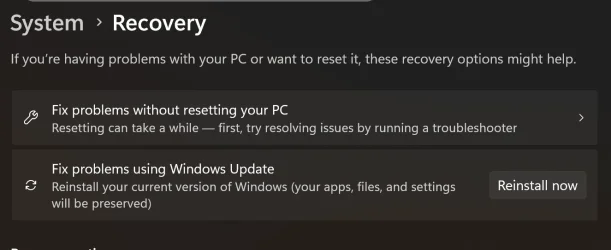
Each time I try to install the update I get error message
"Install error - 0x800f081f"
Can anyone advise me, please?
[Thought should deal with the update before asking for guidance regarding a very slow boot up.]
"Install error - 0x800f081f"
Can anyone advise me, please?
[Thought should deal with the update before asking for guidance regarding a very slow boot up.]
My Computer
At a glance
Windows 11 Home Version 24H2 Build 26100.658411th Gen Intel(R) Core(TM) i5-1135G7 @ 2.40GH...8.00 GB (7.70 GB usable) Speed 3200 MT/sIntel(R) Iris(R) Xe Graphics. 128 MB
- OS
- Windows 11 Home Version 24H2 Build 26100.6584
- Computer type
- Laptop
- Manufacturer/Model
- ASUSTEK X515EA X1500EA VivoBook laptop
- CPU
- 11th Gen Intel(R) Core(TM) i5-1135G7 @ 2.40GHz (2.42 GH
- Motherboard
- 64-bit operating system, x64-based processor
- Memory
- 8.00 GB (7.70 GB usable) Speed 3200 MT/s
- Graphics Card(s)
- Intel(R) Iris(R) Xe Graphics. 128 MB
- Sound Card
- integrated auduo with built-in speakers and a microphone
- Monitor(s) Displays
- Built-in display
- Screen Resolution
- 1920 x 1080 60.16 Hz. Orientation Landscaape
- Hard Drives
- Built-in storage 477 GB - 132 GB used
- PSU
- Built-i
- Case
- As model
- Cooling
- As built-in
- Keyboard
- As built-in
- Mouse
- Inphic PW1 wired mouse
- Internet Speed
- 11 Mbps download. 27 Mbps upload
- Browser
- Default: Google Chrome
- Antivirus
- Windows Firewall and Microsoft Defender
- Other Info
- Voicemeeter virtual audio with its Macro Buttons app loads on Windows start


 .
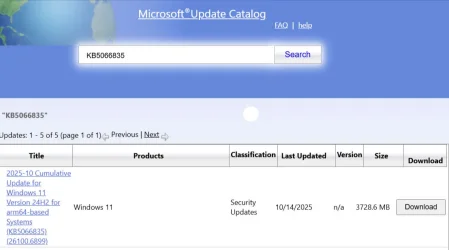
.
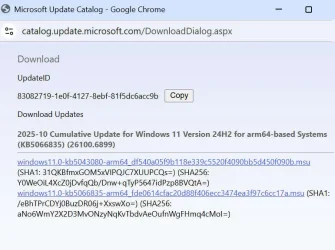

 Sorry.