Problem upgrading from Win 10 to 11 on unsupported hardware.


Phil Coulson

Member
Local time
11:24 AM
Posts
7
OS
Windows 11 Pro, Windows 10 Pro (Dual Boot)
Tried to upgrade from 10 Pro 22H2 to 11 pro 25H2 using setup.exe /product server on mounted iso.
The issue is that it gets to 90+% done, says rebooting in a few minutes, then it exits saying upgrade failed.

I successfully ugraded a different machine with same specs several weeks ago, but this one is giving me fits. I verified latest updates installed, correct time and time zone, also have rin SFC with no errors reported.

Computer specs on the machine I'm trying to upgrade (for a friend) are:

Intel i5-6400
8 GB Ram
64 bit OS, 22H2 Windows 10 Pro, 19045-6691
SSD Samsung 870 EVO 500 GB

Any ideas? Thanks for any help you can offer.
 

My Computer

System One

  • OS
    Windows 11 Pro, Windows 10 Pro (Dual Boot)
    Computer type
    PC/Desktop
    Manufacturer/Model
    Dell XPS-8940
    CPU
    Intel i7-11700
    Motherboard
    Dell 0K3CM7
    Memory
    16 GB
    Graphics Card(s)
    integrated Intel UHD Graphics 750
    Monitor(s) Displays
    Primary: Acer SB220Q; Secondary: Dell ST2010
    Screen Resolution
    Primary: 1920x1080 ; Secondary: 1600x900
    Hard Drives
    Too Many (SSD sata, NVMe, Ext, HDD USB, SSD SATA
Here is how to install and upgrade Windows 11 version 25H2 on an unsupported PC.


My Computer

System One

  • OS
    Windows 11
    Computer type
    PC/Desktop
    Manufacturer/Model
    HP Pavilion
    CPU
    AMD Ryzen 7 5700G
    Motherboard
    Erica6
    Memory
    Micron Technology DDR4-3200 16GB
    Graphics Card(s)
    NVIDIA GeForce RTX 3060
    Sound Card
    Realtek ALC671
    Monitor(s) Displays
    Samsung SyncMaster U28E590
    Screen Resolution
    3840 x 2160
    Hard Drives
    SAMSUNG MZVLQ1T0HALB-000H1
I personally use Rufus.
You can tell the install media to bypass bitlocker and pre enable a local account.

You don’t need to format the USB, RUFUS will do it.

  • The latest ISO is available via the Media Creation Tool. (Option One in the tutorial below)
    • At the time of this post, the latest version available from Microsoft is: > Windows 11 Version 25H2 build 26200.7462 ISO
    • Before Media Creation Tool starts downloading Windows 11, when asked, tell Media Creation Tool to create the ISO and not burn to media (USB)


  • Download RUFUS
    • #1 Direct RUFUS to your USB
    • #2 Click “Select” and direct RUFUS to the ISO that you downloaded from Microsoft.
    • #3 should sort itself out if the OS drive is partitioned properly. But to be sure, make certain it’s GPT. Your Windows OS really should be partitioned to GPT. Make sure #3 says GPT
    • If you’re running an older system and have no choice but to use MBR (According to your HDD partition structure) then choose MBR at #3 in the image below. Find what partition table is used, in this Tutorial

  • Click “Start”

  • After clicking “Start”, the following options will show — Make your selections.
    • Select Remove requirement for 4GB+ RAM, Secure Boot and TPM 2.0 (to bypass requirements) IF you need to.
    • Select Remove requirement for an online Microsoft account
    • Pre tell the installation to Create a local account with username and give it a name (if you want to)
    • Set regional options to the same values as this user (On the PC you’re creating the media on)
    • Disable data collection
    • Disable Bitlocker automatic drive encryption
    • Use “Windows CA 2023
  • Click OK and the USB install media will be created on the USB
  • Once Rufus has created the USB installer, you can proceed with the Windows installation.

IMG_5801.webp


  • Use the USB install media via File Explorer
  • Right click .exe and run as admin

This is essentially an in-place upgrade. (Option Two)
 
Last edited:

My Computers

System One System Two

  • OS
    Windows 11 Pro 25H2 Build 26200.8524
    Computer type
    PC/Desktop
    Manufacturer/Model
    Sin-built 2013
    CPU
    Intel(R) Core(TM) i7-4770K CPU @ 3.50GHz
    Motherboard
    ASUS ROG Maximus VI Formula
    Memory
    32.0 GB of I forget and the box is in storage.
    Graphics Card(s)
    Gigabyte nVidia GeForce GTX 1660 Super OC 6GB
    Sound Card
    Onboard thingy
    Monitor(s) Displays
    5 x LG 25MS500-B - 1 x 24MK430H-B - 1 x Wacom Pro 22" Touch Screen Tablet
    Screen Resolution
    All over the place
    Hard Drives
    Too many to list.
    OS on Samsung 1TB 870 QVO SATA
    PSU
    Silverstone 1500
    Case
    NZXT Phantom 820 Full-Tower Case
    Cooling
    Noctua NH-D15 Elite Class Dual Tower CPU Cooler / 6 x EziDIY 120mm / 2 x Corsair 140mm somethings / 1 x 140mm Thermaltake something / 2 x 200mm Corsair.
    Keyboard
    Corsair K95 / Logitech diNovo Edge Wireless
    Mouse
    Logitech: G402 / G502 / Mx Masters / Mx Air Cordless
    Internet Speed
    2000/500Mbps
    Browser
    All sorts
    Antivirus
    Kaspersky Premium
    Other Info
    ㅤㅤㅤㅤㅤㅤㅤㅤㅤㅤㅤㅤㅤㅤㅤㅤㅤㅤㅤㅤㅤㅤㅤㅤㅤㅤㅤㅤㅤㅤㅤㅤㅤㅤㅤㅤㅤㅤㅤㅤ⠀⠀⠀⠀⠀⠀⠀⠀⠀⠀
    TP-Link BE9300 WiFi 7 Bluetooth 5.4 (Archer TBE550E)
    TP-Link TX201 V1 2.5GB Lan

    Grandstream HT812 - VoIP
    ASUS DSL-AX82U - Mesh
    ASUS RT-AC68U - Mesh
    ASUS RT-BE88U Router

    Brother MFC-L2880DW Printer

    I’m on a horse.
  • Operating System
    Windows 11 Pro 25H2 Build 26200.8524
    Computer type
    Laptop
    Manufacturer/Model
    LENOVO Yoga 7 14IRL8 - 7i EVO OLED 14" Touchscreen i5 12 Core 16GB/512GB
    CPU
    Intel Core 12th Gen i5-1240P Processor (1.7 - 4.4GHz)
    Memory
    16GB LPDDR5 RAM
    Graphics card(s)
    Intel Iris Xe Graphics Processor
    Sound Card
    Optimized with Dolby Atmos®
    Screen Resolution
    QHD 2880 x 1800 OLED
    Hard Drives
    M.2 512GB
    Antivirus
    Defender / Malwarebytes
    Other Info
    …still on a horse.
The issue is that it gets to 90+% done, says rebooting in a few minutes, then it exits saying upgrade failed.
Welcome to Eleven Forum.

SetupDiag may be able to tell you why the upgrade failed.

Microsoft said:
SetupDiag is a diagnostic tool that can be used to obtain details about why a Windows upgrade was unsuccessful.

SetupDiag works by examining Windows Setup log files. It attempts to parse these log files to determine the root cause of a failure to update or upgrade the computer to Windows. SetupDiag can be run on the computer that failed to update.
 

My Computers

System One System Two

  • OS
    Windows 11 Home
    Computer type
    Laptop
    Manufacturer/Model
    Acer Aspire 3 A315-23-R9VY
    CPU
    AMD Athlon Silver 3050U
    Memory
    8GB
    Graphics Card(s)
    Radeon Graphics
    Monitor(s) Displays
    laptop screen
    Screen Resolution
    1366x768 native resolution, up to 2560x1440 with Radeon Virtual Super Resolution
    Hard Drives
    1TB Samsung EVO 870 SSD (from April 2026: 250GB EVO 850)
    Internet Speed
    150 Mbps
    Browser
    Edge, Firefox
    Antivirus
    Defender
    Other Info
    fully 'Windows 11 ready' laptop. Windows 10 C: partition migrated from my old unsupported 'main machine' then upgraded to 11. A test migration ran Insider builds for 2 months. When 11 was released on 5th October 2021 it was re-imaged back to 10 and was offered the upgrade in Windows Update on 20th October. Windows Update offered the 22H2 Feature Update on 20th September 2022. It got the 23H2 Feature Update on 4th November 2023 through Windows Update, 24H2 on 3rd October 2024 through Windows Update by setting the Target Release Version for 24H2, and 25H2 on 30th September 2025 through Windows Update by setting the Target Release Version for 25H2.

    UPDATE - 11 April 2026: due to mechanical deterioration this PC has been retired from active duty. The OS with all software and files has been migrated to my System Seven below to carry on as my general purpose 'main machine'.

    My SYSTEM THREE is a Dell Latitude 5410, i7-10610U, 32GB RAM, 512GB NVMe ssd, supported device running Windows 11 Pro.

    My SYSTEM FOUR is a 2-in-1 convertible Lenovo Yoga 11e 20DA, Celeron N2930, 8GB RAM, 256GB ssd. Unsupported device: currently running Win10 Pro, plus Win11 Pro RTM and Insider Dev, Beta, and RP 24H2 as native boot vhdx.

    My SYSTEM FIVE is a Dell Latitude 3190 2-in-1, Pentium Silver N5030, 8GB RAM, 1TB NVMe ssd, supported device running Windows 11 Pro, plus Insider Beta, Dev, and Canary builds (and a few others) as a native boot .vhdx.

    My SYSTEM SIX is a Dell Latitude 5550, Core Ultra 7 165H, 64GB RAM, 1TB NVMe SSD, supported device, Windows 11 Pro 24H2, Hyper-V host machine. Updated to 25H2 on 30th September 2025.

    My SYSTEM SEVEN is a Lenovo Thinkpad T580, Intel Core i7-8650U, 16GB RAM, 512GB NVMe SSD + 2nd 512GB NVMe SSD, a supported device for Windows 11. This is my current general purpose 'main machine'. The installed Windows 11 Home from my System One has been migrated to this machine.
  • Operating System
    Windows 11 Pro
    Computer type
    Laptop
    Manufacturer/Model
    Dell Latitude E4310
    CPU
    Intel® Core™ i5-520M
    Motherboard
    0T6M8G
    Memory
    8GB
    Graphics card(s)
    (integrated graphics) Intel HD Graphics
    Screen Resolution
    1366x768
    Hard Drives
    500GB Crucial MX500 SSD
    Browser
    Firefox, Edge
    Antivirus
    Defender
    Other Info
    unsupported machine: Legacy bios, MBR, TPM 1.2, upgraded from W10 to W11 using W10/W11 hybrid install media workaround. In-place upgrade to 22H2 using ISO and a workaround. Feature Update to 23H2 by manually installing the Enablement Package. In-place upgrade to 24H2 using hybrid 23H2/24H2 install media. Upgraded to 25H2 by Enablement Package. Also running Insider Dev, and Canary builds and Windows 10 as native boot .vhdx.

    My SYSTEM THREE is a Dell Latitude 5410, i7-10610U, 32GB RAM, 512GB NVMe ssd, supported device running Windows 11 Pro.

    My SYSTEM FOUR is a 2-in-1 convertible Lenovo Yoga 11e 20DA, Celeron N2930, 8GB RAM, 256GB ssd. Unsupported device: currently running Win10 Pro, plus Win11 Pro RTM and Insider Dev, Beta, and RP 24H2 as native boot vhdx.

    My SYSTEM FIVE is a Dell Latitude 3190 2-in-1, Pentium Silver N5030, 8GB RAM, 1TB NVMe ssd, supported device running Windows 11 Pro, plus Insider Beta, Dev, and Canary builds (and a few others) as a native boot .vhdx.

    My SYSTEM SIX is a Dell Latitude 5550, Core Ultra 7 165H, 64GB RAM, 1TB NVMe SSD, supported device, Windows 11 Pro 24H2, Hyper-V host machine. Updated to 25H2 on 30th September 2025.

    My SYSTEM SEVEN is a Lenovo Thinkpad T580, Intel Core i7-8650U, 16GB RAM, 512GB NVMe SSD + 2nd 512GB NVMe SSD, a supported device for Windows 11. This is my current general purpose 'main machine'. The installed Windows 11 Home from my System One has been migrated to this machine.
Tried to upgrade from 10 Pro 22H2 to 11 pro 25H2 using setup.exe /product server on mounted iso.
My preferred upgrade method for an unsupported device is to use the registry tweaks in Option Three here:

However, whatever method you use as a workaround you're likely to see the same upgrade failure on this machine. Common causes are driver incompatibility or there being a 3rd-party AV installed.
 

My Computers

System One System Two

  • OS
    Windows 11 Home
    Computer type
    Laptop
    Manufacturer/Model
    Acer Aspire 3 A315-23-R9VY
    CPU
    AMD Athlon Silver 3050U
    Memory
    8GB
    Graphics Card(s)
    Radeon Graphics
    Monitor(s) Displays
    laptop screen
    Screen Resolution
    1366x768 native resolution, up to 2560x1440 with Radeon Virtual Super Resolution
    Hard Drives
    1TB Samsung EVO 870 SSD (from April 2026: 250GB EVO 850)
    Internet Speed
    150 Mbps
    Browser
    Edge, Firefox
    Antivirus
    Defender
    Other Info
    fully 'Windows 11 ready' laptop. Windows 10 C: partition migrated from my old unsupported 'main machine' then upgraded to 11. A test migration ran Insider builds for 2 months. When 11 was released on 5th October 2021 it was re-imaged back to 10 and was offered the upgrade in Windows Update on 20th October. Windows Update offered the 22H2 Feature Update on 20th September 2022. It got the 23H2 Feature Update on 4th November 2023 through Windows Update, 24H2 on 3rd October 2024 through Windows Update by setting the Target Release Version for 24H2, and 25H2 on 30th September 2025 through Windows Update by setting the Target Release Version for 25H2.

    UPDATE - 11 April 2026: due to mechanical deterioration this PC has been retired from active duty. The OS with all software and files has been migrated to my System Seven below to carry on as my general purpose 'main machine'.

    My SYSTEM THREE is a Dell Latitude 5410, i7-10610U, 32GB RAM, 512GB NVMe ssd, supported device running Windows 11 Pro.

    My SYSTEM FOUR is a 2-in-1 convertible Lenovo Yoga 11e 20DA, Celeron N2930, 8GB RAM, 256GB ssd. Unsupported device: currently running Win10 Pro, plus Win11 Pro RTM and Insider Dev, Beta, and RP 24H2 as native boot vhdx.

    My SYSTEM FIVE is a Dell Latitude 3190 2-in-1, Pentium Silver N5030, 8GB RAM, 1TB NVMe ssd, supported device running Windows 11 Pro, plus Insider Beta, Dev, and Canary builds (and a few others) as a native boot .vhdx.

    My SYSTEM SIX is a Dell Latitude 5550, Core Ultra 7 165H, 64GB RAM, 1TB NVMe SSD, supported device, Windows 11 Pro 24H2, Hyper-V host machine. Updated to 25H2 on 30th September 2025.

    My SYSTEM SEVEN is a Lenovo Thinkpad T580, Intel Core i7-8650U, 16GB RAM, 512GB NVMe SSD + 2nd 512GB NVMe SSD, a supported device for Windows 11. This is my current general purpose 'main machine'. The installed Windows 11 Home from my System One has been migrated to this machine.
  • Operating System
    Windows 11 Pro
    Computer type
    Laptop
    Manufacturer/Model
    Dell Latitude E4310
    CPU
    Intel® Core™ i5-520M
    Motherboard
    0T6M8G
    Memory
    8GB
    Graphics card(s)
    (integrated graphics) Intel HD Graphics
    Screen Resolution
    1366x768
    Hard Drives
    500GB Crucial MX500 SSD
    Browser
    Firefox, Edge
    Antivirus
    Defender
    Other Info
    unsupported machine: Legacy bios, MBR, TPM 1.2, upgraded from W10 to W11 using W10/W11 hybrid install media workaround. In-place upgrade to 22H2 using ISO and a workaround. Feature Update to 23H2 by manually installing the Enablement Package. In-place upgrade to 24H2 using hybrid 23H2/24H2 install media. Upgraded to 25H2 by Enablement Package. Also running Insider Dev, and Canary builds and Windows 10 as native boot .vhdx.

    My SYSTEM THREE is a Dell Latitude 5410, i7-10610U, 32GB RAM, 512GB NVMe ssd, supported device running Windows 11 Pro.

    My SYSTEM FOUR is a 2-in-1 convertible Lenovo Yoga 11e 20DA, Celeron N2930, 8GB RAM, 256GB ssd. Unsupported device: currently running Win10 Pro, plus Win11 Pro RTM and Insider Dev, Beta, and RP 24H2 as native boot vhdx.

    My SYSTEM FIVE is a Dell Latitude 3190 2-in-1, Pentium Silver N5030, 8GB RAM, 1TB NVMe ssd, supported device running Windows 11 Pro, plus Insider Beta, Dev, and Canary builds (and a few others) as a native boot .vhdx.

    My SYSTEM SIX is a Dell Latitude 5550, Core Ultra 7 165H, 64GB RAM, 1TB NVMe SSD, supported device, Windows 11 Pro 24H2, Hyper-V host machine. Updated to 25H2 on 30th September 2025.

    My SYSTEM SEVEN is a Lenovo Thinkpad T580, Intel Core i7-8650U, 16GB RAM, 512GB NVMe SSD + 2nd 512GB NVMe SSD, a supported device for Windows 11. This is my current general purpose 'main machine'. The installed Windows 11 Home from my System One has been migrated to this machine.
My preferred upgrade method for an unsupported device is to use the registry tweaks in Option Three here:

However, whatever method you use as a workaround you're likely to see the same upgrade failure on this machine. Common causes are driver incompatibility or there being a 3rd-party AV installed.
Many thanks to Freebooter, Antspants and Bree. A bit of further information. The disk is GPT, and only antivirus is Windows Defender. I've tried both methods provided, and the results are the same..when it says rebooting after finishing over 90%, instead of rebooting is just exits and says upgrade failed. Begining think it may be a driver issue.
 

My Computer

System One

  • OS
    Windows 11 Pro, Windows 10 Pro (Dual Boot)
    Computer type
    PC/Desktop
    Manufacturer/Model
    Dell XPS-8940
    CPU
    Intel i7-11700
    Motherboard
    Dell 0K3CM7
    Memory
    16 GB
    Graphics Card(s)
    integrated Intel UHD Graphics 750
    Monitor(s) Displays
    Primary: Acer SB220Q; Secondary: Dell ST2010
    Screen Resolution
    Primary: 1920x1080 ; Secondary: 1600x900
    Hard Drives
    Too Many (SSD sata, NVMe, Ext, HDD USB, SSD SATA

My Computers

System One System Two

  • OS
    Windows 11 Home
    Computer type
    Laptop
    Manufacturer/Model
    Acer Aspire 3 A315-23-R9VY
    CPU
    AMD Athlon Silver 3050U
    Memory
    8GB
    Graphics Card(s)
    Radeon Graphics
    Monitor(s) Displays
    laptop screen
    Screen Resolution
    1366x768 native resolution, up to 2560x1440 with Radeon Virtual Super Resolution
    Hard Drives
    1TB Samsung EVO 870 SSD (from April 2026: 250GB EVO 850)
    Internet Speed
    150 Mbps
    Browser
    Edge, Firefox
    Antivirus
    Defender
    Other Info
    fully 'Windows 11 ready' laptop. Windows 10 C: partition migrated from my old unsupported 'main machine' then upgraded to 11. A test migration ran Insider builds for 2 months. When 11 was released on 5th October 2021 it was re-imaged back to 10 and was offered the upgrade in Windows Update on 20th October. Windows Update offered the 22H2 Feature Update on 20th September 2022. It got the 23H2 Feature Update on 4th November 2023 through Windows Update, 24H2 on 3rd October 2024 through Windows Update by setting the Target Release Version for 24H2, and 25H2 on 30th September 2025 through Windows Update by setting the Target Release Version for 25H2.

    UPDATE - 11 April 2026: due to mechanical deterioration this PC has been retired from active duty. The OS with all software and files has been migrated to my System Seven below to carry on as my general purpose 'main machine'.

    My SYSTEM THREE is a Dell Latitude 5410, i7-10610U, 32GB RAM, 512GB NVMe ssd, supported device running Windows 11 Pro.

    My SYSTEM FOUR is a 2-in-1 convertible Lenovo Yoga 11e 20DA, Celeron N2930, 8GB RAM, 256GB ssd. Unsupported device: currently running Win10 Pro, plus Win11 Pro RTM and Insider Dev, Beta, and RP 24H2 as native boot vhdx.

    My SYSTEM FIVE is a Dell Latitude 3190 2-in-1, Pentium Silver N5030, 8GB RAM, 1TB NVMe ssd, supported device running Windows 11 Pro, plus Insider Beta, Dev, and Canary builds (and a few others) as a native boot .vhdx.

    My SYSTEM SIX is a Dell Latitude 5550, Core Ultra 7 165H, 64GB RAM, 1TB NVMe SSD, supported device, Windows 11 Pro 24H2, Hyper-V host machine. Updated to 25H2 on 30th September 2025.

    My SYSTEM SEVEN is a Lenovo Thinkpad T580, Intel Core i7-8650U, 16GB RAM, 512GB NVMe SSD + 2nd 512GB NVMe SSD, a supported device for Windows 11. This is my current general purpose 'main machine'. The installed Windows 11 Home from my System One has been migrated to this machine.
  • Operating System
    Windows 11 Pro
    Computer type
    Laptop
    Manufacturer/Model
    Dell Latitude E4310
    CPU
    Intel® Core™ i5-520M
    Motherboard
    0T6M8G
    Memory
    8GB
    Graphics card(s)
    (integrated graphics) Intel HD Graphics
    Screen Resolution
    1366x768
    Hard Drives
    500GB Crucial MX500 SSD
    Browser
    Firefox, Edge
    Antivirus
    Defender
    Other Info
    unsupported machine: Legacy bios, MBR, TPM 1.2, upgraded from W10 to W11 using W10/W11 hybrid install media workaround. In-place upgrade to 22H2 using ISO and a workaround. Feature Update to 23H2 by manually installing the Enablement Package. In-place upgrade to 24H2 using hybrid 23H2/24H2 install media. Upgraded to 25H2 by Enablement Package. Also running Insider Dev, and Canary builds and Windows 10 as native boot .vhdx.

    My SYSTEM THREE is a Dell Latitude 5410, i7-10610U, 32GB RAM, 512GB NVMe ssd, supported device running Windows 11 Pro.

    My SYSTEM FOUR is a 2-in-1 convertible Lenovo Yoga 11e 20DA, Celeron N2930, 8GB RAM, 256GB ssd. Unsupported device: currently running Win10 Pro, plus Win11 Pro RTM and Insider Dev, Beta, and RP 24H2 as native boot vhdx.

    My SYSTEM FIVE is a Dell Latitude 3190 2-in-1, Pentium Silver N5030, 8GB RAM, 1TB NVMe ssd, supported device running Windows 11 Pro, plus Insider Beta, Dev, and Canary builds (and a few others) as a native boot .vhdx.

    My SYSTEM SIX is a Dell Latitude 5550, Core Ultra 7 165H, 64GB RAM, 1TB NVMe SSD, supported device, Windows 11 Pro 24H2, Hyper-V host machine. Updated to 25H2 on 30th September 2025.

    My SYSTEM SEVEN is a Lenovo Thinkpad T580, Intel Core i7-8650U, 16GB RAM, 512GB NVMe SSD + 2nd 512GB NVMe SSD, a supported device for Windows 11. This is my current general purpose 'main machine'. The installed Windows 11 Home from my System One has been migrated to this machine.
when it says rebooting after finishing over 90%, instead of rebooting is just exits and says upgrade failed.


1) Please run the V2 log collector > post a share link


2) Run upgrade_failure_info > post a share link


My Computer

System One

  • OS
    Windows 10
    Computer type
    Laptop
    Manufacturer/Model
    HP
    CPU
    Intel(R) Core(TM) i7-4800MQ CPU @ 2.70GHz
    Motherboard
    Product : 190A Version : KBC Version 94.56
    Memory
    16 GB Total: Manufacturer : Samsung MemoryType : DDR3 FormFactor : SODIMM Capacity : 8GB Speed : 1600
    Graphics Card(s)
    NVIDIA Quadro K3100M; Intel(R) HD Graphics 4600
    Sound Card
    IDT High Definition Audio CODEC; PNP Device ID HDAUDIO\FUNC_01&VEN_111D&DEV_76E0
    Hard Drives
    Model Hitachi HTS727575A9E364
    Antivirus
    Microsoft Defender
    Other Info
    Mobile Workstation
Any error message?
 

My Computer

System One

  • OS
    Windows 11
    Computer type
    PC/Desktop
    Manufacturer/Model
    HP Pavilion
    CPU
    AMD Ryzen 7 5700G
    Motherboard
    Erica6
    Memory
    Micron Technology DDR4-3200 16GB
    Graphics Card(s)
    NVIDIA GeForce RTX 3060
    Sound Card
    Realtek ALC671
    Monitor(s) Displays
    Samsung SyncMaster U28E590
    Screen Resolution
    3840 x 2160
    Hard Drives
    SAMSUNG MZVLQ1T0HALB-000H1
Thank you, zbook. I have doctor appointments all day tomorrow, so it will probably be Tuesday before I can do this. Again, thanks to all that have given their help! I will update as soon as I can.
 

My Computer

System One

  • OS
    Windows 11 Pro, Windows 10 Pro (Dual Boot)
    Computer type
    PC/Desktop
    Manufacturer/Model
    Dell XPS-8940
    CPU
    Intel i7-11700
    Motherboard
    Dell 0K3CM7
    Memory
    16 GB
    Graphics Card(s)
    integrated Intel UHD Graphics 750
    Monitor(s) Displays
    Primary: Acer SB220Q; Secondary: Dell ST2010
    Screen Resolution
    Primary: 1920x1080 ; Secondary: 1600x900
    Hard Drives
    Too Many (SSD sata, NVMe, Ext, HDD USB, SSD SATA
Sorry, I was typing my reply when you posted FreeBooter. Not at the computer for now, will advise as soon as I can. Thanks again.
 

My Computer

System One

  • OS
    Windows 11 Pro, Windows 10 Pro (Dual Boot)
    Computer type
    PC/Desktop
    Manufacturer/Model
    Dell XPS-8940
    CPU
    Intel i7-11700
    Motherboard
    Dell 0K3CM7
    Memory
    16 GB
    Graphics Card(s)
    integrated Intel UHD Graphics 750
    Monitor(s) Displays
    Primary: Acer SB220Q; Secondary: Dell ST2010
    Screen Resolution
    Primary: 1920x1080 ; Secondary: 1600x900
    Hard Drives
    Too Many (SSD sata, NVMe, Ext, HDD USB, SSD SATA

I understand.
 

My Computer

System One

  • OS
    Windows 11
    Computer type
    PC/Desktop
    Manufacturer/Model
    HP Pavilion
    CPU
    AMD Ryzen 7 5700G
    Motherboard
    Erica6
    Memory
    Micron Technology DDR4-3200 16GB
    Graphics Card(s)
    NVIDIA GeForce RTX 3060
    Sound Card
    Realtek ALC671
    Monitor(s) Displays
    Samsung SyncMaster U28E590
    Screen Resolution
    3840 x 2160
    Hard Drives
    SAMSUNG MZVLQ1T0HALB-000H1
I've used the setup.exe /product server many times without problems. I do turn off internet access during the upgrade and decline the updates.
 

My Computer

System One

  • OS
    Windows 11 Pro
    Computer type
    PC/Desktop
    Manufacturer/Model
    Self build
    CPU
    Core i7-13700K
    Motherboard
    Asus TUF Gaming Plus WiFi Z790
    Memory
    64 GB Kingston Fury Beast DDR5
    Graphics Card(s)
    Gigabyte GeForce RTX 2060 Super Gaming OC 8G
    Sound Card
    Realtek S1200A
    Monitor(s) Displays
    Viewsonic VP2770 & Dell (secondary)
    Screen Resolution
    2560 x 1440
    Hard Drives
    Kingston KC3000 2TB NVME SSD & SATA HDDs & SSD
    PSU
    EVGA SuperNova G2 850W
    Case
    Nanoxia Deep Silence 1
    Cooling
    Noctua NH-D14
    Keyboard
    Microsoft Digital Media Pro
    Mouse
    Logitech Wireless
    Internet Speed
    80 Mb / s
    Browser
    Chrome
    Antivirus
    Defender, Malwarebytes Free & AdwCleaner
@zbook I have downloaded the V2 log collector and the upgrade_failure_info.bat files between Dr. appts. I will try and run them both tonight if I am up to it, otherwise I will do that tomorrow. MANY THANKS for all the help. (y)

Regards,
Phil
 

My Computer

System One

  • OS
    Windows 11 Pro, Windows 10 Pro (Dual Boot)
    Computer type
    PC/Desktop
    Manufacturer/Model
    Dell XPS-8940
    CPU
    Intel i7-11700
    Motherboard
    Dell 0K3CM7
    Memory
    16 GB
    Graphics Card(s)
    integrated Intel UHD Graphics 750
    Monitor(s) Displays
    Primary: Acer SB220Q; Secondary: Dell ST2010
    Screen Resolution
    Primary: 1920x1080 ; Secondary: 1600x900
    Hard Drives
    Too Many (SSD sata, NVMe, Ext, HDD USB, SSD SATA

@zbook I have uploaded the files to one drive that you requested. Please let me know if I didn't do it right (this is my first time doing this).

Link

MANY THANKS!! (y)(y)(y)
 

My Computer

System One

  • OS
    Windows 11 Pro, Windows 10 Pro (Dual Boot)
    Computer type
    PC/Desktop
    Manufacturer/Model
    Dell XPS-8940
    CPU
    Intel i7-11700
    Motherboard
    Dell 0K3CM7
    Memory
    16 GB
    Graphics Card(s)
    integrated Intel UHD Graphics 750
    Monitor(s) Displays
    Primary: Acer SB220Q; Secondary: Dell ST2010
    Screen Resolution
    Primary: 1920x1080 ; Secondary: 1600x900
    Hard Drives
    Too Many (SSD sata, NVMe, Ext, HDD USB, SSD SATA
The computer has been having BSODs.


The V2 log collector reported: Dell Inspiron 3650

At sometime was there a HP computer: HP Pavilion p6-2016 Desktop PC


Please perform the following steps:


1) Run tuneup_plus > post a share link


2) Run diskparinfo > post a share link


3) Create a new restore point:


4) Enable regback:


5) Open administrative command prompt and copy and paste:

fltmc
reagentc /info
reagentc /enable
reagentc /info
wevtutil epl Application %userprofile%\Desktop\application.evtx
wevtutil epl System %userprofile%\Desktop\system.evtx

Post share links.


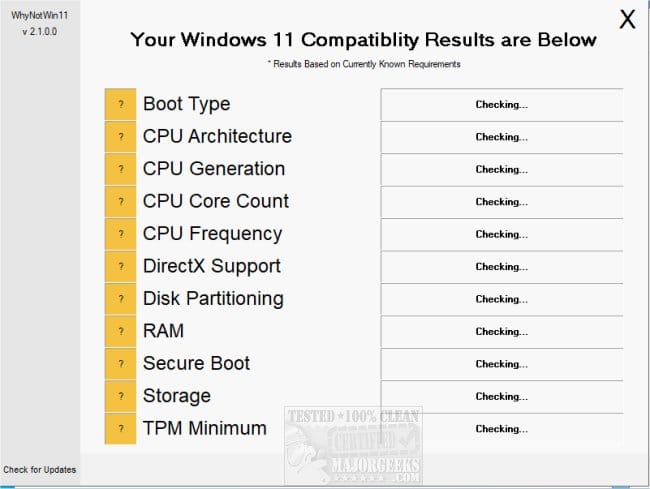
6) Run whynotwin11 > post a share link


7) Read this link on Windows Driver Verifier (WDV):

Enable and Disable Driver Verifier in Windows 10


8) Learn the methods to recover from BSOD caused by WDV by booting into safe mode and running one or more of these commands:

verifier /reset

verifier /bootmode resetonbootfail


(option six and five)


9) Plan to run the tool with various customized test settings.

a) Test all non-Microsoft drivers

b) Test no Microsoft drivers

c) For the first run of WDV select the 3 customized tests displayed in the TF tutorial


10) Whenever the WDV tool is started if there is no immediate BSOD then open administrative command prompt and copy and paste:

verifier /querysettings

Post a share link.


Customized tests will then be posted for the next run of WDV.


WDV can run continuously during the testing.


For any BSOD post a new V2 share link into the newest post.


Code:
Windows 10 Pro 64-bit (10.0, Build 19045) (19041.vb_release.191206-1406)


Code:
Event[577]:
  Log Name: System
  Source: volmgr
  Date: 2026-01-10T09:24:32.1480000Z
  Event ID: 46
  Task: N/A
  Level: Error
  Opcode: N/A
  Keyword: Classic
  User: N/A
  User Name: N/A
  Computer: BlancheRome-HP
  Description:
Crash dump initialization failed!


Code:
Event[1193]:
  Log Name: System
  Source: volmgr
  Date: 2026-01-11T04:27:54.9340000Z
  Event ID: 46
  Task: N/A
  Level: Error
  Opcode: N/A
  Keyword: Classic
  User: N/A
  User Name: N/A
  Computer: BlancheRome-HP
  Description:
Crash dump initialization failed!


Code:
Event[2331]:
  Log Name: System
  Source: volmgr
  Date: 2026-01-12T08:22:40.9280000Z
  Event ID: 46
  Task: N/A
  Level: Error
  Opcode: N/A
  Keyword: Classic
  User: N/A
  User Name: N/A
  Computer: BlancheRome-HP
  Description:
Crash dump initialization failed!


Code:
Event[2956]:
  Log Name: System
  Source: Microsoft-Windows-TPM-WMI
  Date: 2026-01-13T07:59:52.5150000Z
  Event ID: 1796
  Task: N/A
  Level: Error
  Opcode: Info
  Keyword: N/A
  User: S-1-5-18
  User Name: NT AUTHORITY\SYSTEM
  Computer: BlancheRome-HP
  Description:
The Secure Boot update failed to update SBAT with error Secure Boot is not enabled on this machine.. For more information, please see https://go.microsoft.com/fwlink/?linkid=2169931


Code:
Event[2954]:
  Log Name: System
  Source: Microsoft-Windows-TPM-WMI
  Date: 2026-01-13T07:59:52.5110000Z
  Event ID: 1801
  Task: N/A
  Level: Error
  Opcode: Info
  Keyword: N/A
  User: S-1-5-18
  User Name: NT AUTHORITY\SYSTEM
  Computer: BlancheRome-HP
  Description:
Secure Boot certificates have been updated but are not yet applied to the device firmware. Review the published guidance to complete the update and ensure full protection. This device signature information is included here.
DeviceAttributes: FirmwareManufacturer:Dell Inc.;FirmwareVersion:3.12.1;OEMManufacturerName:Dell Inc.;OEMModelSKU:06F7;OSArchitecture:amd64;
BucketId: 7dafea50d21d8b557bc8e9d662215b3958c18976792dce3efd4257b0b38c1dc7
BucketConfidenceLevel:
UpdateType:
For more information, please see https://go.microsoft.com/fwlink/?linkid=2301018.


Code:
Event[2871]:
  Log Name: System
  Source: Microsoft-Windows-TPM-WMI
  Date: 2026-01-13T07:33:33.5330000Z
  Event ID: 1796
  Task: N/A
  Level: Error
  Opcode: Info
  Keyword: N/A
  User: S-1-5-18
  User Name: NT AUTHORITY\SYSTEM
  Computer: BlancheRome-HP
  Description:
The Secure Boot update failed to update DBX with error Secure Boot is not enabled on this machine.. For more information, please see https://go.microsoft.com/fwlink/?linkid=2169931
 

My Computer

System One

  • OS
    Windows 10
    Computer type
    Laptop
    Manufacturer/Model
    HP
    CPU
    Intel(R) Core(TM) i7-4800MQ CPU @ 2.70GHz
    Motherboard
    Product : 190A Version : KBC Version 94.56
    Memory
    16 GB Total: Manufacturer : Samsung MemoryType : DDR3 FormFactor : SODIMM Capacity : 8GB Speed : 1600
    Graphics Card(s)
    NVIDIA Quadro K3100M; Intel(R) HD Graphics 4600
    Sound Card
    IDT High Definition Audio CODEC; PNP Device ID HDAUDIO\FUNC_01&VEN_111D&DEV_76E0
    Hard Drives
    Model Hitachi HTS727575A9E364
    Antivirus
    Microsoft Defender
    Other Info
    Mobile Workstation
EURIKA! I found out the issue. With the great advice from @zbook, I began going over the logs he suggested. Then I remembered I had an image of the drive from December. I restored that image, ran setup.exe /product server, and it upgraded without a hitch! I'm now on Windows 11 Pro...fully activated and now up to date!

GREAT support from zbook! And my thanks to everyone who responded. :loveit:
 

My Computer

System One

  • OS
    Windows 11 Pro, Windows 10 Pro (Dual Boot)
    Computer type
    PC/Desktop
    Manufacturer/Model
    Dell XPS-8940
    CPU
    Intel i7-11700
    Motherboard
    Dell 0K3CM7
    Memory
    16 GB
    Graphics Card(s)
    integrated Intel UHD Graphics 750
    Monitor(s) Displays
    Primary: Acer SB220Q; Secondary: Dell ST2010
    Screen Resolution
    Primary: 1920x1080 ; Secondary: 1600x900
    Hard Drives
    Too Many (SSD sata, NVMe, Ext, HDD USB, SSD SATA
That's great news.

Steps 1, 3, and 4 may be useful on the restored / upgraded installation.


Also check the secure boot status (multiple active EF threads:

Frequently asked questions about the Secure Boot update process - Microsoft Support
Secure Boot playbook for certificates expiring in 2026 - Windows IT Pro Blog
Windows Secure Boot Key Creation and Management Guidance
Registry key updates for Secure Boot: Windows devices with IT-managed updates - Microsoft Support
Updating Microsoft Secure Boot keys before expiration in June 2026 | Windows 11 Forum
Secure boot update HowTo | Windows 11 Forum
 

My Computer

System One

  • OS
    Windows 10
    Computer type
    Laptop
    Manufacturer/Model
    HP
    CPU
    Intel(R) Core(TM) i7-4800MQ CPU @ 2.70GHz
    Motherboard
    Product : 190A Version : KBC Version 94.56
    Memory
    16 GB Total: Manufacturer : Samsung MemoryType : DDR3 FormFactor : SODIMM Capacity : 8GB Speed : 1600
    Graphics Card(s)
    NVIDIA Quadro K3100M; Intel(R) HD Graphics 4600
    Sound Card
    IDT High Definition Audio CODEC; PNP Device ID HDAUDIO\FUNC_01&VEN_111D&DEV_76E0
    Hard Drives
    Model Hitachi HTS727575A9E364
    Antivirus
    Microsoft Defender
    Other Info
    Mobile Workstation

Latest Support Threads

Back
Top Bottom