Windows on E: ?
Windows directory = E:\WINDOWS
1) Make free or pay backup images and save to another disk drive or the cloud
(Acronis, Aoemi, EaseUS, Hasleo, Macrium, Paragon, etc.)
Macrium is widely used in Ten Forums.
Macrium Software | Your Image is Everything
Reliable backup and recovery software for Windows, OT, embedded systems and enterprise environments. Minimise downtime, restore fast.

www.macrium.com
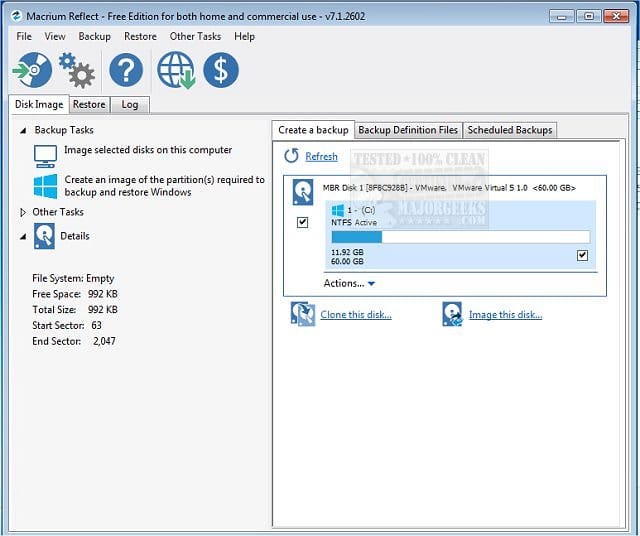
With Macrium Reflect Free Edition you'll be able to easily make an accurate and reliable image of your HDD or individual partitions. Using this image you can restore the entire disk, partition or...
www.majorgeeks.com
Backup and Restore with Macrium Reflect
How to Create and Restore a System Image Backup with Macrium Reflect

www.tenforums.com
2) Clean install Windows 11:
This tutorial will show you step by step on how to clean install Windows 11 at boot on your PC with or without an Internet connection and setup with a local account or Microsoft account. Windows 11 is a client operating system and includes features that users and organizations should know...

www.elevenforum.com
This tutorial will show you how to download an official Windows Server or Windows 11 64-bit or ARM64 ISO file from Microsoft. Microsoft provides ISO files for Windows Server and Windows 11 to download. You can use these ISO files to clean install or in-place upgrade Windows 11. The Flight Hub...
www.elevenforum.com
3) Add WMIC (see post #3)
4) Run Tuneup plus > post a share link (see post #3)
5) Create a new restore point: (see post #3)
6) For any new BSOD post a new V2 share link into the newest post.
7) Plan to restore a backup image after troubleshooting has completed.