- Local time
- 8:26 AM
- Posts
- 163
- OS
- Windows 11 Pro 25H2
Win 11 v. 24H2
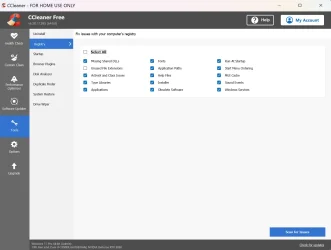
Following removal of Photoshop using the remove function on the "Installed Apps" page I still have an uncountable number of photoshop references in the Registry. Is there an App that will automatically remove all references to programs that are no longer installed?
Following removal of Photoshop using the remove function on the "Installed Apps" page I still have an uncountable number of photoshop references in the Registry. Is there an App that will automatically remove all references to programs that are no longer installed?
My Computers
-
At a glance
Windows 11 Pro 25H2Intel i7 2.60Ghz16GBNvidia Quadro P620 + Intel UHD Graphics 630- OS
- Windows 11 Pro 25H2
- Computer type
- Laptop
- Manufacturer/Model
- Dell/Precision 3541
- CPU
- Intel i7 2.60Ghz
- Motherboard
- Dell 0y8h01
- Memory
- 16GB
- Graphics Card(s)
- Nvidia Quadro P620 + Intel UHD Graphics 630
- Sound Card
- Realtek
- Monitor(s) Displays
- Laptop screen only
- Screen Resolution
- 1920x1080p
- Hard Drives
- 1TB
- Mouse
- Logitech Gaming Mouse G600
- Browser
- DuckDuckGo
- Antivirus
- BitDefender
-
At a glance
Win 11AMD Ryzen 9950X3DCorsair Dominator DDR5 32GBnVidia RTX 5080- Operating System
- Win 11
- Computer type
- PC/Desktop
- CPU
- AMD Ryzen 9950X3D
- Motherboard
- Asus ROG Crosshair X870E
- Memory
- Corsair Dominator DDR5 32GB
- Graphics card(s)
- nVidia RTX 5080
- Hard Drives
- 2 Samsung NVMe M.2 SSD 9100 4TB
- PSU
- Seasonic GX-1200W
- Case
- LanCool 216
- Keyboard
- Steelseries Apex Pro Gen 3