

- Local time
- 4:14 PM
- Posts
- 4,792
- OS
- Windows 11 Pro
this ahk will allow you to highlight text, such as:
HKEY_LOCAL_MACHINE\SOFTWARE\Microsoft\Windows\CurrentVersion\Authentication\LogonUI\SessionData
and either double click the tray icon, or press the key combo:
CTRL+ALT+R
to copy that text, launch Registry Editor, and browse to that key.
just for ease/speed of modifications. EXE is attached in .zip (may have to allow on defender or other av)
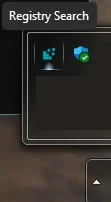
ahk code:
HKEY_LOCAL_MACHINE\SOFTWARE\Microsoft\Windows\CurrentVersion\Authentication\LogonUI\SessionData
and either double click the tray icon, or press the key combo:
CTRL+ALT+R
to copy that text, launch Registry Editor, and browse to that key.
just for ease/speed of modifications. EXE is attached in .zip (may have to allow on defender or other av)
ahk code:
Code:
#SingleInstance Force

Menu, Tray, NoStandard
Menu, Tray, Add, Run Script, RunScript
Menu, Tray, Add, Exit, ExitScript
Menu, Tray, Default, Run Script
Menu, Tray, Tip, Registry Search

; Auto-elevate to run as administrator
if not A_IsAdmin
{
    Run *RunAs "%A_ScriptFullPath%"
    ExitApp
}

global lastActiveWinID := 0

SetTimer, TrackActiveWindow, 1000
return

TrackActiveWindow:
    WinGet, winID, ID, A
    if (winID != lastActiveWinID)
        lastActiveWinID := winID
return

SetTitleMatchMode, 2

; Define the label BEFORE referencing it in the tray menu
RunScript:
    if (lastActiveWinID)
    {
        WinActivate, ahk_id %lastActiveWinID%
        WinWaitActive, ahk_id %lastActiveWinID%, , 2
        Sleep, 1000
        Send, ^c
        Sleep, 300
    }

    Run, regedit.exe
    WinWaitActive, Registry Editor
    Sleep, 500
    Send, ^l
    Sleep, 100
    Send, ^v
    Sleep, 100
    Send, {Enter}
return

ExitScript:
ExitApp

; Now build the tray menu
Menu, Tray, NoStandard
Menu, Tray, Add, Run Script, RunScript
Menu, Tray, Add, Exit, ExitScript
Menu, Tray, Default, Run Script
Menu, Tray, Tip, Registry Shortcut Script

^!r::  ; Ctrl+Alt+R hotkey
Gosub, RunScript
return
Attachments
My Computer
At a glance
Windows 11 Pro
- OS
- Windows 11 Pro






