- Local time
- 8:36 PM
- Posts
- 1,189
- OS
- Windows 11 Pro Insider 64 bit 25H2 26200.5742
Go to search or press the Windows key +R
type sysdm.cpl and press Enter.
Click the Advanced Tab. Under User Profiles, click the Settings button.
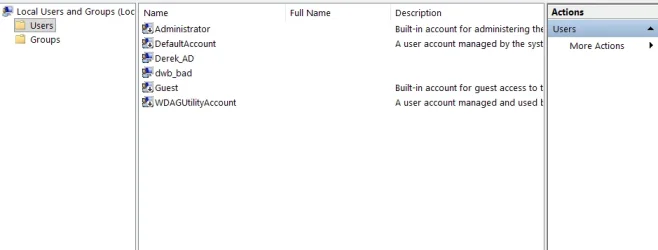
If the account you want to remove is listed, Select it and press the Delete Key.
Restart the computer.
type sysdm.cpl and press Enter.
Click the Advanced Tab. Under User Profiles, click the Settings button.
If the account you want to remove is listed, Select it and press the Delete Key.
Restart the computer.
My Computer
At a glance
Windows 11 Pro Insider 64 bit 25H2 26200.5742Intel Core i7 9700K 3.6016 GBnVidia GEForce RTX 2060 Super
- OS
- Windows 11 Pro Insider 64 bit 25H2 26200.5742
- Computer type
- PC/Desktop
- Manufacturer/Model
- Gigabyte Z390 UD
- CPU
- Intel Core i7 9700K 3.60
- Motherboard
- Gigabyte Z390 UD
- Memory
- 16 GB
- Graphics Card(s)
- nVidia GEForce RTX 2060 Super
- Sound Card
- onboard
- Monitor(s) Displays
- Two 27" Dell 4K monitors
- Screen Resolution
- 3840 x 2160
- Hard Drives
- M.2 NVME SSD, 500 GB; Two 2TB Mechanical HDD's
- PSU
- 850w PSU
- Case
- Cyberpower PC
- Cooling
- Water cooled
- Keyboard
- Backlit Cyberpower gaming keyboard
- Mouse
- Backlit Cyberpower gaming mouse
- Internet Speed
- 1 GB mbps
- Browser
- Brave
- Antivirus
- Windows Security