
Whenever i go to enter something in the search box in the taskbar a black screen comes up and a yellow scrolling bar goes along the top. I have checked for system file corruption etc but nothing is working. Does anyone have any solutions or fixes? See attached photo.
OS build number is 26100.6584
Edition Windows 11 Pro
Version 24H2
Installed on 16/09/2025
OS build 26100.6584
Experience Windows Feature Experience Pack 1000.26100.234.0
Device name RON-PC
Processor 12th Gen Intel(R) Core(TM) i7-12700 (2.10 GHz)
Installed RAM 16.0 GB (15.8 GB usable)
Product ID 00355-60697-62695-AAOEM
System type 64-bit operating system, x64-based processor
Pen and touch No pen or touch input is available for this display
thanks in advance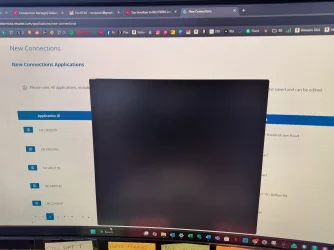
OS build number is 26100.6584
Edition Windows 11 Pro
Version 24H2
Installed on 16/09/2025
OS build 26100.6584
Experience Windows Feature Experience Pack 1000.26100.234.0
Device name RON-PC
Processor 12th Gen Intel(R) Core(TM) i7-12700 (2.10 GHz)
Installed RAM 16.0 GB (15.8 GB usable)
Product ID 00355-60697-62695-AAOEM
System type 64-bit operating system, x64-based processor
Pen and touch No pen or touch input is available for this display
thanks in advance
My Computer
At a glance
WINDOWS 11
- OS
- WINDOWS 11
- Computer type
- PC/Desktop
- Manufacturer/Model
- PUNCH






