

This tool adds a context menu to set the folder type for a whole folder tree using desktop.ini files (see the link below for more details).
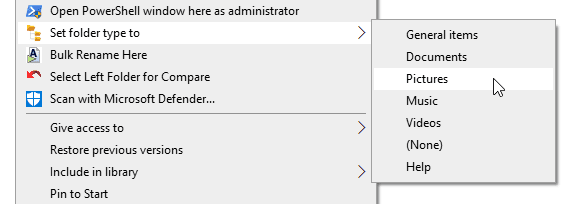
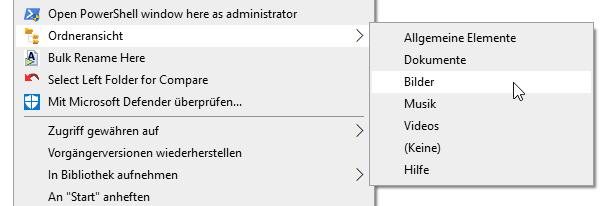
It supports all Windows languages. Here's a screenshot in German:
I made this as a partial workaround for the broken Also apply this template to all subfolders option in the Windows 11 Explorer (the one with tabs).
But it also may be useful for anyone that wants to set the folder type in a way that is tied directly to the folder (i.e. does not depend on the registry). This can be handy for a drive that's moved among computers (as long as it mounts as "Local Disk" and is formatted NTFS) or just to ensure that folder type stays constant for all users or if a profile is reset, and so on.
The workaround is partial because It only works on drives that are type Local Disk and formatted NTFS.
It supports all Windows languages. Here's a screenshot in German:
I made this as a partial workaround for the broken Also apply this template to all subfolders option in the Windows 11 Explorer (the one with tabs).
But it also may be useful for anyone that wants to set the folder type in a way that is tied directly to the folder (i.e. does not depend on the registry). This can be handy for a drive that's moved among computers (as long as it mounts as "Local Disk" and is formatted NTFS) or just to ensure that folder type stays constant for all users or if a profile is reset, and so on.
The workaround is partial because It only works on drives that are type Local Disk and formatted NTFS.
Last edited:
My Computer
At a glance
Windows 10/11
- OS
- Windows 10/11
- Computer type
- Laptop
- Manufacturer/Model
- Acer






