

Sunday 1st Nov in the morning I signed-in okay with my PIN.
Tried again after lunch and got a PIN isn’t available message (photo 1).
I had not made any changes myself. Just web browsing, checking emails.
This is the same for all three user profiles.
Restarted device but no different.
When I click on Sign-in options I am able to sign-in with my password.
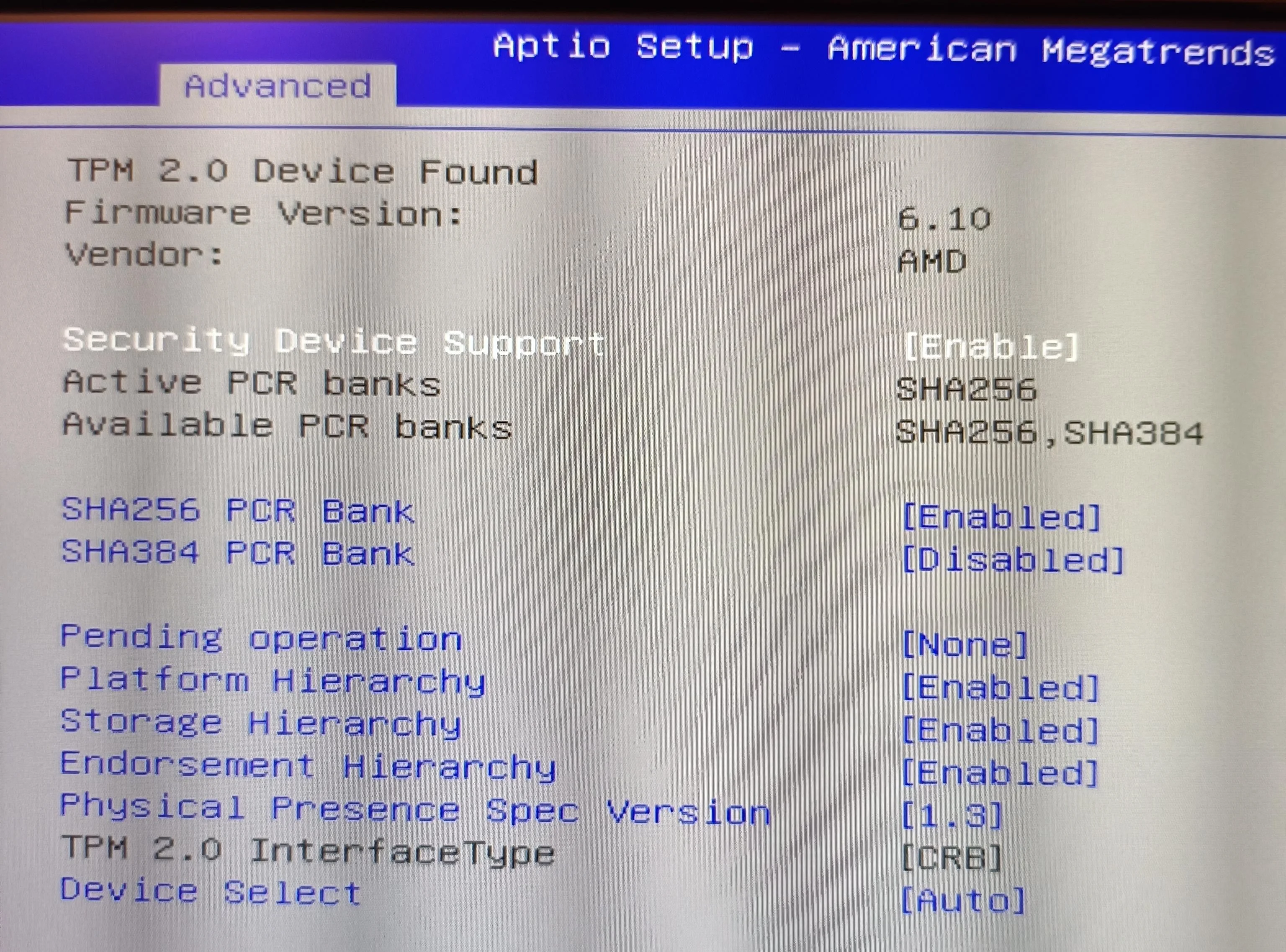
If I click on Sign-in options and select PIN then I see a different message (photo 2).
Setting up my PIN again has no effect and I still have no available PIN.
I tried the following steps: -
Sfc /scannow - No integrity violations.
DISM…Scanhealth - The component store is repairable.
DISM….Restorehealth - Completed successfully.
Shutdown then on again - No change the PIN is not available on all three user accounts.
Restored from yesterday’s Macrium image (When PIN was available) but no different.
I cleared the TPM via tpm.msc and restarted the device but no different.
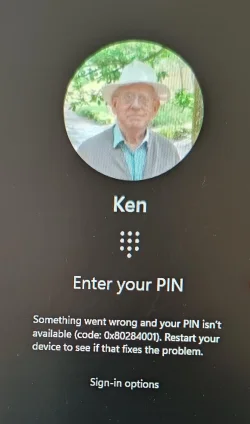
Checked in BIOS that TPM 2.0 is found (photo 3).
I haven’t done a Repair Install yet. May try that tomorrow.
Could a Group Policy setting have changed on its own?
I can sign-in via password but does anyone know how to make PIN sign-in work again?
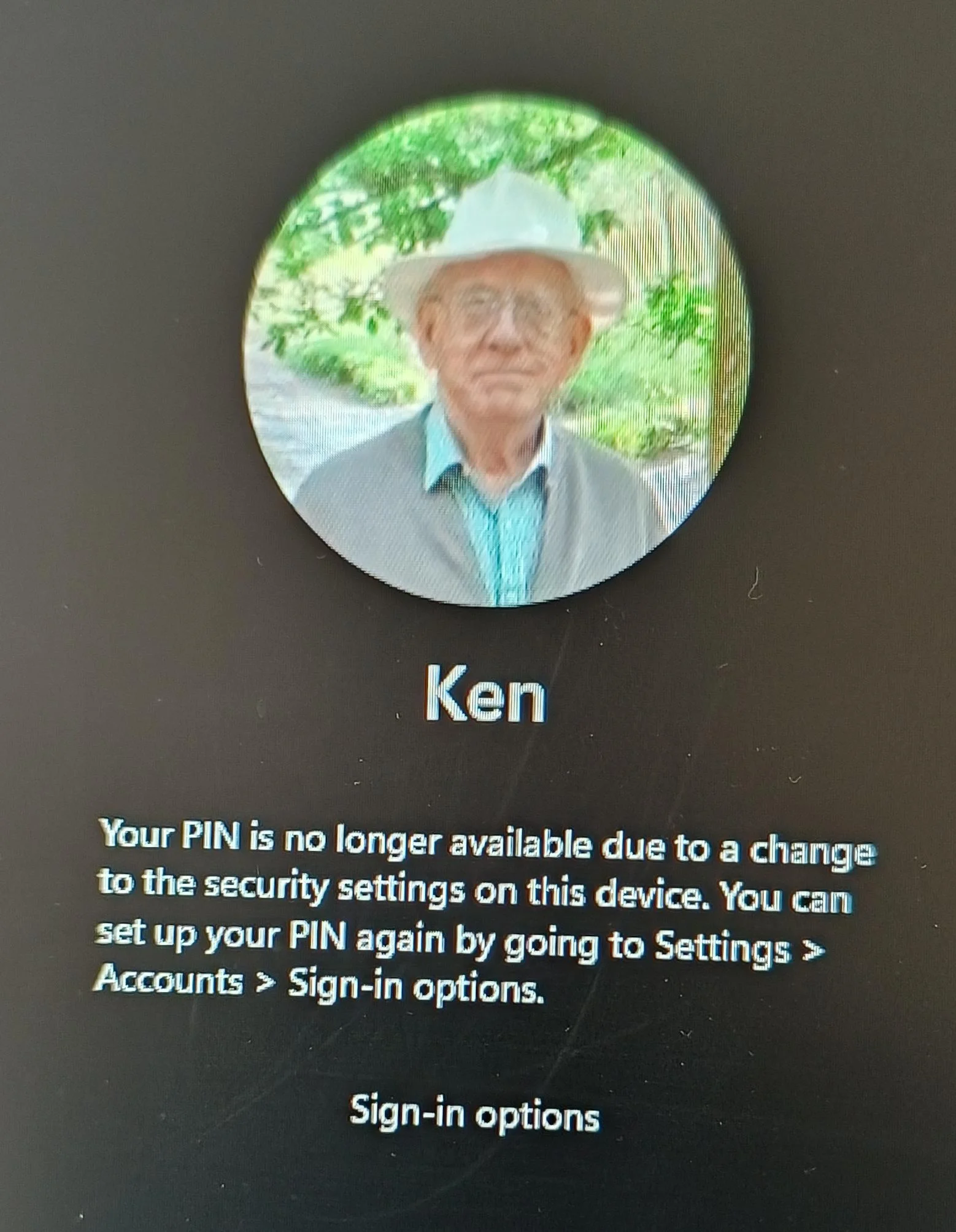
Tried again after lunch and got a PIN isn’t available message (photo 1).
I had not made any changes myself. Just web browsing, checking emails.
This is the same for all three user profiles.
Restarted device but no different.
When I click on Sign-in options I am able to sign-in with my password.
If I click on Sign-in options and select PIN then I see a different message (photo 2).
Setting up my PIN again has no effect and I still have no available PIN.
I tried the following steps: -
Sfc /scannow - No integrity violations.
DISM…Scanhealth - The component store is repairable.
DISM….Restorehealth - Completed successfully.
Shutdown then on again - No change the PIN is not available on all three user accounts.
Restored from yesterday’s Macrium image (When PIN was available) but no different.
I cleared the TPM via tpm.msc and restarted the device but no different.
Checked in BIOS that TPM 2.0 is found (photo 3).
I haven’t done a Repair Install yet. May try that tomorrow.
Could a Group Policy setting have changed on its own?
I can sign-in via password but does anyone know how to make PIN sign-in work again?
Attachments
My Computers
-
At a glance
Windows 11 ProAMD Ryzen 9 8945HS32GB DDR5 SO-DIMMIntegrated AMD Radeon 780M (4.00 GHz)- OS
- Windows 11 Pro
- Computer type
- PC/Desktop
- Manufacturer/Model
- GMKtec K11
- CPU
- AMD Ryzen 9 8945HS
- Memory
- 32GB DDR5 SO-DIMM
- Graphics Card(s)
- Integrated AMD Radeon 780M (4.00 GHz)
- Monitor(s) Displays
- Benq 2250HM
- Screen Resolution
- 1920 x 1080
- Hard Drives
- 1 TB PCIe 4.0 NVMe M.2 SSD
- Antivirus
- Bit Defender Total Security
-
At a glance
Windows 11 HomeIntel® Core™ Ultra 7 - 255H processor16 GB LPDDR5 SDRAMIntel Arc 140T onboard graphics- Operating System
- Windows 11 Home
- Computer type
- Laptop
- Manufacturer/Model
- ASUS Zenbook 14 OLED 14" Laptop - UX3405CA-QL192W
- CPU
- Intel® Core™ Ultra 7 - 255H processor
- Memory
- 16 GB LPDDR5 SDRAM
- Graphics card(s)
- Intel Arc 140T onboard graphics
- Screen Resolution
- 1920 x 1200 (16:10 WUXGA resolution) OLED Touchscreen
- Hard Drives
- 1TB SSD
- Antivirus
- Bit Defender Total Security






