- Local time
- 2:14 PM
- Posts
- 168
- OS
- windwos 11 pro
Follow along with the video below to see how to install our site as a web app on your home screen.
Note: This feature may not be available in some browsers.
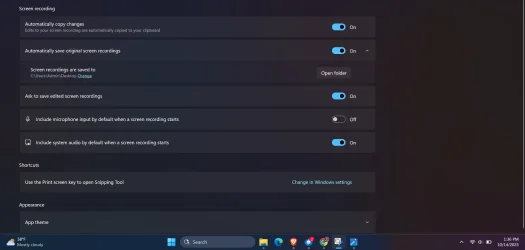
Okay. I think It is the default Microsoft Screen capture app I think. I think they develop it, preinstalled on windows. I like it for mostly just picture screenshots, not screen recordings. But it does both and i use both.I have not used this app, but if you can configure the video compression pick a hardware accelerated AVC or HEVC codec. For Intel that is QuickSync Video (QSV). For nVidia it is NVEnc.
An alternative app is OBS Studio.

Okay I'll check it out. Although I wonder why my computer or snippet tool was doing that with the glitchiness. Does it do it for you when you test record a video? If you get a chanceYes, I just confirmed, there is no setting to choose the video compression and quality. Switch to OBS Studio is much better and free. Make sure you select QSV AVC or QSV HEVC compression for Intel hardware acceleration.
Open Broadcaster Software | OBS
OBS (Open Broadcaster Software) is free and open source software for video recording and live streaming. Stream to Twitch, YouTube and many other providers or record your own videos with high quality H264 / AAC encoding.obsproject.com