With Windows update KB5094126 multiple users are reporting OneDrive integration failures where the application becomes inaccessible through Windows Explorer after installation, though web-based access remains functional. Searching the Internet one can find several suggestions such as reinstalling OneDrive, running ‘OneDrive.exe /reset’, or various registry edits; none of which seems to fix the behavior.
If anyone has information as to when this will be fixed with a patch, please share. Since this particular KB does potentially have some beneficial improvements.
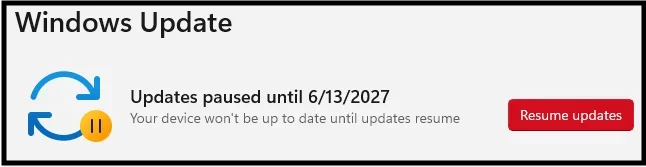
The only fix that currently seems to work is to uninstall the problem update, and configure Windows Update to not re-install in future updates.
Uninstall Update KB5094126
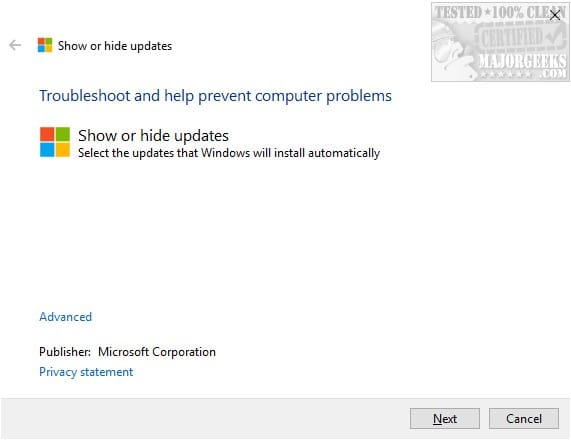
1. Download Microsoft Windows Update Hide Utility – wushowhide.diagcab
2. Run utility and find KB5094126 to be hidden from future updates.
If anyone has information as to when this will be fixed with a patch, please share. Since this particular KB does potentially have some beneficial improvements.
The only fix that currently seems to work is to uninstall the problem update, and configure Windows Update to not re-install in future updates.
Uninstall Update KB5094126
- Press Windows Key + I to open your Windows Settings.
- Go to Windows Update > Update History.
- Scroll down and click Uninstall updates.
- Find KB5094126 in the list, click Uninstall, and restart your PC.
1. Download Microsoft Windows Update Hide Utility – wushowhide.diagcab
2. Run utility and find KB5094126 to be hidden from future updates.
My Computer
At a glance
Windows 11Intel Core i9-1190032gbIntel HD Graphics 530
- OS
- Windows 11
- Computer type
- PC/Desktop
- Manufacturer/Model
- Asus
- CPU
- Intel Core i9-11900
- Motherboard
- Asus TUF B560M-PLUS
- Memory
- 32gb
- Graphics Card(s)
- Intel HD Graphics 530
- Sound Card
- n/a
- Monitor(s) Displays
- Dell Ultrasharp U3415W 34"
- Screen Resolution
- 3440 x 1440
- Hard Drives
- WD Black 1TB High-Performance NVMe PCIe Gen3