
When I program something and I need a tool, sometimes I make the tool I need myself. It's my hobby after all. These are hastily put together, so I don't care about how they look, but I care very much about what they do and that they do it right. The .exe files are static linked so they are all portable. Source code is in the .zip files.
These are three tools I have made because I needed them:
IconViwer
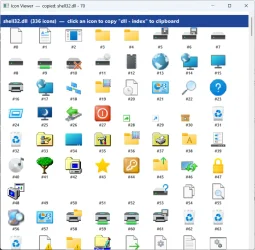 I use Windows' icons in my apps. They can be found in five .dlls on every Windows machine from Windows 7 and up. But they are not documented by Microsoft, so I just made this app to find the index number on them. On my tools webpage, you will find exampleee code (C++) on how to use the icons in your app. When you click on an icon the .dll name and index number get copied into clipboard.
System Restore Point handler
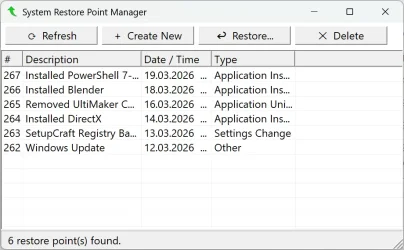 In a project I am working on now, the user have the ability to alter the registry, so I implemented a button to create a system restore point that also saves a copy of the registry. In order to test that, I got a little tired of having to go into setting and click my way to the Restore Point dialogs in windows. So I made this to help me do this quickly. Note: Windows Defender do not like this app, but on my web page for my tools, there is a description for how to make this ignored in defender.
NSBEdit
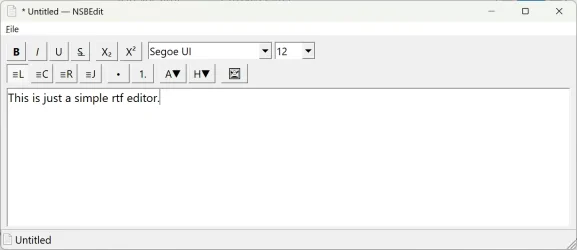 I needed a .rtf editor in my app, so I made a module for that that is working fine inside my app. In Windows 11 they have removed tha WordPad, so I had to use LibreOffice to work with .rtfs. I didn't like that, so when I made this module it struck me that if I added file handeling in the module and a print handeling too, I had a nice little .rtf editor ready to use. It doesn't look like much but it works real fine. You can find that too on my tools weeb page! In case you wonder, NSB are my initials.
These are three tools I have made because I needed them:
IconViwer
System Restore Point handler
NSBEdit
- Windows Build/Version
- Window 11 10.0.26200 N/A Build 26200






