- Local time
- 9:19 PM
- Posts
- 72
- OS
- Windows 11 Pro 23H2 Build 22631
Okay so here's the situation.
Laptop slow so ran CCleaner. Upgraded so that I could automatically run driver updates (THAT was the mistake)
After identifying several drivers to update, ran the updates & restarted the pc.
BSOD with error: Stop Error - IRQL_not_less_or_equal in ntoskrnl.exe
Ran recovery (which worked) and I got back to a working pc again.
I stupidly ran it again from within CCleaner - but this time, after the BSOD, the pc would't recover (I tried several recovery dates).
So, jump into Safe Mode to delete the drivers I had udated & restarted the pc. No joy.
Safe Mode again - rip everything out (sound adapters, network adapters, display adapters) that O'd changed.
pc still won't boot normally.
So, two questions.
1) Is there anything else apart from the drivers that CCleaner may have altered that is causing this problem in ntoskrnl.exe??
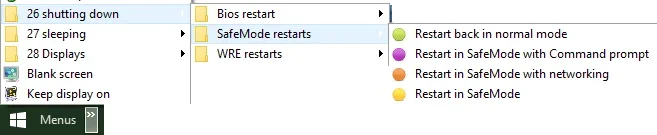
2) Is there a quicker way to get the pc to boot into Safe Mode - other than M$ost's convoluted "force power off 3 times" (it is damned annoying).
Art
Laptop slow so ran CCleaner. Upgraded so that I could automatically run driver updates (THAT was the mistake)
After identifying several drivers to update, ran the updates & restarted the pc.
BSOD with error: Stop Error - IRQL_not_less_or_equal in ntoskrnl.exe
Ran recovery (which worked) and I got back to a working pc again.
I stupidly ran it again from within CCleaner - but this time, after the BSOD, the pc would't recover (I tried several recovery dates).
So, jump into Safe Mode to delete the drivers I had udated & restarted the pc. No joy.
Safe Mode again - rip everything out (sound adapters, network adapters, display adapters) that O'd changed.
pc still won't boot normally.
So, two questions.
1) Is there anything else apart from the drivers that CCleaner may have altered that is causing this problem in ntoskrnl.exe??
2) Is there a quicker way to get the pc to boot into Safe Mode - other than M$ost's convoluted "force power off 3 times" (it is damned annoying).
Art
- Windows Build/Version
- Win 11 Pro 22H2 OS Build 22631.6060
My Computers
-
At a glance
Windows 11 Pro 23H2 Build 22631AMD Ryzen 7Pro 3700U16GbRadion Vega 10 Mobile 2Gb- OS
- Windows 11 Pro 23H2 Build 22631
- Computer type
- Laptop
- Manufacturer/Model
- Lenovo ThinkPad T495s
- CPU
- AMD Ryzen 7Pro 3700U
- Memory
- 16Gb
- Graphics Card(s)
- Radion Vega 10 Mobile 2Gb
- Screen Resolution
- 1920 x 1080
- Hard Drives
- SK Hynix 2280 m.2 SSD, 512Gb or Crucial T500 m.2 SSD, 1Tb
- Internet Speed
- 380 Mbps Fibre
-
- Computer type
- PC/Desktop