p4rfektm4kine
New member
- Local time
- 4:53 AM
- Posts
- 1
- OS
- Windows 11
A few weeks back, I tried this ViveTool command to enable settings for Taskbar Position: vivetool.exe /enable /id:59213768
It works, but now there is a problem—taskbar elements are misplaced between the top and bottom positions.
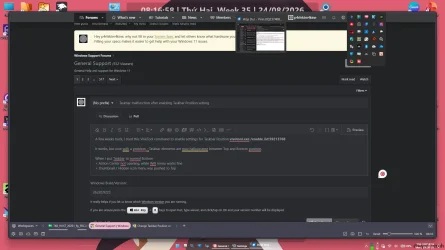
When I set the taskbar to the bottom (image 1):
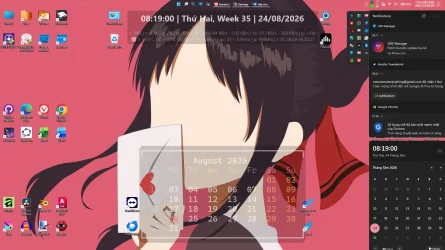
When I set the taskbar to the top (image 2):
It works, but now there is a problem—taskbar elements are misplaced between the top and bottom positions.
When I set the taskbar to the bottom (image 1):
- Action Center does not open, while the Wi-Fi menu works fine.
- The thumbnail / hidden icons menu is pushed to the top.
When I set the taskbar to the top (image 2):
- Action Center opens, but the Wi-Fi menu does not open.
- Thumbnails disappear, while the hidden icons menu is still at the top.
- Windows Build/Version
- 26220.9223
Attachments
My Computer
At a glance
Windows 11
- OS
- Windows 11
- Computer type
- Laptop
- Manufacturer/Model
- MSI

 Realistic reset paths (what actually works)