Meh.
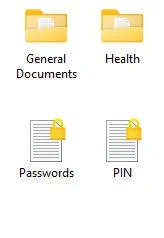
I just keep all of my passwords and other important things in encrypted text files in My Documents which can only be read by the Windows 11 Professional Standard user account that I enabled it with (it isn't available in W11 Home, by the way).
I just double click on the file and it opens immediately.
I also have unencrypted backups on 3 external hard drives that are only connected to the PC when I update them and a printed copy which I keep in my safe.
I just keep all of my passwords and other important things in encrypted text files in My Documents which can only be read by the Windows 11 Professional Standard user account that I enabled it with (it isn't available in W11 Home, by the way).
I just double click on the file and it opens immediately.
I also have unencrypted backups on 3 external hard drives that are only connected to the PC when I update them and a printed copy which I keep in my safe.
Attachments
My Computer
At a glance
Windows 11 Professional 26H211th Gen Intel(R) Core(TM) i5-11400 @ 2.60GHz...32GB (2x16GB) Kingston Fury RGB DDR4NVIDIA GeForce GTX 1650
- OS
- Windows 11 Professional 26H2
- Computer type
- PC/Desktop
- Manufacturer/Model
- Home Built
- CPU
- 11th Gen Intel(R) Core(TM) i5-11400 @ 2.60GHz 2.59 GH
- Motherboard
- Gigabyte B560M D2V
- Memory
- 32GB (2x16GB) Kingston Fury RGB DDR4
- Graphics Card(s)
- NVIDIA GeForce GTX 1650
- Sound Card
- Onboard Sound
- Monitor(s) Displays
- BenQ GL2460 (24 inch - oldie but a goodie)
- Screen Resolution
- 1920x1080
- Hard Drives
- Samsung SSD 870 EVO x 2 (250GB and 500GB) plus several external Samsung SSD's.
- PSU
- Corsair HX 750
- Case
- DeepCool
- Cooling
- Stock CPU cooler. 5 case fans (2 front, 2 top and 1 rear)
- Keyboard
- Logitech
- Mouse
- Logitech
- Internet Speed
- 500/40 Fibre
- Browser
- LibreWolf and Helium
- Antivirus
- Windows Security