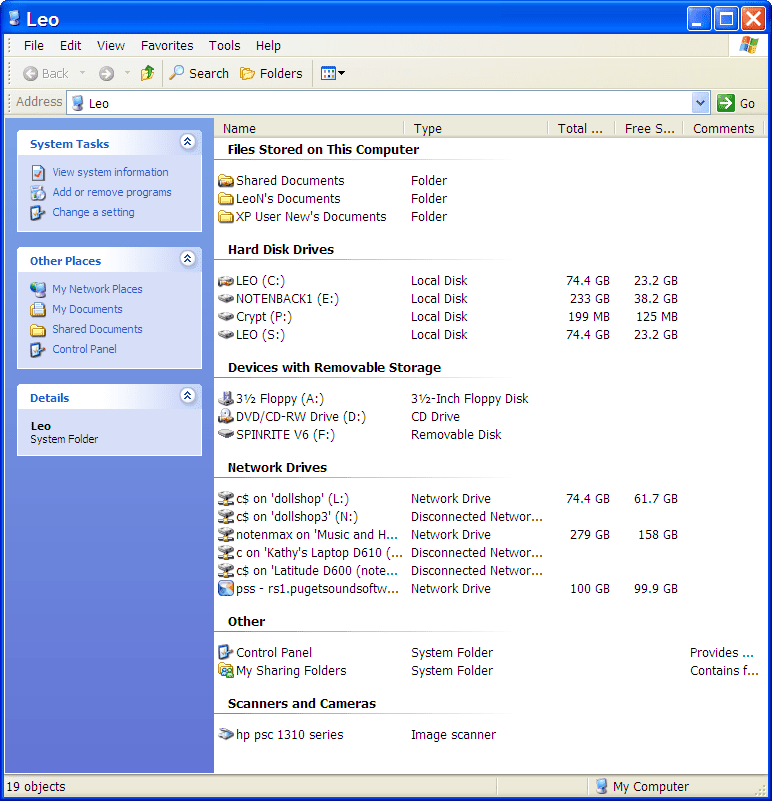
Solved "This PC' explorer window being slow to show contents.


BastetKeen

Member
Local time
6:51 AM
Posts
4
OS
Windows 11
Windows 11 v22H2 Up until 4-5 days ago, I did not have a problem, however I DID FIX THIS but want to know how to stop this behaviour ......
a..... Clicking on 'This PC' only was at least 30 seconds to show contents (Did not happen when clicking on other drives though);
b..... I finally disconnected a mapped NAS drive that was not on at the time (only on 3 days a week); NOTE: was not a problem before as I said above??
c..... Now clicking on 'This PC' shows contents fast again.
What I want to know is there a way to stop a window from searching for 30 seconds or more when one of my mapped drives (I have 4) is not available for some reason ??
It is not viable to disconnect mapped drives only to have to remap them again as needed just because of this? Any help is very much appreciated.:-)
 

My Computer My Computer

At a glance

Windows 11Intel Core i5 11500k Rocket Lake32 GBNVIDIA GeForce RTX 3060 Ti
OS
Windows 11
Computer type
PC/Desktop
Manufacturer/Model
Home Built
CPU
Intel Core i5 11500k Rocket Lake
Motherboard
MSI MAG B560M MORTAR WIFI
Memory
32 GB
Graphics Card(s)
NVIDIA GeForce RTX 3060 Ti
Sound Card
NVIDIA High Definition
Monitor(s) Displays
HDMI Sony TV
Screen Resolution
1920 x 1080
Hard Drives
Samsung SSD 980 Pro 1tb
Seagate external SCSI 4tb
Cooling
Noctua NH-D15 Elite Class Dual Tower CPU Cooler
Keyboard
Logitech G613 Bluetooth
Mouse
Logitech G603 Bluetooth
Antivirus
Bitdefender

My Computers My Computers

  • At a glance

    Windows 11 21H2AMD Ryzen 3 3100Corsair 8GB x 2 (16GB)Asus Nvidia Geforce GTX 1650 Super
    OS
    Windows 11 21H2
    Computer type
    PC/Desktop
    Manufacturer/Model
    Chillblast
    CPU
    AMD Ryzen 3 3100
    Motherboard
    Asus ROG Strix b450-f
    Memory
    Corsair 8GB x 2 (16GB)
    Graphics Card(s)
    Asus Nvidia Geforce GTX 1650 Super
    Monitor(s) Displays
    Dell 27" 1440p
    Screen Resolution
    1440p
    Hard Drives
    Seagate Barracuda 1TB
    256GB NVME Seagate Barracuda
    Browser
    Firefox / Edge
    Antivirus
    Windows Defender
  • At a glance

    Windows 8.1Amd E24GB
    Operating System
    Windows 8.1
    Computer type
    Laptop
    Manufacturer/Model
    HP
    CPU
    Amd E2
    Memory
    4GB
    Hard Drives
    128GB SSD

Have a look at this answer on superuser: How do I stop mapped network drives which aren't available preventing Windows 7 64-bit booting past KSOD?
Thank you James. This really says that nothing can be done except disconnect the unavailable network drive.... which makes sense, as this is what I done and fixed it, but I did not want to disconnect a drive that is only on 3 days a week because of this if possible... and another anomaly is it did not do it for a week or so prior ??? Maybe only Microsoft know :winkt: Thanks again.
 

My Computer My Computer

At a glance

Windows 11Intel Core i5 11500k Rocket Lake32 GBNVIDIA GeForce RTX 3060 Ti
OS
Windows 11
Computer type
PC/Desktop
Manufacturer/Model
Home Built
CPU
Intel Core i5 11500k Rocket Lake
Motherboard
MSI MAG B560M MORTAR WIFI
Memory
32 GB
Graphics Card(s)
NVIDIA GeForce RTX 3060 Ti
Sound Card
NVIDIA High Definition
Monitor(s) Displays
HDMI Sony TV
Screen Resolution
1920 x 1080
Hard Drives
Samsung SSD 980 Pro 1tb
Seagate external SCSI 4tb
Cooling
Noctua NH-D15 Elite Class Dual Tower CPU Cooler
Keyboard
Logitech G613 Bluetooth
Mouse
Logitech G603 Bluetooth
Antivirus
Bitdefender
Thank you James. This really says that nothing can be done except disconnect the unavailable network drive.... which makes sense, as this is what I done and fixed it, but I did not want to disconnect a drive that is only on 3 days a week because of this if possible... and another anomaly is it did not do it for a week or so prior ??? Maybe only Microsoft know :winkt: Thanks again.
My post was a bit lazy - just linking another site. But I'm glad that it (even if not fully) helped you :-)
 

My Computers My Computers

  • At a glance

    Windows 11 21H2AMD Ryzen 3 3100Corsair 8GB x 2 (16GB)Asus Nvidia Geforce GTX 1650 Super
    OS
    Windows 11 21H2
    Computer type
    PC/Desktop
    Manufacturer/Model
    Chillblast
    CPU
    AMD Ryzen 3 3100
    Motherboard
    Asus ROG Strix b450-f
    Memory
    Corsair 8GB x 2 (16GB)
    Graphics Card(s)
    Asus Nvidia Geforce GTX 1650 Super
    Monitor(s) Displays
    Dell 27" 1440p
    Screen Resolution
    1440p
    Hard Drives
    Seagate Barracuda 1TB
    256GB NVME Seagate Barracuda
    Browser
    Firefox / Edge
    Antivirus
    Windows Defender
  • At a glance

    Windows 8.1Amd E24GB
    Operating System
    Windows 8.1
    Computer type
    Laptop
    Manufacturer/Model
    HP
    CPU
    Amd E2
    Memory
    4GB
    Hard Drives
    128GB SSD
Back
Top Bottom