Solved Time Limit to Windows 10 to 11 Upgrade?


BrokenDaily

Member
Local time
1:26 AM
Posts
10
OS
Windows 10
my dad is a crotchety old [REDACTED], and after i told him windows 10 is reaching E.O.L on oct 14 2025, he wasnt entirely happy, thinking he'd be forced to get new hardware. Yes, i know some of the replies will probably be "try to get him to switch to linux lol" or something along the lines, and i've fiddled with a few linux flavors myself in virtualbox, so i know how to navigate that digital sea, but he won't, and i (As respectfully as i can put it) doubt he'll manage to learn how. So at the moment, as what will probably be my last thread until I switch to windows 11 (or back to windows 10 via macrium reflect if it acts up for me), i want to know one thing: is there a time limit to the upgrade?
Capture.webp
this screenshot says i can upgrade to windows 11 from 10, but not if there's an actual cutoff date/time limit to the upgrade, so if at any point past the E.O.L date, would i still be able to upgrade to windows 11? or did microsoft, ANYWHERE, released a statement saying "nope, do it before, not after, lol" (or something along the lines)? im trying to find this out for my father mainly, not myself

also, side note: i really like the attachment upload system on this forum more than on tenforums, feels more refined, less clunky :)
 
Windows Build/Version
Windows 10 Pro 22H2, Build 19045.6332

My Computer

System One

  • OS
    Windows 10
    Computer type
    PC/Desktop
    Manufacturer/Model
    n/a (Not a pre-fab, Custom Build)
    CPU
    Ryzen 9 7950X3D
    Motherboard
    Asus ROG STRIX X670E-E GAMING WIFI
    Memory
    G.SKILL Trident Z5 Neo Series (AMD Expo) DDR5 RAM 64GB (2x32GB) 6000MT/s CL30-40-40-96
    Graphics Card(s)
    AMD RX 7900 XT (Reference Card)
    Sound Card
    n/a (Using Default Mobo Sound Tech)
    Monitor(s) Displays
    LG MP59HT
    Screen Resolution
    1920x1080
    Hard Drives
    WD_Black SN850X (2 TB NVMe)
    WD_Black SN850X (4 TB NVMe)
    PSU
    EVGA SuperNOVA 1200 P3 80 Plus Platinum
    Case
    Corsair 7000D (Used, Ebay)
    Cooling
    CORSAIR iCUE LINK H170i RGB Liquid CPU Cooler
    Keyboard
    Corsair K100 RGB (Amazon Refurb)
    Mouse
    Razer Basilisk V3
    Internet Speed
    Optimal (Fiber Optic)
    Browser
    Firefox (Stable, 64-Bit)
    Antivirus
    Default Windows Security
    Other Info
    Despite my name, my stuff isn't broken daily, but its annoying when it does; my current setup is FAR more powerful than before, and i consider it to be my very last
There's no time limit (well until W11 itself goes away). Because MS really wants you off W10 and onto W11, so they don't have to dedicate resources to fixing W10 bugs. The last feature changes and bug fixes for W10 22H2 will be the October 2025 KB.

After that, it's just security fixes for reported vulnerabilities for users continuing on the W10 ESU program.

If you have an eligible system (meets system requirements) then starting in 2026, your PC might be upgraded to W11 on its own. If your dad's PC is too old, it'll probably stay on W10 unless you manually upgrade it using a HW bypass. But the license keys work the same for W10 & 11 releases.
 

My Computer

System One

  • OS
    Windows 7
There's no time limit (well until W11 itself goes away). Because MS really wants you off W10 and onto W11, so they don't have to dedicate resources to fixing W10 bugs. The last feature changes and bug fixes for W10 22H2 will be the October 2025 KB.

After that, it's just security fixes for reported vulnerabilities for users continuing on the W10 ESU program.

If you have an eligible system (meets system requirements) then starting in 2026, your PC might be upgraded to W11 on its own. If your dad's PC is too old, it'll probably stay on W10 unless you manually upgrade it using a HW bypass. But the license keys work the same for W10 & 11 releases.
Microsoft is going to be doing security fixes for W10 for years to come to support all their corporate ESU customers. So they have to do the work anyway, whether or not they release the security updates for public use. The ESU customers still get the support.

So Microsoft has to keep the resources on W10 security updates (but not feature updates) anyway.
 

My Computers

System One System Two

  • OS
    Win11 25H2 26200.7623
    Computer type
    PC/Desktop
    Manufacturer/Model
    Lenovo P520
    CPU
    Intel XEON W-2245 8c/16t
    Memory
    128GB DDR4-2933 ECC
    Graphics Card(s)
    Nvidia Quadro K4200
    Sound Card
    Bultin
    Monitor(s) Displays
    LCD 24in
    Screen Resolution
    1920x1200
    Hard Drives
    1TB SSD system, 16TB data 3.5in HDD, 16TB backup 3.5in HDD
    PSU
    900W
    Cooling
    Air
    Internet Speed
    1Gb
    Browser
    Firefox & Chrome
    Antivirus
    MalwareBytes
  • Operating System
    Win10 22H2
    Computer type
    Laptop
    Manufacturer/Model
    Lenovo T530
    CPU
    Intel Core i7-3520m
    Memory
    16GB
    Graphics card(s)
    integrated CPU graphics
    Hard Drives
    1TB SSD
    Internet Speed
    1Gb
    Browser
    Fiefox & Chrome
    Antivirus
    Malwarebytes
There's no time limit (well until W11 itself goes away). Because MS really wants you off W10 and onto W11, so they don't have to dedicate resources to fixing W10 bugs. The last feature changes and bug fixes for W10 22H2 will be the October 2025 KB.

After that, it's just security fixes for reported vulnerabilities for users continuing on the W10 ESU program.

If you have an eligible system (meets system requirements) then starting in 2026, your PC might be upgraded to W11 on its own. If your dad's PC is too old, it'll probably stay on W10 unless you manually upgrade it using a HW bypass. But the license keys work the same for W10 & 11 releases.
my father's computer is a Dell XPS 8500 prefab from MANY years ago. also, HW Bypass? i think i briefly remember seeing some tutorials on bypassing the TPM requirement during windows 10 to 11 upgrades, but the HW Bypass sounds different to me, or is it? either way, may i know wat dat is?
 

My Computer

System One

  • OS
    Windows 10
    Computer type
    PC/Desktop
    Manufacturer/Model
    n/a (Not a pre-fab, Custom Build)
    CPU
    Ryzen 9 7950X3D
    Motherboard
    Asus ROG STRIX X670E-E GAMING WIFI
    Memory
    G.SKILL Trident Z5 Neo Series (AMD Expo) DDR5 RAM 64GB (2x32GB) 6000MT/s CL30-40-40-96
    Graphics Card(s)
    AMD RX 7900 XT (Reference Card)
    Sound Card
    n/a (Using Default Mobo Sound Tech)
    Monitor(s) Displays
    LG MP59HT
    Screen Resolution
    1920x1080
    Hard Drives
    WD_Black SN850X (2 TB NVMe)
    WD_Black SN850X (4 TB NVMe)
    PSU
    EVGA SuperNOVA 1200 P3 80 Plus Platinum
    Case
    Corsair 7000D (Used, Ebay)
    Cooling
    CORSAIR iCUE LINK H170i RGB Liquid CPU Cooler
    Keyboard
    Corsair K100 RGB (Amazon Refurb)
    Mouse
    Razer Basilisk V3
    Internet Speed
    Optimal (Fiber Optic)
    Browser
    Firefox (Stable, 64-Bit)
    Antivirus
    Default Windows Security
    Other Info
    Despite my name, my stuff isn't broken daily, but its annoying when it does; my current setup is FAR more powerful than before, and i consider it to be my very last

Microsoft is going to be doing security fixes for W10 for years to come to support all their corporate ESU customers. So they have to do the work anyway, whether or not they release the security updates for public use. The ESU customers still get the support.

So Microsoft has to keep the resources on W10 security updates (but not feature updates) anyway.
Security updates are going require a lot less devs than used for managing feature updates and fixes. They're not actively hunting for security fixes, but closing holes as they're reported. Since W10 usage will drop off considerably, less security bugs will be reported.

In my career, I have been stuck several times being "that person" keeping outdated code alive for emergency fixes. Everyone else has moved to shinier projects, or left the team. You're just the security blanket so your bosses can keep their promises to someone.
 

My Computer

System One

  • OS
    Windows 7
my dad is a crotchety old [REDACTED], and after i told him windows 10 is reaching E.O.L on oct 14 2025, he wasnt entirely happy, thinking he'd be forced to get new hardware. Yes, i know some of the replies will probably be "try to get him to switch to linux lol" or something along the lines, and i've fiddled with a few linux flavors myself in virtualbox, so i know how to navigate that digital sea, but he won't, and i (As respectfully as i can put it) doubt he'll manage to learn how. So at the moment, as what will probably be my last thread until I switch to windows 11 (or back to windows 10 via macrium reflect if it acts up for me), i want to know one thing: is there a time limit to the upgrade?
No, there's no time limit.

MS made no changes to licensing when Windows 11 was launched. The Digital licence and all W10 keys are valid for both Windows 10 and Windows 11.

Any Windows 10 PC that's activated with a digital licence can upgrade to Windows 11 for free. Windows 11 will activate from its existing digital licence.


The only restriction is if it's so old that its CPU doesn't support the SSE4.2 instruction set, an un-bypassable hardware requirement for 24H2 and above. Intel's first CPUs with SSE4.2 was the 1st generation of Intel Core i3/i5/i7.

Core i7 was introduced in 2008, followed by i5 in 2009, and i3 in 2010.
 
Last edited:

My Computers

System One System Two

  • OS
    Windows 11 Home
    Computer type
    Laptop
    Manufacturer/Model
    Acer Aspire 3 A315-23-R9VY
    CPU
    AMD Athlon Silver 3050U
    Memory
    8GB
    Graphics Card(s)
    Radeon Graphics
    Monitor(s) Displays
    laptop screen
    Screen Resolution
    1366x768 native resolution, up to 2560x1440 with Radeon Virtual Super Resolution
    Hard Drives
    1TB Samsung EVO 870 SSD (from April 2026: 250GB EVO 850)
    Internet Speed
    150 Mbps
    Browser
    Edge, Firefox
    Antivirus
    Defender
    Other Info
    fully 'Windows 11 ready' laptop. Windows 10 C: partition migrated from my old unsupported 'main machine' then upgraded to 11. A test migration ran Insider builds for 2 months. When 11 was released on 5th October 2021 it was re-imaged back to 10 and was offered the upgrade in Windows Update on 20th October. Windows Update offered the 22H2 Feature Update on 20th September 2022. It got the 23H2 Feature Update on 4th November 2023 through Windows Update, 24H2 on 3rd October 2024 through Windows Update by setting the Target Release Version for 24H2, and 25H2 on 30th September 2025 through Windows Update by setting the Target Release Version for 25H2.

    UPDATE - 11 April 2026: due to mechanical deterioration this PC has been retired from active duty. The OS with all software and files has been migrated to my System Seven below to carry on as my general purpose 'main machine'.

    My SYSTEM THREE is a Dell Latitude 5410, i7-10610U, 32GB RAM, 512GB NVMe ssd, supported device running Windows 11 Pro.

    My SYSTEM FOUR is a 2-in-1 convertible Lenovo Yoga 11e 20DA, Celeron N2930, 8GB RAM, 256GB ssd. Unsupported device: currently running Win10 Pro, plus Win11 Pro RTM and Insider Dev, Beta, and RP 24H2 as native boot vhdx.

    My SYSTEM FIVE is a Dell Latitude 3190 2-in-1, Pentium Silver N5030, 8GB RAM, 1TB NVMe ssd, supported device running Windows 11 Pro, plus Insider Beta, Dev, and Canary builds (and a few others) as a native boot .vhdx.

    My SYSTEM SIX is a Dell Latitude 5550, Core Ultra 7 165H, 64GB RAM, 1TB NVMe SSD, supported device, Windows 11 Pro 24H2, Hyper-V host machine. Updated to 25H2 on 30th September 2025.

    My SYSTEM SEVEN is a Lenovo Thinkpad T580, Intel Core i7-8650U, 16GB RAM, 512GB NVMe SSD + 2nd 512GB NVMe SSD, a supported device for Windows 11. This is my current general purpose 'main machine'. The installed Windows 11 Home from my System One has been migrated to this machine.
  • Operating System
    Windows 11 Pro
    Computer type
    Laptop
    Manufacturer/Model
    Dell Latitude E4310
    CPU
    Intel® Core™ i5-520M
    Motherboard
    0T6M8G
    Memory
    8GB
    Graphics card(s)
    (integrated graphics) Intel HD Graphics
    Screen Resolution
    1366x768
    Hard Drives
    500GB Crucial MX500 SSD
    Browser
    Firefox, Edge
    Antivirus
    Defender
    Other Info
    unsupported machine: Legacy bios, MBR, TPM 1.2, upgraded from W10 to W11 using W10/W11 hybrid install media workaround. In-place upgrade to 22H2 using ISO and a workaround. Feature Update to 23H2 by manually installing the Enablement Package. In-place upgrade to 24H2 using hybrid 23H2/24H2 install media. Upgraded to 25H2 by Enablement Package. Also running Insider Dev, and Canary builds and Windows 10 as native boot .vhdx.

    My SYSTEM THREE is a Dell Latitude 5410, i7-10610U, 32GB RAM, 512GB NVMe ssd, supported device running Windows 11 Pro.

    My SYSTEM FOUR is a 2-in-1 convertible Lenovo Yoga 11e 20DA, Celeron N2930, 8GB RAM, 256GB ssd. Unsupported device: currently running Win10 Pro, plus Win11 Pro RTM and Insider Dev, Beta, and RP 24H2 as native boot vhdx.

    My SYSTEM FIVE is a Dell Latitude 3190 2-in-1, Pentium Silver N5030, 8GB RAM, 1TB NVMe ssd, supported device running Windows 11 Pro, plus Insider Beta, Dev, and Canary builds (and a few others) as a native boot .vhdx.

    My SYSTEM SIX is a Dell Latitude 5550, Core Ultra 7 165H, 64GB RAM, 1TB NVMe SSD, supported device, Windows 11 Pro 24H2, Hyper-V host machine. Updated to 25H2 on 30th September 2025.

    My SYSTEM SEVEN is a Lenovo Thinkpad T580, Intel Core i7-8650U, 16GB RAM, 512GB NVMe SSD + 2nd 512GB NVMe SSD, a supported device for Windows 11. This is my current general purpose 'main machine'. The installed Windows 11 Home from my System One has been migrated to this machine.
my father's computer is a Dell XPS 8500 prefab from MANY years ago. also, HW Bypass? i think i briefly remember seeing some tutorials on bypassing the TPM requirement during windows 10 to 11 upgrades, but the HW Bypass sounds different to me, or is it? either way, may i know wat dat is?
HW Bypass includes circumventing the TPM requirement, but also the CPU requirement.

Typically done using Rufus or Flyoobe.

I haven't used them yet, personally.
 

My Computers

System One System Two

  • OS
    Windows 11 26200.8728
    Computer type
    PC/Desktop
    Manufacturer/Model
    homebuilt
    CPU
    Amd Threadripper 7970X
    Motherboard
    Gigabyte TRX50 Aero D Rev. 1.0
    Memory
    128GB (4 X 32) G.Skill DDR5 6400 (RDIMM)
    Graphics Card(s)
    Gigabyte RTX 4090 OC
    Sound Card
    none (USB to speakers), Realtek
    Monitor(s) Displays
    Innocn 32" OLED
    Screen Resolution
    3840 X 2160 @ 60Hz
    Hard Drives
    Crucial T700 2TB M.2 NVME SSD
    WD 4TB Blue SATA SSD
    Seagate 18TB IronWolf Pro
    PSU
    BeQuiet! Straight Power 12 1500W
    Case
    Lian Li 011 Dynamic Evo XL
    Cooling
    SilverStone Technology XE360-TR5, with 3 Phanteks T30 fans
    Keyboard
    Cherry KC 500 MX LP (mechanical)
    Mouse
    Logitech M500s (wired)
    Internet Speed
    2000/250 Mbps (down/up)
    Other Info
    xFinity gateway
  • Operating System
    windows 11 26200.8728
    Computer type
    PC/Desktop
    Manufacturer/Model
    homebuilt
    CPU
    Intel I9-13900K
    Motherboard
    Asus RoG Strix Z690-E
    Memory
    64GB G.Skill DDR5-6000
    Graphics card(s)
    Gigabyte RTX 3090 ti
    Sound Card
    built in Realtek
    Monitor(s) Displays
    Philips 27E1N8900 27" OLED
    Screen Resolution
    3840 X 2160 @60Hz
    Hard Drives
    WDC SN850 1TB
    8TB Seagate Ironwolf
    4TB Seagate Ironwolf
    PSU
    eVGA SuperNOVA 1300 GT
    Case
    Lian Li 011 Dynamic Evo
    Cooling
    Corsair iCUE H150i ELITE CAPELLIX Liquid CPU Cooler
    Keyboard
    Cherry Streaming (wired)
    Mouse
    Logitech M500s (wired)
The only hard limit is the CPU in your dad's PC supports the SSE 4.2 instruction set. If you're not sure of the exact CPU, you can read the Dell Service Tag off the box and look up his PC's model on Dell's support website. Then you can Google if this CPU can handle SSE 4.2.
 

My Computer

System One

  • OS
    Windows 7
I find it difficult (impossible?) to see how a cut-off point for a switch from Windows 10 to 11 could be implemented without a major change to current Licensing model; as the present Licence Keys for Windows 10/11 work for a clean install of either version; probably because both are built on the same core of Windows 10.0 NT. It seems (to me) more likely that Windows 10 will simply die the usual slow death by being starved of security updates and software support once the LTSC version lifecycles approach end of life; and as the practical use of aging hardware diminishes. But, by then the survivors amongst us will probably all be fully absorbed in the favourite Forum pastime of whinging about the changes the next new Windows version has imposed. Forget Windows 12, it may well be Windows 26/27 if Microsoft decides it doesn't want to appear to be falling behind in a development race with Apple's latest approach to release naming.
 

My Computers

System One System Two

  • OS
    macOS 14.x (plus Windows 11, Debian, FreeBSD for ARM64)
    Computer type
    Laptop
    Manufacturer/Model
    MacBook Pro M1 MAX
    CPU
    Apple M1 Max (T6001) - 8 performance 2 efficiency cores
    Memory
    32GB LPDDR5
    Graphics Card(s)
    Apple M1 Max (32-core)
    Hard Drives
    a) 1TB SSD + + 1TB SD Card + external SSD Drives
    Browser
    1. Safari 2. DuckDuckGo
    Antivirus
    -
  • Operating System
    Windows 11 Pro, plus VirtualBox VMs: various Windows & Linux
    Computer type
    Laptop
    Manufacturer/Model
    Microsoft Surface Laptop Studio
    CPU
    i7
    Memory
    32GB
    Hard Drives
    1TB SSD, plus external SSDs for Virtual Machines etc.
    Browser
    1. MS Edge 2. DuckDuckGo
    Antivirus
    Defender
I'm almost positive it will do SSE 4.2. I think it's a third generation Intel processor. I had one and it was a nice machine.
 

My Computer

System One

  • OS
    Windows 11 25H2
    Computer type
    PC/Desktop
    Manufacturer/Model
    Dell
    CPU
    12th Gen i9 -12900K
    Memory
    64GB
    Graphics Card(s)
    Intel UHD Graphics
    Monitor(s) Displays
    Dual Dell U2717D
    Screen Resolution
    2560x1440
    Hard Drives
    2TB Lexar SSD, 2TB Crucial SSD, 2TB Kingston SSD

My Computers

System One System Two

  • OS
    Windows 11 Home
    Computer type
    Laptop
    Manufacturer/Model
    Acer Aspire 3 A315-23-R9VY
    CPU
    AMD Athlon Silver 3050U
    Memory
    8GB
    Graphics Card(s)
    Radeon Graphics
    Monitor(s) Displays
    laptop screen
    Screen Resolution
    1366x768 native resolution, up to 2560x1440 with Radeon Virtual Super Resolution
    Hard Drives
    1TB Samsung EVO 870 SSD (from April 2026: 250GB EVO 850)
    Internet Speed
    150 Mbps
    Browser
    Edge, Firefox
    Antivirus
    Defender
    Other Info
    fully 'Windows 11 ready' laptop. Windows 10 C: partition migrated from my old unsupported 'main machine' then upgraded to 11. A test migration ran Insider builds for 2 months. When 11 was released on 5th October 2021 it was re-imaged back to 10 and was offered the upgrade in Windows Update on 20th October. Windows Update offered the 22H2 Feature Update on 20th September 2022. It got the 23H2 Feature Update on 4th November 2023 through Windows Update, 24H2 on 3rd October 2024 through Windows Update by setting the Target Release Version for 24H2, and 25H2 on 30th September 2025 through Windows Update by setting the Target Release Version for 25H2.

    UPDATE - 11 April 2026: due to mechanical deterioration this PC has been retired from active duty. The OS with all software and files has been migrated to my System Seven below to carry on as my general purpose 'main machine'.

    My SYSTEM THREE is a Dell Latitude 5410, i7-10610U, 32GB RAM, 512GB NVMe ssd, supported device running Windows 11 Pro.

    My SYSTEM FOUR is a 2-in-1 convertible Lenovo Yoga 11e 20DA, Celeron N2930, 8GB RAM, 256GB ssd. Unsupported device: currently running Win10 Pro, plus Win11 Pro RTM and Insider Dev, Beta, and RP 24H2 as native boot vhdx.

    My SYSTEM FIVE is a Dell Latitude 3190 2-in-1, Pentium Silver N5030, 8GB RAM, 1TB NVMe ssd, supported device running Windows 11 Pro, plus Insider Beta, Dev, and Canary builds (and a few others) as a native boot .vhdx.

    My SYSTEM SIX is a Dell Latitude 5550, Core Ultra 7 165H, 64GB RAM, 1TB NVMe SSD, supported device, Windows 11 Pro 24H2, Hyper-V host machine. Updated to 25H2 on 30th September 2025.

    My SYSTEM SEVEN is a Lenovo Thinkpad T580, Intel Core i7-8650U, 16GB RAM, 512GB NVMe SSD + 2nd 512GB NVMe SSD, a supported device for Windows 11. This is my current general purpose 'main machine'. The installed Windows 11 Home from my System One has been migrated to this machine.
  • Operating System
    Windows 11 Pro
    Computer type
    Laptop
    Manufacturer/Model
    Dell Latitude E4310
    CPU
    Intel® Core™ i5-520M
    Motherboard
    0T6M8G
    Memory
    8GB
    Graphics card(s)
    (integrated graphics) Intel HD Graphics
    Screen Resolution
    1366x768
    Hard Drives
    500GB Crucial MX500 SSD
    Browser
    Firefox, Edge
    Antivirus
    Defender
    Other Info
    unsupported machine: Legacy bios, MBR, TPM 1.2, upgraded from W10 to W11 using W10/W11 hybrid install media workaround. In-place upgrade to 22H2 using ISO and a workaround. Feature Update to 23H2 by manually installing the Enablement Package. In-place upgrade to 24H2 using hybrid 23H2/24H2 install media. Upgraded to 25H2 by Enablement Package. Also running Insider Dev, and Canary builds and Windows 10 as native boot .vhdx.

    My SYSTEM THREE is a Dell Latitude 5410, i7-10610U, 32GB RAM, 512GB NVMe ssd, supported device running Windows 11 Pro.

    My SYSTEM FOUR is a 2-in-1 convertible Lenovo Yoga 11e 20DA, Celeron N2930, 8GB RAM, 256GB ssd. Unsupported device: currently running Win10 Pro, plus Win11 Pro RTM and Insider Dev, Beta, and RP 24H2 as native boot vhdx.

    My SYSTEM FIVE is a Dell Latitude 3190 2-in-1, Pentium Silver N5030, 8GB RAM, 1TB NVMe ssd, supported device running Windows 11 Pro, plus Insider Beta, Dev, and Canary builds (and a few others) as a native boot .vhdx.

    My SYSTEM SIX is a Dell Latitude 5550, Core Ultra 7 165H, 64GB RAM, 1TB NVMe SSD, supported device, Windows 11 Pro 24H2, Hyper-V host machine. Updated to 25H2 on 30th September 2025.

    My SYSTEM SEVEN is a Lenovo Thinkpad T580, Intel Core i7-8650U, 16GB RAM, 512GB NVMe SSD + 2nd 512GB NVMe SSD, a supported device for Windows 11. This is my current general purpose 'main machine'. The installed Windows 11 Home from my System One has been migrated to this machine.
The only hard limit is the CPU in your dad's PC supports the SSE 4.2 instruction set. If you're not sure of the exact CPU, you can read the Dell Service Tag off the box and look up his PC's model on Dell's support website. Then you can Google if this CPU can handle SSE 4.2.
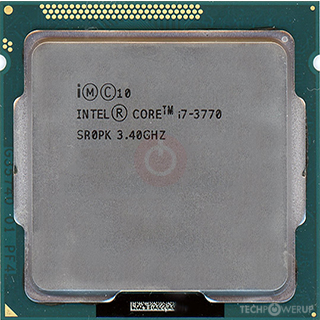
his CPU is an "Intel(R) Core(TM) i7-3770 CPU @ 3.40 GHz"
at least what i copied from his desktop's "Settings > System > About" page. can his setup use whatever bypass method there is to go from 10 to 11? or would he effectively need a new (or used) desktop to replace his old dinosaur?
 

My Computer

System One

  • OS
    Windows 10
    Computer type
    PC/Desktop
    Manufacturer/Model
    n/a (Not a pre-fab, Custom Build)
    CPU
    Ryzen 9 7950X3D
    Motherboard
    Asus ROG STRIX X670E-E GAMING WIFI
    Memory
    G.SKILL Trident Z5 Neo Series (AMD Expo) DDR5 RAM 64GB (2x32GB) 6000MT/s CL30-40-40-96
    Graphics Card(s)
    AMD RX 7900 XT (Reference Card)
    Sound Card
    n/a (Using Default Mobo Sound Tech)
    Monitor(s) Displays
    LG MP59HT
    Screen Resolution
    1920x1080
    Hard Drives
    WD_Black SN850X (2 TB NVMe)
    WD_Black SN850X (4 TB NVMe)
    PSU
    EVGA SuperNOVA 1200 P3 80 Plus Platinum
    Case
    Corsair 7000D (Used, Ebay)
    Cooling
    CORSAIR iCUE LINK H170i RGB Liquid CPU Cooler
    Keyboard
    Corsair K100 RGB (Amazon Refurb)
    Mouse
    Razer Basilisk V3
    Internet Speed
    Optimal (Fiber Optic)
    Browser
    Firefox (Stable, 64-Bit)
    Antivirus
    Default Windows Security
    Other Info
    Despite my name, my stuff isn't broken daily, but its annoying when it does; my current setup is FAR more powerful than before, and i consider it to be my very last
his CPU is an "Intel(R) Core(TM) i7-3770 CPU @ 3.40 GHz"
at least what i copied from his desktop's "Settings > System > About" page. can his setup use whatever bypass method there is to go from 10 to 11? or would he effectively need a new (or used) desktop to replace his old dinosaur?
I'm currently multi-booting 25H2 and Insider builds up to Canary on my System Two's 1st gen i5-520M. Your 3rd gen i7-3770 has a benchmark four times that of mine. It should run Win11 with ease.

First make a system image, then try the upgrade.


My Computers

System One System Two

  • OS
    Windows 11 Home
    Computer type
    Laptop
    Manufacturer/Model
    Acer Aspire 3 A315-23-R9VY
    CPU
    AMD Athlon Silver 3050U
    Memory
    8GB
    Graphics Card(s)
    Radeon Graphics
    Monitor(s) Displays
    laptop screen
    Screen Resolution
    1366x768 native resolution, up to 2560x1440 with Radeon Virtual Super Resolution
    Hard Drives
    1TB Samsung EVO 870 SSD (from April 2026: 250GB EVO 850)
    Internet Speed
    150 Mbps
    Browser
    Edge, Firefox
    Antivirus
    Defender
    Other Info
    fully 'Windows 11 ready' laptop. Windows 10 C: partition migrated from my old unsupported 'main machine' then upgraded to 11. A test migration ran Insider builds for 2 months. When 11 was released on 5th October 2021 it was re-imaged back to 10 and was offered the upgrade in Windows Update on 20th October. Windows Update offered the 22H2 Feature Update on 20th September 2022. It got the 23H2 Feature Update on 4th November 2023 through Windows Update, 24H2 on 3rd October 2024 through Windows Update by setting the Target Release Version for 24H2, and 25H2 on 30th September 2025 through Windows Update by setting the Target Release Version for 25H2.

    UPDATE - 11 April 2026: due to mechanical deterioration this PC has been retired from active duty. The OS with all software and files has been migrated to my System Seven below to carry on as my general purpose 'main machine'.

    My SYSTEM THREE is a Dell Latitude 5410, i7-10610U, 32GB RAM, 512GB NVMe ssd, supported device running Windows 11 Pro.

    My SYSTEM FOUR is a 2-in-1 convertible Lenovo Yoga 11e 20DA, Celeron N2930, 8GB RAM, 256GB ssd. Unsupported device: currently running Win10 Pro, plus Win11 Pro RTM and Insider Dev, Beta, and RP 24H2 as native boot vhdx.

    My SYSTEM FIVE is a Dell Latitude 3190 2-in-1, Pentium Silver N5030, 8GB RAM, 1TB NVMe ssd, supported device running Windows 11 Pro, plus Insider Beta, Dev, and Canary builds (and a few others) as a native boot .vhdx.

    My SYSTEM SIX is a Dell Latitude 5550, Core Ultra 7 165H, 64GB RAM, 1TB NVMe SSD, supported device, Windows 11 Pro 24H2, Hyper-V host machine. Updated to 25H2 on 30th September 2025.

    My SYSTEM SEVEN is a Lenovo Thinkpad T580, Intel Core i7-8650U, 16GB RAM, 512GB NVMe SSD + 2nd 512GB NVMe SSD, a supported device for Windows 11. This is my current general purpose 'main machine'. The installed Windows 11 Home from my System One has been migrated to this machine.
  • Operating System
    Windows 11 Pro
    Computer type
    Laptop
    Manufacturer/Model
    Dell Latitude E4310
    CPU
    Intel® Core™ i5-520M
    Motherboard
    0T6M8G
    Memory
    8GB
    Graphics card(s)
    (integrated graphics) Intel HD Graphics
    Screen Resolution
    1366x768
    Hard Drives
    500GB Crucial MX500 SSD
    Browser
    Firefox, Edge
    Antivirus
    Defender
    Other Info
    unsupported machine: Legacy bios, MBR, TPM 1.2, upgraded from W10 to W11 using W10/W11 hybrid install media workaround. In-place upgrade to 22H2 using ISO and a workaround. Feature Update to 23H2 by manually installing the Enablement Package. In-place upgrade to 24H2 using hybrid 23H2/24H2 install media. Upgraded to 25H2 by Enablement Package. Also running Insider Dev, and Canary builds and Windows 10 as native boot .vhdx.

    My SYSTEM THREE is a Dell Latitude 5410, i7-10610U, 32GB RAM, 512GB NVMe ssd, supported device running Windows 11 Pro.

    My SYSTEM FOUR is a 2-in-1 convertible Lenovo Yoga 11e 20DA, Celeron N2930, 8GB RAM, 256GB ssd. Unsupported device: currently running Win10 Pro, plus Win11 Pro RTM and Insider Dev, Beta, and RP 24H2 as native boot vhdx.

    My SYSTEM FIVE is a Dell Latitude 3190 2-in-1, Pentium Silver N5030, 8GB RAM, 1TB NVMe ssd, supported device running Windows 11 Pro, plus Insider Beta, Dev, and Canary builds (and a few others) as a native boot .vhdx.

    My SYSTEM SIX is a Dell Latitude 5550, Core Ultra 7 165H, 64GB RAM, 1TB NVMe SSD, supported device, Windows 11 Pro 24H2, Hyper-V host machine. Updated to 25H2 on 30th September 2025.

    My SYSTEM SEVEN is a Lenovo Thinkpad T580, Intel Core i7-8650U, 16GB RAM, 512GB NVMe SSD + 2nd 512GB NVMe SSD, a supported device for Windows 11. This is my current general purpose 'main machine'. The installed Windows 11 Home from my System One has been migrated to this machine.
Even with ESU or bypassing the install requirements for Win 11 - that system might be able to run till mid 2026 - due to Secure Boot certificate expiration and CA updates. There's 0 chances for motherboards that old to get a firmware update covering the required certificates. Unless, you manage that yourself using this: GitHub - pbatard/Mosby: Mosby – More Secure Secure Boot
 

My Computer

System One

  • OS
    WinDOS 25H2
    Computer type
    Laptop
    CPU
    Intel & AMD
    Memory
    SO-DIMM SK Hynix 15.8 GB Dual-Channel DDR4-2666 (2 x 8 GB) 1329MHz (19-19-19-43)
    Graphics Card(s)
    nVidia RTX 2060 6GB Mobile GPU (TU106M)
    Sound Card
    Onbord Realtek ALC1220
    Screen Resolution
    1920 x 1080
    Hard Drives
    1x Samsung PM981 NVMe PCIe M.2 512GB / 1x Seagate Expansion ST1000LM035 1TB
Forget Windows 12, it may well be Windows 26/27 if Microsoft decides it doesn't want to appear to be falling behind in a development race with Apple's latest approach to release naming.
Fall behind? 95, 98, 2000, Me (sorta)
 

My Computer

System One

  • OS
    Windows 11 Pro 25H2
    Computer type
    PC/Desktop
    Manufacturer/Model
    Intel NUC12WSHi7
    CPU
    12th Gen Core i7-1260P
    Motherboard
    NUC12WSBi7
    Memory
    64 GB Micron PC4-25600
    Graphics Card(s)
    Intel Iris Xe Graphics
    Sound Card
    on-board Realtek HD Audio
    Monitor(s) Displays
    Dell U3219Q
    Screen Resolution
    3840 x 2160
    Hard Drives
    Samsung SSD 990 PRO 1TB
    Crucial MX500 2 TB
    Antivirus
    Microsoft Defender
his CPU is an "Intel(R) Core(TM) i7-3770 CPU @ 3.40 GHz"
at least what i copied from his desktop's "Settings > System > About" page. can his setup use whatever bypass method there is to go from 10 to 11? or would he effectively need a new (or used) desktop to replace his old dinosaur?

Lists SSE4.2 support, so it can run 24H2. (Or 25H2.)
 

My Computers

System One System Two

  • OS
    Windows 11 26200.8728
    Computer type
    PC/Desktop
    Manufacturer/Model
    homebuilt
    CPU
    Amd Threadripper 7970X
    Motherboard
    Gigabyte TRX50 Aero D Rev. 1.0
    Memory
    128GB (4 X 32) G.Skill DDR5 6400 (RDIMM)
    Graphics Card(s)
    Gigabyte RTX 4090 OC
    Sound Card
    none (USB to speakers), Realtek
    Monitor(s) Displays
    Innocn 32" OLED
    Screen Resolution
    3840 X 2160 @ 60Hz
    Hard Drives
    Crucial T700 2TB M.2 NVME SSD
    WD 4TB Blue SATA SSD
    Seagate 18TB IronWolf Pro
    PSU
    BeQuiet! Straight Power 12 1500W
    Case
    Lian Li 011 Dynamic Evo XL
    Cooling
    SilverStone Technology XE360-TR5, with 3 Phanteks T30 fans
    Keyboard
    Cherry KC 500 MX LP (mechanical)
    Mouse
    Logitech M500s (wired)
    Internet Speed
    2000/250 Mbps (down/up)
    Other Info
    xFinity gateway
  • Operating System
    windows 11 26200.8728
    Computer type
    PC/Desktop
    Manufacturer/Model
    homebuilt
    CPU
    Intel I9-13900K
    Motherboard
    Asus RoG Strix Z690-E
    Memory
    64GB G.Skill DDR5-6000
    Graphics card(s)
    Gigabyte RTX 3090 ti
    Sound Card
    built in Realtek
    Monitor(s) Displays
    Philips 27E1N8900 27" OLED
    Screen Resolution
    3840 X 2160 @60Hz
    Hard Drives
    WDC SN850 1TB
    8TB Seagate Ironwolf
    4TB Seagate Ironwolf
    PSU
    eVGA SuperNOVA 1300 GT
    Case
    Lian Li 011 Dynamic Evo
    Cooling
    Corsair iCUE H150i ELITE CAPELLIX Liquid CPU Cooler
    Keyboard
    Cherry Streaming (wired)
    Mouse
    Logitech M500s (wired)

Latest Support Threads

Back
Top Bottom