- Local time
- 4:03 AM
- Posts
- 78
- OS
- Windows 11 24H2
I don't have any 3rd party security software installed and never had, like stated above. Also, i don't remember changing anything in my PC or installing anything even remotely related to this during the days when the bug appeared.
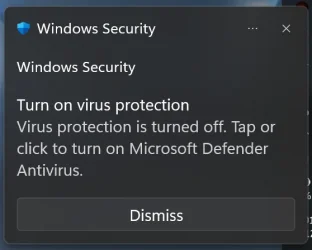
However, my manufacturer recently updated BIOS, so it might be related, but then it's also related to that Certificate Enroll error which i get with server 400 code. I also checked that in my BIOS secure boot was set to "custom" for some reason, and offered me to restore keys etc. options. I changed it to standard, locked all those tricky options. So I guess now it should be handled automatically. The system booted normally with "standard" option, but i still got the notification and also still get that "Protocol AIK certificate request error". However, standard Microsoft Support is only limited to "let's try uninstall your system" or "let's check your PC for viruses". I tried showing them Event Viewer error logs, but they didn't understand that.
However, my manufacturer recently updated BIOS, so it might be related, but then it's also related to that Certificate Enroll error which i get with server 400 code. I also checked that in my BIOS secure boot was set to "custom" for some reason, and offered me to restore keys etc. options. I changed it to standard, locked all those tricky options. So I guess now it should be handled automatically. The system booted normally with "standard" option, but i still got the notification and also still get that "Protocol AIK certificate request error". However, standard Microsoft Support is only limited to "let's try uninstall your system" or "let's check your PC for viruses". I tried showing them Event Viewer error logs, but they didn't understand that.
My Computer
At a glance
Windows 11 24H2i7-1070032 GBNVIDIA RTX 3070
- OS
- Windows 11 24H2
- Computer type
- PC/Desktop
- Manufacturer/Model
- Zotac ZBOX-ECM73070C
- CPU
- i7-10700
- Memory
- 32 GB
- Graphics Card(s)
- NVIDIA RTX 3070
- PSU
- 500W