Solved Unable to Install Last (4) 25H2 Updates (most recently KB5067036) - 0x800F0922 Error


mccmw

Well-known member
Member
VIP
Local time
11:49 AM
Posts
494
OS
Windows 11
From what I can tell, this error is "broad." Windows update will download and "install" within Windows Update. It will get to 30%, restart, and then hang up between 35 - 39%. After a long wait I will get the dreaded something didn't work out right message and it will undo the update and restart again. I looked in the CBS log and didn't see anything. This error is referenced there, along with Event Viewer, but without any other explanation. Similar to the last three times I have resorted to downloading a UUP dump image and doing a repair by reinstall. Unfortunately, that takes a LONG time. I'm downloading the newest image now, but may also try disabling Windows Sandbox as I read that was a solution for some people in the past. Is there something else I can try, or some setting I need to enable/disable that might be causing this or solve it? It only started with 25H2.
 

My Computers

System One System Two

  • OS
    Windows 11
    Computer type
    PC/Desktop
    Manufacturer/Model
    Custom
    CPU
    Intel i7-7700K
    Motherboard
    Asus Prime Z-270A
    Memory
    32GB 2666Mhz (Kingston Hyper X Fury)
    Graphics Card(s)
    Asus Nvidia 1050Ti
    Sound Card
    N/A
    Monitor(s) Displays
    Samsung C27F390
    Screen Resolution
    1920 x 1080
    Hard Drives
    1TB Western Digital SN770 (System) and 2TB Western Digital SN770 (Storage)
    Antivirus
    Windows Security
  • Operating System
    Windows 11 Home
    Computer type
    Laptop
    Manufacturer/Model
    Dell/XPS 15 9510
    CPU
    i9-11900H
    Motherboard
    Unknown
    Memory
    32GB
    Graphics card(s)
    Integrated Intel and Nvidia 3050Ti
    Sound Card
    Integrated (Realtek)
    Monitor(s) Displays
    None
    Screen Resolution
    1920 x 1200 (non-Touch)
    Hard Drives
    2TB SK Hynix P41 Platinum
    Antivirus
    Windows Security
@mccmw


The best thing to do now is to just do an In-Place Upgrade.

Use Option Two (ISO method)...


An In-Place Upgrade fixes 99% of Windows problems and you won't lose your programs or files.
 

My Computers

System One System Two

  • OS
    Win 11 Home ♦♦♦26200.8457 ♦♦♦♦♦♦♦25H2
    Computer type
    PC/Desktop
    Manufacturer/Model
    Built by Ghot® [May 2020]
    CPU
    AMD Ryzen 7 3700X
    Motherboard
    Asus Pro WS X570-ACE (BIOS 5302)
    Memory
    G.Skill (F4-3200C14D-16GTZKW)
    Graphics Card(s)
    EVGA RTX 2070 (08G-P4-2171-KR)
    Sound Card
    Realtek ALC1220P / ALC S1220A
    Monitor(s) Displays
    Dell U3011 30"
    Screen Resolution
    2560 x 1600
    Hard Drives
    2x Samsung 860 EVO 500GB,
    WD 4TB Black FZBX - SATA III,
    WD 8TB Black FZBX - SATA III,
    DRW-24B1ST CD/DVD Burner
    PSU
    PC Power & Cooling 750W Quad EPS12V
    Case
    Cooler Master ATCS 840 Tower
    Cooling
    CM Hyper 212 EVO (push/pull)
    Keyboard
    Ducky DK9008 Shine II Blue LED
    Mouse
    Logitech Optical M-100
    Internet Speed
    300/300
    Browser
    Firefox (latest)
    Antivirus
    Bitdefender Total Security
    Other Info
    Speakers: Klipsch Pro Media 2.1
  • Operating System
    Windows XP Pro 32bit w/SP3
    Computer type
    PC/Desktop
    Manufacturer/Model
    Built by Ghot® (not in use)
    CPU
    AMD Athlon 64 X2 5000+ (OC'd @ 3.2Ghz)
    Motherboard
    ASUS M2N32-SLI Deluxe Wireless Edition
    Memory
    TWIN2X2048-6400C4DHX (2 x 1GB, DDR2 800)
    Graphics card(s)
    EVGA 256-P2-N758-TR GeForce 8600GT SSC
    Sound Card
    Onboard
    Monitor(s) Displays
    ViewSonic G90FB Black 19" Professional (CRT)
    Screen Resolution
    up to 2048 x 1536
    Hard Drives
    WD 36GB 10,000rpm Raptor SATA
    Seagate 80GB 7200rpm SATA
    Lite-On LTR-52246S CD/RW
    Lite-On LH-18A1P CD/DVD Burner
    PSU
    PC Power & Cooling Silencer 750 Quad EPS12V
    Case
    Generic Beige case, 80mm fans
    Cooling
    ZALMAN 9500A 92mm CPU Cooler
    Keyboard
    Logitech Classic Keybooard 200
    Mouse
    Logitech Optical M-BT96a
    Internet Speed
    300/300
    Browser
    Firefox 3.x ??
    Antivirus
    Symantec (Norton)
    Other Info
    Still assembled, still runs. Haven't turned it on for 15 years?
From what I can tell, this error is "broad." Windows update will download and "install" within Windows Update. It will get to 30%, restart, and then hang up between 35 - 39%. After a long wait I will get the dreaded something didn't work out right message and it will undo the update and restart again. I looked in the CBS log and didn't see anything. This error is referenced there, along with Event Viewer, but without any other explanation. Similar to the last three times I have resorted to downloading a UUP dump image and doing a repair by reinstall. Unfortunately, that takes a LONG time. I'm downloading the newest image now, but may also try disabling Windows Sandbox as I read that was a solution for some people in the past. Is there something else I can try, or some setting I need to enable/disable that might be causing this or solve it? It only started with 25H2.
assuming you've already tried the following?

deleting cache:
Code:
del /f /s /q C:\Windows\SoftwareDistribution\*.*

reset WU components:
Code:
net stop wuauserv
Code:
net stop bits
Code:
net stop cryptsvc
Code:
ren C:\Windows\SoftwareDistribution SoftwareDistribution.old
Code:
ren C:\Windows\System32\catroot2 catroot2.old
Code:
net start wuauserv
Code:
net start bits
Code:
net start cryptsvc
 

My Computer

System One

  • OS
    Windows 11 Pro
Yep...I've run scripts that include above...i.e. resetting Windows Update components.
 

My Computers

System One System Two

  • OS
    Windows 11
    Computer type
    PC/Desktop
    Manufacturer/Model
    Custom
    CPU
    Intel i7-7700K
    Motherboard
    Asus Prime Z-270A
    Memory
    32GB 2666Mhz (Kingston Hyper X Fury)
    Graphics Card(s)
    Asus Nvidia 1050Ti
    Sound Card
    N/A
    Monitor(s) Displays
    Samsung C27F390
    Screen Resolution
    1920 x 1080
    Hard Drives
    1TB Western Digital SN770 (System) and 2TB Western Digital SN770 (Storage)
    Antivirus
    Windows Security
  • Operating System
    Windows 11 Home
    Computer type
    Laptop
    Manufacturer/Model
    Dell/XPS 15 9510
    CPU
    i9-11900H
    Motherboard
    Unknown
    Memory
    32GB
    Graphics card(s)
    Integrated Intel and Nvidia 3050Ti
    Sound Card
    Integrated (Realtek)
    Monitor(s) Displays
    None
    Screen Resolution
    1920 x 1200 (non-Touch)
    Hard Drives
    2TB SK Hynix P41 Platinum
    Antivirus
    Windows Security
yeah... once WU is broken, you're SOL. i've spent HOURS trying to repair it before. a repair/ in-place upgrade is the easiest method (most likely the best use of your time as well)
 

My Computer

System One

  • OS
    Windows 11 Pro
@mccmw


The best thing to do now is to just do an In-Place Upgrade.

Use Option Two (ISO method)...


An In-Place Upgrade fixes 99% of Windows problems and you won't lose your programs or files.
Yep...unfortunately, I've had to do that the last few 25H2 updates (especially previews). It only affects one machine.
 

My Computers

System One System Two

  • OS
    Windows 11
    Computer type
    PC/Desktop
    Manufacturer/Model
    Custom
    CPU
    Intel i7-7700K
    Motherboard
    Asus Prime Z-270A
    Memory
    32GB 2666Mhz (Kingston Hyper X Fury)
    Graphics Card(s)
    Asus Nvidia 1050Ti
    Sound Card
    N/A
    Monitor(s) Displays
    Samsung C27F390
    Screen Resolution
    1920 x 1080
    Hard Drives
    1TB Western Digital SN770 (System) and 2TB Western Digital SN770 (Storage)
    Antivirus
    Windows Security
  • Operating System
    Windows 11 Home
    Computer type
    Laptop
    Manufacturer/Model
    Dell/XPS 15 9510
    CPU
    i9-11900H
    Motherboard
    Unknown
    Memory
    32GB
    Graphics card(s)
    Integrated Intel and Nvidia 3050Ti
    Sound Card
    Integrated (Realtek)
    Monitor(s) Displays
    None
    Screen Resolution
    1920 x 1200 (non-Touch)
    Hard Drives
    2TB SK Hynix P41 Platinum
    Antivirus
    Windows Security
Yep...unfortunately, I've had to do that the last few 25H2 updates (especially previews). It only affects one machine.


Well, the only more powerful option is a Clean Install of Windows 11.
 

My Computers

System One System Two

  • OS
    Win 11 Home ♦♦♦26200.8457 ♦♦♦♦♦♦♦25H2
    Computer type
    PC/Desktop
    Manufacturer/Model
    Built by Ghot® [May 2020]
    CPU
    AMD Ryzen 7 3700X
    Motherboard
    Asus Pro WS X570-ACE (BIOS 5302)
    Memory
    G.Skill (F4-3200C14D-16GTZKW)
    Graphics Card(s)
    EVGA RTX 2070 (08G-P4-2171-KR)
    Sound Card
    Realtek ALC1220P / ALC S1220A
    Monitor(s) Displays
    Dell U3011 30"
    Screen Resolution
    2560 x 1600
    Hard Drives
    2x Samsung 860 EVO 500GB,
    WD 4TB Black FZBX - SATA III,
    WD 8TB Black FZBX - SATA III,
    DRW-24B1ST CD/DVD Burner
    PSU
    PC Power & Cooling 750W Quad EPS12V
    Case
    Cooler Master ATCS 840 Tower
    Cooling
    CM Hyper 212 EVO (push/pull)
    Keyboard
    Ducky DK9008 Shine II Blue LED
    Mouse
    Logitech Optical M-100
    Internet Speed
    300/300
    Browser
    Firefox (latest)
    Antivirus
    Bitdefender Total Security
    Other Info
    Speakers: Klipsch Pro Media 2.1
  • Operating System
    Windows XP Pro 32bit w/SP3
    Computer type
    PC/Desktop
    Manufacturer/Model
    Built by Ghot® (not in use)
    CPU
    AMD Athlon 64 X2 5000+ (OC'd @ 3.2Ghz)
    Motherboard
    ASUS M2N32-SLI Deluxe Wireless Edition
    Memory
    TWIN2X2048-6400C4DHX (2 x 1GB, DDR2 800)
    Graphics card(s)
    EVGA 256-P2-N758-TR GeForce 8600GT SSC
    Sound Card
    Onboard
    Monitor(s) Displays
    ViewSonic G90FB Black 19" Professional (CRT)
    Screen Resolution
    up to 2048 x 1536
    Hard Drives
    WD 36GB 10,000rpm Raptor SATA
    Seagate 80GB 7200rpm SATA
    Lite-On LTR-52246S CD/RW
    Lite-On LH-18A1P CD/DVD Burner
    PSU
    PC Power & Cooling Silencer 750 Quad EPS12V
    Case
    Generic Beige case, 80mm fans
    Cooling
    ZALMAN 9500A 92mm CPU Cooler
    Keyboard
    Logitech Classic Keybooard 200
    Mouse
    Logitech Optical M-BT96a
    Internet Speed
    300/300
    Browser
    Firefox 3.x ??
    Antivirus
    Symantec (Norton)
    Other Info
    Still assembled, still runs. Haven't turned it on for 15 years?
Fast Startup can cause issues with dual-boot setups, device drivers, or system updates.

  1. Open Control Panel
    Press Win + R, type control, and press Enter.​
  2. Navigate to Power Options
    Go to System and Security > Power Options.​
  3. Access Shutdown Settings
    Click Choose what the power buttons do from the left pane.​
  4. Unlock Grayed-Out Options
    Click Change settings that are currently unavailable (requires admin rights).​
  5. Disable Fast Startup
    Uncheck Turn on fast startup (recommended) under Shutdown settings.​
  6. Save Changes
    Click Save changes and close the window.​
  7. Reboot

During reboot, enter the BIOS and temporarily disable Secure Boot
 

My Computers

System One System Two

  • OS
    Windows 11 Pro 25H2 Build 26200.8524
    Computer type
    PC/Desktop
    Manufacturer/Model
    Sin-built 2013
    CPU
    Intel(R) Core(TM) i7-4770K CPU @ 3.50GHz
    Motherboard
    ASUS ROG Maximus VI Formula
    Memory
    32.0 GB of I forget and the box is in storage.
    Graphics Card(s)
    Gigabyte nVidia GeForce GTX 1660 Super OC 6GB
    Sound Card
    Onboard thingy
    Monitor(s) Displays
    5 x LG 25MS500-B - 1 x 24MK430H-B - 1 x Wacom Pro 22" Touch Screen Tablet
    Screen Resolution
    All over the place
    Hard Drives
    Too many to list.
    OS on Samsung 1TB 870 QVO SATA
    PSU
    Silverstone 1500
    Case
    NZXT Phantom 820 Full-Tower Case
    Cooling
    Noctua NH-D15 Elite Class Dual Tower CPU Cooler / 6 x EziDIY 120mm / 2 x Corsair 140mm somethings / 1 x 140mm Thermaltake something / 2 x 200mm Corsair.
    Keyboard
    Corsair K95 / Logitech diNovo Edge Wireless
    Mouse
    Logitech: G402 / G502 / Mx Masters / Mx Air Cordless
    Internet Speed
    2000/500Mbps
    Browser
    All sorts
    Antivirus
    Kaspersky Premium
    Other Info
    ㅤㅤㅤㅤㅤㅤㅤㅤㅤㅤㅤㅤㅤㅤㅤㅤㅤㅤㅤㅤㅤㅤㅤㅤㅤㅤㅤㅤㅤㅤㅤㅤㅤㅤㅤㅤㅤㅤㅤㅤ⠀⠀⠀⠀⠀⠀⠀⠀⠀⠀
    TP-Link BE9300 WiFi 7 Bluetooth 5.4 (Archer TBE550E)
    TP-Link TX201 V1 2.5GB Lan

    Grandstream HT812 - VoIP
    ASUS DSL-AX82U - Mesh
    ASUS RT-AC68U - Mesh
    ASUS RT-BE88U Router

    Brother MFC-L2880DW Printer

    I’m on a horse.
  • Operating System
    Windows 11 Pro 25H2 Build 26200.8524
    Computer type
    Laptop
    Manufacturer/Model
    LENOVO Yoga 7 14IRL8 - 7i EVO OLED 14" Touchscreen i5 12 Core 16GB/512GB
    CPU
    Intel Core 12th Gen i5-1240P Processor (1.7 - 4.4GHz)
    Memory
    16GB LPDDR5 RAM
    Graphics card(s)
    Intel Iris Xe Graphics Processor
    Sound Card
    Optimized with Dolby Atmos®
    Screen Resolution
    QHD 2880 x 1800 OLED
    Hard Drives
    M.2 512GB
    Antivirus
    Defender / Malwarebytes
    Other Info
    …still on a horse.
Well...I did some online searches on the error and implemented a few of the suggestions. One or more actually worked...right after the machine got done creating a UUP Dump image:) I noticed that .Net 3.5 was disabled and Windows Sandbox was enabled. I reversed them based on them working for others. I restarted after each change. I just ran Update again and it successfully made it through.
 

My Computers

System One System Two

  • OS
    Windows 11
    Computer type
    PC/Desktop
    Manufacturer/Model
    Custom
    CPU
    Intel i7-7700K
    Motherboard
    Asus Prime Z-270A
    Memory
    32GB 2666Mhz (Kingston Hyper X Fury)
    Graphics Card(s)
    Asus Nvidia 1050Ti
    Sound Card
    N/A
    Monitor(s) Displays
    Samsung C27F390
    Screen Resolution
    1920 x 1080
    Hard Drives
    1TB Western Digital SN770 (System) and 2TB Western Digital SN770 (Storage)
    Antivirus
    Windows Security
  • Operating System
    Windows 11 Home
    Computer type
    Laptop
    Manufacturer/Model
    Dell/XPS 15 9510
    CPU
    i9-11900H
    Motherboard
    Unknown
    Memory
    32GB
    Graphics card(s)
    Integrated Intel and Nvidia 3050Ti
    Sound Card
    Integrated (Realtek)
    Monitor(s) Displays
    None
    Screen Resolution
    1920 x 1200 (non-Touch)
    Hard Drives
    2TB SK Hynix P41 Platinum
    Antivirus
    Windows Security

My Computers

System One System Two

  • OS
    Windows 11 Pro 25H2 Build 26200.8524
    Computer type
    PC/Desktop
    Manufacturer/Model
    Sin-built 2013
    CPU
    Intel(R) Core(TM) i7-4770K CPU @ 3.50GHz
    Motherboard
    ASUS ROG Maximus VI Formula
    Memory
    32.0 GB of I forget and the box is in storage.
    Graphics Card(s)
    Gigabyte nVidia GeForce GTX 1660 Super OC 6GB
    Sound Card
    Onboard thingy
    Monitor(s) Displays
    5 x LG 25MS500-B - 1 x 24MK430H-B - 1 x Wacom Pro 22" Touch Screen Tablet
    Screen Resolution
    All over the place
    Hard Drives
    Too many to list.
    OS on Samsung 1TB 870 QVO SATA
    PSU
    Silverstone 1500
    Case
    NZXT Phantom 820 Full-Tower Case
    Cooling
    Noctua NH-D15 Elite Class Dual Tower CPU Cooler / 6 x EziDIY 120mm / 2 x Corsair 140mm somethings / 1 x 140mm Thermaltake something / 2 x 200mm Corsair.
    Keyboard
    Corsair K95 / Logitech diNovo Edge Wireless
    Mouse
    Logitech: G402 / G502 / Mx Masters / Mx Air Cordless
    Internet Speed
    2000/500Mbps
    Browser
    All sorts
    Antivirus
    Kaspersky Premium
    Other Info
    ㅤㅤㅤㅤㅤㅤㅤㅤㅤㅤㅤㅤㅤㅤㅤㅤㅤㅤㅤㅤㅤㅤㅤㅤㅤㅤㅤㅤㅤㅤㅤㅤㅤㅤㅤㅤㅤㅤㅤㅤ⠀⠀⠀⠀⠀⠀⠀⠀⠀⠀
    TP-Link BE9300 WiFi 7 Bluetooth 5.4 (Archer TBE550E)
    TP-Link TX201 V1 2.5GB Lan

    Grandstream HT812 - VoIP
    ASUS DSL-AX82U - Mesh
    ASUS RT-AC68U - Mesh
    ASUS RT-BE88U Router

    Brother MFC-L2880DW Printer

    I’m on a horse.
  • Operating System
    Windows 11 Pro 25H2 Build 26200.8524
    Computer type
    Laptop
    Manufacturer/Model
    LENOVO Yoga 7 14IRL8 - 7i EVO OLED 14" Touchscreen i5 12 Core 16GB/512GB
    CPU
    Intel Core 12th Gen i5-1240P Processor (1.7 - 4.4GHz)
    Memory
    16GB LPDDR5 RAM
    Graphics card(s)
    Intel Iris Xe Graphics Processor
    Sound Card
    Optimized with Dolby Atmos®
    Screen Resolution
    QHD 2880 x 1800 OLED
    Hard Drives
    M.2 512GB
    Antivirus
    Defender / Malwarebytes
    Other Info
    …still on a horse.
Well...I did some online searches on the error and implemented a few of the suggestions. One or more actually worked...right after the machine got done creating a UUP Dump image:) I noticed that .Net 3.5 was disabled and Windows Sandbox was enabled. I reversed them based on them working for others. I restarted after each change. I just ran Update again and it successfully made it through.


Please post any useful reference links for future viewers.


This was an earlier EF thread:


My Computer

System One

  • OS
    Windows 10
    Computer type
    Laptop
    Manufacturer/Model
    HP
    CPU
    Intel(R) Core(TM) i7-4800MQ CPU @ 2.70GHz
    Motherboard
    Product : 190A Version : KBC Version 94.56
    Memory
    16 GB Total: Manufacturer : Samsung MemoryType : DDR3 FormFactor : SODIMM Capacity : 8GB Speed : 1600
    Graphics Card(s)
    NVIDIA Quadro K3100M; Intel(R) HD Graphics 4600
    Sound Card
    IDT High Definition Audio CODEC; PNP Device ID HDAUDIO\FUNC_01&VEN_111D&DEV_76E0
    Hard Drives
    Model Hitachi HTS727575A9E364
    Antivirus
    Microsoft Defender
    Other Info
    Mobile Workstation
This update failed on both my Windows 11 PCs as well and rolled back. Very annoying.

I know a repair install might fix it, but I am sick and tired of having to do a repair install EVERY SINGLE TIME there is a major update. This never happened on Windows 10. Why is it so sensitive?
 

My Computers

System One System Two

  • OS
    Windows 10
    Computer type
    PC/Desktop
    Manufacturer/Model
    Asus
    CPU
    Intel Core i5-6600 3.30Ghz
    Motherboard
    Asus B150M
    Memory
    16 GB
    Graphics Card(s)
    Asus Nvidia GeForce GTX 960
    Sound Card
    Onboard
    Monitor(s) Displays
    Samsung
    Hard Drives
    Samsung SSD 850 EBO 128 GB
    WDC WD1003FZEX-00MK2A0
  • Operating System
    Windows 11
    Computer type
    Laptop
    Manufacturer/Model
    Asus ExpertBook
    CPU
    11the Gen Intel Core i5-1135G7 2.40 GHz
    Memory
    8 GB
    Graphics card(s)
    Intel Xe
    Sound Card
    Onboard
    Hard Drives
    NVMe WDC PC SN530 SDBPNPZ 256 GB
This update failed on both my Windows 11 PCs as well and rolled back. Very annoying.

I know a repair install might fix it, but I am sick and tired of having to do a repair install EVERY SINGLE TIME there is a major update. This never happened on Windows 10. Why is it so sensitive?

Same here... On three disparate systems, all download, verify and then try to install, but fail at the last few % with the old, familiar "Install error - 0x800f0983"... So utterly frustrating.

I'm so close to giving up on Win 11 all together, switching to Linux and running a non-networked Win 11 VM for the legacy programs that Linux doesn't run...
 

My Computer

System One

  • OS
    Windows 11
This update failed on both my Windows 11 PCs as well and rolled back. Very annoying.

I know a repair install might fix it, but I am sick and tired of having to do a repair install EVERY SINGLE TIME there is a major update. This never happened on Windows 10. Why is it so sensitive?
Windows 11 seems to have a real problem with updates, I've had more Windows Update problems since installing it this March than I did for all the years I ran Windows 10. I expect them on the Insider machine, but I have three machines running the standard release version of Windows, and they have just as many Windows Update crashes and work-arounds. :think:
 

My Computers

System One System Two

  • OS
    Win 11 Pro 25H2, Build 26200.8524
    Computer type
    PC/Desktop
    Manufacturer/Model
    Home Brew
    CPU
    Intel Core i5 14500
    Motherboard
    Gigabyte B760M G P WIFI
    Memory
    64GB DDR4
    Graphics Card(s)
    GeForce RTX 4060
    Sound Card
    Chipset Realtek
    Monitor(s) Displays
    LG 45" Ultragear, Acer 24" 1080p
    Screen Resolution
    5120x1440, 1920x1080
    Hard Drives
    Crucial P310 2TB 2280 PCIe Gen4 3D NAND NVMe M.2 SSD (O/S)
    Silicon Power 2TB US75 NVMe PCIe Gen4 M.2 2280 SSD (backup)
    Crucial BX500 2TB 3D NAND (2nd backup)
    Seagate 4TB Ironwolf, rotating HDD archive files
    External off-line backup Drives: 2 NVMe 4TB drives in external enclosures
    PSU
    Thermaltake Toughpower GF3 750W
    Case
    LIAN LI LANCOOL 216 E-ATX PC Case
    Cooling
    Lots of fans!
    Keyboard
    Microsoft Comfort Curve 2000
    Mouse
    Logitech G305
    Internet Speed
    Verizon FiOS 1GB
    Browser
    Firefox
    Antivirus
    Malware Bytes & Windows Defender Security
  • Operating System
    Win 11 Pro 25H2, Build 26200.8524
    Computer type
    PC/Desktop
    Manufacturer/Model
    Home Brew
    CPU
    Intel Core i5 14400
    Motherboard
    Gigabyte B760M DS3H AX
    Memory
    32GB DDR5
    Graphics card(s)
    Intel 700 Embedded GPU
    Sound Card
    Realtek Embedded
    Monitor(s) Displays
    27" HP 1080p
    Screen Resolution
    1920x1080
    Hard Drives
    Crucial P310 2TB 2280 PCIe Gen4 eD NAND PCIe SSD
    Samsung EVO 990 2TB NVMe Gen4 SSD
    Samsung 2TB SATA SSD
    PSU
    Thermaltake Smart BM3 650W
    Case
    Okinos Micro ATX Case
    Cooling
    Fans
    Keyboard
    Microsoft Comfort Curve 2000
    Mouse
    Logitech G305
    Internet Speed
    Verizon FiOS 1GB
    Browser
    Firefox
    Antivirus
    Malware Bytes & Windows Defender Security
Same here... On three disparate systems, all download, verify and then try to install, but fail at the last few % with the old, familiar "Install error - 0x800f0983"...

May I ask if these are 'officially' supported system hardware or non-supported system? I have two non-supported older systems, 4th gen and 5th gen Intel, on which I have been running W11 just fine. Until I performed the in-place upgrade from 24H2 to 25H2 (Windows Update will not offer it on unsupported systems). It did offer and successfully install the KB5066835 update that breaks USB support in Recovery Environment (among a few other things), for which the out of band emergency patch KB5070773 was released. I'm getting the same error with KB5067036 on both systems, via Windows Update or downloading the standalone MSU. Tried running the /restorehealth, system file checker, Windows Update troubleshooters, etc. Still errors with 0983. I'm thinking MS might have snuck in a new check for unsupported hardware?
 

My Computer

System One

  • OS
    All of them
@tcsenter,

That was my initial thought too: "Perhaps MS, in their infinite wisdom and charity, have decided to sneakingly fubar updates for non-supported systems".

Two of my 'problem' systems do fall into that category (just missing TPM2.0), but the other is a VM with (as I understand) all relevant supported specs.

I've done the same as you: sfc, DISM-checks, WU troubleshooting, heck even chkdsk!

The only thing I haven't tried yet is to do a repair/recovery using the latest ISO (tweaked with the relevant Rufus compatibility patches). But I'm going to wait for the next Win11 update to see if that fixes things. If it is related to unsupported specs, I suspect we're far from the only ones with this issue.

The only other thing I was considering - is it anything to do with not having a MS account set up? My systems do not use a MS account.

Cheers,

Mike.
 

My Computer

System One

  • OS
    Windows 11
mingle,

Please open a separate thread.


Add WMIC:


In the new thread post share links for troubleshooting:


a) Tuneup plus
b) Upgrade failure
c) V2
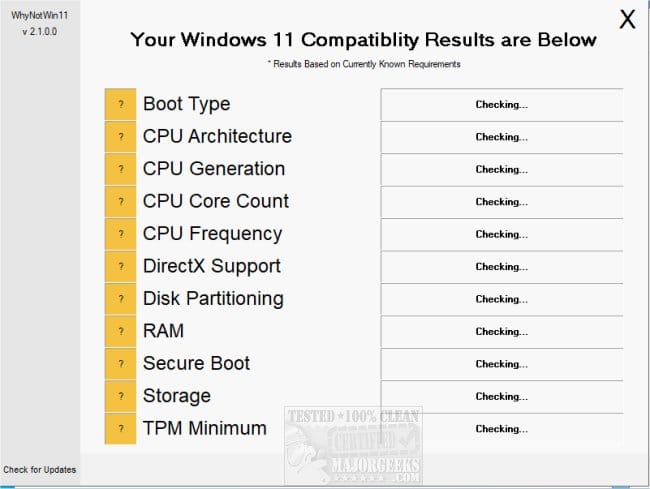
d) whynotwin11


My Computer

System One

  • OS
    Windows 10
    Computer type
    Laptop
    Manufacturer/Model
    HP
    CPU
    Intel(R) Core(TM) i7-4800MQ CPU @ 2.70GHz
    Motherboard
    Product : 190A Version : KBC Version 94.56
    Memory
    16 GB Total: Manufacturer : Samsung MemoryType : DDR3 FormFactor : SODIMM Capacity : 8GB Speed : 1600
    Graphics Card(s)
    NVIDIA Quadro K3100M; Intel(R) HD Graphics 4600
    Sound Card
    IDT High Definition Audio CODEC; PNP Device ID HDAUDIO\FUNC_01&VEN_111D&DEV_76E0
    Hard Drives
    Model Hitachi HTS727575A9E364
    Antivirus
    Microsoft Defender
    Other Info
    Mobile Workstation
@zbook,

Sorry, don't understand the need for a new thread - I thought we were discussing the inability to install KB5067036 and possible reasons/solutions?


My Computer

System One

  • OS
    Windows 11
Error codes and messages can be "waste basket" messages.

This means there are a variety of computer problems that can produce the same code or message.


For example 0x800F0922 is a very well known code for an insufficient free space message.

The same error code could be completely unrelated to free space.

If the log files are scanned there may be more specific information to find a cause.


These are examples from Microsoft:

0x800f0922 or 0x8007000E: Unable to install the update due to insufficient disk space
Free up disk space: Your device requires at least 16 GB of free space to upgrade a 32-bit OS, or 20 GB for a 64-bit OS. If your device has a small hard drive, you may need to insert a USB drive to update it.

If your PC is running low on storage, try the techniques at Free up drive space in Windows.

Disable VPN: If you're using a VPN, disable it and try again.


0x800f0922
Message Description Mitigation
CBS_E_INSTALLERS_FAILED The July cumulative update failed to be installed on Windows Server 2016 In the CBS.log, you may find that updates sometimes roll back when License and Product key tokens fail to be updated. This issue can be resolved by adding write permissions for the "User" and "Network Service" accounts to the C:\Windows\System32\spp\ folder.


Collecting log files are useful mostly to one computer user.


Having many posts can hijack a thread.


It's optimal to create your own thread and maintain notifications in another.


This would be your thread and the problems unique to your computer are addressed.
 
Last edited:

My Computer

System One

  • OS
    Windows 10
    Computer type
    Laptop
    Manufacturer/Model
    HP
    CPU
    Intel(R) Core(TM) i7-4800MQ CPU @ 2.70GHz
    Motherboard
    Product : 190A Version : KBC Version 94.56
    Memory
    16 GB Total: Manufacturer : Samsung MemoryType : DDR3 FormFactor : SODIMM Capacity : 8GB Speed : 1600
    Graphics Card(s)
    NVIDIA Quadro K3100M; Intel(R) HD Graphics 4600
    Sound Card
    IDT High Definition Audio CODEC; PNP Device ID HDAUDIO\FUNC_01&VEN_111D&DEV_76E0
    Hard Drives
    Model Hitachi HTS727575A9E364
    Antivirus
    Microsoft Defender
    Other Info
    Mobile Workstation

Latest Support Threads

Back
Top Bottom