Upgrading motherboard - want to keep Windows 11 install


Flogger23m

Well-known member
Member
Local time
2:48 PM
Posts
28
OS
Windows 10
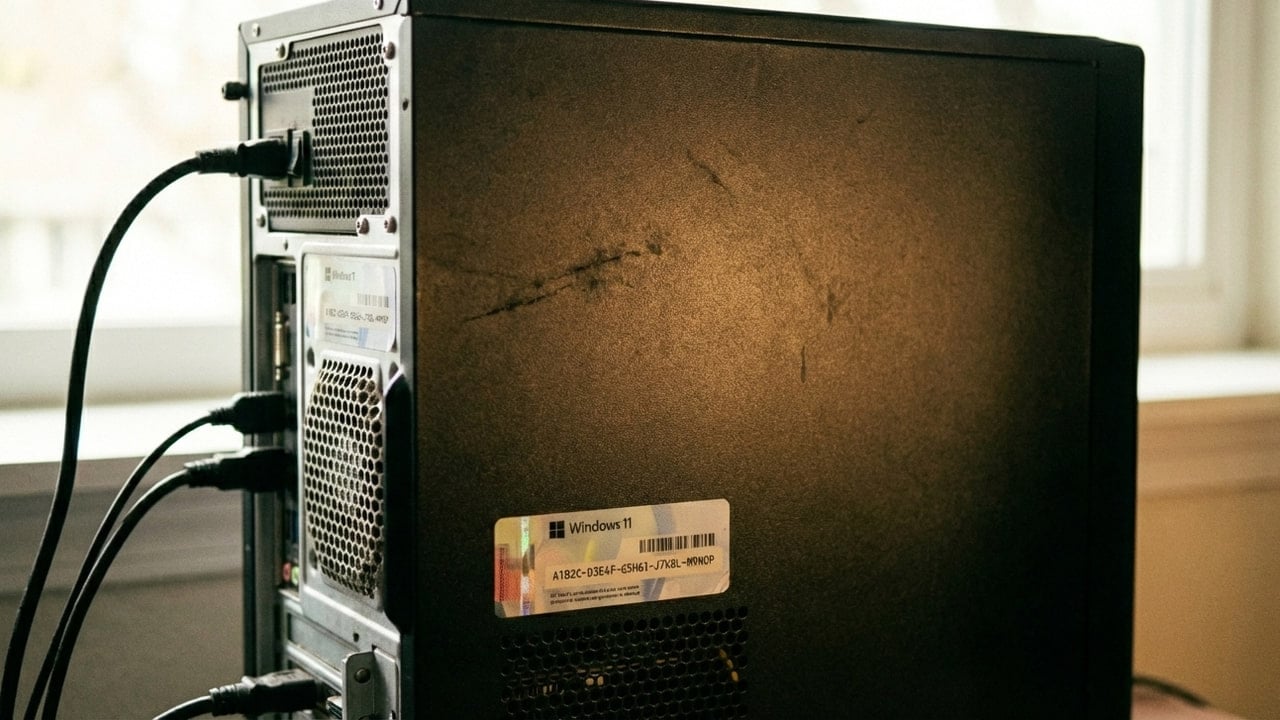
Got a good deal on a CPU/motherboard combo (motherboard is essentially free so I may as well use it), so am deciding to upgrade my motherboard. Wanting to keep my current Windows 11 Pro install as it is only a few months old.

Win 11 versions is: 10.0.26200 Build 26200

What steps should I take to ensure I can swap the motherboards without any issues with my Win 11 install?

1) Will create system image and drive clone (I will do both as I have a spare SSD) as a backup.

2) Bitlocker is disabled on all drives.

3) Should I disable AMD fTPM in my motherboard BIOS prior to swapping motherboards? So I disable Secure Boot or anything else?

4) Should I uninstall old chipset drivers from within Win 11 prior to removing the old motherboard?

5) After I install the new motherboard, is there any setting I should disable or enable prior to rebooting into Win 11?

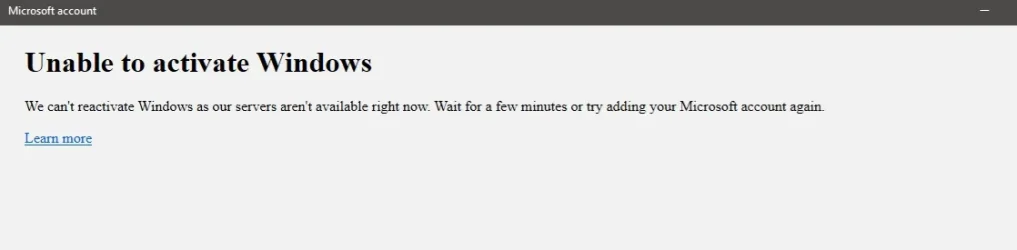
6) Windows 11 will require reactivation. Prior to swapping the motherboard should I remove my PC from my Microsoft account, and then re-add it after I boot into the Windows with the new motherboard? Can't quite recall how I did re-activation previously.


Will be going from one AM5 board to another AM5 board so the overall change should not be that big.

Old board: X670E PG Lightning

Planned new board: MSI Pro X870E-P Wifi
 

My Computer

System One

  • OS
    Windows 10
    Computer type
    PC/Desktop
    CPU
    Ryzen 7800X3D
    Motherboard
    ASRock X670E PG Lightning
    Memory
    32GB Corsair
    Graphics Card(s)
    RTX 5070ti ASUS Prime
    Screen Resolution
    2560x1440
    Hard Drives
    WD SN850X 4TB (Windows/boot drive/programs), WD SN 850X 4TB (game drive), WD 6TB Black HDD (data), SK Hynix P31 2TB (other programs/games)
    PSU
    Seasonic 750
    Cooling
    Thermalright Phantom Spirit 120
If worse comes to worst, and you have issues reactivating Windows, there's always Stack Social...

Win 11 Home or Pro $12.97


IMO, it's much easier than dealing with MS.
 

My Computers

System One System Two

  • OS
    Win 11 Home ♦♦♦26200.8457 ♦♦♦♦♦♦♦25H2
    Computer type
    PC/Desktop
    Manufacturer/Model
    Built by Ghot® [May 2020]
    CPU
    AMD Ryzen 7 3700X
    Motherboard
    Asus Pro WS X570-ACE (BIOS 5302)
    Memory
    G.Skill (F4-3200C14D-16GTZKW)
    Graphics Card(s)
    EVGA RTX 2070 (08G-P4-2171-KR)
    Sound Card
    Realtek ALC1220P / ALC S1220A
    Monitor(s) Displays
    Dell U3011 30"
    Screen Resolution
    2560 x 1600
    Hard Drives
    2x Samsung 860 EVO 500GB,
    WD 4TB Black FZBX - SATA III,
    WD 8TB Black FZBX - SATA III,
    DRW-24B1ST CD/DVD Burner
    PSU
    PC Power & Cooling 750W Quad EPS12V
    Case
    Cooler Master ATCS 840 Tower
    Cooling
    CM Hyper 212 EVO (push/pull)
    Keyboard
    Ducky DK9008 Shine II Blue LED
    Mouse
    Logitech Optical M-100
    Internet Speed
    300/300
    Browser
    Firefox (latest)
    Antivirus
    Bitdefender Total Security
    Other Info
    Speakers: Klipsch Pro Media 2.1
  • Operating System
    Windows XP Pro 32bit w/SP3
    Computer type
    PC/Desktop
    Manufacturer/Model
    Built by Ghot® (not in use)
    CPU
    AMD Athlon 64 X2 5000+ (OC'd @ 3.2Ghz)
    Motherboard
    ASUS M2N32-SLI Deluxe Wireless Edition
    Memory
    TWIN2X2048-6400C4DHX (2 x 1GB, DDR2 800)
    Graphics card(s)
    EVGA 256-P2-N758-TR GeForce 8600GT SSC
    Sound Card
    Onboard
    Monitor(s) Displays
    ViewSonic G90FB Black 19" Professional (CRT)
    Screen Resolution
    up to 2048 x 1536
    Hard Drives
    WD 36GB 10,000rpm Raptor SATA
    Seagate 80GB 7200rpm SATA
    Lite-On LTR-52246S CD/RW
    Lite-On LH-18A1P CD/DVD Burner
    PSU
    PC Power & Cooling Silencer 750 Quad EPS12V
    Case
    Generic Beige case, 80mm fans
    Cooling
    ZALMAN 9500A 92mm CPU Cooler
    Keyboard
    Logitech Classic Keybooard 200
    Mouse
    Logitech Optical M-BT96a
    Internet Speed
    300/300
    Browser
    Firefox 3.x ??
    Antivirus
    Symantec (Norton)
    Other Info
    Still assembled, still runs. Haven't turned it on for 15 years?
If worse comes to worst, and you have issues reactivating Windows, there's always Stack Social...

Win 11 Home or Pro $12.97


IMO, it's much easier than dealing with MS.

I assume that site is at least semi legitimate for MS products? If so that is a good price, and if it does not re-activate I'll just rebuy it.
 

My Computer

System One

  • OS
    Windows 10
    Computer type
    PC/Desktop
    CPU
    Ryzen 7800X3D
    Motherboard
    ASRock X670E PG Lightning
    Memory
    32GB Corsair
    Graphics Card(s)
    RTX 5070ti ASUS Prime
    Screen Resolution
    2560x1440
    Hard Drives
    WD SN850X 4TB (Windows/boot drive/programs), WD SN 850X 4TB (game drive), WD 6TB Black HDD (data), SK Hynix P31 2TB (other programs/games)
    PSU
    Seasonic 750
    Cooling
    Thermalright Phantom Spirit 120
I assume that site is at least semi legitimate for MS products? If so that is a good price, and if it does not re-activate I'll just rebuy it.


Yes. They're affiliated with MS somehow.

The last two BIOS updates for the motherboard (in my specs)... broke my activation.
It had updated AMD fTPM, and MS thought I got a new CPU. LOL
I run a LOCAL account. I tried everything... no joy.

Got a product key from StackSocial, kept it on storage drive for three weeks, then used.
That was back in November 2025.
Haven't had any problems.

Lots of folks on here have used SS for Windows and MS Office keys.
 

My Computers

System One System Two

  • OS
    Win 11 Home ♦♦♦26200.8457 ♦♦♦♦♦♦♦25H2
    Computer type
    PC/Desktop
    Manufacturer/Model
    Built by Ghot® [May 2020]
    CPU
    AMD Ryzen 7 3700X
    Motherboard
    Asus Pro WS X570-ACE (BIOS 5302)
    Memory
    G.Skill (F4-3200C14D-16GTZKW)
    Graphics Card(s)
    EVGA RTX 2070 (08G-P4-2171-KR)
    Sound Card
    Realtek ALC1220P / ALC S1220A
    Monitor(s) Displays
    Dell U3011 30"
    Screen Resolution
    2560 x 1600
    Hard Drives
    2x Samsung 860 EVO 500GB,
    WD 4TB Black FZBX - SATA III,
    WD 8TB Black FZBX - SATA III,
    DRW-24B1ST CD/DVD Burner
    PSU
    PC Power & Cooling 750W Quad EPS12V
    Case
    Cooler Master ATCS 840 Tower
    Cooling
    CM Hyper 212 EVO (push/pull)
    Keyboard
    Ducky DK9008 Shine II Blue LED
    Mouse
    Logitech Optical M-100
    Internet Speed
    300/300
    Browser
    Firefox (latest)
    Antivirus
    Bitdefender Total Security
    Other Info
    Speakers: Klipsch Pro Media 2.1
  • Operating System
    Windows XP Pro 32bit w/SP3
    Computer type
    PC/Desktop
    Manufacturer/Model
    Built by Ghot® (not in use)
    CPU
    AMD Athlon 64 X2 5000+ (OC'd @ 3.2Ghz)
    Motherboard
    ASUS M2N32-SLI Deluxe Wireless Edition
    Memory
    TWIN2X2048-6400C4DHX (2 x 1GB, DDR2 800)
    Graphics card(s)
    EVGA 256-P2-N758-TR GeForce 8600GT SSC
    Sound Card
    Onboard
    Monitor(s) Displays
    ViewSonic G90FB Black 19" Professional (CRT)
    Screen Resolution
    up to 2048 x 1536
    Hard Drives
    WD 36GB 10,000rpm Raptor SATA
    Seagate 80GB 7200rpm SATA
    Lite-On LTR-52246S CD/RW
    Lite-On LH-18A1P CD/DVD Burner
    PSU
    PC Power & Cooling Silencer 750 Quad EPS12V
    Case
    Generic Beige case, 80mm fans
    Cooling
    ZALMAN 9500A 92mm CPU Cooler
    Keyboard
    Logitech Classic Keybooard 200
    Mouse
    Logitech Optical M-BT96a
    Internet Speed
    300/300
    Browser
    Firefox 3.x ??
    Antivirus
    Symantec (Norton)
    Other Info
    Still assembled, still runs. Haven't turned it on for 15 years?
You have nothing to lose by trying to reactivate Windows. If it doesn't a new license doesn't cost much.

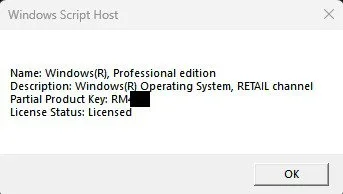
BTW, I did this with two different desktop computers last December. Each upgrade had totally different new hardware. Windows reactivated OK. The important thing was that both computers started with Windows with retail licenses. Changing hardware is allowed with retail licenses. If the license is not retail then changing hardware is not allowed.
 

My Computers

System One System Two

  • OS
    Windows 11 Pro 25H2 (26200.6901)
    Computer type
    Laptop
    Manufacturer/Model
    ASUS TUF Gaming A15 (2022)
    CPU
    AMD Ryzen 7 6800H with Radeon 680M GPU (486MB RAM)
    Memory
    Crucial DDR5-4800 (2400MHz) 32GB (2 x 16GB)
    Graphics Card(s)
    NVIDIA RTX 3060 Laptop (6GB RAM)
    Sound Card
    n/a
    Monitor(s) Displays
    15.6-inch
    Screen Resolution
    1920x1080 300Hz
    Hard Drives
    2 x Samsung 990 Evo Plus (2TB M.2 NVME SSD)
    PSU
    n/a
    Mouse
    Wireless Mouse M510
    Internet Speed
    2100Mbps/300Mbps
    Browser
    Firefox
    Antivirus
    Malwarebytes
  • Operating System
    Windows 11 Pro 25H2 (26200.8246)
    Computer type
    PC/Desktop
    Manufacturer/Model
    Custom build
    CPU
    AMD Ryzen 7 5700X3D
    Motherboard
    ASUS ROG Strix B550-F Gaming WiFi II
    Memory
    G.SKILL Flare X 32GB (2x16GB) DDR4
    Graphics card(s)
    ASUS ROG-STRIX-RTX3060TI-08G-V2-GAMING (RTX 3060-Ti, 8GB RAM)
    Monitor(s) Displays
    Samsung G50D IPS 27"
    Screen Resolution
    1440p/180Hz
    Hard Drives
    SAMSUNG 990 EVO Plus (2TB] M.2 NVME SSD
    SAMSUNG 990 EVO Plus (4TB) M.2 NVME SSD
    PSU
    Corsair RM750x (750 watts)
    Case
    Cooler Master MasterCase 5
    Cooling
    Scythe Mugen 6
    Keyboard
    Logitech K520 (MK540 keyboard/mouse combo)
    Mouse
    Logitech M310 (MK540 keyboard/mouse combo)
    Internet Speed
    2100 Mbps down / 300 Mbps up
    Browser
    Firefox, Edge, Chrome
    Antivirus
    Malwarebytes (Premium)
    Other Info
    ASUS Blu-ray Burner BW-16D1HT (SATA) || Western Digital Easystore 20TB USB 3.0 external hard drive used with Acronis True Image 2025 backup software || HP OfficeJet Pro 6975 Printer/Scanner
To unlink or remove a Windows 11 product key from your PC, use the Command Prompt to uninstall the key and clear it from the registry. If you want to transfer a Retail license to a new computer, also be sure to remove the old device from your Microsoft Account.


Step 1: Uninstall the Product Key from WindowsOpen the search bar on your taskbar, type cmd.

Right-click on Command Prompt and select Run as administrator.

Type slmgr /upk and press Enter.A prompt will confirm that the product key has been uninstalled successfully.

Step 2: Clear the Key from the Registry To ensure the key cannot be extracted by registry scanners, type slmgr /cpky in the Command Prompt and press Enter.

Restart your computer to finalize the deactivation.Step 3:

Unlink from your Microsoft Account (For Retail Licenses)If your license is a digital one tied to your email account, you should also remove the old PC to free up the license for your new device:

Go to the Microsoft Devices Page and sign in.

Find your current/old device in the list and click Show details or Manage.

Select Remove device or Unlink device and confirm.

Note: If your product key came pre-installed on the computer when you bought it (OEM License), it is permanently tied to that motherboard and cannot be unlinked or transferred to another PC.


My Computer

System One

  • OS
    Windows 11
    Computer type
    PC/Desktop
    Manufacturer/Model
    HP Pavilion
    CPU
    AMD Ryzen 7 5700G
    Motherboard
    Erica6
    Memory
    Micron Technology DDR4-3200 16GB
    Graphics Card(s)
    NVIDIA GeForce RTX 3060
    Sound Card
    Realtek ALC671
    Monitor(s) Displays
    Samsung SyncMaster U28E590
    Screen Resolution
    3840 x 2160
    Hard Drives
    SAMSUNG MZVLQ1T0HALB-000H1
For the Stacksocial Windows licenses, I assume those are OEM?

To unlink or remove a Windows 11 product key from your PC, use the Command Prompt to uninstall the key and clear it from the registry. If you want to transfer a Retail license to a new computer, also be sure to remove the old device from your Microsoft Account.


Step 1: Uninstall the Product Key from WindowsOpen the search bar on your taskbar, type cmd.

Right-click on Command Prompt and select Run as administrator.

Type slmgr /upk and press Enter.A prompt will confirm that the product key has been uninstalled successfully.

Step 2: Clear the Key from the Registry To ensure the key cannot be extracted by registry scanners, type slmgr /cpky in the Command Prompt and press Enter.

Restart your computer to finalize the deactivation.Step 3:

Unlink from your Microsoft Account (For Retail Licenses)If your license is a digital one tied to your email account, you should also remove the old PC to free up the license for your new device:

Go to the Microsoft Devices Page and sign in.

Find your current/old device in the list and click Show details or Manage.

Select Remove device or Unlink device and confirm.

Note: If your product key came pre-installed on the computer when you bought it (OEM License), it is permanently tied to that motherboard and cannot be unlinked or transferred to another PC.


Thanks, it is an OEM. I know I somehow reactivated it in the past and had a family member re-active their Win 11 OEM Install after swapping motherboards, but I assume it most likely will not transfer. $13 is not that big of a deal if it comes to that.

Aside from activation issues, should I disable things like fTPM prior to swapping the motherboards?
 

My Computer

System One

  • OS
    Windows 10
    Computer type
    PC/Desktop
    CPU
    Ryzen 7800X3D
    Motherboard
    ASRock X670E PG Lightning
    Memory
    32GB Corsair
    Graphics Card(s)
    RTX 5070ti ASUS Prime
    Screen Resolution
    2560x1440
    Hard Drives
    WD SN850X 4TB (Windows/boot drive/programs), WD SN 850X 4TB (game drive), WD 6TB Black HDD (data), SK Hynix P31 2TB (other programs/games)
    PSU
    Seasonic 750
    Cooling
    Thermalright Phantom Spirit 120
In theory, instead of massive upgrade you can try to perform step-by-step upgrade, which doesn't break the activation at every single step. Configuration is counted as a sum of unique CPU, MB, RAM, HDD/SSD, network adapter. OEM should allow to replace only the MB (situations that it was broken happen quite often) while keeping all other components untouched. After a while, you can replace other components starting from CPU. But in any case, it would be better to create a full system backup of working old OS first.

As for obsolete device drivers, you don't have to uninstall them before upgrade. It's possible to do it later by looking in Device Manager, which of them are grey or marked by yellow triangle, and uninstall all such devices that no longer present.
 

My Computer

System One

  • OS
    Windows 11 Pro 25H2
    Computer type
    Laptop
    Manufacturer/Model
    Lenovo Legion 5-15ARH05
    CPU
    AMD Rysen 5 4600H
    Memory
    32 GB (2 x 16 GB Samsung SO-DIMM DDR4-3200)
    Graphics Card(s)
    GeForce GTX 1650 Ti, 4 GB GDDR6
    Screen Resolution
    1920x1080
    Hard Drives
    SSD M.2 512 GB SAMSUNG MZALQ512; SSD M.2 1 TB Seagate FireCuda 530
    Mouse
    Logitech M650L in Bluetooth mode
This link may be useful:

Reactivating Windows after a hardware change - Microsoft Support


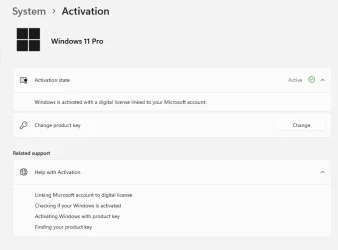
In Windows 11, it is essential that you link your Microsoft account with the Windows 11 digital license on your device.
Linking your Microsoft account with your digital license allows you to reactivate Windows using the Activation troubleshooter
whenever you make a significant hardware change.

First, you'll need to find out if your Microsoft account (What is a Microsoft account?) is linked to your Windows 11 digital license.
To find out, select the Start button, then select Settings > System and then select Activation .
The activation status message will tell you if your account is linked.
 

My Computer

System One

  • OS
    Windows 10
    Computer type
    Laptop
    Manufacturer/Model
    HP
    CPU
    Intel(R) Core(TM) i7-4800MQ CPU @ 2.70GHz
    Motherboard
    Product : 190A Version : KBC Version 94.56
    Memory
    16 GB Total: Manufacturer : Samsung MemoryType : DDR3 FormFactor : SODIMM Capacity : 8GB Speed : 1600
    Graphics Card(s)
    NVIDIA Quadro K3100M; Intel(R) HD Graphics 4600
    Sound Card
    IDT High Definition Audio CODEC; PNP Device ID HDAUDIO\FUNC_01&VEN_111D&DEV_76E0
    Hard Drives
    Model Hitachi HTS727575A9E364
    Antivirus
    Microsoft Defender
    Other Info
    Mobile Workstation
I have replaced the drives on my new computers with the drives from my old computers several times and never had a problem with activation and/or drivers. I found Windows 10 and 11 very forgiving when switching drives to a different computer.
 

My Computers

System One System Two

  • OS
    Windows 11 Pro 25H2
    Computer type
    PC/Desktop
    Manufacturer/Model
    PowerSpec B746
    CPU
    Intel Core i7-10700K
    Motherboard
    ASRock Z490 Phantom Gaming 4/ax
    Memory
    16GB (8GB PC4-19200 DDR4 SDRAM x2)
    Graphics Card(s)
    NVIDIA GeForce GTX 1050 TI
    Sound Card
    Realtek Audio
    Monitor(s) Displays
    #1. LG ULTRAWIDE 34" #2. AOC Q32G2WG3 32"
    Screen Resolution
    #1. 3440 X 1440 #2. 1920 x 1080
    Hard Drives
    NVMe WDC WDS100T2B0C-00PXH0 1TB
    Samsung SSD 860 EVO 1TB
    PSU
    750 Watts (62.5A)
    Case
    PowerSpec/Lian Li ATX 205
    Keyboard
    Logitech K270
    Mouse
    Logitech M185
    Browser
    Microsoft Edge and Firefox
    Antivirus
    Webroot SecureAnywhere CE 26.1
  • Operating System
    Windows 11 Canary Channel
    Computer type
    PC/Desktop
    Manufacturer/Model
    PowerSpec G156
    CPU
    Intel Core i5-8400 CPU @ 2.80GHz
    Motherboard
    AsusTeK Prime B360M-A
    Memory
    16 MB DDR 4-2666
    Monitor(s) Displays
    23" Speptre HDMI 75Hz
    Screen Resolution
    1920x1080
    Hard Drives
    Samsung 970 EVO 500GB NVMe
    Keyboard
    Logitek K270
    Mouse
    Logitek M185
    Browser
    Firefox, Edge and Edge Canary
    Antivirus
    Windows Defender
Back
Top Bottom