

- Local time
- 9:23 AM
- Posts
- 170
- OS
- macOS Sequoia
I have an HP ENVY 17-cp1035cl with a TobenONE UDS030 docking station connecting it to two screens via HDMI. It uses DisplayLink technology to push out the video signal for the two monitors through the laptop’s USB-C port. I had to download the driver from the DisplayLink site and install the DisplayLink Manager from the Microsoft Store.
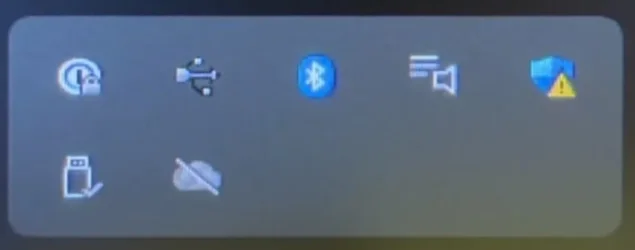
This working fine at the end of last week, right after setting everything up. This morning, there has been a USB icon in the system tray:

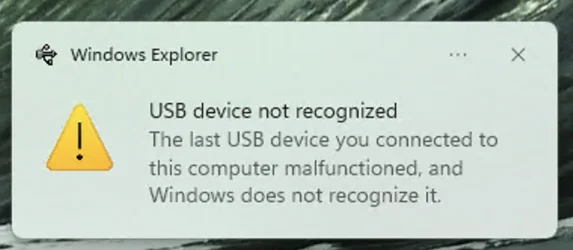
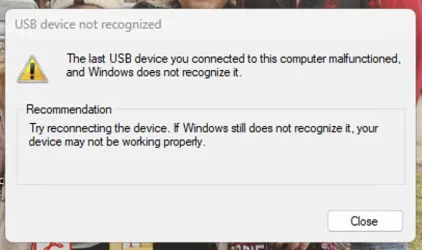
It’s the second from the left, in the top row. It shows for a fraction of a second and then disappears. A few seconds later, it flashed again. When I click on it (have to time it just right), I get this

There seems to be no missing driver for any USB device. Disconnecting the USB-C cable docking the laptop to the docking station will make that flashing system tray icon stop.
Any suggestions?
This working fine at the end of last week, right after setting everything up. This morning, there has been a USB icon in the system tray:
It’s the second from the left, in the top row. It shows for a fraction of a second and then disappears. A few seconds later, it flashed again. When I click on it (have to time it just right), I get this
There seems to be no missing driver for any USB device. Disconnecting the USB-C cable docking the laptop to the docking station will make that flashing system tray icon stop.
Any suggestions?
Attachments
Last edited:
My Computer
At a glance
macOS SequoiaM1 Max Apple Silicon32 GB
- OS
- macOS Sequoia
- Computer type
- Laptop
- Manufacturer/Model
- Apple
- CPU
- M1 Max Apple Silicon
- Memory
- 32 GB






