- Local time
- 1:23 PM
- Posts
- 267
- OS
- Windows 11 pro
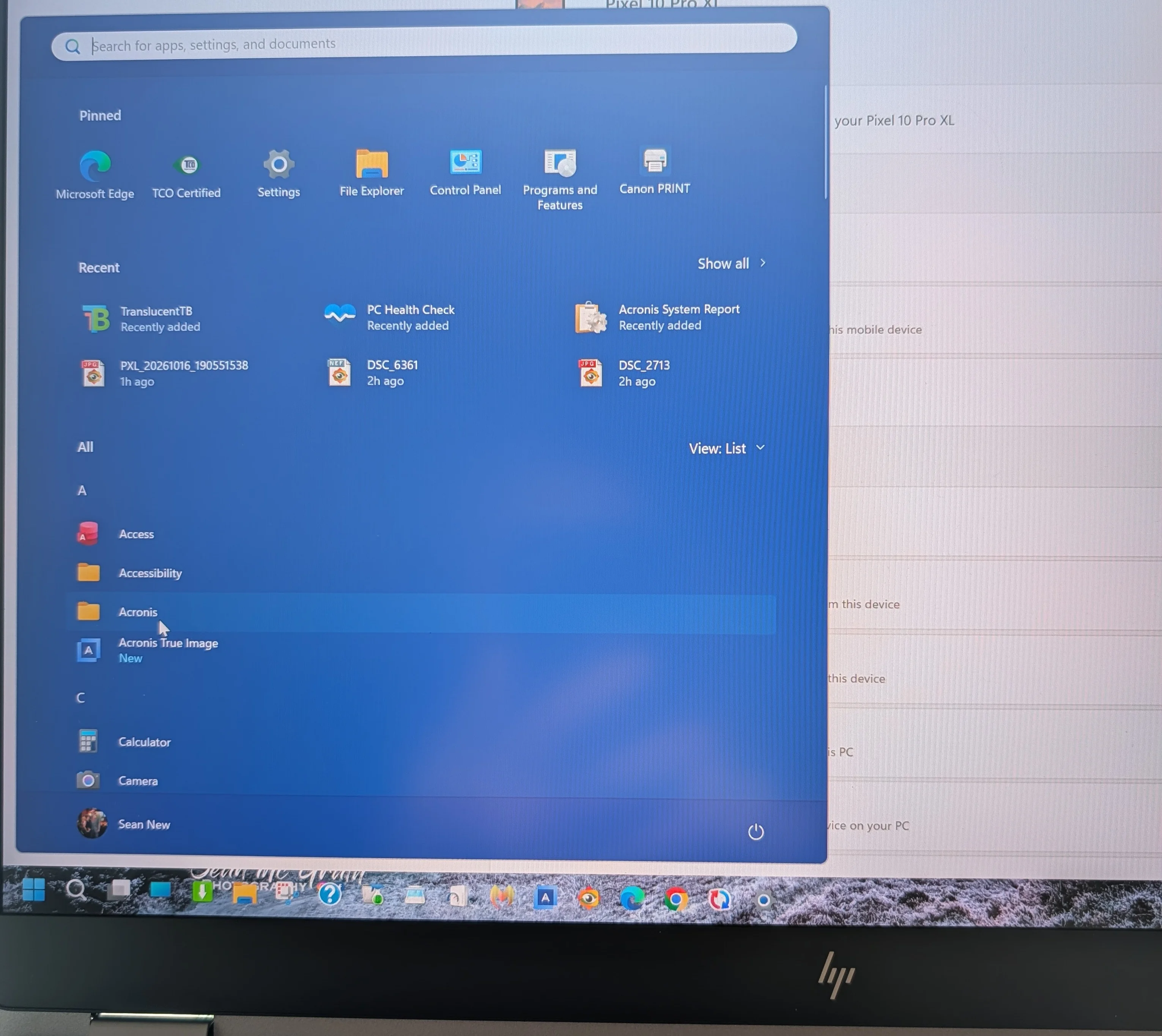
I'm setting up a new laptop, but I cannot find anywhere that allows me to show the mobile pane on the quick start menu. I'm only getting what is shown in the photo.
Can anyone offer any help on how I can fix this, please?
Can anyone offer any help on how I can fix this, please?
My Computers
-
At a glance
Windows 11 proIntel(R) Core(TM) Ultra 9 285HX (2.80 GHz)128GBNVIDIA RTX PRO 5000 Blackwell Generation Lapt...- OS
- Windows 11 pro
- Computer type
- Laptop
- Manufacturer/Model
- HP Zbook
- CPU
- Intel(R) Core(TM) Ultra 9 285HX (2.80 GHz)
- Motherboard
- Intel WM880 (Arrow Lake-HX PCH) chipset.
- Memory
- 128GB
- Graphics Card(s)
- NVIDIA RTX PRO 5000 Blackwell Generation Laptop GPU (24 GB) Intel(R) Graphics (128 MB)
- Hard Drives
- KXG8A ZNV2T04 KIOXIA 2TB
- Mouse
- MX Master 3
- Internet Speed
- 500MBPS
- Browser
- Chrome, Edge
- Antivirus
- Windows defender
-
At a glance
Windows 11 proIntel(R) Core(TM) i7-8850H CPU @ 2.60GHz 2.59...32GBNvidia Quadro P3200- Operating System
- Windows 11 pro
- Computer type
- Laptop
- Manufacturer/Model
- HP
- CPU
- Intel(R) Core(TM) i7-8850H CPU @ 2.60GHz 2.59 GHz
- Motherboard
- HP 842D
- Memory
- 32GB
- Graphics card(s)
- Nvidia Quadro P3200
- Hard Drives
- Samsung 980 1TB M.2
Toshiba KXG50ZNV512G M.2
Crucial P5 Plus 2TB M.2
- Mouse
- MX Master 3
- Internet Speed
- 500MBPS
- Browser
- CHROME