
- Local time
- 10:49 AM
- Posts
- 298
- OS
- Window 11 v24H2 Build 26100.2033
I had found this tool , in this forum earlier, presented by well known VIP Member. I used this tool, please find attached herewith, to upgrade from Win 11 22H2 to 22H3 on my unsupported pc, for Win 11 to run.
Extract zip folder. Drag and drop downloaded iso Win 11_23H2_English_x64 from official website of Microsoft, on to Get_Win11.cmd, keeping internet on.
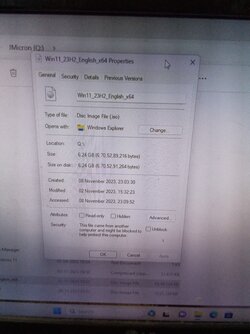
After a few minutes , a new iso is ready to install / to upgrade .
To upgrade from within working current os version of 22H2, run AllowUnsupportedUpgrades.cmd as administrator. This file will be seen after mounting the image created by Win-11-Download-Prep-Tool-Main. New iso will result in OS Build 22631.2428, version 23H2, after installation/Upgrade.
Please find the zip file and other images required to verify the result, herewith.
Thanks everyone for reading this thread.
Extract zip folder. Drag and drop downloaded iso Win 11_23H2_English_x64 from official website of Microsoft, on to Get_Win11.cmd, keeping internet on.
After a few minutes , a new iso is ready to install / to upgrade .
To upgrade from within working current os version of 22H2, run AllowUnsupportedUpgrades.cmd as administrator. This file will be seen after mounting the image created by Win-11-Download-Prep-Tool-Main. New iso will result in OS Build 22631.2428, version 23H2, after installation/Upgrade.
Please find the zip file and other images required to verify the result, herewith.
Thanks everyone for reading this thread.
- Windows Build/Version
- Windows 11 Home version 23H2 OS Build 22631.2428
Attachments

My Computer
At a glance
Window 11 v24H2 Build 26100.2033Intel(R) Core(TM) i3-2100 CPU @ 3.10GHz 3.10 GHz4.00 GB (3.89 GB usable)Onboard
- OS
- Window 11 v24H2 Build 26100.2033
- Computer type
- PC/Desktop
- Manufacturer/Model
- ASSEMMBLED
- CPU
- Intel(R) Core(TM) i3-2100 CPU @ 3.10GHz 3.10 GHz
- Motherboard
- ZEBRONICS
- Memory
- 4.00 GB (3.89 GB usable)
- Graphics Card(s)
- Onboard
- Sound Card
- Onboard
- Monitor(s) Displays
- LG
- Screen Resolution
- 1366x768
- Hard Drives
- Toshiba HDD 1 TB
- Keyboard
- Mechanical
- Mouse
- Mechanical
- Internet Speed
- 700 kb/s
- Browser
- Microsoft EDGE, CHROME
- Antivirus
- Microsoft Defender






