Upgrade from Win 11 23H2 to 24 H2 stuck with BSOD on unsupported PC


Viki

Member
Local time
2:11 AM
Posts
11
OS
Windows 11 23H2 OS Build - 22631-6199
Upgrade from Win 11 23H2 to 24 H2 stuck with BSOD on unsupported PC
 
Windows Build/Version
Windows 11 23H2

My Computer

System One

  • OS
    Windows 11 23H2 OS Build - 22631-6199
    Computer type
    PC/Desktop
    Manufacturer/Model
    Very old
    CPU
    Intel sandy bridge I3 -2120 3.3 GHZ , 4 core
    Motherboard
    Gigabyte -B75M-D3H ver. 1.1 with TPM 1.2
    Memory
    16 GB
    Graphics Card(s)
    In built graphic memory 1MB
    Sound Card
    no
    Monitor(s) Displays
    PNP LED display
    Screen Resolution
    1360x 768
    Hard Drives
    HDD-500 GB and SSD -250GB
    PSU
    assembled
    Case
    vertical
    Cooling
    fan
    Keyboard
    us -101
    Mouse
    wireless dell
    Internet Speed
    100MBPS
    Browser
    google
    Antivirus
    no
    Other Info
    --
I had some issues with 24h2 so I went back to 23h2 and waited for 25h2 that has no issues.
Why did you upgraded to 24h2 and not 25h2?

What happens if you try to boot now?
 

My Computers

System One System Two

  • OS
    Windows 11 Pro - Windows 7 HP 64 - Lubuntu
    Computer type
    PC/Desktop
    Manufacturer/Model
    custom build
    CPU
    i5 6600K - 800MHz to 4400MHz
    Motherboard
    GA-Z170-HD3P
    Memory
    4+4G GSkill DDR4 3000
    Graphics Card(s)
    IG - Intel 530
    Monitor(s) Displays
    Samsung 226BW
    Screen Resolution
    1680x1050
    Hard Drives
    (1) -1 SM951 – 128GB M.2 AHCI PCIe SSD drive for Win 11
    (2) -1 WD SATA 3 - 1T for Data
    (3) -1 WD SATA 3 - 1T for backup
    (4) -1 BX500 SSD - 256G for Windows 7 and Lubuntu
    PSU
    Thermaltake 450W TR2 gold
    Keyboard
    Old and good Chicony mechanical keyboard
    Mouse
    Logitech mX performance - 9 buttons (had to disable some)
    Internet Speed
    500 Mb/s
    Browser
    Firefox 64
  • Operating System
    Windows 11 Pro
    Computer type
    Laptop
    Manufacturer/Model
    Asus Q550LF
    CPU
    i7-4500U 800- 3000MHz
    Motherboard
    Asus Q550LF
    Memory
    (4+4)G DDR3 1600
    Graphics card(s)
    IG intel 4400 + NVIDIA GeForce GT 745M
    Sound Card
    Realtek
    Monitor(s) Displays
    LG Display LP156WF4-SPH1
    Screen Resolution
    1920 x 1080
    Hard Drives
    BX500 120G SSD for Windows and programs
    & 1T HDD for data
    Internet Speed
    500 Mb/s
    Browser
    Firefox 64
1) Please add WMIC:

DISM /Online /Add-Capability /CapabilityName:WMIC~~~~


2) Run upgrade_failure_info.bat > post a share link


3) Run tuneup_plus_log.bat > post a share link


4) Run the V2 log collector > post a share link


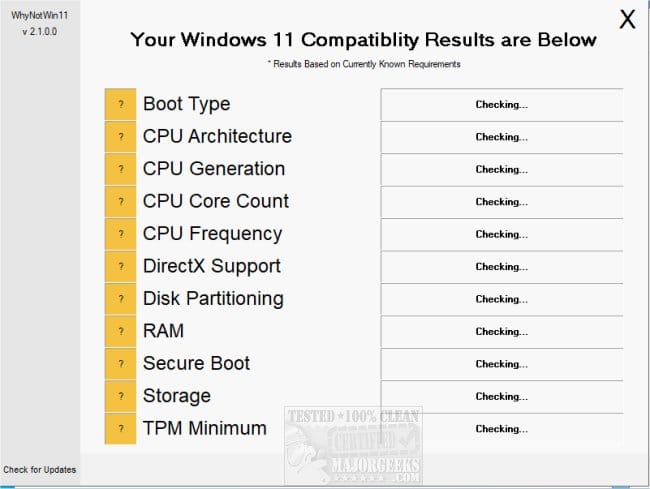
5) Run whynotwin11 > post a share link


My Computer

System One

  • OS
    Windows 10
    Computer type
    Laptop
    Manufacturer/Model
    HP
    CPU
    Intel(R) Core(TM) i7-4800MQ CPU @ 2.70GHz
    Motherboard
    Product : 190A Version : KBC Version 94.56
    Memory
    16 GB Total: Manufacturer : Samsung MemoryType : DDR3 FormFactor : SODIMM Capacity : 8GB Speed : 1600
    Graphics Card(s)
    NVIDIA Quadro K3100M; Intel(R) HD Graphics 4600
    Sound Card
    IDT High Definition Audio CODEC; PNP Device ID HDAUDIO\FUNC_01&VEN_111D&DEV_76E0
    Hard Drives
    Model Hitachi HTS727575A9E364
    Antivirus
    Microsoft Defender
    Other Info
    Mobile Workstation

Latest Support Threads

Back
Top Bottom