
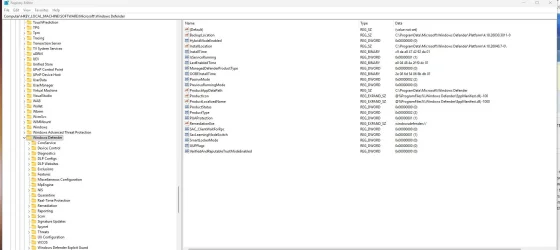
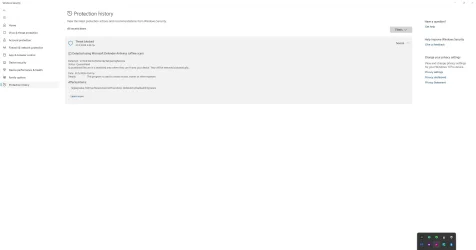
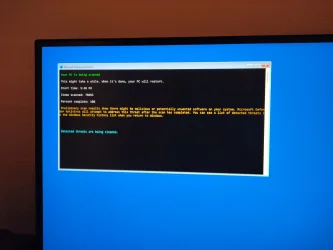

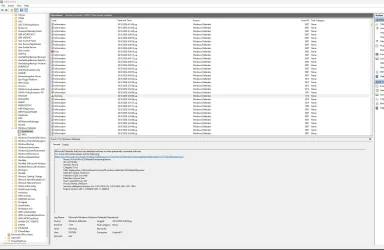
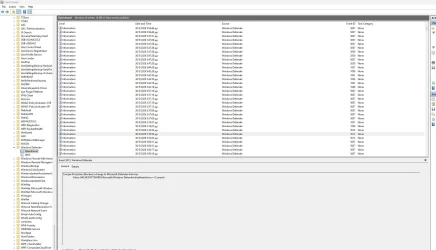
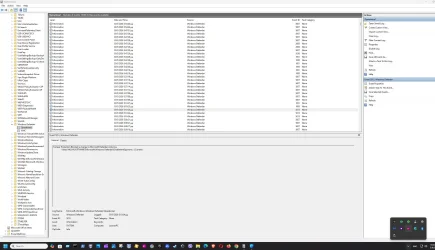
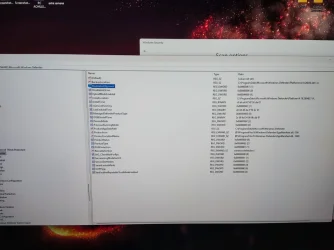
 Hello! Does anybody have any idea regarding this ms defender's and msert's detection? It's been 3 days since I first saw this message. I do not know what's in fault but as I can read via internet search it has to do with 3rd party antivirus (malwarebytes and kaspersky as well).. The defender quarantined the file, despite msert tool said that it was partially removed. I have already run kaspersky virus removal tool and full scan as well, mbam threat and deep scan, msert and mrt quick scan and windows defender full offline scan! All are clean now and without any detections!! There is only this threat shown in history as quarantined, but I am seeing that if I will try to remove this detection from defender's history it will disappear, but if I rerun the full offline defender's and msert's scan as well it will reappear again in both of the aforementioned scanners (full offline defender's and msert's scan).. Another weird thing is that there is no log in the event viewer regarding action against this threat and in addition 2 registry keys from the windows defender (disableantispyware and disableantivirus as well) were automatically deleted!! So for the time being both of these 2 keys are missing from the registry key..
I don't know what caused this but I have done some things before seeing this relative notification:
a) used fling trainer for RE9 and reframework nexus mode (which I am pretty sure that there is nothing to worry about as I have already used them both to another machine to which everything is fine)
b) ran sfc (all went fine here) and dism restore health which failed after 100% completed with the classic error 0x800f0915 (after the latest MAY preview update)
c) changed a registry value (by using " ") regarding bluestacks services (after updating my bluestacks desktop app) that was shown in startup apps in the windows settings as file LARY (blank icon) and there was also the same LARY blank file inside C/users which I deleted...
So after restarting my dektop PC I noticed that defender periodic scanning was off (i turned it back to on again and it works fine now) and then I saw this weird quarantined notification. Should I worry about something? Will it be automatically deleted and if so what about:
a) these 2 registry keys that were deleted?
b) after the automatic delete (as shown in the screenshot below in the details provided) will this threat reappear if I rerun msert or defender offline full scan (because I can see that if I try to clean the history now, it will reappear to both of these scans)?
The last screenshot is before defender's action to quarantine the threat above.. The first screenshot is the right image of my registry now..
Defender automatically took this action to quarantine the threat, without letting me have any option to do sth for the time being..
- Windows Build/Version
- windows 11 pro 25h2, 26200.8524
My Computer
At a glance
win 11 pro 25 h2
- OS
- win 11 pro 25 h2
- Computer type
- PC/Desktop

 I did not delete anything by myself. Defender automatically quarantined this "threat" and deleted these 2 registry keys by itself...What do you mean disable defender and antivirus as well?






