Vivaldi Blog:
This release brings together features that have been carefully refined based on what you’ve told us matters most: seamless access to your tabs across desktops, a unified Start Page that finally combines Widgets and Speed Dials and granular control over browser performance.
Your browser should adapt to you, not the other way around. That’s the design principle behind every decision we make.
Vivaldi 7.7 takes that principle further with updates that fundamentally improve how you organize, access, and control your browsing experience. It is a release built around solving real problems that power users face every day. Let’s dive in!
All your tabs, structured, anywhere you need them
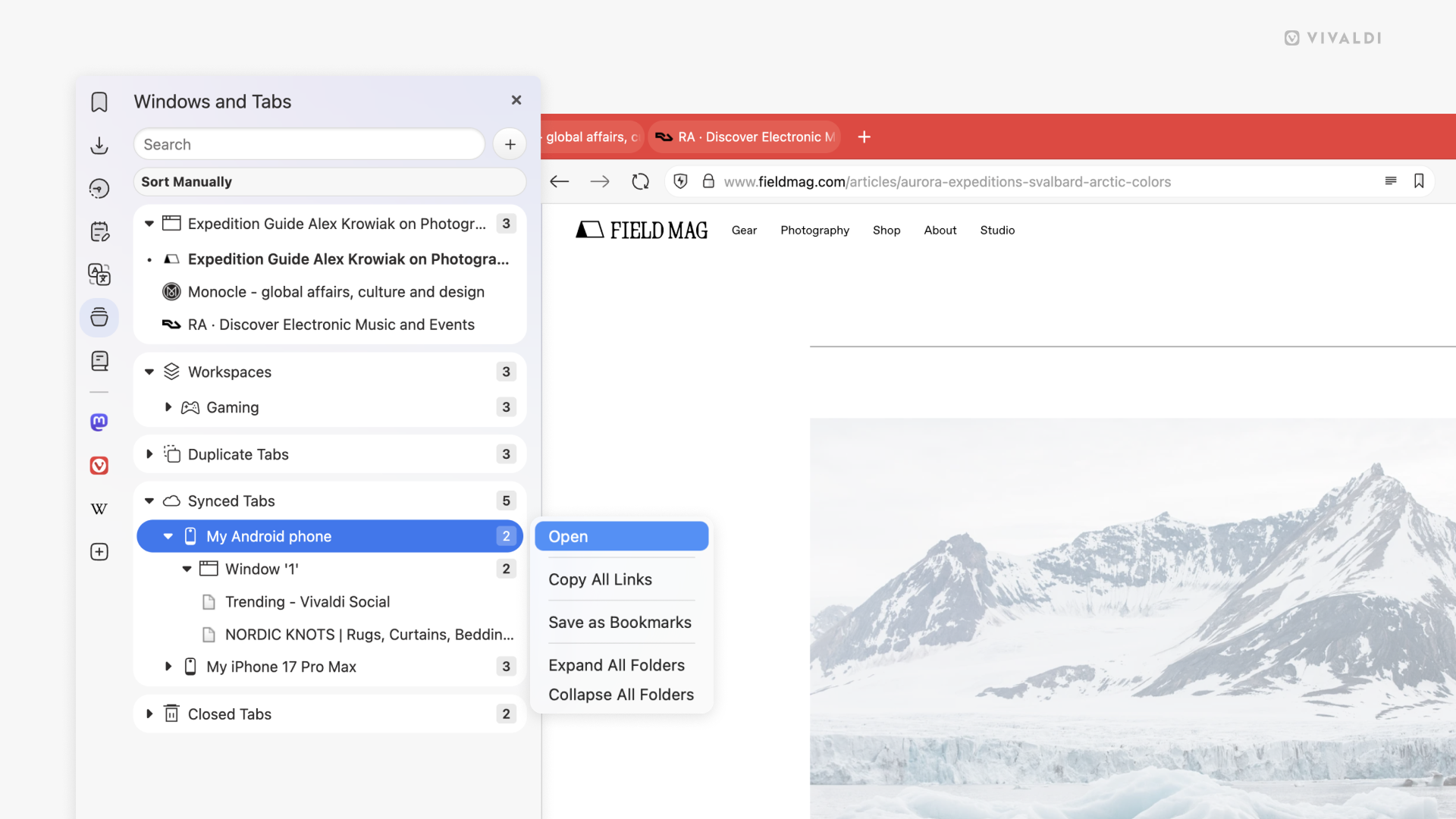
You’re working on your home desktop and you need that one article you had open on your work machine this morning. Or you remember seeing something interesting in a tab yesterday, but you were on a different computer. These small moments of friction add up, and they shouldn’t be hard to solve.
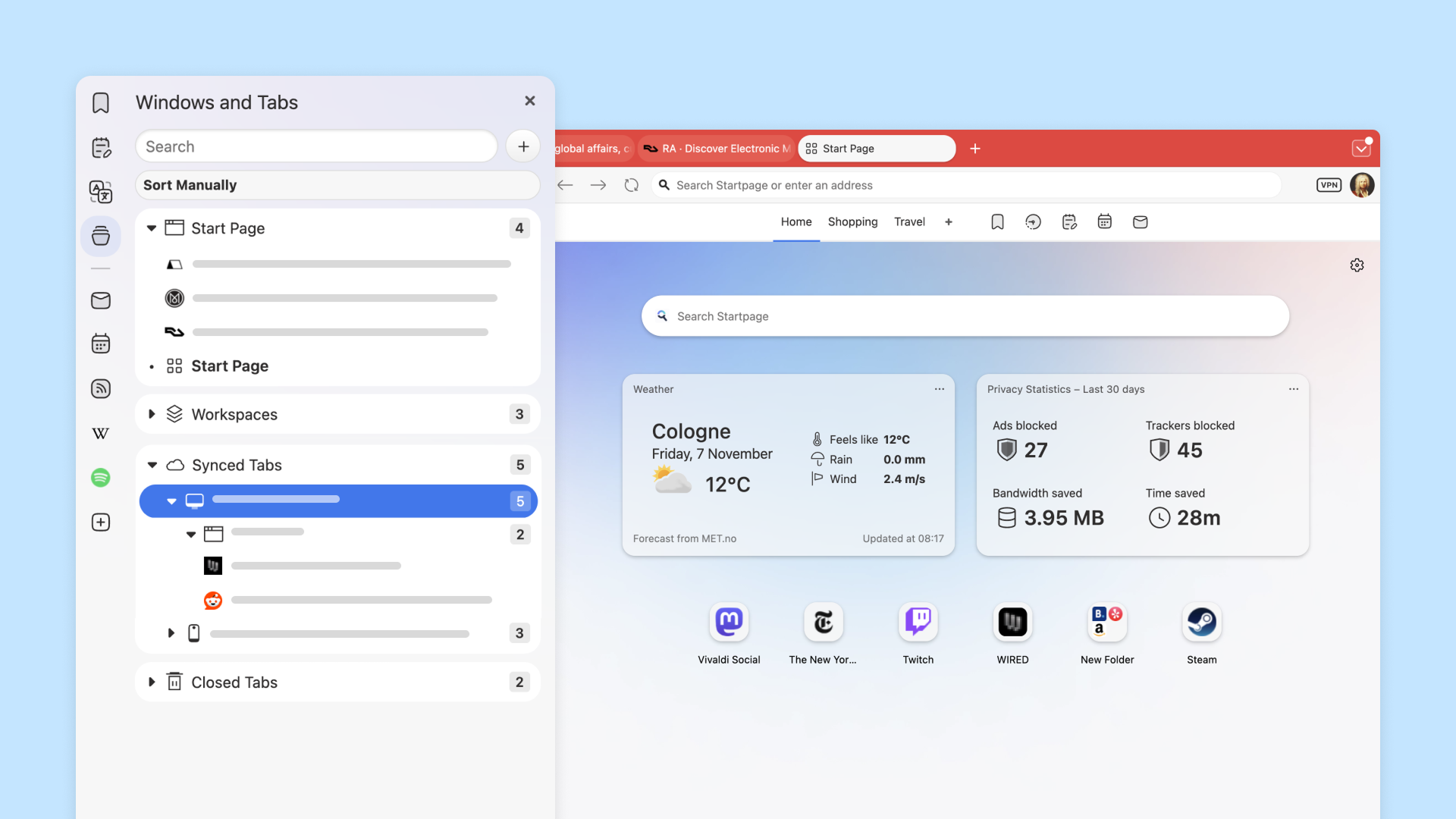
Vivaldi 7.7 makes accessing tabs from your other desktop devices effortless. Finding and opening a single tab from another desktop is now straightforward. Open the Windows Panel or click the Tab Button, and you’ll see exactly what’s open on your other synced machines. When you open synced content, you’re not just getting a flat list of individual tabs. Need that whole Workspace you built this morning? Want all those research tabs you organized into a Tab Stack? You can bring over entire windows with their complete structure intact. Stacks stay stacked, Workspace organization is preserved, and the relationships between your tabs remain exactly as you arranged them. Just be aware that opening large window structures with many tabs can be resource-intensive, so plan accordingly if you’re pulling over hundreds of tabs at once.
This is especially powerful when you move between setups, for example office and home setups, or when you move between different machines throughout your day. You don’t have to reconstruct your tab organization from scratch, or fish through sync history trying to remember which tabs went together. Your browsing context, the way you’ve structured your work, is treated as first-class data. Open it once, and you’re back to exactly where you were, with all your organizational work preserved.
Your Start Page, your way
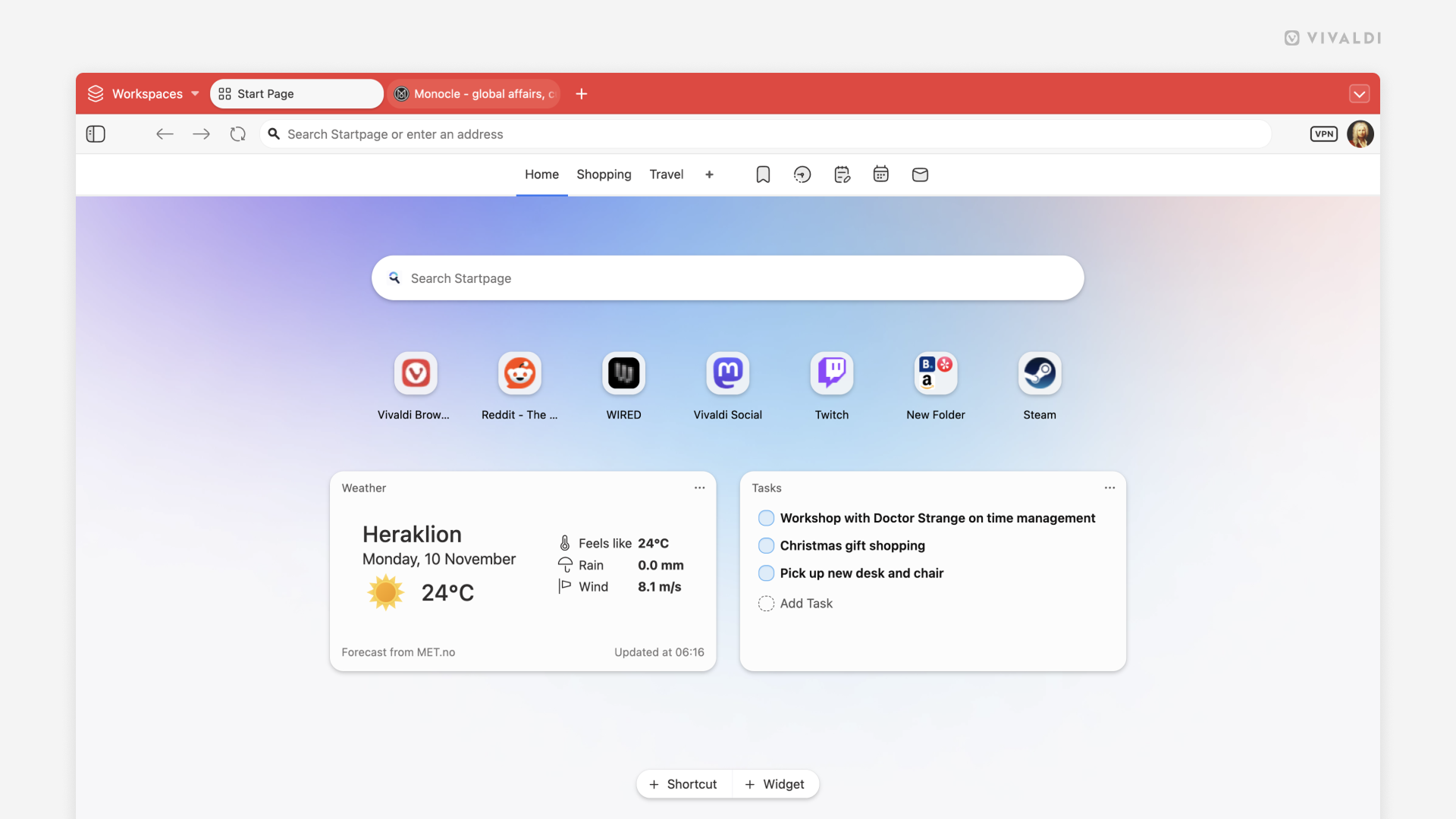
We’ve reimagined how you interact with your Start Page. Widgets and Speed Dials now coexist beautifully in a unified Start Page experience. Your favorite sites sit alongside real-time information from widgets, creating a personal dashboard that’s uniquely yours. Weather forecasts, RSS feeds, mail previews, and your most-visited sites all share the same space, accessible with a single glance.
The flexibility extends to how you organize your spaces. You are free to personalize as many Speed Dial groups as YOU deem necessary. Add widgets, drag them around, resize them, mix them with Speed Dial folders, the Start Page becomes whatever you need it to be.
Privacy you can see
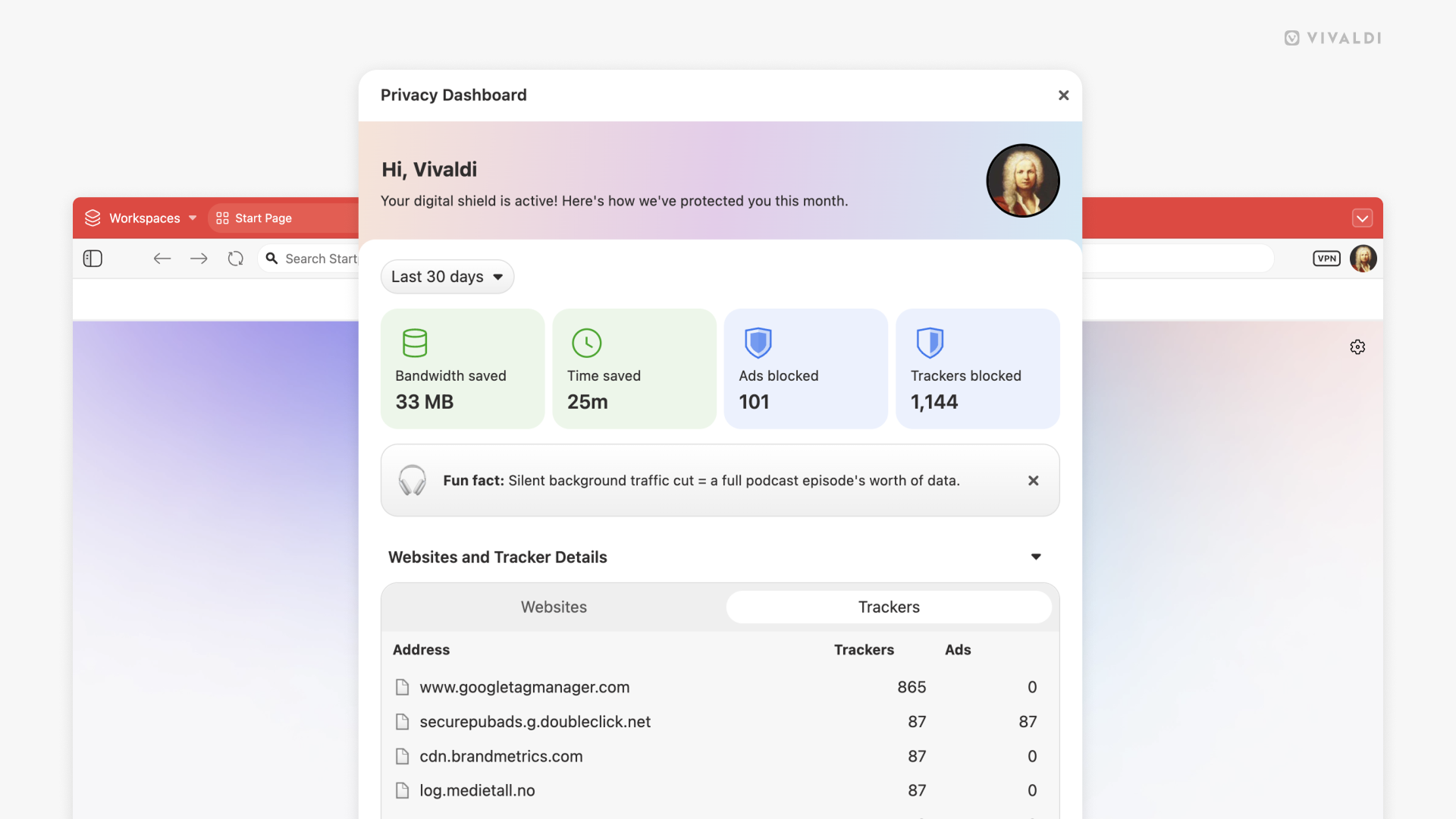
We’ve refreshed the Privacy Dashboard with a new, cleaner design that makes it easier to understand exactly what Vivaldi is doing to protect you. The updated Privacy Dashboard gives you clear visibility into blocked trackers, ads, and the time you’ve saved by not loading intrusive content. This gives you a better understanding of the impact of browsing with protection enabled.
The new Dashboard also provides better insight into per-site blocking status, making it easier to manage exceptions when a site needs certain content to function properly. Privacy with transparency, because your data and your time both matter.
Take control of performance
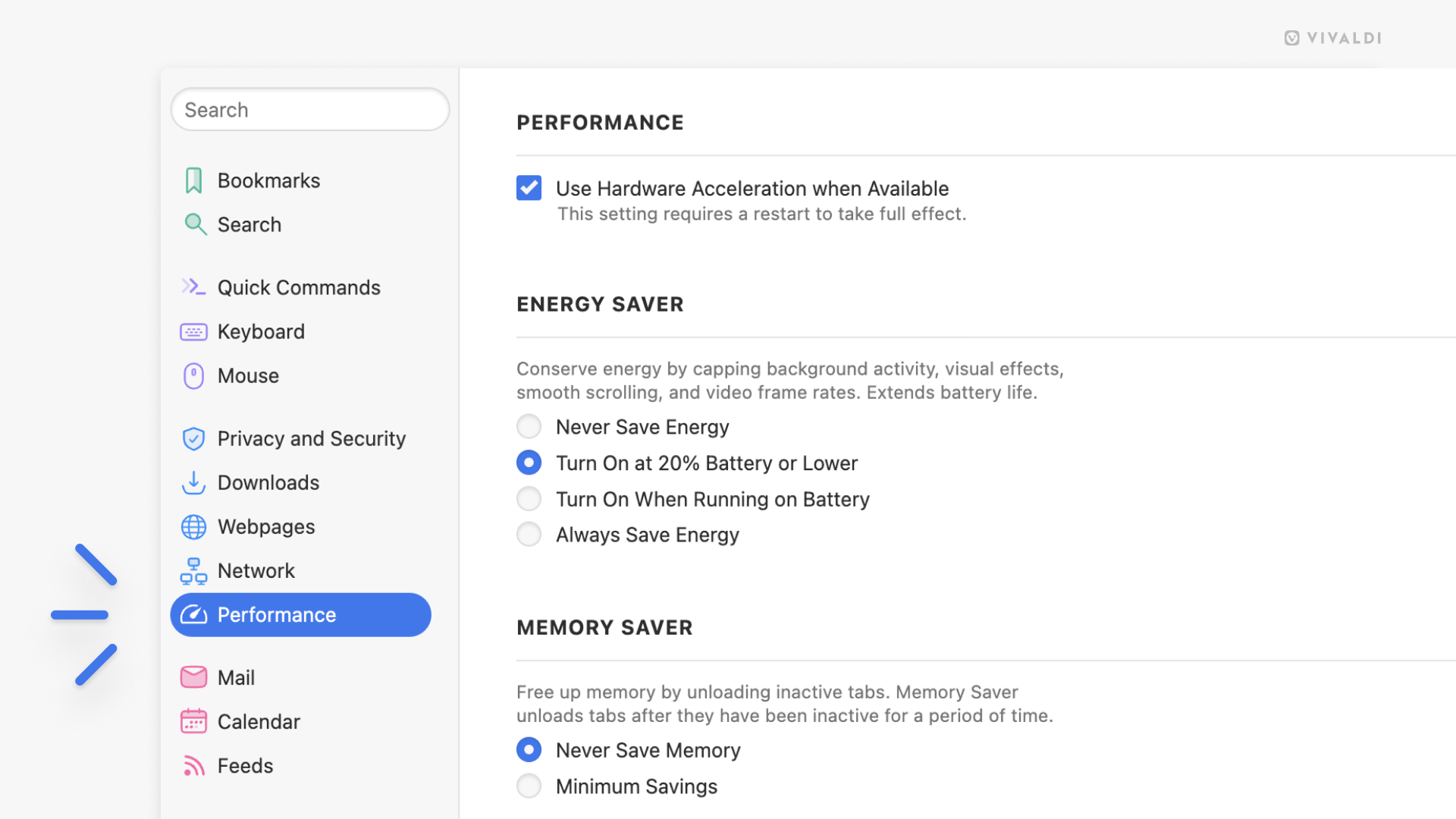
Your system resources are valuable, and Vivaldi 7.7 gives you more control over how the browser uses them.
We’ve added a new Performance section to Settings, complete with Memory Saver options. Now you can decide how aggressively Vivaldi manages memory for inactive tabs. Whether you’re someone who keeps dozens of tabs open or you prefer a lighter footprint, these settings let you balance performance with your browsing habits.
Memory Saver helps free up resources by putting inactive tabs into a low-power state. The tabs stay exactly where you left them, but they consume less memory until you need them again. You can configure which tabs are exempt; pinned tabs, for instance, or tabs you want to keep actively loaded, giving you fine-grained control over your browser’s resource usage.
This is especially useful if you’re working on a machine with limited RAM, or if you just want your browser to run as efficiently as possible. The settings are straightforward and easy to adjust, so you can find the balance that works for you.
Mail panel refinements
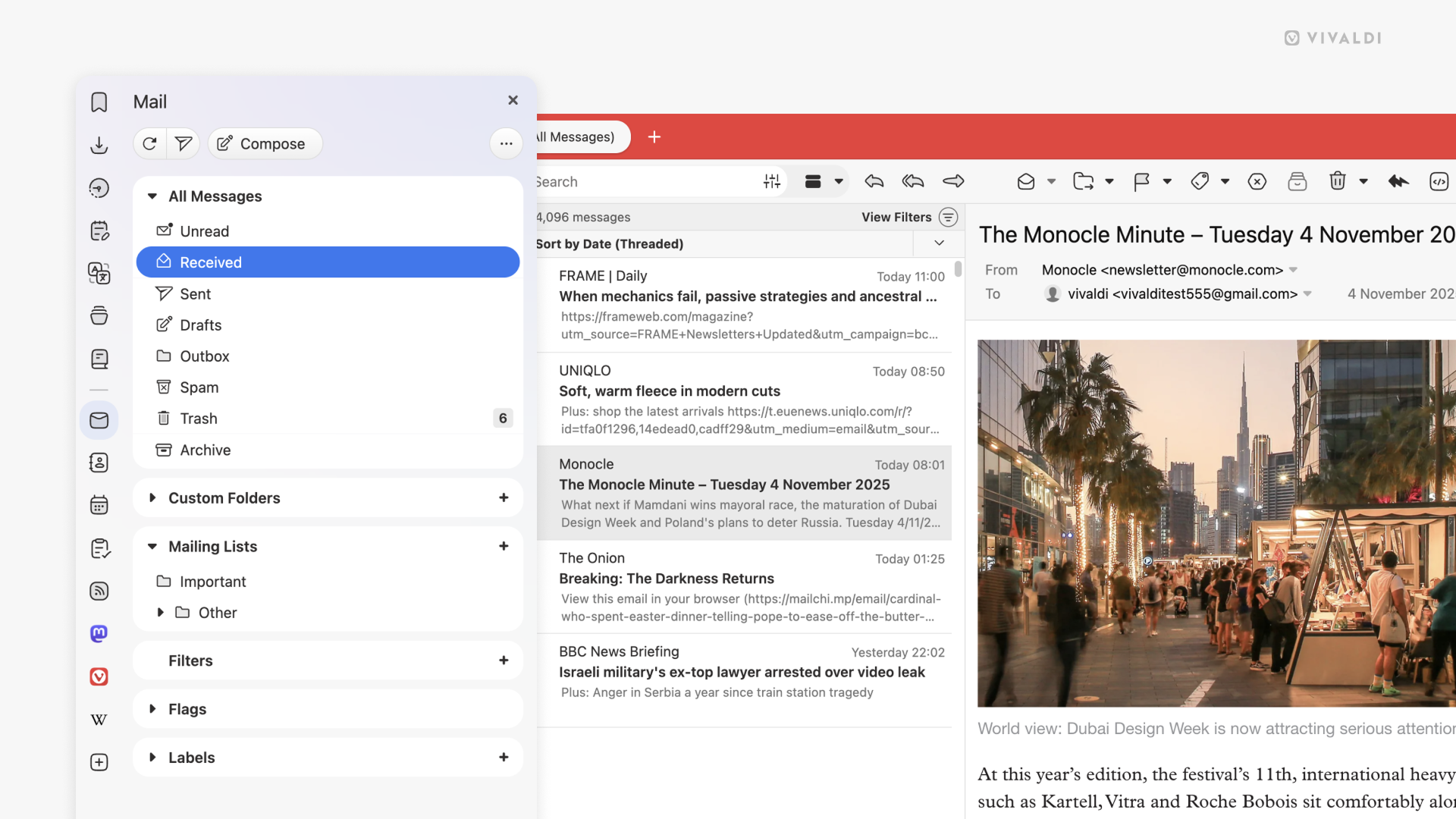
The Mail Panel has also received some UI polish. We’ve made visual refinements to improve readability and usability, making it easier to work with your email directly in the browser. Small improvements that make daily use just a bit smoother.
Geir, our lead mail developer puts it this way: “It is a lot nicer, a lot clearer and looks much more organized”. Can’t argue with that!
A cleaner About Page
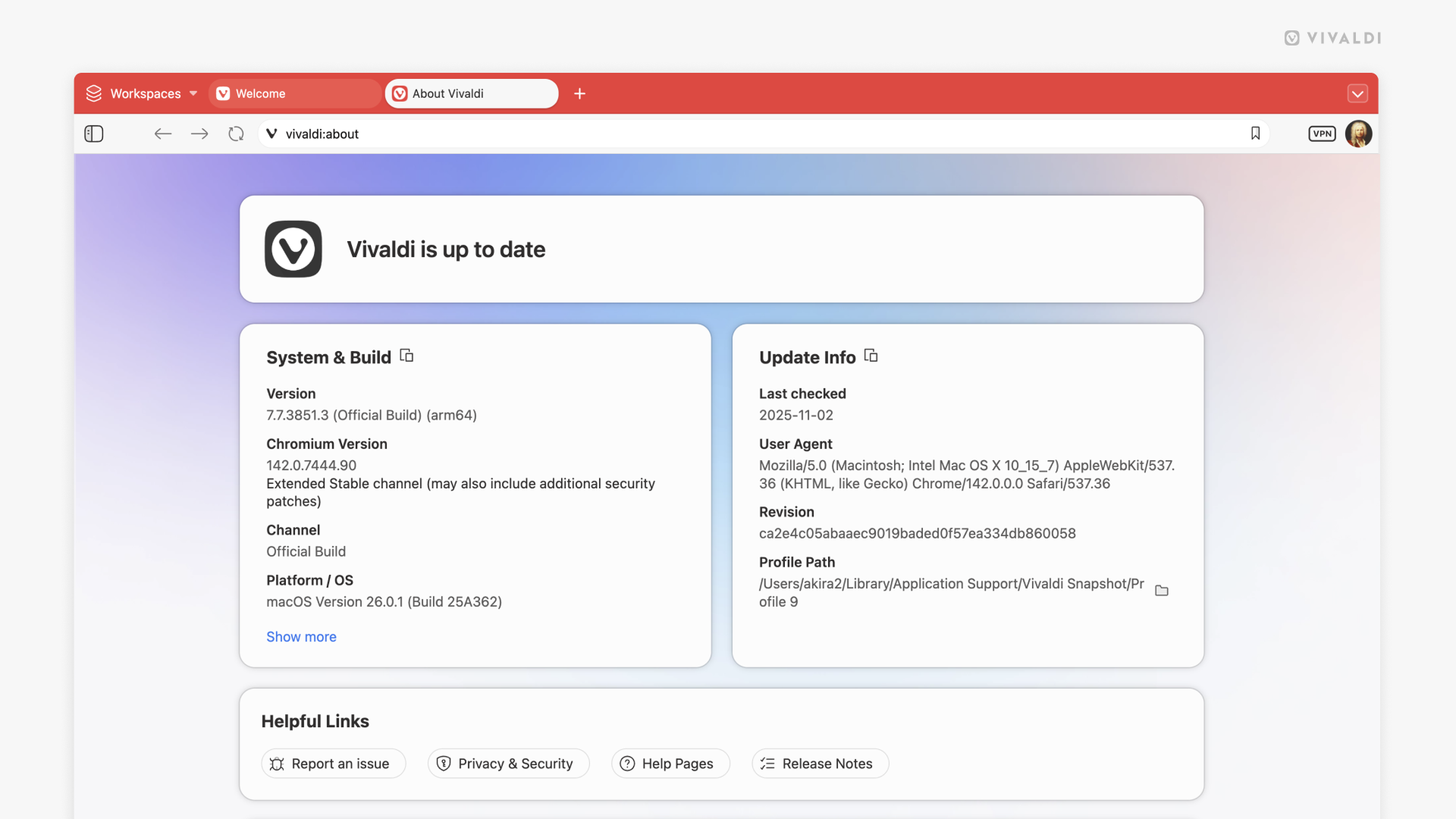
Sometimes even the small things deserve attention. The About Page has been completely redesigned with a fresh, modern look and improved update handling.
The new About Page is cleaner and more informative. It shows your current version, lets you check for updates with better status messaging, and provides quick access to essential information like your profile path. We’ve added convenient buttons to copy important details and open your profile folder directly.
It’s a small touch, but it’s these kind of refinements that add up to a better overall experience. When you need information about your browser, it’s right there, presented clearly.
The browser that puts you first
Every update, big or small, reinforces what makes Vivaldi different. We don’t have investors demanding features that benefit them instead of you. We don’t harvest your data or track your behavior. We’re simply building a browser that serves you. Your choices, your workflow, your privacy.If you’re enjoying Vivaldi, tell someone about it. Word of mouth from people who actually use the browser means more than any advertisement.
Vivaldi 7.7 is ready today!
Download it here
As always, thank you for being part of the Vivaldi community. Together, we’re fighting for a better web, one release at a time.
Read more:
Vivaldi 7.7: less friction, more control | Vivaldi Browser
This release brings together features that have been carefully refined based on what you’ve told us matters most: seamless access to your tabs across desktops, a unified Start Page that finally…
 vivaldi.com