VIVETOOL, and how to use it...


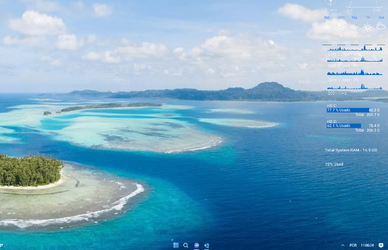
I guess the only other way to have a translucent bar is install StartALLBack and use Dynamic transparency.
 

My Computer My Computer

At a glance

Windows 10 Pro 10.0.19043Intel(R) Core(TM) i7-4790 CPU @ 3.60GHz (Octa...32GBNvidia 1050ti
OS
Windows 10 Pro 10.0.19043
Computer type
PC/Desktop
Manufacturer/Model
HP Elitedesk 800 G1 TWR
CPU
Intel(R) Core(TM) i7-4790 CPU @ 3.60GHz (Octa Core) Clock Speed: 3601 MHz
Motherboard
Hewlett-Packard L01 v2.78
Memory
32GB
Graphics Card(s)
Nvidia 1050ti
Sound Card
Realtek High Definition Audio
Monitor(s) Displays
2-27" Samsung Syncmaster S27B350
Screen Resolution
1920 x 1080
Hard Drives
1) Samsung SSD 870 EVO 500GB
2) Seagate Momentus ST9750420AS 750GB 7200 RPM
3) Western Digital WD VelociRaptor WD1000DHTZ 1TB 10000 RPM
4) Seagate Barracuda 7200.11 1000GB 1TB
PSU
Hewlett-Packard
Case
Hewlett-Packard
Cooling
Hewlett-Packard
Keyboard
Microsoft Hardware USB Keyboard
Mouse
Microsoft Microsoft Pro IntelliMouse
Internet Speed
849.80 Mbps
Browser
Chrome _ Edge _ Firefox _ Opera
Antivirus
Microsoft Defender

I guess the only other way to have a translucent bar is install StartALLBack and use Dynamic transparency.
but that one is not free... lets hope that the dev works on TB...
 

My Computer My Computer

At a glance

Win 11 22Hi716 GB
OS
Win 11 22H
Computer type
PC/Desktop
Manufacturer/Model
DELL
CPU
i7
Memory
16 GB
Monitor(s) Displays
2
Screen Resolution
QHD

My Computers My Computers

  • At a glance

    Windows 11 25H2Intel i9 14900KF64GB Corsair Vengeance RGBMSI 4090 Suprim X
    OS
    Windows 11 25H2
    Computer type
    PC/Desktop
    Manufacturer/Model
    Custom Built
    CPU
    Intel i9 14900KF
    Motherboard
    ASUS Z790 ProArt Creator WiFi
    Memory
    64GB Corsair Vengeance RGB
    Graphics Card(s)
    MSI 4090 Suprim X
    Sound Card
    Onboard
    Monitor(s) Displays
    1 x Asus 24". 1 x Asus 32"
    Screen Resolution
    1920 x 1080 & 2560 x 1440
    Hard Drives
    Multiple
    PSU
    Corsair 1200HX
    Case
    Corsair 7000D RGB
    Cooling
    Corsair H150I Capellix XT
    Keyboard
    Corsair K70 RGB PRO
    Mouse
    Corsair M55 RGB Pro
    Internet Speed
    1000Mbps
    Browser
    Edge
    Antivirus
    Windows Default
  • At a glance

    Windows 11 25H2Intel i7 6800K32GB DDR4 (Corsair)ASUS GTX 1080ti
    Operating System
    Windows 11 25H2
    Computer type
    PC/Desktop
    Manufacturer/Model
    Custom Built
    CPU
    Intel i7 6800K
    Motherboard
    ASUS Z99 Deluxe
    Memory
    32GB DDR4 (Corsair)
    Graphics card(s)
    ASUS GTX 1080ti
    Sound Card
    Onboard
    Monitor(s) Displays
    1x Viewsonic 24" 1x LG 19"
    Screen Resolution
    1920 x 1080 & 1600 x 900
    Hard Drives
    3 x SATA SSD
    PSU
    650W Gigabyte Bronze
    Case
    Coolermaster HAF-X
    Cooling
    Noctua NH-15 Chroma black
    Keyboard
    Generic RGB
    Mouse
    Microsoft Basic
    Internet Speed
    1000Mbps
    Browser
    Edge
    Antivirus
    Windows Default

My Computers My Computers

  • At a glance

    Win 11 Home ♦♦♦26200.9168 ♦♦♦♦♦♦♦25H2AMD Ryzen 7 3700XG.Skill (F4-3200C14D-16GTZKW)EVGA RTX 2070 (08G-P4-2171-KR)
    OS
    Win 11 Home ♦♦♦26200.9168 ♦♦♦♦♦♦♦25H2
    Computer type
    PC/Desktop
    Manufacturer/Model
    Built by Ghot® [May 2020]
    CPU
    AMD Ryzen 7 3700X
    Motherboard
    Asus Pro WS X570-ACE (BIOS 5302)
    Memory
    G.Skill (F4-3200C14D-16GTZKW)
    Graphics Card(s)
    EVGA RTX 2070 (08G-P4-2171-KR)
    Sound Card
    Realtek ALC1220P / ALC S1220A
    Monitor(s) Displays
    Dell U3011 30"
    Screen Resolution
    2560 x 1600
    Hard Drives
    2x Samsung 860 EVO 500GB,
    WD 4TB Black FZBX - SATA III,
    WD 8TB Black FZBX - SATA III,
    DRW-24B1ST CD/DVD Burner
    PSU
    PC Power & Cooling 750W Quad EPS12V
    Case
    Cooler Master ATCS 840 Tower
    Cooling
    CM Hyper 212 EVO (push/pull)
    Keyboard
    Ducky DK9008 Shine II Blue LED
    Mouse
    Logitech Optical M-100
    Internet Speed
    300/300
    Browser
    Firefox (latest)
    Antivirus
    Bitdefender Total Security
    Other Info
    Speakers: Klipsch Pro Media 2.1
  • At a glance

    Windows XP Pro 32bit w/SP3AMD Athlon 64 X2 5000+ (OC'd @ 3.2Ghz)TWIN2X2048-6400C4DHX (2 x 1GB, DDR2 800)EVGA 256-P2-N758-TR GeForce 8600GT SSC
    Operating System
    Windows XP Pro 32bit w/SP3
    Computer type
    PC/Desktop
    Manufacturer/Model
    Built by Ghot® (not in use)
    CPU
    AMD Athlon 64 X2 5000+ (OC'd @ 3.2Ghz)
    Motherboard
    ASUS M2N32-SLI Deluxe Wireless Edition
    Memory
    TWIN2X2048-6400C4DHX (2 x 1GB, DDR2 800)
    Graphics card(s)
    EVGA 256-P2-N758-TR GeForce 8600GT SSC
    Sound Card
    Onboard
    Monitor(s) Displays
    ViewSonic G90FB Black 19" Professional (CRT)
    Screen Resolution
    up to 2048 x 1536
    Hard Drives
    WD 36GB 10,000rpm Raptor SATA
    Seagate 80GB 7200rpm SATA
    Lite-On LTR-52246S CD/RW
    Lite-On LH-18A1P CD/DVD Burner
    PSU
    PC Power & Cooling Silencer 750 Quad EPS12V
    Case
    Generic Beige case, 80mm fans
    Cooling
    ZALMAN 9500A 92mm CPU Cooler
    Keyboard
    Logitech Classic Keybooard 200
    Mouse
    Logitech Optical M-BT96a
    Internet Speed
    300/300
    Browser
    Firefox 3.x ??
    Antivirus
    Symantec (Norton)
    Other Info
    Still assembled, still runs. Haven't turned it on for 15 years?
So, if you install StartAllBlack and TB... The TB works... :-)
 

Attachments

  • 1688205995430.png
    1688205995430.png
    376 KB · Views: 9

My Computer My Computer

At a glance

Win 11 22Hi716 GB
OS
Win 11 22H
Computer type
PC/Desktop
Manufacturer/Model
DELL
CPU
i7
Memory
16 GB
Monitor(s) Displays
2
Screen Resolution
QHD
You can see a similar "about" in... Settings > System > About
Similar but not the same, how do you get that same dialog
 

My Computers My Computers

  • At a glance

    Windows 11 25H2Intel i9 14900KF64GB Corsair Vengeance RGBMSI 4090 Suprim X
    OS
    Windows 11 25H2
    Computer type
    PC/Desktop
    Manufacturer/Model
    Custom Built
    CPU
    Intel i9 14900KF
    Motherboard
    ASUS Z790 ProArt Creator WiFi
    Memory
    64GB Corsair Vengeance RGB
    Graphics Card(s)
    MSI 4090 Suprim X
    Sound Card
    Onboard
    Monitor(s) Displays
    1 x Asus 24". 1 x Asus 32"
    Screen Resolution
    1920 x 1080 & 2560 x 1440
    Hard Drives
    Multiple
    PSU
    Corsair 1200HX
    Case
    Corsair 7000D RGB
    Cooling
    Corsair H150I Capellix XT
    Keyboard
    Corsair K70 RGB PRO
    Mouse
    Corsair M55 RGB Pro
    Internet Speed
    1000Mbps
    Browser
    Edge
    Antivirus
    Windows Default
  • At a glance

    Windows 11 25H2Intel i7 6800K32GB DDR4 (Corsair)ASUS GTX 1080ti
    Operating System
    Windows 11 25H2
    Computer type
    PC/Desktop
    Manufacturer/Model
    Custom Built
    CPU
    Intel i7 6800K
    Motherboard
    ASUS Z99 Deluxe
    Memory
    32GB DDR4 (Corsair)
    Graphics card(s)
    ASUS GTX 1080ti
    Sound Card
    Onboard
    Monitor(s) Displays
    1x Viewsonic 24" 1x LG 19"
    Screen Resolution
    1920 x 1080 & 1600 x 900
    Hard Drives
    3 x SATA SSD
    PSU
    650W Gigabyte Bronze
    Case
    Coolermaster HAF-X
    Cooling
    Noctua NH-15 Chroma black
    Keyboard
    Generic RGB
    Mouse
    Microsoft Basic
    Internet Speed
    1000Mbps
    Browser
    Edge
    Antivirus
    Windows Default
Well what do you know...latest Beta CU 22631.2115 fixed my TranslucentTB....now clear as day. Very happy
 

My Computer My Computer

At a glance

Windows 11 Pro 23H2 22631.219111th Gen Intel Core i7-1165G7 @ 2.80GHz, 2803...32 GBIntel Iris Xe Graphics
OS
Windows 11 Pro 23H2 22631.2191
Computer type
PC/Desktop
Manufacturer/Model
Intel NUC11PAHi7
CPU
11th Gen Intel Core i7-1165G7 @ 2.80GHz, 2803 MHz
Motherboard
NUC11PABi7
Memory
32 GB
Graphics Card(s)
Intel Iris Xe Graphics
Sound Card
Realtek High Definition Audio(SST)
Monitor(s) Displays
Dual Samsung 27" curved C27F390 monitors
Screen Resolution
2x 1920x1080
Hard Drives
Internal: Samsung SSD 860 EVO
Internal: Crucial CT1000MX500SSD4 - 1TB M.2 2280 SATA III NGFF Solid State SSD
Case
NUC
Keyboard
Microsoft Bluetooth Keyboard
Mouse
Logitech MX Anywhere 3 Bluetooth
Internet Speed
AT&T Gigabit Fiber (963 down 786 up)
Browser
Edge 115.0.1901.203
Antivirus
Windows Defender
Well what do you know...latest Beta CU 22631.2115 fixed my TranslucentTB....now clear as day. Very happy
Do you use the MS Store version? I posted a while back that a new version of Translucent TB came out targeting support for Windows Moment 2 (latest builds), as well as adding improvements.
 

My Computers My Computers

  • At a glance

    Windows 11 25H2Intel Core Ultra 9 275HX (24-Core)64GB DDR5 6400MT/sNVIDIA GeForce RTX 5080 and Intel UHD Graphics
    OS
    Windows 11 25H2
    Computer type
    Laptop
    Manufacturer/Model
    Alienware 18 Area-51
    CPU
    Intel Core Ultra 9 275HX (24-Core)
    Motherboard
    Alienware
    Memory
    64GB DDR5 6400MT/s
    Graphics Card(s)
    NVIDIA GeForce RTX 5080 and Intel UHD Graphics
    Sound Card
    Onboard, Realtek high-performance Audio chips (ALC3329 & ALC1708))
    Monitor(s) Displays
    300HZ 18-inch QHD 500 nit Comfort View+
    Screen Resolution
    2560 x 1600
    Hard Drives
    2TB NVMe M.2 PCIe Gen 5 SSD
    Case
    Magnesium Alloy
    Cooling
    Advanced Cryo-Tech Quad-Fan Cooling system & large vapor chamber
    Keyboard
    Cherry MX ultra low profile mechanical keyboard with per key AlienFX RGB lighting
    Mouse
    Logitech MX Master 4
    Browser
    Vivaldi (main), Firefox, Chrome, Edge
    Antivirus
    MS Defender and Malwarebytes Free
  • At a glance

    Windows 11 25H2Qualcomm Snapdragon X Elite (12 Core) ARM bas...16GB LPDDR5Qualcomm Adreno X1-85
    Operating System
    Windows 11 25H2
    Computer type
    Laptop
    Manufacturer/Model
    Microsoft Surface Laptop 7
    CPU
    Qualcomm Snapdragon X Elite (12 Core) ARM based CPU
    Motherboard
    Microsoft Corp.
    Memory
    16GB LPDDR5
    Graphics card(s)
    Qualcomm Adreno X1-85
    Sound Card
    Omnisonic speakers with Dolby Atmos spatial sound
    Monitor(s) Displays
    120 Hz 13.8-inch 600 nit PixelSense Flow touchscreen
    Screen Resolution
    2304x1536
    Hard Drives
    1TB NVMe Gen 4 SSD
    Case
    Anodized Aluminum
    Cooling
    Traditional active cooling fan system
    Keyboard
    Mechanical QWERTY, backlit when in use
    Mouse
    Logitech MX Master 4 and Surface Arc Mouse
    Browser
    Vivaldi (main), Firefox, Chrome, Edge
    Antivirus
    MS Defender and Malwarebytes Free
Do you use the MS Store version? I posted a while back that a new version of Translucent TB came out targeting support for Windows Moment 2 (latest builds), as well as adding improvements.
Yes, the latest version from the store
 

My Computer My Computer

At a glance

Windows 11 Pro 23H2 22631.219111th Gen Intel Core i7-1165G7 @ 2.80GHz, 2803...32 GBIntel Iris Xe Graphics
OS
Windows 11 Pro 23H2 22631.2191
Computer type
PC/Desktop
Manufacturer/Model
Intel NUC11PAHi7
CPU
11th Gen Intel Core i7-1165G7 @ 2.80GHz, 2803 MHz
Motherboard
NUC11PABi7
Memory
32 GB
Graphics Card(s)
Intel Iris Xe Graphics
Sound Card
Realtek High Definition Audio(SST)
Monitor(s) Displays
Dual Samsung 27" curved C27F390 monitors
Screen Resolution
2x 1920x1080
Hard Drives
Internal: Samsung SSD 860 EVO
Internal: Crucial CT1000MX500SSD4 - 1TB M.2 2280 SATA III NGFF Solid State SSD
Case
NUC
Keyboard
Microsoft Bluetooth Keyboard
Mouse
Logitech MX Anywhere 3 Bluetooth
Internet Speed
AT&T Gigabit Fiber (963 down 786 up)
Browser
Edge 115.0.1901.203
Antivirus
Windows Defender

My Computers My Computers

  • At a glance

    Windows 11 25H2Intel Core Ultra 9 275HX (24-Core)64GB DDR5 6400MT/sNVIDIA GeForce RTX 5080 and Intel UHD Graphics
    OS
    Windows 11 25H2
    Computer type
    Laptop
    Manufacturer/Model
    Alienware 18 Area-51
    CPU
    Intel Core Ultra 9 275HX (24-Core)
    Motherboard
    Alienware
    Memory
    64GB DDR5 6400MT/s
    Graphics Card(s)
    NVIDIA GeForce RTX 5080 and Intel UHD Graphics
    Sound Card
    Onboard, Realtek high-performance Audio chips (ALC3329 & ALC1708))
    Monitor(s) Displays
    300HZ 18-inch QHD 500 nit Comfort View+
    Screen Resolution
    2560 x 1600
    Hard Drives
    2TB NVMe M.2 PCIe Gen 5 SSD
    Case
    Magnesium Alloy
    Cooling
    Advanced Cryo-Tech Quad-Fan Cooling system & large vapor chamber
    Keyboard
    Cherry MX ultra low profile mechanical keyboard with per key AlienFX RGB lighting
    Mouse
    Logitech MX Master 4
    Browser
    Vivaldi (main), Firefox, Chrome, Edge
    Antivirus
    MS Defender and Malwarebytes Free
  • At a glance

    Windows 11 25H2Qualcomm Snapdragon X Elite (12 Core) ARM bas...16GB LPDDR5Qualcomm Adreno X1-85
    Operating System
    Windows 11 25H2
    Computer type
    Laptop
    Manufacturer/Model
    Microsoft Surface Laptop 7
    CPU
    Qualcomm Snapdragon X Elite (12 Core) ARM based CPU
    Motherboard
    Microsoft Corp.
    Memory
    16GB LPDDR5
    Graphics card(s)
    Qualcomm Adreno X1-85
    Sound Card
    Omnisonic speakers with Dolby Atmos spatial sound
    Monitor(s) Displays
    120 Hz 13.8-inch 600 nit PixelSense Flow touchscreen
    Screen Resolution
    2304x1536
    Hard Drives
    1TB NVMe Gen 4 SSD
    Case
    Anodized Aluminum
    Cooling
    Traditional active cooling fan system
    Keyboard
    Mechanical QWERTY, backlit when in use
    Mouse
    Logitech MX Master 4 and Surface Arc Mouse
    Browser
    Vivaldi (main), Firefox, Chrome, Edge
    Antivirus
    MS Defender and Malwarebytes Free
Bingo, lets hope future builds don't break it again 😉
Well that was short lived...shut down last night and taskbar was a clear as air, powered up this morning and solid as concrete. Not happy :mad:
 

My Computer My Computer

At a glance

Windows 11 Pro 23H2 22631.219111th Gen Intel Core i7-1165G7 @ 2.80GHz, 2803...32 GBIntel Iris Xe Graphics
OS
Windows 11 Pro 23H2 22631.2191
Computer type
PC/Desktop
Manufacturer/Model
Intel NUC11PAHi7
CPU
11th Gen Intel Core i7-1165G7 @ 2.80GHz, 2803 MHz
Motherboard
NUC11PABi7
Memory
32 GB
Graphics Card(s)
Intel Iris Xe Graphics
Sound Card
Realtek High Definition Audio(SST)
Monitor(s) Displays
Dual Samsung 27" curved C27F390 monitors
Screen Resolution
2x 1920x1080
Hard Drives
Internal: Samsung SSD 860 EVO
Internal: Crucial CT1000MX500SSD4 - 1TB M.2 2280 SATA III NGFF Solid State SSD
Case
NUC
Keyboard
Microsoft Bluetooth Keyboard
Mouse
Logitech MX Anywhere 3 Bluetooth
Internet Speed
AT&T Gigabit Fiber (963 down 786 up)
Browser
Edge 115.0.1901.203
Antivirus
Windows Defender
Well that was short lived...shut down last night and taskbar was a clear as air, powered up this morning and solid as concrete. Not happy :mad:


It's still working for me. Although the latest Windows update (yesterday), did break the Taskbar "size" tweak...
TranslucentTB still works fine. But I'm on the Release channel.


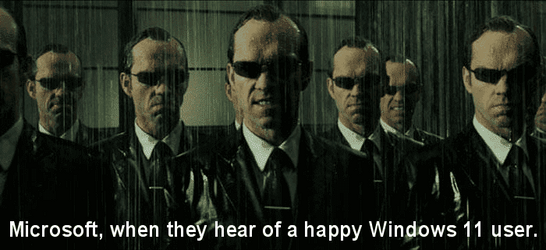
You were too happy in post #89, so MS came for you...

Matrix - Microsoft.png
 

My Computers My Computers

  • At a glance

    Win 11 Home ♦♦♦26200.9168 ♦♦♦♦♦♦♦25H2AMD Ryzen 7 3700XG.Skill (F4-3200C14D-16GTZKW)EVGA RTX 2070 (08G-P4-2171-KR)
    OS
    Win 11 Home ♦♦♦26200.9168 ♦♦♦♦♦♦♦25H2
    Computer type
    PC/Desktop
    Manufacturer/Model
    Built by Ghot® [May 2020]
    CPU
    AMD Ryzen 7 3700X
    Motherboard
    Asus Pro WS X570-ACE (BIOS 5302)
    Memory
    G.Skill (F4-3200C14D-16GTZKW)
    Graphics Card(s)
    EVGA RTX 2070 (08G-P4-2171-KR)
    Sound Card
    Realtek ALC1220P / ALC S1220A
    Monitor(s) Displays
    Dell U3011 30"
    Screen Resolution
    2560 x 1600
    Hard Drives
    2x Samsung 860 EVO 500GB,
    WD 4TB Black FZBX - SATA III,
    WD 8TB Black FZBX - SATA III,
    DRW-24B1ST CD/DVD Burner
    PSU
    PC Power & Cooling 750W Quad EPS12V
    Case
    Cooler Master ATCS 840 Tower
    Cooling
    CM Hyper 212 EVO (push/pull)
    Keyboard
    Ducky DK9008 Shine II Blue LED
    Mouse
    Logitech Optical M-100
    Internet Speed
    300/300
    Browser
    Firefox (latest)
    Antivirus
    Bitdefender Total Security
    Other Info
    Speakers: Klipsch Pro Media 2.1
  • At a glance

    Windows XP Pro 32bit w/SP3AMD Athlon 64 X2 5000+ (OC'd @ 3.2Ghz)TWIN2X2048-6400C4DHX (2 x 1GB, DDR2 800)EVGA 256-P2-N758-TR GeForce 8600GT SSC
    Operating System
    Windows XP Pro 32bit w/SP3
    Computer type
    PC/Desktop
    Manufacturer/Model
    Built by Ghot® (not in use)
    CPU
    AMD Athlon 64 X2 5000+ (OC'd @ 3.2Ghz)
    Motherboard
    ASUS M2N32-SLI Deluxe Wireless Edition
    Memory
    TWIN2X2048-6400C4DHX (2 x 1GB, DDR2 800)
    Graphics card(s)
    EVGA 256-P2-N758-TR GeForce 8600GT SSC
    Sound Card
    Onboard
    Monitor(s) Displays
    ViewSonic G90FB Black 19" Professional (CRT)
    Screen Resolution
    up to 2048 x 1536
    Hard Drives
    WD 36GB 10,000rpm Raptor SATA
    Seagate 80GB 7200rpm SATA
    Lite-On LTR-52246S CD/RW
    Lite-On LH-18A1P CD/DVD Burner
    PSU
    PC Power & Cooling Silencer 750 Quad EPS12V
    Case
    Generic Beige case, 80mm fans
    Cooling
    ZALMAN 9500A 92mm CPU Cooler
    Keyboard
    Logitech Classic Keybooard 200
    Mouse
    Logitech Optical M-BT96a
    Internet Speed
    300/300
    Browser
    Firefox 3.x ??
    Antivirus
    Symantec (Norton)
    Other Info
    Still assembled, still runs. Haven't turned it on for 15 years?
It's still working for me. Although the latest Windows update (yesterday), did break the Taskbar "size" tweak...
TranslucentTB still works fine. But I'm on the Release channel.


You were too happy in post #89, so MS came for you...

View attachment 65901
Yeah...should have taken the Blue Pill....my bad
 

My Computer My Computer

At a glance

Windows 11 Pro 23H2 22631.219111th Gen Intel Core i7-1165G7 @ 2.80GHz, 2803...32 GBIntel Iris Xe Graphics
OS
Windows 11 Pro 23H2 22631.2191
Computer type
PC/Desktop
Manufacturer/Model
Intel NUC11PAHi7
CPU
11th Gen Intel Core i7-1165G7 @ 2.80GHz, 2803 MHz
Motherboard
NUC11PABi7
Memory
32 GB
Graphics Card(s)
Intel Iris Xe Graphics
Sound Card
Realtek High Definition Audio(SST)
Monitor(s) Displays
Dual Samsung 27" curved C27F390 monitors
Screen Resolution
2x 1920x1080
Hard Drives
Internal: Samsung SSD 860 EVO
Internal: Crucial CT1000MX500SSD4 - 1TB M.2 2280 SATA III NGFF Solid State SSD
Case
NUC
Keyboard
Microsoft Bluetooth Keyboard
Mouse
Logitech MX Anywhere 3 Bluetooth
Internet Speed
AT&T Gigabit Fiber (963 down 786 up)
Browser
Edge 115.0.1901.203
Antivirus
Windows Defender
Well that was short lived...shut down last night and taskbar was a clear as air, powered up this morning and solid as concrete. Not happy :mad:
That sucks, my Translucent TB ver 2023.1.0.0 has worked flawless on my RP and Beta builds. Silly question, but your sure you still had it set to open on boot right?
 

My Computers My Computers

  • At a glance

    Windows 11 25H2Intel Core Ultra 9 275HX (24-Core)64GB DDR5 6400MT/sNVIDIA GeForce RTX 5080 and Intel UHD Graphics
    OS
    Windows 11 25H2
    Computer type
    Laptop
    Manufacturer/Model
    Alienware 18 Area-51
    CPU
    Intel Core Ultra 9 275HX (24-Core)
    Motherboard
    Alienware
    Memory
    64GB DDR5 6400MT/s
    Graphics Card(s)
    NVIDIA GeForce RTX 5080 and Intel UHD Graphics
    Sound Card
    Onboard, Realtek high-performance Audio chips (ALC3329 & ALC1708))
    Monitor(s) Displays
    300HZ 18-inch QHD 500 nit Comfort View+
    Screen Resolution
    2560 x 1600
    Hard Drives
    2TB NVMe M.2 PCIe Gen 5 SSD
    Case
    Magnesium Alloy
    Cooling
    Advanced Cryo-Tech Quad-Fan Cooling system & large vapor chamber
    Keyboard
    Cherry MX ultra low profile mechanical keyboard with per key AlienFX RGB lighting
    Mouse
    Logitech MX Master 4
    Browser
    Vivaldi (main), Firefox, Chrome, Edge
    Antivirus
    MS Defender and Malwarebytes Free
  • At a glance

    Windows 11 25H2Qualcomm Snapdragon X Elite (12 Core) ARM bas...16GB LPDDR5Qualcomm Adreno X1-85
    Operating System
    Windows 11 25H2
    Computer type
    Laptop
    Manufacturer/Model
    Microsoft Surface Laptop 7
    CPU
    Qualcomm Snapdragon X Elite (12 Core) ARM based CPU
    Motherboard
    Microsoft Corp.
    Memory
    16GB LPDDR5
    Graphics card(s)
    Qualcomm Adreno X1-85
    Sound Card
    Omnisonic speakers with Dolby Atmos spatial sound
    Monitor(s) Displays
    120 Hz 13.8-inch 600 nit PixelSense Flow touchscreen
    Screen Resolution
    2304x1536
    Hard Drives
    1TB NVMe Gen 4 SSD
    Case
    Anodized Aluminum
    Cooling
    Traditional active cooling fan system
    Keyboard
    Mechanical QWERTY, backlit when in use
    Mouse
    Logitech MX Master 4 and Surface Arc Mouse
    Browser
    Vivaldi (main), Firefox, Chrome, Edge
    Antivirus
    MS Defender and Malwarebytes Free
That sucks, my Translucent TB ver 2023.1.0.0 has worked flawless on my RP and Beta builds. Silly question, but your sure you still had it set to open on boot right?
Yes, and as a side note...updated my Surface 3 laptop, same CU build, same version of TranslucentTB, and it's clear, even after numerous reboots. Go figure
 

My Computer My Computer

At a glance

Windows 11 Pro 23H2 22631.219111th Gen Intel Core i7-1165G7 @ 2.80GHz, 2803...32 GBIntel Iris Xe Graphics
OS
Windows 11 Pro 23H2 22631.2191
Computer type
PC/Desktop
Manufacturer/Model
Intel NUC11PAHi7
CPU
11th Gen Intel Core i7-1165G7 @ 2.80GHz, 2803 MHz
Motherboard
NUC11PABi7
Memory
32 GB
Graphics Card(s)
Intel Iris Xe Graphics
Sound Card
Realtek High Definition Audio(SST)
Monitor(s) Displays
Dual Samsung 27" curved C27F390 monitors
Screen Resolution
2x 1920x1080
Hard Drives
Internal: Samsung SSD 860 EVO
Internal: Crucial CT1000MX500SSD4 - 1TB M.2 2280 SATA III NGFF Solid State SSD
Case
NUC
Keyboard
Microsoft Bluetooth Keyboard
Mouse
Logitech MX Anywhere 3 Bluetooth
Internet Speed
AT&T Gigabit Fiber (963 down 786 up)
Browser
Edge 115.0.1901.203
Antivirus
Windows Defender
I'm on the RP channels, with the latest TTB installed from the store (using Vivetool also).
Afraid to install this CU if it breaks TTB?
Does anyone know if the registry hack still works to create a transparent TB so there's no need for TTB (I don't use any of the other features anyways, just the clear TB)

Follow these steps to edit the Registry:

  1. Launch Registry Editor with administrative rights.
  2. In the Registry window, head to HKEY_LOCAL_MACHINE > SOFTWARE > Microsoft > Windows > CurrentVersion > Explorer > Advanced.
  3. In the right pane, right-click anywhere on the empty space and select New > DWORD (32-bit) value.
  4. Name it UseOLEDTaskbarTransparency and set the Value data to 1.
  5. Close the Registry and restart your computer.
 

My Computer My Computer

At a glance

Win 11 23H2 EnterpriseRyzen 9800X3DG.Skill Trident Z RGB 6200MT CL30MSI RTX 5090 Suprim SoC
OS
Win 11 23H2 Enterprise
Computer type
PC/Desktop
Manufacturer/Model
Self-Built
CPU
Ryzen 9800X3D
Motherboard
MSI MAG X870 Tomahawk WiFi
Memory
G.Skill Trident Z RGB 6200MT CL30
Graphics Card(s)
MSI RTX 5090 Suprim SoC
Sound Card
Sound Blaster G8
Monitor(s) Displays
LG C2 42 Main Desktop, 3x Gigabyte FI32Q in a triple array for gaming simulations
Screen Resolution
3840x2160, 2560x1440 (3)
Hard Drives
WD SN850X 2TB M.2 NVME (OS Drive), WD SN850X 2TB M.2 NVME, 2x Crucial 2TB SSD, Crucial 1TB SSD, Seagate Barracuda 2TB HDD
PSU
NZXT C1200 Gold ATX 3.1-Fully Modular/Low-Noise-1200 Watts-12V-2x6 Connector-Zero Fan Mode-100% Japanese Capacitors
Case
NZXT H7
Cooling
EK AIO Elite 360mm Elite
Keyboard
Razer Huntsman V3 Pro
Mouse
Logitech G502X
Internet Speed
1GB
Browser
Edge Chromium
Antivirus
Windows Defender
I'm on the RP channels, with the latest TTB installed from the store (using Vivetool also).
Afraid to install this CU if it breaks TTB?
Does anyone know if the registry hack still works to create a transparent TB so there's no need for TTB (I don't use any of the other features anyways, just the clear TB)

Follow these steps to edit the Registry:

  1. Launch Registry Editor with administrative rights.
  2. In the Registry window, head to HKEY_LOCAL_MACHINE > SOFTWARE > Microsoft > Windows > CurrentVersion > Explorer > Advanced.
  3. In the right pane, right-click anywhere on the empty space and select New > DWORD (32-bit) value.
  4. Name it UseOLEDTaskbarTransparency and set the Value data to 1.
  5. Close the Registry and restart your computer.
Just checked mine on the system that is borked and that value is there and set as indicated...so, at least in my case I would have to say...No, it doesn't work.
 

My Computer My Computer

At a glance

Windows 11 Pro 23H2 22631.219111th Gen Intel Core i7-1165G7 @ 2.80GHz, 2803...32 GBIntel Iris Xe Graphics
OS
Windows 11 Pro 23H2 22631.2191
Computer type
PC/Desktop
Manufacturer/Model
Intel NUC11PAHi7
CPU
11th Gen Intel Core i7-1165G7 @ 2.80GHz, 2803 MHz
Motherboard
NUC11PABi7
Memory
32 GB
Graphics Card(s)
Intel Iris Xe Graphics
Sound Card
Realtek High Definition Audio(SST)
Monitor(s) Displays
Dual Samsung 27" curved C27F390 monitors
Screen Resolution
2x 1920x1080
Hard Drives
Internal: Samsung SSD 860 EVO
Internal: Crucial CT1000MX500SSD4 - 1TB M.2 2280 SATA III NGFF Solid State SSD
Case
NUC
Keyboard
Microsoft Bluetooth Keyboard
Mouse
Logitech MX Anywhere 3 Bluetooth
Internet Speed
AT&T Gigabit Fiber (963 down 786 up)
Browser
Edge 115.0.1901.203
Antivirus
Windows Defender
Just checked mine on the system that is borked and that value is there and set as indicated...so, at least in my case I would have to say...No, it doesn't work.
Thanks, then I will skip this update and give the TTB guy a chance to see if it's something he can work a solution with Microsoft before the official release.
The most exciting feature currently moved into the BETA channel is dynamic lighting - this could be one of the most important features in Win 11 as there's just so many problems with people having to load multiple RGB programs for different PC hardware components, which is insane at this point -there was a really good article (Hardware Unboxed?) that showed just how much bloat/completely unecessary software installed with nearly all the separate RGB control software from these companies. It's about time it was a universal standard, and well done for Microsoft bringing this to it's users. I would be happy even to have limited 'patterns' or color changing variations just to be able to control all the RGB components in my PC.
3rd party apps like OpenRGB have done their best to achieve this, but there's still issues with some hardware, most notably perma-bricking some G.Skill RAM RGB sticks.
Hope to see this trickle down the RP channels soon, but I would still have to figure a fix for TTB, something I really need with an OLED screen to avoid the 'line' at the top of the TB even when hidden, which obviously is a prime candidate for burn in - one of the main reasons I use TTB.
 

My Computer My Computer

At a glance

Win 11 23H2 EnterpriseRyzen 9800X3DG.Skill Trident Z RGB 6200MT CL30MSI RTX 5090 Suprim SoC
OS
Win 11 23H2 Enterprise
Computer type
PC/Desktop
Manufacturer/Model
Self-Built
CPU
Ryzen 9800X3D
Motherboard
MSI MAG X870 Tomahawk WiFi
Memory
G.Skill Trident Z RGB 6200MT CL30
Graphics Card(s)
MSI RTX 5090 Suprim SoC
Sound Card
Sound Blaster G8
Monitor(s) Displays
LG C2 42 Main Desktop, 3x Gigabyte FI32Q in a triple array for gaming simulations
Screen Resolution
3840x2160, 2560x1440 (3)
Hard Drives
WD SN850X 2TB M.2 NVME (OS Drive), WD SN850X 2TB M.2 NVME, 2x Crucial 2TB SSD, Crucial 1TB SSD, Seagate Barracuda 2TB HDD
PSU
NZXT C1200 Gold ATX 3.1-Fully Modular/Low-Noise-1200 Watts-12V-2x6 Connector-Zero Fan Mode-100% Japanese Capacitors
Case
NZXT H7
Cooling
EK AIO Elite 360mm Elite
Keyboard
Razer Huntsman V3 Pro
Mouse
Logitech G502X
Internet Speed
1GB
Browser
Edge Chromium
Antivirus
Windows Defender
Ok...WTF...maybe someone can explain this. Haven't had a transparent taskbar since the powerup on Thursday on my main system, not from restarts or cold boots. Powered up this AM as usual and WALA...transparent taskbar. Thought it to be a fluke, rebooted...transparent taskbar...shut down, started up...transparent taskbar. I have not adjusted any settings or performed any tweaks, have not installed or uninstalled any apps, but there it is...clear as water. Happily suspicious....must be Gremlins.
 

My Computer My Computer

At a glance

Windows 11 Pro 23H2 22631.219111th Gen Intel Core i7-1165G7 @ 2.80GHz, 2803...32 GBIntel Iris Xe Graphics
OS
Windows 11 Pro 23H2 22631.2191
Computer type
PC/Desktop
Manufacturer/Model
Intel NUC11PAHi7
CPU
11th Gen Intel Core i7-1165G7 @ 2.80GHz, 2803 MHz
Motherboard
NUC11PABi7
Memory
32 GB
Graphics Card(s)
Intel Iris Xe Graphics
Sound Card
Realtek High Definition Audio(SST)
Monitor(s) Displays
Dual Samsung 27" curved C27F390 monitors
Screen Resolution
2x 1920x1080
Hard Drives
Internal: Samsung SSD 860 EVO
Internal: Crucial CT1000MX500SSD4 - 1TB M.2 2280 SATA III NGFF Solid State SSD
Case
NUC
Keyboard
Microsoft Bluetooth Keyboard
Mouse
Logitech MX Anywhere 3 Bluetooth
Internet Speed
AT&T Gigabit Fiber (963 down 786 up)
Browser
Edge 115.0.1901.203
Antivirus
Windows Defender
Ok...WTF...maybe someone can explain this. Haven't had a transparent taskbar since the powerup on Thursday on my main system, not from restarts or cold boots. Powered up this AM as usual and WALA...transparent taskbar. Thought it to be a fluke, rebooted...transparent taskbar...shut down, started up...transparent taskbar. I have not adjusted any settings or performed any tweaks, have not installed or uninstalled any apps, but there it is...clear as water. Happily suspicious....must be Gremlins.
LOL, well enjoy it while you can I guess. Hopefully the next WU will keep it stable for you. Those of us that use Translucent TB will always be worrying about a future WU update breaking it again I'm afraid.
 

My Computers My Computers

  • At a glance

    Windows 11 25H2Intel Core Ultra 9 275HX (24-Core)64GB DDR5 6400MT/sNVIDIA GeForce RTX 5080 and Intel UHD Graphics
    OS
    Windows 11 25H2
    Computer type
    Laptop
    Manufacturer/Model
    Alienware 18 Area-51
    CPU
    Intel Core Ultra 9 275HX (24-Core)
    Motherboard
    Alienware
    Memory
    64GB DDR5 6400MT/s
    Graphics Card(s)
    NVIDIA GeForce RTX 5080 and Intel UHD Graphics
    Sound Card
    Onboard, Realtek high-performance Audio chips (ALC3329 & ALC1708))
    Monitor(s) Displays
    300HZ 18-inch QHD 500 nit Comfort View+
    Screen Resolution
    2560 x 1600
    Hard Drives
    2TB NVMe M.2 PCIe Gen 5 SSD
    Case
    Magnesium Alloy
    Cooling
    Advanced Cryo-Tech Quad-Fan Cooling system & large vapor chamber
    Keyboard
    Cherry MX ultra low profile mechanical keyboard with per key AlienFX RGB lighting
    Mouse
    Logitech MX Master 4
    Browser
    Vivaldi (main), Firefox, Chrome, Edge
    Antivirus
    MS Defender and Malwarebytes Free
  • At a glance

    Windows 11 25H2Qualcomm Snapdragon X Elite (12 Core) ARM bas...16GB LPDDR5Qualcomm Adreno X1-85
    Operating System
    Windows 11 25H2
    Computer type
    Laptop
    Manufacturer/Model
    Microsoft Surface Laptop 7
    CPU
    Qualcomm Snapdragon X Elite (12 Core) ARM based CPU
    Motherboard
    Microsoft Corp.
    Memory
    16GB LPDDR5
    Graphics card(s)
    Qualcomm Adreno X1-85
    Sound Card
    Omnisonic speakers with Dolby Atmos spatial sound
    Monitor(s) Displays
    120 Hz 13.8-inch 600 nit PixelSense Flow touchscreen
    Screen Resolution
    2304x1536
    Hard Drives
    1TB NVMe Gen 4 SSD
    Case
    Anodized Aluminum
    Cooling
    Traditional active cooling fan system
    Keyboard
    Mechanical QWERTY, backlit when in use
    Mouse
    Logitech MX Master 4 and Surface Arc Mouse
    Browser
    Vivaldi (main), Firefox, Chrome, Edge
    Antivirus
    MS Defender and Malwarebytes Free
Back
Top Bottom