Excel Blog:
Welcome to the May 2026 update.
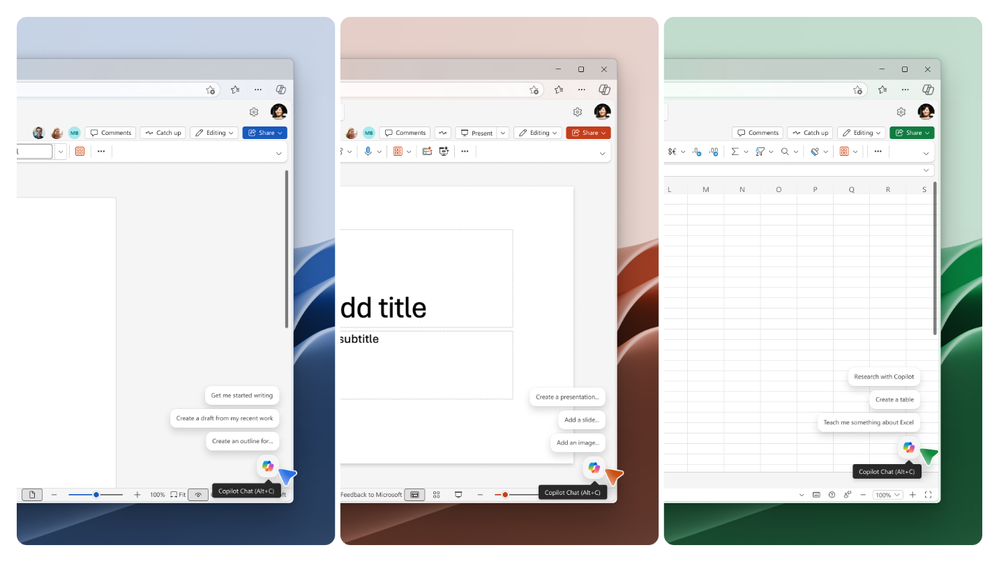
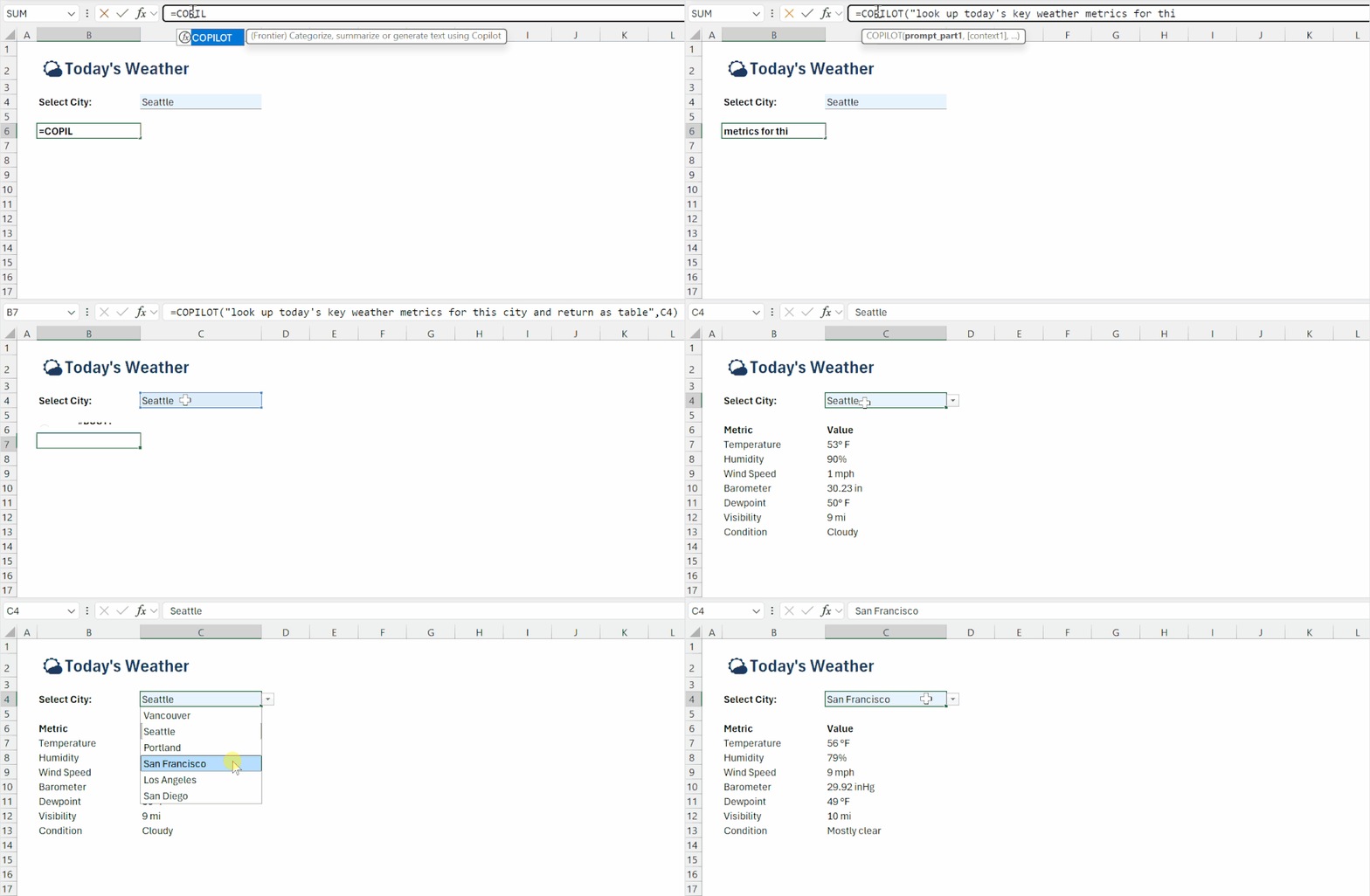
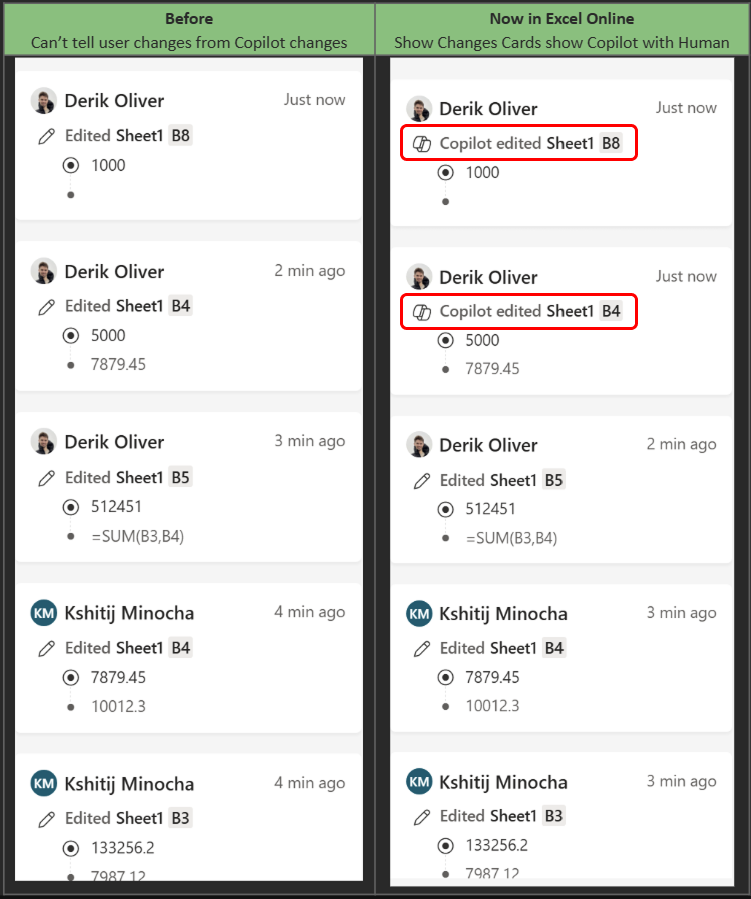
This month brings new Copilot entry points, smart suggestions, and a keyboard-first design to help you work more efficiently. We're also introducing Show Changes, a new experience that offers greater transparency into the updates Copilot makes on your behalf. Rounding things out, we've shipped improvements to the =COPILOT function to make it more useful in your everyday work.
Excel for Windows and Mac
New Copilot entry points, smart suggestions, and keyboard-first designThis update is part of a broader effort to create a more streamlined and intuitive Copilot experience. We've reduced the number of entry points to two locations, and when you are ready to focus on your content and move the entry point, right-click the Copilot button and select Dock. Alongside the new canvas entry point, you'll see curated suggestions as well as updated keyboard shortcuts. Read more here >
=COPILOT function updates (Insiders)
The =COPILOT function can now search the web and ground its response in live data. You can enrich a table with current information, look up company details, or pull in benchmarks — all from a formula. These updates are available for Insiders and Frontier users on Windows, Insiders users for Mac, and Frontier only for Web.
Excel for web
Show Changes with Copilot in ExcelThis update helps make AI-assisted edits more visible in Excel, supporting more transparent, informed collaboration & gives collaborators clearer insight into how workbook edits have been created and refined. When a collaborator makes a change with Copilot, the Show Changes card now includes a Copilot attribution indicator with a small visual flag and Copilot icon. Read more here >
Many of these features are the result of your feedback. THANK YOU! Your continued Feedback in Action (#FIA) helps improve Excel for everyone. Please let us know how you like a particular feature and what we can improve upon—"Give a compliment" or "Make a suggestion". You can also submit new ideas or vote for other ideas via Microsoft Feedback.
Source:
What's New in Excel (May 2026) | Microsoft Community Hub
Welcome to the May 2026 edition of What's New in Excel!
 techcommunity.microsoft.com