What powershell scripts are you using


^^ Hallelujah
Hehe. Can you tell a little about the format of the output? When can this be handy for example.
 

My Computer My Computer

At a glance

Windows 11Intel Core i7-13700Corsair VENGEANCE DDR5 32GBMSI GeForce RTX 5070 12G VENTUS 2X OC
OS
Windows 11
Computer type
PC/Desktop
Manufacturer/Model
Asus
CPU
Intel Core i7-13700
Motherboard
ASUS TUF GAMING B760-PLUS WIFI
Memory
Corsair VENGEANCE DDR5 32GB
Graphics Card(s)
MSI GeForce RTX 5070 12G VENTUS 2X OC
Monitor(s) Displays
Samsung LS32AG504
Hard Drives
Kingston Fury Renegade M.2 2TB SSD
PSU
Corsair RM850X 2021 / 850W / 80+ Gold
Browser
Chrome
Antivirus
Defender
Hehe. Can you tell a little about the format of the output? When can this be handy for example.
  • TimeCreated
  • Level
  • Id
  • Volume = the volume, or logical drive that the event log record is associated with.
  • Hex = a hexadecimal value found in the record that lets you further distinguish between different Drive Optimizer related events with the same Id.
  • Data = for SSD retrims, this field just has the word retrim in it. If you remove the part of my script code that limits the output to records where Hex equals 02AD like I said, you should be able to also see Drive Optimizer related records that are not retrims.
  • Message = a brief description of what actually happened during the event, e.g., whether Drive Optimizer failed to retrim the volume. Normally this field should be empty if the operation in question was successful.
  • All this data is retrieved from the event log. You can use the Event Viewer (eventvwr.msc) to verify this.
 

My Computers My Computers

  • At a glance

    11 Homei7 13650HX16GB DDR5GeForce RTX 4060 Mobile
    OS
    11 Home
    Computer type
    Laptop
    Manufacturer/Model
    Asus TUF Gaming F16 (2024)
    CPU
    i7 13650HX
    Memory
    16GB DDR5
    Graphics Card(s)
    GeForce RTX 4060 Mobile
    Sound Card
    Eastern Electric MiniMax DAC Supreme; Emotiva UMC-200; Astell & Kern AK240
    Monitor(s) Displays
    Sony Bravia XR-55X90J
    Screen Resolution
    3840×2160
    Hard Drives
    512GB SSD internal
    37TB external
    PSU
    Li-ion
    Cooling
    2× Arc Flow Fans, 4× exhaust vents, 5× heatpipes
    Keyboard
    Logitech K800
    Mouse
    Logitech G402
    Internet Speed
    30Mbit/s up, 500Mbit/s down
    Browser
    FF
    Antivirus
    What's an antivirus?
  • At a glance

    11 Homei5 1135G716GB DDR4Intel Iris Xe
    Operating System
    11 Home
    Computer type
    Laptop
    Manufacturer/Model
    Medion S15450
    CPU
    i5 1135G7
    Memory
    16GB DDR4
    Graphics card(s)
    Intel Iris Xe
    Sound Card
    Eastern Electric MiniMax DAC Supreme; Emotiva UMC-200; Astell & Kern AK240
    Monitor(s) Displays
    Sony Bravia XR-55X90J
    Screen Resolution
    3840×2160
    Hard Drives
    2TB SSD internal
    37TB external
    PSU
    Li-ion
    Keyboard
    Logitech K800
    Mouse
    Logitech G402
    Internet Speed
    30Mbit/s up, 500Mbit/s down
    Browser
    FF
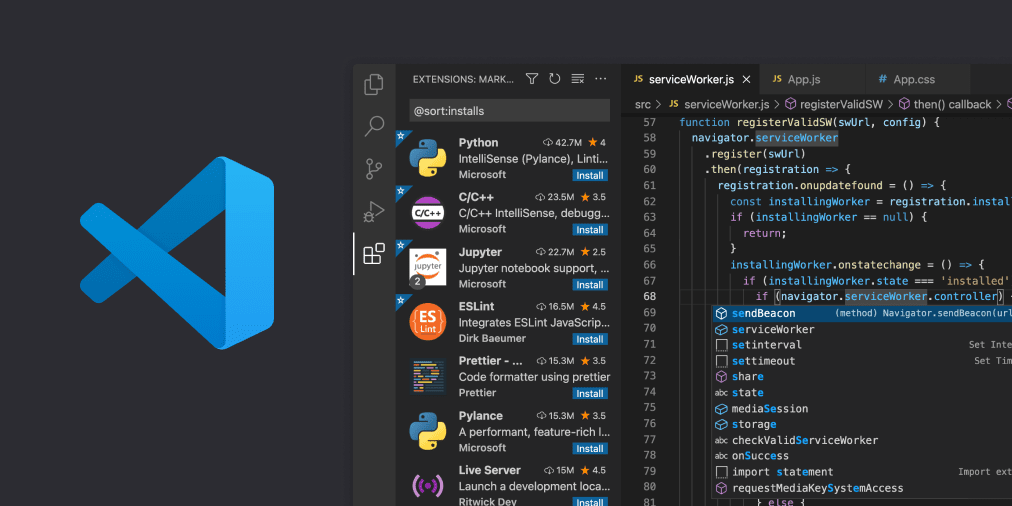
I use Notepad++ all the time.
If you want to impress the people around you, then install Visual Studio Code

If not, you can use
"C:\Windows\System32\WindowsPowerShell\v1.0\powershell_ise.exe"
 

My Computer My Computer

At a glance

Microsoft Windows 11 HomeIntel Core i5-13490F2 x 16 Patriot Memory (PDP Systems) PSD516G56...GIGABYTE GeForce RTX 4070 WINDFORCE OC 12G (G...
OS
Microsoft Windows 11 Home
Computer type
PC/Desktop
Manufacturer/Model
MSI MS-7D98
CPU
Intel Core i5-13490F
Motherboard
MSI B760 GAMING PLUS WIFI
Memory
2 x 16 Patriot Memory (PDP Systems) PSD516G560081 6400MT (32-37-37-74); 1.35V)
Graphics Card(s)
GIGABYTE GeForce RTX 4070 WINDFORCE OC 12G (GV-N4070WF3OC-12GD)
Sound Card
Bluetooth Аудио
Monitor(s) Displays
INNOCN 15K1F
Screen Resolution
1920 x 1080
Hard Drives
WD_BLACK SN770 250GB
KINGSTON SNV2S1000G (ELFK0S.6)
PSU
Thermaltake Toughpower GF3 1000W
Case
CG560 - DeepCool
Cooling
ID-COOLING SE-224-XTS / 2 x 140Mm Fan - rear and top; 3 x 120Mm - front
Keyboard
Corsair K70 RGB TKL
Mouse
Corsair KATAR PRO XT
Internet Speed
100 Mbps
Browser
Firefox
Antivirus
Microsoft Defender Antivirus
Other Info
https://www.userbenchmark.com/UserRun/66553205
If you want to impress the people around you, then install Visual Studio Code

If not, you can use
"C:\Windows\System32\WindowsPowerShell\v1.0\powershell_ise.exe"
I don't want to impress people around me. All I want is for them to keep sending me big fat paychecks in exchange for developing the software solutions they need. lol
 

My Computers My Computers

  • At a glance

    11 Homei7 13650HX16GB DDR5GeForce RTX 4060 Mobile
    OS
    11 Home
    Computer type
    Laptop
    Manufacturer/Model
    Asus TUF Gaming F16 (2024)
    CPU
    i7 13650HX
    Memory
    16GB DDR5
    Graphics Card(s)
    GeForce RTX 4060 Mobile
    Sound Card
    Eastern Electric MiniMax DAC Supreme; Emotiva UMC-200; Astell & Kern AK240
    Monitor(s) Displays
    Sony Bravia XR-55X90J
    Screen Resolution
    3840×2160
    Hard Drives
    512GB SSD internal
    37TB external
    PSU
    Li-ion
    Cooling
    2× Arc Flow Fans, 4× exhaust vents, 5× heatpipes
    Keyboard
    Logitech K800
    Mouse
    Logitech G402
    Internet Speed
    30Mbit/s up, 500Mbit/s down
    Browser
    FF
    Antivirus
    What's an antivirus?
  • At a glance

    11 Homei5 1135G716GB DDR4Intel Iris Xe
    Operating System
    11 Home
    Computer type
    Laptop
    Manufacturer/Model
    Medion S15450
    CPU
    i5 1135G7
    Memory
    16GB DDR4
    Graphics card(s)
    Intel Iris Xe
    Sound Card
    Eastern Electric MiniMax DAC Supreme; Emotiva UMC-200; Astell & Kern AK240
    Monitor(s) Displays
    Sony Bravia XR-55X90J
    Screen Resolution
    3840×2160
    Hard Drives
    2TB SSD internal
    37TB external
    PSU
    Li-ion
    Keyboard
    Logitech K800
    Mouse
    Logitech G402
    Internet Speed
    30Mbit/s up, 500Mbit/s down
    Browser
    FF
However, the thing that sets it apart from other scripts that are similar to it is, it re-opens the File Explorer windows in such a way that some of their window properties will also be restored, like how I described in my first reply. I.e., their folderpath, their window position and size, their minimized/maximized/restored state, their horizontal and vertical scrollbar positions, and their selected items paths (if any).
Cool! Thanks so much for sharing.

Just curious... Why did you implement as inline C# in PowerShell instead of compiling it to an exe?
Never mind. I just saw your message about future plans to make two exes.
 

My Computer My Computer

At a glance

Windows 10/11
OS
Windows 10/11
Computer type
Laptop
Manufacturer/Model
Acer
Need some more ideas and inspiration.
What powershell script are you using on your own computer or server?
This is a rather boring one but useful nonetheless to unblock multiple files at once.

If you've ever downloaded a large amount of files en mass they will typically have the 'Blocked' attribute checked, especially when you download direct from Microsoft. You can unblock multiple files by using the following command, which will do all subfolders as well.
It's especially useful if you forget to unblock a zip file, as all the extracted files will have the blocked flag set, so you can quickly unblock everything without having to unzip again.

Powershell:
Get-ChildItem -Path 'C:\MyDownloadedFiles\' -Recurse | Unblock-File

(For anyone coming across this on Google you need Powershell v4+)
 
Last edited:

My Computer My Computer

At a glance

Windows 11 Pro / LTSC 2024
OS
Windows 11 Pro / LTSC 2024

Latest Support Threads

Back
Top Bottom