
Why do Dell owners have so many problems?


Yeah, I don't think it's unique to Dell laptops. I think it's just the sh!tty way Microsoft designed it. They've made it so confusing now that I disabled all that anyway. I mean "Hibernate"? "Modern Standby"? "Sleep"? Don't need any of that.

I remember disabling hibernate as far back as XP because the machine would never wake up when I touched the mousepad or keyboard. So I just turned it off and saved some HD space ignoring it. I routinely turned it off anytime I bought a new machine because I knew that feature just wasn't very reliable, and the one in Windows 11 is no exception.

That also includes going into Device Manager and making sure all the Power Management tabs were unticked.


View attachment 177817


Don't get me wrong, if Dell screws up, I'll be the first to complain, but so far I haven't had any problems with them for the last few years now. Knock on wood.
Hibernation is useful when you have work in progress or simply too many windows and apps open and you need to move the computer. Instead of closing them all to shutdown, you hibernate. You can then remove the power, move it to another place and then resume like never interrupted. I don't use that often, but it can be handy. It works by saving all RAM data on disk and then resuming when booting Windows again. It is not supposed to wake when you move the mouse or press a key on the keyboard, unless you have specifically configured BIOS to turn on the PC with mouse or key press. The only disadvantage is that it reserves too much disk space, especially if you have a lot of RAM.
 

My Computers My Computers

  • At a glance

    Windows 11 Pro 23H2 (5699), 25H2 (8875)Mobile DualCore Intel Core 2 Duo T7250, 2000 MHz4GBMobile Intel(R) GMA 4500M (Mobile 4 series)
    OS
    Windows 11 Pro 23H2 (5699), 25H2 (8875)
    Computer type
    Laptop
    Manufacturer/Model
    Acer Extensa 5630EZ
    CPU
    Mobile DualCore Intel Core 2 Duo T7250, 2000 MHz
    Motherboard
    Acer Extensa 5630
    Memory
    4GB
    Graphics Card(s)
    Mobile Intel(R) GMA 4500M (Mobile 4 series)
    Sound Card
    Realtek ALC268 @ Intel 82801IB ICH9 - High Definition Audio Controller
    Monitor(s) Displays
    1
    Screen Resolution
    1280x800
    Hard Drives
    Samsung SSD 850 EVO 250GB SATA Device (250 GB, SATA-III)
    Internet Speed
    VDSL 50 Mbps
    Browser
    MICROSOFT EDGE
    Antivirus
    WINDOWS DEFENDER
    Other Info
    Legacy MBR installation, no TPM, no Secure Boot, no WDDM 2.0 graphics drivers, no SSE4.2, cannot get more unsupported ;) This is only my test laptop. I had installed Windows 11 here before upgrading my main PC. For my main PC I use everyday see my 2nd system specs.
  • At a glance

    Windows 11 Pro v25H2 (build 26200.8875)Intel Core-i7 3770 3.40GHz s1155 (3rd generat...2x Kingston Hyper-X Blu 8GB DDR3-1600GIGABYTE GeForce RTX 3050 WINDFORCE OC V2 6GB...
    Operating System
    Windows 11 Pro v25H2 (build 26200.8875)
    Computer type
    PC/Desktop
    Manufacturer/Model
    Custom-built PC
    CPU
    Intel Core-i7 3770 3.40GHz s1155 (3rd generation)
    Motherboard
    Asus P8H61 s1155 ATX
    Memory
    2x Kingston Hyper-X Blu 8GB DDR3-1600
    Graphics card(s)
    GIGABYTE GeForce RTX 3050 WINDFORCE OC V2 6GB (GV-N3050WF2OCV2-6GD)
    Sound Card
    Realtek HD audio (ALC887)
    Monitor(s) Displays
    Sony Bravia KDL-19L4000 19" LCD TV via VGA
    Screen Resolution
    1440x900 32-bit 60Hz
    Hard Drives
    WD Blue SA510 2.5 1000GB SSD as system disk, Western Digital Caviar Purple 4TB SATA III (WD40PURZ) as second
    PSU
    Thermaltake Litepower RGB 550W Full Wired
    Case
    SUPERCASE MIDI-TOWER
    Cooling
    Deepcool Gamma Archer CPU cooler, 1x 8cm fan at the back
    Keyboard
    Mitsumi 101-key PS/2
    Mouse
    Sunnyline OptiEye PS/2
    Internet Speed
    100Mbps
    Browser
    Microsoft Edge, Mozilla Firefox
    Antivirus
    Microsoft Windows Defender
    Other Info
    Legacy BIOS (MBR) installation, no TPM, no Secure Boot, WDDM 3.0 graphics drivers, WEI score 7.4
Hibernation is useful when you have work in progress or simply too many windows and apps open and you need to move the computer. Instead of closing them all to shutdown, you hibernate. You can then remove the power, move it to another place and then resume like never interrupted. I don't use that often, but it can be handy. It works by saving all RAM data on disk and then resuming when booting Windows again. It is not supposed to wake when you move the mouse or press a key on the keyboard, unless you have specifically configured BIOS to turn on the PC with mouse or key press. The only disadvantage is that it reserves too much disk space, especially if you have a lot of RAM.

Whenever I need to move the machine, it stays alive on battery power long enough to get moved and plugged in, so nothing get interrupted. No need for sleep for me.
 

My Computers My Computers

  • At a glance

    Windows 11 Pro 25H2 build: (26200.7623)32GB
    OS
    Windows 11 Pro 25H2 build: (26200.7623)
    Computer type
    Laptop
    Manufacturer/Model
    Microsoft Surface Pro
    Memory
    32GB
  • At a glance

    Microsoft 25H2 ProIntel Core Ultra 764GBIntel Integrated Graphics
    Operating System
    Microsoft 25H2 Pro
    Computer type
    Laptop
    Manufacturer/Model
    Dell Pro 14 - PC14250
    CPU
    Intel Core Ultra 7
    Memory
    64GB
    Graphics card(s)
    Intel Integrated Graphics
    Hard Drives
    Micron 1TB SSD
Whenever I need to move the machine, it stays alive on battery power long enough to get moved and plugged in, so nothing get interrupted. No need for sleep for me.
Yes, that's true for my two current laptops too. When I move from place to place, all I do is just close the lid, move, open the lid again and it's like nothing happened, I'm right where I was when I closed the lid.

I have the additional luxury with my current two laptops to have all-day battery life. If I'm going to be out for a complete workday, I don't even have to bother to carry a charger with me.
 

My Computers My Computers

  • At a glance

    Windows 11 ProIntel Series 3 Core Ultra X9 388H64GB LPDDR5x 9600 MT/sIntel Arc graphics B390 Panther Lake
    OS
    Windows 11 Pro
    Computer type
    Laptop
    Manufacturer/Model
    Dell XPS 16 DA16260
    CPU
    Intel Series 3 Core Ultra X9 388H
    Memory
    64GB LPDDR5x 9600 MT/s
    Graphics Card(s)
    Intel Arc graphics B390 Panther Lake
    Monitor(s) Displays
    16" 3.2K Tandem OLED Infinity Edge
    Screen Resolution
    3200 x 2000 16:10 236 PPI
    Hard Drives
    1 Terabyte M.2 PCIe NVMe SSD
    Case
    Black Anodized Aluminum
    Cooling
    Vapor Chamber Cooling
    Mouse
    None
    Internet Speed
    942 Mbps Netgear Mesh + 2 Satellites
    Browser
    Microsoft Edge (Chromium)
    Antivirus
    Windows Security (Defender)
    Other Info
    NPU delivering 67 TOPS
    Microsoft 365 subscription
    Microsoft Office 365
    Microsoft OneDrive 1TB Cloud
    Microsoft Visual Studio
    Microsoft Visual Studio Code
    Microsoft Sysinternals Suite
    Microsoft BitLocker
    Microsoft Copilot
    Dell Support Assist
    Dell Command | Update
    Macrium Reflect X subscription
    1Password Password Manager
    Amazon Kindle for PC
    Lightroom/Photoshop subscription
    Interactive Brokers Trader Workstation
  • At a glance

    Windows 11 ProSnapdragon® X Elite (12 Core) with Hexagon NP...32GB LPDDR5x 8448 MT/sIntegrated Adreno GPU
    Operating System
    Windows 11 Pro
    Computer type
    Laptop
    Manufacturer/Model
    Microsoft Surface Laptop 7
    CPU
    Snapdragon® X Elite (12 Core) with Hexagon NPU delivering 45 TOPS
    Memory
    32GB LPDDR5x 8448 MT/s
    Graphics card(s)
    Integrated Adreno GPU
    Sound Card
    Omnisonic speakers with Dolby Atmos spatial sound
    Monitor(s) Displays
    13.8″ PixelSense Flow touchscreen 120 Hz 600 NIT
    Screen Resolution
    2304 × 1536 (201 PPI), 3:2 aspect ratio
    Hard Drives
    1 TB PCIe NVMe Gen 4 SSD
    Case
    Black Anodized Aluminum
    Cooling
    Vapor Chamber Cooling
    Mouse
    None
    Internet Speed
    942 Mbps Netgear Mesh + 2 Satellites
    Browser
    Microsoft Edge (Chromium)
    Antivirus
    Windows Security (Defender)
    Other Info
    Microsoft 365 subscription (Office)
    Microsoft Office 365
    Microsoft OneDrive 1TB Cloud
    Microsoft Visual Studio 2026
    Microsoft Visual Studio Code
    Interactive Brokers Trader Workstation
    Lightroom/Photoshop subscription
    1Password Password Manager
    Microsoft Sysinternals
    Amazon Kindle for PC
    Microsoft BitLocker
    Microsoft Copilot
I regret calling Dell owners fanbois, they a Dell boys. Probably this will only be understood in the UK.
 

My Computers My Computers

  • At a glance

    Windows 11 Pro 25H2 26200.8973AMD Ryzen 7 5825U with Radeon Graphics16GB
    OS
    Windows 11 Pro 25H2 26200.8973
    Computer type
    Laptop
    Manufacturer/Model
    Acemagic LX15PRO
    CPU
    AMD Ryzen 7 5825U with Radeon Graphics
    Motherboard
    BIOS CT_BI_AMI_LX15PRO_AB8139_A-004
    Memory
    16GB
    Screen Resolution
    1920 x 1080
    Hard Drives
    SSD 2TB
    Internet Speed
    30 Mbps
    Browser
    Brave
    Antivirus
    Webroot SecureAnywhere Complete beta
  • At a glance

    Windows 11 Pro 23H2 22631.2506Atom N450 1.66GHz2GB
    Operating System
    Windows 11 Pro 23H2 22631.2506
    Computer type
    Laptop
    Manufacturer/Model
    HP Mini 210-1090NR PC (bought in late 2009!)
    CPU
    Atom N450 1.66GHz
    Memory
    2GB
    Browser
    Brave
    Antivirus
    Webroot
  • Acer Swift SF114-34 laptop
    OS Windows 11 Pro 26200.8894
    CPU Pentium Silver N6000
    RAM 4GB
    BIOS v1.17
    SSD Samsung 970 EVO Plus SSD 2TB (an upgrade)
One thing I hate in Dell is that you cannot just buy a universal charger. It will switch the laptop on but not charge the battery! You have to buy a genuine Dell charger to be fully functional and this usually costs more than a 90W universal charger with multiple tips that fits most brands.
I have never found that.
As I have replaced my chargers on Dell laptops, I have always bought cheap non-brand replacements [including universal chargers with multiple tips for multiple brands].
I have, for example, one universal charger with a tip that fits my Dell Inspiron 7779s & another tip that fits my Lenovo IdeaPad.
[Whilst I hardly ever turn them on these days, there are also tips that fit my Dell Inspirons 9300 & 1545]


All the best,
Denis
 
Last edited:

My Computer My Computer

At a glance

Windows 11 Home x64 Version 25H2 Build 26200....
OS
Windows 11 Home x64 Version 25H2 Build 26200.8037
Whenever I need to move the machine, it stays alive on battery power long enough to get moved and plugged in, so nothing get interrupted. No need for sleep for me.
Yes, for a laptop. What about a desktop when several applications are open in the middle of some processing? It is not always convenient to close them or wait to finish. You just hibernate, remove power to move the computer or to clean dust, then power on again, it resumes like nothing happened.
 

My Computers My Computers

  • At a glance

    Windows 11 Pro 23H2 (5699), 25H2 (8875)Mobile DualCore Intel Core 2 Duo T7250, 2000 MHz4GBMobile Intel(R) GMA 4500M (Mobile 4 series)
    OS
    Windows 11 Pro 23H2 (5699), 25H2 (8875)
    Computer type
    Laptop
    Manufacturer/Model
    Acer Extensa 5630EZ
    CPU
    Mobile DualCore Intel Core 2 Duo T7250, 2000 MHz
    Motherboard
    Acer Extensa 5630
    Memory
    4GB
    Graphics Card(s)
    Mobile Intel(R) GMA 4500M (Mobile 4 series)
    Sound Card
    Realtek ALC268 @ Intel 82801IB ICH9 - High Definition Audio Controller
    Monitor(s) Displays
    1
    Screen Resolution
    1280x800
    Hard Drives
    Samsung SSD 850 EVO 250GB SATA Device (250 GB, SATA-III)
    Internet Speed
    VDSL 50 Mbps
    Browser
    MICROSOFT EDGE
    Antivirus
    WINDOWS DEFENDER
    Other Info
    Legacy MBR installation, no TPM, no Secure Boot, no WDDM 2.0 graphics drivers, no SSE4.2, cannot get more unsupported ;) This is only my test laptop. I had installed Windows 11 here before upgrading my main PC. For my main PC I use everyday see my 2nd system specs.
  • At a glance

    Windows 11 Pro v25H2 (build 26200.8875)Intel Core-i7 3770 3.40GHz s1155 (3rd generat...2x Kingston Hyper-X Blu 8GB DDR3-1600GIGABYTE GeForce RTX 3050 WINDFORCE OC V2 6GB...
    Operating System
    Windows 11 Pro v25H2 (build 26200.8875)
    Computer type
    PC/Desktop
    Manufacturer/Model
    Custom-built PC
    CPU
    Intel Core-i7 3770 3.40GHz s1155 (3rd generation)
    Motherboard
    Asus P8H61 s1155 ATX
    Memory
    2x Kingston Hyper-X Blu 8GB DDR3-1600
    Graphics card(s)
    GIGABYTE GeForce RTX 3050 WINDFORCE OC V2 6GB (GV-N3050WF2OCV2-6GD)
    Sound Card
    Realtek HD audio (ALC887)
    Monitor(s) Displays
    Sony Bravia KDL-19L4000 19" LCD TV via VGA
    Screen Resolution
    1440x900 32-bit 60Hz
    Hard Drives
    WD Blue SA510 2.5 1000GB SSD as system disk, Western Digital Caviar Purple 4TB SATA III (WD40PURZ) as second
    PSU
    Thermaltake Litepower RGB 550W Full Wired
    Case
    SUPERCASE MIDI-TOWER
    Cooling
    Deepcool Gamma Archer CPU cooler, 1x 8cm fan at the back
    Keyboard
    Mitsumi 101-key PS/2
    Mouse
    Sunnyline OptiEye PS/2
    Internet Speed
    100Mbps
    Browser
    Microsoft Edge, Mozilla Firefox
    Antivirus
    Microsoft Windows Defender
    Other Info
    Legacy BIOS (MBR) installation, no TPM, no Secure Boot, WDDM 3.0 graphics drivers, WEI score 7.4
I have never found that.
As I have replaced my chargers for Dell laptops, I have always bought cheap non-brand replacements [including universal chargers with multiple tips for multiple brands].
I have, for example, one universal charger with a tip that fits my Dell Inspiron 7779s & another tip that fits my Lenovo IdeaPad.
[Whilst I hardly ever turn them on these days, there are also tips that fit my Dell Inspirons 9300 & 1545]


All the best,
Denis
Like I said, there are universal chargers that can power on a Dell laptop, but they don't charge the battery, so they are only useful if you want to use an old Dell indoors. If you need to charge the battery for outdoors use, you need a genuine Dell charger or a really expensive universal charger that passes the "genuine test" and the laptop allows it to charge the battery. If the universal costs almost as buying a genuine Dell, there is little benefit. The whole point is to replace the original charger with a cheaper one.
 

My Computers My Computers

  • At a glance

    Windows 11 Pro 23H2 (5699), 25H2 (8875)Mobile DualCore Intel Core 2 Duo T7250, 2000 MHz4GBMobile Intel(R) GMA 4500M (Mobile 4 series)
    OS
    Windows 11 Pro 23H2 (5699), 25H2 (8875)
    Computer type
    Laptop
    Manufacturer/Model
    Acer Extensa 5630EZ
    CPU
    Mobile DualCore Intel Core 2 Duo T7250, 2000 MHz
    Motherboard
    Acer Extensa 5630
    Memory
    4GB
    Graphics Card(s)
    Mobile Intel(R) GMA 4500M (Mobile 4 series)
    Sound Card
    Realtek ALC268 @ Intel 82801IB ICH9 - High Definition Audio Controller
    Monitor(s) Displays
    1
    Screen Resolution
    1280x800
    Hard Drives
    Samsung SSD 850 EVO 250GB SATA Device (250 GB, SATA-III)
    Internet Speed
    VDSL 50 Mbps
    Browser
    MICROSOFT EDGE
    Antivirus
    WINDOWS DEFENDER
    Other Info
    Legacy MBR installation, no TPM, no Secure Boot, no WDDM 2.0 graphics drivers, no SSE4.2, cannot get more unsupported ;) This is only my test laptop. I had installed Windows 11 here before upgrading my main PC. For my main PC I use everyday see my 2nd system specs.
  • At a glance

    Windows 11 Pro v25H2 (build 26200.8875)Intel Core-i7 3770 3.40GHz s1155 (3rd generat...2x Kingston Hyper-X Blu 8GB DDR3-1600GIGABYTE GeForce RTX 3050 WINDFORCE OC V2 6GB...
    Operating System
    Windows 11 Pro v25H2 (build 26200.8875)
    Computer type
    PC/Desktop
    Manufacturer/Model
    Custom-built PC
    CPU
    Intel Core-i7 3770 3.40GHz s1155 (3rd generation)
    Motherboard
    Asus P8H61 s1155 ATX
    Memory
    2x Kingston Hyper-X Blu 8GB DDR3-1600
    Graphics card(s)
    GIGABYTE GeForce RTX 3050 WINDFORCE OC V2 6GB (GV-N3050WF2OCV2-6GD)
    Sound Card
    Realtek HD audio (ALC887)
    Monitor(s) Displays
    Sony Bravia KDL-19L4000 19" LCD TV via VGA
    Screen Resolution
    1440x900 32-bit 60Hz
    Hard Drives
    WD Blue SA510 2.5 1000GB SSD as system disk, Western Digital Caviar Purple 4TB SATA III (WD40PURZ) as second
    PSU
    Thermaltake Litepower RGB 550W Full Wired
    Case
    SUPERCASE MIDI-TOWER
    Cooling
    Deepcool Gamma Archer CPU cooler, 1x 8cm fan at the back
    Keyboard
    Mitsumi 101-key PS/2
    Mouse
    Sunnyline OptiEye PS/2
    Internet Speed
    100Mbps
    Browser
    Microsoft Edge, Mozilla Firefox
    Antivirus
    Microsoft Windows Defender
    Other Info
    Legacy BIOS (MBR) installation, no TPM, no Secure Boot, WDDM 3.0 graphics drivers, WEI score 7.4
modern standby is a form of Sleep Mode and the default form of Sleep Mode on Windows 11 Pro 25H2
It's not Windows making it the default, it is the laptop maker who wrote the Bios.
Whether your laptop has S3 Sleep or S0 Modern standby depends entirely on what has been set up in the Bios.
You can disable S0 Modern standby using a very simple procedure but whether or not that allows S3 Sleep to be enabled & to be successfully used depends entirely on the Bios. You cannot even rely on laptop makers to know what provisions they have made [HP, to give them their due, let me have a pre-purchase discussion with technical staff but Dell refused so I chose to go with HP].

S0 Modern standby was actually an Intel initiative but MS & laptop makers have taken it up with enthusiasm.
MS claims that users wanted instant-on but that is complete rubbish - S0 Modern standby takes a finite time to resume that merely happens to be much less than the time S3 Sleep takes.

A few settings can make my Modern Standby machines behave just like all the rest.....
I agree.
I have also tamed my S0 Modern standby so it is almost like having S3 Sleep back:-
Running scripts during S0 Modern standby - my post #86 - ElevenForum
I also compared the power consumption of two broadly-similar laptops and found that there was hardly any difference between the power consumed in S3 Sleep & the power consumed in S0 Modern standby.
Power consumption in S0 Modern standby and S3 Sleep - my post #85 - ElevenForum


I generally use S3 Sleep / S0 Modern standby but do sometimes find Hibernation handy.
- I generally use S3 Sleep / S0 Modern standby if I'm shifting position or just leaning back to think with my eyes shut for a moment or two.
- I generally use Hibernation if I'm going out or sometimes if I'm expecting a long interruption to my computer use.


Denis
 
Last edited:

My Computer My Computer

At a glance

Windows 11 Home x64 Version 25H2 Build 26200....
OS
Windows 11 Home x64 Version 25H2 Build 26200.8037
there are universal chargers that can power on a Dell laptop, but they don't charge the battery
Incorrect.
My cheap replacement power adapters are always able to both power the laptop and charge the battery.
e.g.
FSKE 65W 19.5V 3.34A - Amazon
65W 45W Laptop Charger for Dell Inspiron 15 13 11 14 17 3000 5000 7000 Series - Amazon - I chose the 65W version. Perhaps the 45W version would not have been able to both charge & power up.
Universal 65W Laptop Charger - Amazon - this both powers & chargers every laptop I have tried it with [Dell Inspirons, Lenovo IdeaPad].

I always chose power adapters that can do both by always choosing ones with the same power rating as the original one.
If you choose underpowered ones then you might well experience the symptoms you describe.


Denis
 
Last edited:

My Computer My Computer

At a glance

Windows 11 Home x64 Version 25H2 Build 26200....
OS
Windows 11 Home x64 Version 25H2 Build 26200.8037
I have a 10 year old Vostro 15 3568 that still performs well and has never been serviced, everything is original in it.
However, the factory bloatware app (SupportAssist) has been crashing after almost every Windows update, so it's a good idea to remove it and never install it again.

20260730-0007.webp
 

My Computer My Computer

At a glance

Windows 11 25H2Intel Core i5-7200U8,00 GBIntel HD Graphics 620, Radeon R5 M420
OS
Windows 11 25H2
Computer type
Laptop
Manufacturer/Model
DELL VOSTRO 15 3568
CPU
Intel Core i5-7200U
Memory
8,00 GB
Graphics Card(s)
Intel HD Graphics 620, Radeon R5 M420
Sound Card
Realtek Audio ALC3246
Monitor(s) Displays
BENQ PD3205UA
Screen Resolution
1920 X 1080
Hard Drives
SK HYNIX SC311 SATA 256 GB, SanDisk Extreme 510 external
Mouse
DELL MS700
Internet Speed
50/15 MB/s VDSL
Browser
Microsoft Edge
Antivirus
Microsoft Defender
Incorrect.
My cheap replacement power adapters are always able to both power the laptop and charge the battery.
e.g.
FSKE 65W 19.5V 3.34A - Amazon
65W 45W Laptop Charger for Dell Inspiron 15 13 11 14 17 3000 5000 7000 Series - Amazon - I chose the 65W version. Perhaps the 45W version would not have been able to both charge & power up.
Universal 65W Laptop Charger - Amazon - this both powers & chargers every laptop I have tried it with [Dell Inspirons, Lenovo IdeaPad].

I always chose power adapters that can do both by always choosing ones with the same power rating as the original one.
If you choose underpowered ones then you might well experience the symptoms you describe.


Denis
A universal 90W charger is within the specs of most laptops, even Dell. Rare exceptions need 120W or higher. They work perfectly well on every other brand, but in Dell the battery won't charge. In the taskbar you see the AC mains icon but when you hover is doesn't say charging and no matter how long you wait, the battery is at the same level, it doesn't charge. I have seen than in many different Dell models with different brand universal 90W chargers. It cannot be a coincidence. There is even the "non-genuine AC power" warning when booting, so probably Dell chargers have some identification chip that universals don't. No other brand has this "genuine charger" requirement.

PS: If I remember correctly, one colleague had cut the cable from a bad genuine Dell charger and connected it to a universal charger which then passed the "genuine test" and charged the battery. This indicates that the identification chip is embedded in the tip.
 
Last edited:

My Computers My Computers

  • At a glance

    Windows 11 Pro 23H2 (5699), 25H2 (8875)Mobile DualCore Intel Core 2 Duo T7250, 2000 MHz4GBMobile Intel(R) GMA 4500M (Mobile 4 series)
    OS
    Windows 11 Pro 23H2 (5699), 25H2 (8875)
    Computer type
    Laptop
    Manufacturer/Model
    Acer Extensa 5630EZ
    CPU
    Mobile DualCore Intel Core 2 Duo T7250, 2000 MHz
    Motherboard
    Acer Extensa 5630
    Memory
    4GB
    Graphics Card(s)
    Mobile Intel(R) GMA 4500M (Mobile 4 series)
    Sound Card
    Realtek ALC268 @ Intel 82801IB ICH9 - High Definition Audio Controller
    Monitor(s) Displays
    1
    Screen Resolution
    1280x800
    Hard Drives
    Samsung SSD 850 EVO 250GB SATA Device (250 GB, SATA-III)
    Internet Speed
    VDSL 50 Mbps
    Browser
    MICROSOFT EDGE
    Antivirus
    WINDOWS DEFENDER
    Other Info
    Legacy MBR installation, no TPM, no Secure Boot, no WDDM 2.0 graphics drivers, no SSE4.2, cannot get more unsupported ;) This is only my test laptop. I had installed Windows 11 here before upgrading my main PC. For my main PC I use everyday see my 2nd system specs.
  • At a glance

    Windows 11 Pro v25H2 (build 26200.8875)Intel Core-i7 3770 3.40GHz s1155 (3rd generat...2x Kingston Hyper-X Blu 8GB DDR3-1600GIGABYTE GeForce RTX 3050 WINDFORCE OC V2 6GB...
    Operating System
    Windows 11 Pro v25H2 (build 26200.8875)
    Computer type
    PC/Desktop
    Manufacturer/Model
    Custom-built PC
    CPU
    Intel Core-i7 3770 3.40GHz s1155 (3rd generation)
    Motherboard
    Asus P8H61 s1155 ATX
    Memory
    2x Kingston Hyper-X Blu 8GB DDR3-1600
    Graphics card(s)
    GIGABYTE GeForce RTX 3050 WINDFORCE OC V2 6GB (GV-N3050WF2OCV2-6GD)
    Sound Card
    Realtek HD audio (ALC887)
    Monitor(s) Displays
    Sony Bravia KDL-19L4000 19" LCD TV via VGA
    Screen Resolution
    1440x900 32-bit 60Hz
    Hard Drives
    WD Blue SA510 2.5 1000GB SSD as system disk, Western Digital Caviar Purple 4TB SATA III (WD40PURZ) as second
    PSU
    Thermaltake Litepower RGB 550W Full Wired
    Case
    SUPERCASE MIDI-TOWER
    Cooling
    Deepcool Gamma Archer CPU cooler, 1x 8cm fan at the back
    Keyboard
    Mitsumi 101-key PS/2
    Mouse
    Sunnyline OptiEye PS/2
    Internet Speed
    100Mbps
    Browser
    Microsoft Edge, Mozilla Firefox
    Antivirus
    Microsoft Windows Defender
    Other Info
    Legacy BIOS (MBR) installation, no TPM, no Secure Boot, WDDM 3.0 graphics drivers, WEI score 7.4
in Dell the battery won't charge
I have never experienced what you have experienced.

"non-genuine AC power" warning
I have only ever seen any power adapter warnings when my power adapter connector has half slipped out of its socket so the little pin* in the middle of the connector is no longer making a decent electrical connection.
Power adapter warning.webp
This warning goes away when I push the connector in properly.

* This pin in the middle of the connector is, as I understand it, unique to Dell.
- My cheap replacement AC adapters all have that pin. I check compatibility with my Dell model before buying them.
- My cheap universal AC adapter also has that pin on the connectors for my Dells. I checked compatibility with my Dells & Lenovo IdeaPad before buying it.


All the best,
Denis
 

My Computer My Computer

At a glance

Windows 11 Home x64 Version 25H2 Build 26200....
OS
Windows 11 Home x64 Version 25H2 Build 26200.8037
If I remember correctly, one colleague had cut the cable from a bad genuine Dell charger and connected it to a universal charger which then passed the "genuine test" and charged the battery.
A Dell charger with a round connector has a third connection, a pin in the centre. The power is on the inner and outer part of the sleeve. This pin is a data connector using the 1-wire protocol. Dell are not alone in this, HP's round connectors also have this centre pin. That worked because the 1-wire chip would have been in the plug.

* This pin in the middle of the connector is, as I understand it, unique to Dell.
No, HP use it too. In fact I have an HP charger with a centre pin that will fit a Dell laptop and power it, but it won't charge it. I don't have an HP laptop to test this on, but I'd guess the same would apply the other way round.

Dell laptop power supplies use the 1-Wire protocol to send data via the third wire to the laptop computer about power, current and voltage ratings. The laptop will then refuse charging if the adapter does not meet requirements.

This becomes academic if, like my latest Dell, it uses a USB-C charger. The protocols used by these chargers are universal, they ask the device what voltage it needs and then provide it. I use my Dell USB-C charger to charge everything from Dell and Lenovo laptops to my Android phone that requires 5v. I have an HP USB-C charger that can also charge all of the above.
 

My Computers My Computers

  • At a glance

    Windows 11 HomeAMD Athlon Silver 3050U8GBRadeon Graphics
    OS
    Windows 11 Home
    Computer type
    Laptop
    Manufacturer/Model
    Acer Aspire 3 A315-23-R9VY
    CPU
    AMD Athlon Silver 3050U
    Memory
    8GB
    Graphics Card(s)
    Radeon Graphics
    Monitor(s) Displays
    laptop screen
    Screen Resolution
    1366x768 native resolution, up to 2560x1440 with Radeon Virtual Super Resolution
    Hard Drives
    1TB Samsung EVO 870 SSD (from April 2026: 250GB EVO 850)
    Internet Speed
    150 Mbps
    Browser
    Edge, Firefox
    Antivirus
    Defender
    Other Info
    UPDATE - 11 April 2026: due to lid hinges starting to break up this laptop has been retired from active duty. The OS with all software and files has been migrated to my System Seven in 'Other systems' to carry on as my general purpose 'main machine'.

    I've now clean installed 25H2 and used Garlin's scripts to update Secure Boot to CA 2023 and revoke the PCA 2011 certificates. It's new role is to test secure boot issues.

    Info for 2021-2026:
    fully 'Windows 11 ready' laptop. Windows 10 C: partition migrated from my old unsupported 'main machine' then upgraded to 11. A test migration ran Insider builds for 2 months. When 11 was released on 5th October 2021 it was re-imaged back to 10 and was offered the upgrade in Windows Update on 20th October. Windows Update offered the 22H2 Feature Update on 20th September 2022. It got the 23H2 Feature Update on 4th November 2023 through Windows Update, 24H2 on 3rd October 2024 through Windows Update by setting the Target Release Version for 24H2, and 25H2 on 30th September 2025 through Windows Update by setting the Target Release Version for 25H2.
  • At a glance

    Windows 11 ProIntel® Core™ i5-520M8GB(integrated graphics) Intel HD Graphics
    Operating System
    Windows 11 Pro
    Computer type
    Laptop
    Manufacturer/Model
    Dell Latitude E4310
    CPU
    Intel® Core™ i5-520M
    Motherboard
    0T6M8G
    Memory
    8GB
    Graphics card(s)
    (integrated graphics) Intel HD Graphics
    Screen Resolution
    1366x768
    Hard Drives
    500GB Crucial MX500 SSD
    Browser
    Firefox, Edge
    Antivirus
    Defender
    Other Info
    unsupported machine: Legacy bios, MBR, TPM 1.2, upgraded from W10 to W11 using W10/W11 hybrid install media workaround.

    In-place upgrade to 22H2 using ISO and a workaround.
    Feature Update to 23H2 by manually installing the Enablement Package.
    In-place upgrade to 24H2 using hybrid 23H2/24H2 install media.
    Upgraded to 25H2 by Enablement Package.

    Also running Insider Dev, and Canary builds and Windows 10 as native boot .vhdx.
  • My SYSTEM THREE is a Dell Latitude 5410, i7-10610U, 32GB RAM, 512GB NVMe ssd, supported device running Windows 11 Pro.

    My SYSTEM FOUR was a 2-in-1 convertible Lenovo Yoga 11e (1st gen) type 20DA, Celeron N2930, 8GB RAM, 256GB ssd. Unsupported device. This has now been sold and replaced by System Eight.

    My SYSTEM FIVE is a Dell Latitude 3190 2-in-1, Pentium Silver N5030, 8GB RAM, 1TB NVMe ssd, supported device running Windows 11 Pro, plus Insider Beta, Dev, and Canary builds (and a few others) as a native boot .vhdx.

    My SYSTEM SIX is a Dell Latitude 5550, Core Ultra 7 165H, 64GB RAM, 1TB NVMe SSD, supported device, Windows 11 Pro 24H2, Hyper-V host machine. Updated to 25H2 on 30th September 2025.

    My SYSTEM SEVEN is a Lenovo Thinkpad T580, Intel Core i7-8650U, 16GB RAM, 512GB NVMe SSD + 2nd 512GB NVMe SSD, a supported device for Windows 11. This is my current general purpose 'main machine'. The installed Windows 11 Home from my System One has been migrated to this machine.

    My SYSTEM EIGHT is a 2-in-1 convertible Lenovo Yoga 11e (5th gen) type 20LN, Celeron N4120, 8GB RAM, 512GB NVMe ssd, a supported device for Windows 11. Currently running Windows 11 Pro, plus Insider Dev, Beta, and Canary builds as native boot vhdx.
Right, yep. The center line is connected to an EEPROM on a PCB in the connector. That communicates to the laptop “hey I’m a 90W (or whatever) charger” along with some other data.
 

My Computer My Computer

At a glance

Windows 11 Enterprise 25H2 [rev. 8893]
OS
Windows 11 Enterprise 25H2 [rev. 8893]
I have never experienced what you have experienced.


I have only ever seen any power adapter warnings when my power adapter connector has half slipped out of its socket so the little pin* in the middle of the connector is no longer making a decent electrical connection.
View attachment 177958
This warning goes away when I push the connector in properly.

* This pin in the middle of the connector is, as I understand it, unique to Dell.
- My cheap replacement AC adapters all have that pin. I check compatibility with my Dell model before buying them.
- My cheap universal AC adapter also has that pin on the connectors for my Dells. I checked compatibility with my Dells & Lenovo IdeaPad before buying it.


All the best,
Denis
Here is an example that doesn't charge the battery (you can change the language to English):


My Computers My Computers

  • At a glance

    Windows 11 Pro 23H2 (5699), 25H2 (8875)Mobile DualCore Intel Core 2 Duo T7250, 2000 MHz4GBMobile Intel(R) GMA 4500M (Mobile 4 series)
    OS
    Windows 11 Pro 23H2 (5699), 25H2 (8875)
    Computer type
    Laptop
    Manufacturer/Model
    Acer Extensa 5630EZ
    CPU
    Mobile DualCore Intel Core 2 Duo T7250, 2000 MHz
    Motherboard
    Acer Extensa 5630
    Memory
    4GB
    Graphics Card(s)
    Mobile Intel(R) GMA 4500M (Mobile 4 series)
    Sound Card
    Realtek ALC268 @ Intel 82801IB ICH9 - High Definition Audio Controller
    Monitor(s) Displays
    1
    Screen Resolution
    1280x800
    Hard Drives
    Samsung SSD 850 EVO 250GB SATA Device (250 GB, SATA-III)
    Internet Speed
    VDSL 50 Mbps
    Browser
    MICROSOFT EDGE
    Antivirus
    WINDOWS DEFENDER
    Other Info
    Legacy MBR installation, no TPM, no Secure Boot, no WDDM 2.0 graphics drivers, no SSE4.2, cannot get more unsupported ;) This is only my test laptop. I had installed Windows 11 here before upgrading my main PC. For my main PC I use everyday see my 2nd system specs.
  • At a glance

    Windows 11 Pro v25H2 (build 26200.8875)Intel Core-i7 3770 3.40GHz s1155 (3rd generat...2x Kingston Hyper-X Blu 8GB DDR3-1600GIGABYTE GeForce RTX 3050 WINDFORCE OC V2 6GB...
    Operating System
    Windows 11 Pro v25H2 (build 26200.8875)
    Computer type
    PC/Desktop
    Manufacturer/Model
    Custom-built PC
    CPU
    Intel Core-i7 3770 3.40GHz s1155 (3rd generation)
    Motherboard
    Asus P8H61 s1155 ATX
    Memory
    2x Kingston Hyper-X Blu 8GB DDR3-1600
    Graphics card(s)
    GIGABYTE GeForce RTX 3050 WINDFORCE OC V2 6GB (GV-N3050WF2OCV2-6GD)
    Sound Card
    Realtek HD audio (ALC887)
    Monitor(s) Displays
    Sony Bravia KDL-19L4000 19" LCD TV via VGA
    Screen Resolution
    1440x900 32-bit 60Hz
    Hard Drives
    WD Blue SA510 2.5 1000GB SSD as system disk, Western Digital Caviar Purple 4TB SATA III (WD40PURZ) as second
    PSU
    Thermaltake Litepower RGB 550W Full Wired
    Case
    SUPERCASE MIDI-TOWER
    Cooling
    Deepcool Gamma Archer CPU cooler, 1x 8cm fan at the back
    Keyboard
    Mitsumi 101-key PS/2
    Mouse
    Sunnyline OptiEye PS/2
    Internet Speed
    100Mbps
    Browser
    Microsoft Edge, Mozilla Firefox
    Antivirus
    Microsoft Windows Defender
    Other Info
    Legacy BIOS (MBR) installation, no TPM, no Secure Boot, WDDM 3.0 graphics drivers, WEI score 7.4
A Dell charger with a round connector has a third connection, a pin in the centre. The power is on the inner and outer part of the sleeve. This pin is a data connector using the 1-wire protocol. Dell are not alone in this, HP's round connectors also have this centre pin. That worked because the 1-wire chip would have been in the plug.


No, HP use it too. In fact I have an HP charger with a centre pin that will fit a Dell laptop and power it, but it won't charge it. I don't have an HP laptop to test this on, but I'd guess the same would apply the other way round.


This becomes academic if, like my latest Dell, it uses a USB-C charger. The protocols used by these chargers are universal, they ask the device what voltage it needs and then provide it. I use my Dell USB-C charger to charge everything from Dell and Lenovo laptops to my Android phone that requires 5v. I have an HP USB-C charger that can also charge all of the above.
If I remember correctly HP and Dell are not the same, the Dell is slightly wider, yes it is the round one (about 0.9cm) with the narrow pin in the middle. Universals have this tip, it can switch on the Dell but it doesn't charge the battery. I don't know about recent USB type-C models.
 

My Computers My Computers

  • At a glance

    Windows 11 Pro 23H2 (5699), 25H2 (8875)Mobile DualCore Intel Core 2 Duo T7250, 2000 MHz4GBMobile Intel(R) GMA 4500M (Mobile 4 series)
    OS
    Windows 11 Pro 23H2 (5699), 25H2 (8875)
    Computer type
    Laptop
    Manufacturer/Model
    Acer Extensa 5630EZ
    CPU
    Mobile DualCore Intel Core 2 Duo T7250, 2000 MHz
    Motherboard
    Acer Extensa 5630
    Memory
    4GB
    Graphics Card(s)
    Mobile Intel(R) GMA 4500M (Mobile 4 series)
    Sound Card
    Realtek ALC268 @ Intel 82801IB ICH9 - High Definition Audio Controller
    Monitor(s) Displays
    1
    Screen Resolution
    1280x800
    Hard Drives
    Samsung SSD 850 EVO 250GB SATA Device (250 GB, SATA-III)
    Internet Speed
    VDSL 50 Mbps
    Browser
    MICROSOFT EDGE
    Antivirus
    WINDOWS DEFENDER
    Other Info
    Legacy MBR installation, no TPM, no Secure Boot, no WDDM 2.0 graphics drivers, no SSE4.2, cannot get more unsupported ;) This is only my test laptop. I had installed Windows 11 here before upgrading my main PC. For my main PC I use everyday see my 2nd system specs.
  • At a glance

    Windows 11 Pro v25H2 (build 26200.8875)Intel Core-i7 3770 3.40GHz s1155 (3rd generat...2x Kingston Hyper-X Blu 8GB DDR3-1600GIGABYTE GeForce RTX 3050 WINDFORCE OC V2 6GB...
    Operating System
    Windows 11 Pro v25H2 (build 26200.8875)
    Computer type
    PC/Desktop
    Manufacturer/Model
    Custom-built PC
    CPU
    Intel Core-i7 3770 3.40GHz s1155 (3rd generation)
    Motherboard
    Asus P8H61 s1155 ATX
    Memory
    2x Kingston Hyper-X Blu 8GB DDR3-1600
    Graphics card(s)
    GIGABYTE GeForce RTX 3050 WINDFORCE OC V2 6GB (GV-N3050WF2OCV2-6GD)
    Sound Card
    Realtek HD audio (ALC887)
    Monitor(s) Displays
    Sony Bravia KDL-19L4000 19" LCD TV via VGA
    Screen Resolution
    1440x900 32-bit 60Hz
    Hard Drives
    WD Blue SA510 2.5 1000GB SSD as system disk, Western Digital Caviar Purple 4TB SATA III (WD40PURZ) as second
    PSU
    Thermaltake Litepower RGB 550W Full Wired
    Case
    SUPERCASE MIDI-TOWER
    Cooling
    Deepcool Gamma Archer CPU cooler, 1x 8cm fan at the back
    Keyboard
    Mitsumi 101-key PS/2
    Mouse
    Sunnyline OptiEye PS/2
    Internet Speed
    100Mbps
    Browser
    Microsoft Edge, Mozilla Firefox
    Antivirus
    Microsoft Windows Defender
    Other Info
    Legacy BIOS (MBR) installation, no TPM, no Secure Boot, WDDM 3.0 graphics drivers, WEI score 7.4
Here is an example that doesn't charge the battery
I hope you complain to them and demand an explanation as well as rectification.
Does it have pins inside the supposedly Dell-compatible connectors?
Mine do. Mine are all 65W power adapters.


Denis
 
Last edited:

My Computer My Computer

At a glance

Windows 11 Home x64 Version 25H2 Build 26200....
OS
Windows 11 Home x64 Version 25H2 Build 26200.8037
I didn't buy that specifically for a Dell, I was working on a computer store and we were selling similar models of Universal adaptors. When there was a customer with Dell laptop, we always recommended to buy a genuine charger, we discouraged him to buy the universal.
 

My Computers My Computers

  • At a glance

    Windows 11 Pro 23H2 (5699), 25H2 (8875)Mobile DualCore Intel Core 2 Duo T7250, 2000 MHz4GBMobile Intel(R) GMA 4500M (Mobile 4 series)
    OS
    Windows 11 Pro 23H2 (5699), 25H2 (8875)
    Computer type
    Laptop
    Manufacturer/Model
    Acer Extensa 5630EZ
    CPU
    Mobile DualCore Intel Core 2 Duo T7250, 2000 MHz
    Motherboard
    Acer Extensa 5630
    Memory
    4GB
    Graphics Card(s)
    Mobile Intel(R) GMA 4500M (Mobile 4 series)
    Sound Card
    Realtek ALC268 @ Intel 82801IB ICH9 - High Definition Audio Controller
    Monitor(s) Displays
    1
    Screen Resolution
    1280x800
    Hard Drives
    Samsung SSD 850 EVO 250GB SATA Device (250 GB, SATA-III)
    Internet Speed
    VDSL 50 Mbps
    Browser
    MICROSOFT EDGE
    Antivirus
    WINDOWS DEFENDER
    Other Info
    Legacy MBR installation, no TPM, no Secure Boot, no WDDM 2.0 graphics drivers, no SSE4.2, cannot get more unsupported ;) This is only my test laptop. I had installed Windows 11 here before upgrading my main PC. For my main PC I use everyday see my 2nd system specs.
  • At a glance

    Windows 11 Pro v25H2 (build 26200.8875)Intel Core-i7 3770 3.40GHz s1155 (3rd generat...2x Kingston Hyper-X Blu 8GB DDR3-1600GIGABYTE GeForce RTX 3050 WINDFORCE OC V2 6GB...
    Operating System
    Windows 11 Pro v25H2 (build 26200.8875)
    Computer type
    PC/Desktop
    Manufacturer/Model
    Custom-built PC
    CPU
    Intel Core-i7 3770 3.40GHz s1155 (3rd generation)
    Motherboard
    Asus P8H61 s1155 ATX
    Memory
    2x Kingston Hyper-X Blu 8GB DDR3-1600
    Graphics card(s)
    GIGABYTE GeForce RTX 3050 WINDFORCE OC V2 6GB (GV-N3050WF2OCV2-6GD)
    Sound Card
    Realtek HD audio (ALC887)
    Monitor(s) Displays
    Sony Bravia KDL-19L4000 19" LCD TV via VGA
    Screen Resolution
    1440x900 32-bit 60Hz
    Hard Drives
    WD Blue SA510 2.5 1000GB SSD as system disk, Western Digital Caviar Purple 4TB SATA III (WD40PURZ) as second
    PSU
    Thermaltake Litepower RGB 550W Full Wired
    Case
    SUPERCASE MIDI-TOWER
    Cooling
    Deepcool Gamma Archer CPU cooler, 1x 8cm fan at the back
    Keyboard
    Mitsumi 101-key PS/2
    Mouse
    Sunnyline OptiEye PS/2
    Internet Speed
    100Mbps
    Browser
    Microsoft Edge, Mozilla Firefox
    Antivirus
    Microsoft Windows Defender
    Other Info
    Legacy BIOS (MBR) installation, no TPM, no Secure Boot, WDDM 3.0 graphics drivers, WEI score 7.4
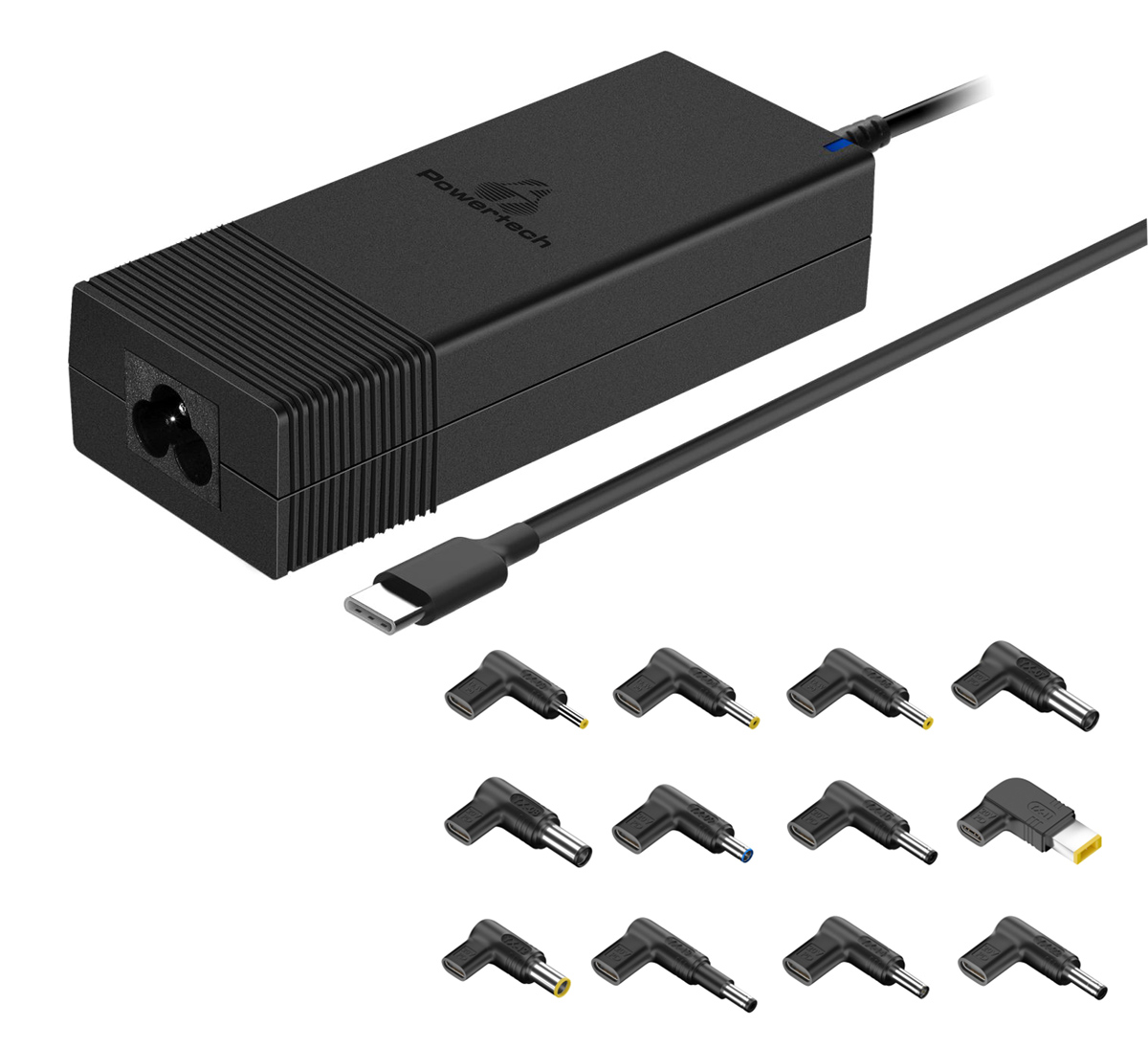
If I remember correctly HP and Dell are not the same, the Dell is slightly wider, yes it is the round one (about 0.9cm) with the narrow pin in the middle. Universals have this tip, it can switch on the Dell but it doesn't charge the battery. I don't know about recent USB type-C models.
A small USB charger (such as ones the size of a mains plug and typically supplied with a phone) is only capable of delivering 5v. The USB-C power deliver specification means that any charger for a laptop is universal, and will work with any device, whatever make it is.....

The USB Power Delivery specification uses one of CC1 or CC2 pins for power negotiation between source device and sink device, up to 20 V at 5 A. It is transparent to any data transmission mode, and can therefore be used together with any of them as long as the CC pins are intact.

An extension to the specification has added 28 V, 36 V and 48 V to support up to 240 W of power for laptops, monitors, hard disks and other peripherals.

...it's the law!

In late December 2024, new EU regulations took effect, mandating USB‑C charging ports for all small and medium-sized electronic devices sold in the EU, with laptops following on 28 April 2026..... Apple, which initially opposed the changes, had since adopted USB‑C for its products. Additionally, consumers can opt not to receive a new charger with their device.
USB-C - Wikipedia
 

My Computers My Computers

  • At a glance

    Windows 11 HomeAMD Athlon Silver 3050U8GBRadeon Graphics
    OS
    Windows 11 Home
    Computer type
    Laptop
    Manufacturer/Model
    Acer Aspire 3 A315-23-R9VY
    CPU
    AMD Athlon Silver 3050U
    Memory
    8GB
    Graphics Card(s)
    Radeon Graphics
    Monitor(s) Displays
    laptop screen
    Screen Resolution
    1366x768 native resolution, up to 2560x1440 with Radeon Virtual Super Resolution
    Hard Drives
    1TB Samsung EVO 870 SSD (from April 2026: 250GB EVO 850)
    Internet Speed
    150 Mbps
    Browser
    Edge, Firefox
    Antivirus
    Defender
    Other Info
    UPDATE - 11 April 2026: due to lid hinges starting to break up this laptop has been retired from active duty. The OS with all software and files has been migrated to my System Seven in 'Other systems' to carry on as my general purpose 'main machine'.

    I've now clean installed 25H2 and used Garlin's scripts to update Secure Boot to CA 2023 and revoke the PCA 2011 certificates. It's new role is to test secure boot issues.

    Info for 2021-2026:
    fully 'Windows 11 ready' laptop. Windows 10 C: partition migrated from my old unsupported 'main machine' then upgraded to 11. A test migration ran Insider builds for 2 months. When 11 was released on 5th October 2021 it was re-imaged back to 10 and was offered the upgrade in Windows Update on 20th October. Windows Update offered the 22H2 Feature Update on 20th September 2022. It got the 23H2 Feature Update on 4th November 2023 through Windows Update, 24H2 on 3rd October 2024 through Windows Update by setting the Target Release Version for 24H2, and 25H2 on 30th September 2025 through Windows Update by setting the Target Release Version for 25H2.
  • At a glance

    Windows 11 ProIntel® Core™ i5-520M8GB(integrated graphics) Intel HD Graphics
    Operating System
    Windows 11 Pro
    Computer type
    Laptop
    Manufacturer/Model
    Dell Latitude E4310
    CPU
    Intel® Core™ i5-520M
    Motherboard
    0T6M8G
    Memory
    8GB
    Graphics card(s)
    (integrated graphics) Intel HD Graphics
    Screen Resolution
    1366x768
    Hard Drives
    500GB Crucial MX500 SSD
    Browser
    Firefox, Edge
    Antivirus
    Defender
    Other Info
    unsupported machine: Legacy bios, MBR, TPM 1.2, upgraded from W10 to W11 using W10/W11 hybrid install media workaround.

    In-place upgrade to 22H2 using ISO and a workaround.
    Feature Update to 23H2 by manually installing the Enablement Package.
    In-place upgrade to 24H2 using hybrid 23H2/24H2 install media.
    Upgraded to 25H2 by Enablement Package.

    Also running Insider Dev, and Canary builds and Windows 10 as native boot .vhdx.
  • My SYSTEM THREE is a Dell Latitude 5410, i7-10610U, 32GB RAM, 512GB NVMe ssd, supported device running Windows 11 Pro.

    My SYSTEM FOUR was a 2-in-1 convertible Lenovo Yoga 11e (1st gen) type 20DA, Celeron N2930, 8GB RAM, 256GB ssd. Unsupported device. This has now been sold and replaced by System Eight.

    My SYSTEM FIVE is a Dell Latitude 3190 2-in-1, Pentium Silver N5030, 8GB RAM, 1TB NVMe ssd, supported device running Windows 11 Pro, plus Insider Beta, Dev, and Canary builds (and a few others) as a native boot .vhdx.

    My SYSTEM SIX is a Dell Latitude 5550, Core Ultra 7 165H, 64GB RAM, 1TB NVMe SSD, supported device, Windows 11 Pro 24H2, Hyper-V host machine. Updated to 25H2 on 30th September 2025.

    My SYSTEM SEVEN is a Lenovo Thinkpad T580, Intel Core i7-8650U, 16GB RAM, 512GB NVMe SSD + 2nd 512GB NVMe SSD, a supported device for Windows 11. This is my current general purpose 'main machine'. The installed Windows 11 Home from my System One has been migrated to this machine.

    My SYSTEM EIGHT is a 2-in-1 convertible Lenovo Yoga 11e (5th gen) type 20LN, Celeron N4120, 8GB RAM, 512GB NVMe ssd, a supported device for Windows 11. Currently running Windows 11 Pro, plus Insider Dev, Beta, and Canary builds as native boot vhdx.
Of course I know USB type-C is universal since most new devices have this. The question is, can a USB type-C charger from another brand or from third-party manufacturer charge the battery on a Dell laptop? Or there still is a "genuine test"?
 

My Computers My Computers

  • At a glance

    Windows 11 Pro 23H2 (5699), 25H2 (8875)Mobile DualCore Intel Core 2 Duo T7250, 2000 MHz4GBMobile Intel(R) GMA 4500M (Mobile 4 series)
    OS
    Windows 11 Pro 23H2 (5699), 25H2 (8875)
    Computer type
    Laptop
    Manufacturer/Model
    Acer Extensa 5630EZ
    CPU
    Mobile DualCore Intel Core 2 Duo T7250, 2000 MHz
    Motherboard
    Acer Extensa 5630
    Memory
    4GB
    Graphics Card(s)
    Mobile Intel(R) GMA 4500M (Mobile 4 series)
    Sound Card
    Realtek ALC268 @ Intel 82801IB ICH9 - High Definition Audio Controller
    Monitor(s) Displays
    1
    Screen Resolution
    1280x800
    Hard Drives
    Samsung SSD 850 EVO 250GB SATA Device (250 GB, SATA-III)
    Internet Speed
    VDSL 50 Mbps
    Browser
    MICROSOFT EDGE
    Antivirus
    WINDOWS DEFENDER
    Other Info
    Legacy MBR installation, no TPM, no Secure Boot, no WDDM 2.0 graphics drivers, no SSE4.2, cannot get more unsupported ;) This is only my test laptop. I had installed Windows 11 here before upgrading my main PC. For my main PC I use everyday see my 2nd system specs.
  • At a glance

    Windows 11 Pro v25H2 (build 26200.8875)Intel Core-i7 3770 3.40GHz s1155 (3rd generat...2x Kingston Hyper-X Blu 8GB DDR3-1600GIGABYTE GeForce RTX 3050 WINDFORCE OC V2 6GB...
    Operating System
    Windows 11 Pro v25H2 (build 26200.8875)
    Computer type
    PC/Desktop
    Manufacturer/Model
    Custom-built PC
    CPU
    Intel Core-i7 3770 3.40GHz s1155 (3rd generation)
    Motherboard
    Asus P8H61 s1155 ATX
    Memory
    2x Kingston Hyper-X Blu 8GB DDR3-1600
    Graphics card(s)
    GIGABYTE GeForce RTX 3050 WINDFORCE OC V2 6GB (GV-N3050WF2OCV2-6GD)
    Sound Card
    Realtek HD audio (ALC887)
    Monitor(s) Displays
    Sony Bravia KDL-19L4000 19" LCD TV via VGA
    Screen Resolution
    1440x900 32-bit 60Hz
    Hard Drives
    WD Blue SA510 2.5 1000GB SSD as system disk, Western Digital Caviar Purple 4TB SATA III (WD40PURZ) as second
    PSU
    Thermaltake Litepower RGB 550W Full Wired
    Case
    SUPERCASE MIDI-TOWER
    Cooling
    Deepcool Gamma Archer CPU cooler, 1x 8cm fan at the back
    Keyboard
    Mitsumi 101-key PS/2
    Mouse
    Sunnyline OptiEye PS/2
    Internet Speed
    100Mbps
    Browser
    Microsoft Edge, Mozilla Firefox
    Antivirus
    Microsoft Windows Defender
    Other Info
    Legacy BIOS (MBR) installation, no TPM, no Secure Boot, WDDM 3.0 graphics drivers, WEI score 7.4

Latest Support Threads

Back
Top Bottom




