Why do Dell owners have so many problems?


Now some fellow posters understand why I insist on official drivers directly from Intel/nVidia/AMD. In the rare case that the hardware is customised, the installer will let you know. Only in that case I download chipset and graphics drivers from the computer or individual component manufacturer. I rarely let Windows Update to upgrade my drivers and much rarer I use a driver tool such as Snappy Driver Installer. Installing all the official drivers improves performance and compatibility and stability.
I've used a two-laptop setup for many years. The main laptop has always been a Dell XPS, and the backup has usually been a Microsoft laptop. I've always updated Microsoft laptops with Microsoft Update and the Dell XPS laptops with Dell Command | Update. For me that's always been problem free.
 

My Computers My Computers

  • At a glance

    Windows 11 ProIntel Series 3 Core Ultra X9 388H64GB LPDDR5x 9600 MT/sIntel Arc graphics B390 Panther Lake
    OS
    Windows 11 Pro
    Computer type
    Laptop
    Manufacturer/Model
    Dell XPS 16 DA16260
    CPU
    Intel Series 3 Core Ultra X9 388H
    Memory
    64GB LPDDR5x 9600 MT/s
    Graphics Card(s)
    Intel Arc graphics B390 Panther Lake
    Monitor(s) Displays
    16" 3.2K Tandem OLED Infinity Edge
    Screen Resolution
    3200 x 2000 16:10 236 PPI
    Hard Drives
    1 Terabyte M.2 PCIe NVMe SSD
    Case
    Black Anodized Aluminum
    Cooling
    Vapor Chamber Cooling
    Mouse
    None
    Internet Speed
    942 Mbps Netgear Mesh + 2 Satellites
    Browser
    Microsoft Edge (Chromium)
    Antivirus
    Windows Security (Defender)
    Other Info
    NPU delivering 67 TOPS
    Microsoft 365 subscription
    Microsoft Office 365
    Microsoft OneDrive 1TB Cloud
    Microsoft Visual Studio
    Microsoft Visual Studio Code
    Microsoft Sysinternals Suite
    Microsoft BitLocker
    Microsoft Copilot
    Dell Support Assist
    Dell Command | Update
    Macrium Reflect X subscription
    1Password Password Manager
    Amazon Kindle for PC
    Lightroom/Photoshop subscription
    Interactive Brokers Trader Workstation
  • At a glance

    Windows 11 ProSnapdragon® X Elite (12 Core) with Hexagon NP...32GB LPDDR5x 8448 MT/sIntegrated Adreno GPU
    Operating System
    Windows 11 Pro
    Computer type
    Laptop
    Manufacturer/Model
    Microsoft Surface Laptop 7
    CPU
    Snapdragon® X Elite (12 Core) with Hexagon NPU delivering 45 TOPS
    Memory
    32GB LPDDR5x 8448 MT/s
    Graphics card(s)
    Integrated Adreno GPU
    Sound Card
    Omnisonic speakers with Dolby Atmos spatial sound
    Monitor(s) Displays
    13.8″ PixelSense Flow touchscreen 120 Hz 600 NIT
    Screen Resolution
    2304 × 1536 (201 PPI), 3:2 aspect ratio
    Hard Drives
    1 TB PCIe NVMe Gen 4 SSD
    Case
    Black Anodized Aluminum
    Cooling
    Vapor Chamber Cooling
    Mouse
    None
    Internet Speed
    942 Mbps Netgear Mesh + 2 Satellites
    Browser
    Microsoft Edge (Chromium)
    Antivirus
    Windows Security (Defender)
    Other Info
    Microsoft 365 subscription (Office)
    Microsoft Office 365
    Microsoft OneDrive 1TB Cloud
    Microsoft Visual Studio 2026
    Microsoft Visual Studio Code
    Interactive Brokers Trader Workstation
    Lightroom/Photoshop subscription
    1Password Password Manager
    Microsoft Sysinternals
    Amazon Kindle for PC
    Microsoft BitLocker
    Microsoft Copilot
Makes sense. Windows Update will install proper Microsoft drivers on the Surface, the same you would manually download from Microsoft site. However when it comes to other manufacturers, WU usually installs the driver for the specific device only with the default settings (minimum setup). This doesn't enable all features in many devices and doesn't install optional software to configure the device and improve performance. I want the full package so I prefer the official drivers. Let alone WU might install older drivers, it's not always the latest released.
 

My Computers My Computers

  • At a glance

    Windows 11 Pro 23H2 (5699), 25H2 (8875)Mobile DualCore Intel Core 2 Duo T7250, 2000 MHz4GBMobile Intel(R) GMA 4500M (Mobile 4 series)
    OS
    Windows 11 Pro 23H2 (5699), 25H2 (8875)
    Computer type
    Laptop
    Manufacturer/Model
    Acer Extensa 5630EZ
    CPU
    Mobile DualCore Intel Core 2 Duo T7250, 2000 MHz
    Motherboard
    Acer Extensa 5630
    Memory
    4GB
    Graphics Card(s)
    Mobile Intel(R) GMA 4500M (Mobile 4 series)
    Sound Card
    Realtek ALC268 @ Intel 82801IB ICH9 - High Definition Audio Controller
    Monitor(s) Displays
    1
    Screen Resolution
    1280x800
    Hard Drives
    Samsung SSD 850 EVO 250GB SATA Device (250 GB, SATA-III)
    Internet Speed
    VDSL 50 Mbps
    Browser
    MICROSOFT EDGE
    Antivirus
    WINDOWS DEFENDER
    Other Info
    Legacy MBR installation, no TPM, no Secure Boot, no WDDM 2.0 graphics drivers, no SSE4.2, cannot get more unsupported ;) This is only my test laptop. I had installed Windows 11 here before upgrading my main PC. For my main PC I use everyday see my 2nd system specs.
  • At a glance

    Windows 11 Pro v25H2 (build 26200.8875)Intel Core-i7 3770 3.40GHz s1155 (3rd generat...2x Kingston Hyper-X Blu 8GB DDR3-1600GIGABYTE GeForce RTX 3050 WINDFORCE OC V2 6GB...
    Operating System
    Windows 11 Pro v25H2 (build 26200.8875)
    Computer type
    PC/Desktop
    Manufacturer/Model
    Custom-built PC
    CPU
    Intel Core-i7 3770 3.40GHz s1155 (3rd generation)
    Motherboard
    Asus P8H61 s1155 ATX
    Memory
    2x Kingston Hyper-X Blu 8GB DDR3-1600
    Graphics card(s)
    GIGABYTE GeForce RTX 3050 WINDFORCE OC V2 6GB (GV-N3050WF2OCV2-6GD)
    Sound Card
    Realtek HD audio (ALC887)
    Monitor(s) Displays
    Sony Bravia KDL-19L4000 19" LCD TV via VGA
    Screen Resolution
    1440x900 32-bit 60Hz
    Hard Drives
    WD Blue SA510 2.5 1000GB SSD as system disk, Western Digital Caviar Purple 4TB SATA III (WD40PURZ) as second
    PSU
    Thermaltake Litepower RGB 550W Full Wired
    Case
    SUPERCASE MIDI-TOWER
    Cooling
    Deepcool Gamma Archer CPU cooler, 1x 8cm fan at the back
    Keyboard
    Mitsumi 101-key PS/2
    Mouse
    Sunnyline OptiEye PS/2
    Internet Speed
    100Mbps
    Browser
    Microsoft Edge, Mozilla Firefox
    Antivirus
    Microsoft Windows Defender
    Other Info
    Legacy BIOS (MBR) installation, no TPM, no Secure Boot, WDDM 3.0 graphics drivers, WEI score 7.4
Yes. I have two laptops that charge by usb-c, both bought as used. The Dell came with its own Dell usb-c 100W charger, the Lenovo had lost its original charger and came instead with an HP usb-c 45W charger. Both chargers will charge either of the laptops (and any other usb-c device).

I also have a 20W usb-c travel charger. That too can charge my laptops, albeit not very quickly.

View attachment 177975 View attachment 177976

That's a 3-prong UK one. Is there an American equivalent version?
 

My Computers My Computers

  • At a glance

    Windows 11 Pro 25H2 build: (26200.7623)32GB
    OS
    Windows 11 Pro 25H2 build: (26200.7623)
    Computer type
    Laptop
    Manufacturer/Model
    Microsoft Surface Pro
    Memory
    32GB
  • At a glance

    Microsoft 25H2 ProIntel Core Ultra 764GBIntel Integrated Graphics
    Operating System
    Microsoft 25H2 Pro
    Computer type
    Laptop
    Manufacturer/Model
    Dell Pro 14 - PC14250
    CPU
    Intel Core Ultra 7
    Memory
    64GB
    Graphics card(s)
    Intel Integrated Graphics
    Hard Drives
    Micron 1TB SSD
googisfree.gif
 

My Computer My Computer

At a glance

windows 11 Pro11th Gen Intel(R) Core(TM) i7-11800H @ 2.30GH...16 GBNVIDIA GeForce RTX 3050 Ti
OS
windows 11 Pro
Computer type
Laptop
Manufacturer/Model
Dell XPS 15 9510
CPU
11th Gen Intel(R) Core(TM) i7-11800H @ 2.30GHz (16 CPUs
Memory
16 GB
Graphics Card(s)
NVIDIA GeForce RTX 3050 Ti
Hard Drives
512GB Solid State Drive
Browser
Firefox

My Computers My Computers

  • At a glance

    Windows 11 Pro 25H2 26200.8973AMD Ryzen 7 5825U with Radeon Graphics16GB
    OS
    Windows 11 Pro 25H2 26200.8973
    Computer type
    Laptop
    Manufacturer/Model
    Acemagic LX15PRO
    CPU
    AMD Ryzen 7 5825U with Radeon Graphics
    Motherboard
    BIOS CT_BI_AMI_LX15PRO_AB8139_A-004
    Memory
    16GB
    Screen Resolution
    1920 x 1080
    Hard Drives
    SSD 2TB
    Internet Speed
    30 Mbps
    Browser
    Brave
    Antivirus
    Webroot SecureAnywhere Complete beta
  • At a glance

    Windows 11 Pro 23H2 22631.2506Atom N450 1.66GHz2GB
    Operating System
    Windows 11 Pro 23H2 22631.2506
    Computer type
    Laptop
    Manufacturer/Model
    HP Mini 210-1090NR PC (bought in late 2009!)
    CPU
    Atom N450 1.66GHz
    Memory
    2GB
    Browser
    Brave
    Antivirus
    Webroot
  • Acer Swift SF114-34 laptop
    OS Windows 11 Pro 26200.8894
    CPU Pentium Silver N6000
    RAM 4GB
    BIOS v1.17
    SSD Samsung 970 EVO Plus SSD 2TB (an upgrade)

My Computers My Computers

  • At a glance

    Windows 11 HomeAMD Athlon Silver 3050U8GBRadeon Graphics
    OS
    Windows 11 Home
    Computer type
    Laptop
    Manufacturer/Model
    Acer Aspire 3 A315-23-R9VY
    CPU
    AMD Athlon Silver 3050U
    Memory
    8GB
    Graphics Card(s)
    Radeon Graphics
    Monitor(s) Displays
    laptop screen
    Screen Resolution
    1366x768 native resolution, up to 2560x1440 with Radeon Virtual Super Resolution
    Hard Drives
    1TB Samsung EVO 870 SSD (from April 2026: 250GB EVO 850)
    Internet Speed
    150 Mbps
    Browser
    Edge, Firefox
    Antivirus
    Defender
    Other Info
    UPDATE - 11 April 2026: due to lid hinges starting to break up this laptop has been retired from active duty. The OS with all software and files has been migrated to my System Seven in 'Other systems' to carry on as my general purpose 'main machine'.

    I've now clean installed 25H2 and used Garlin's scripts to update Secure Boot to CA 2023 and revoke the PCA 2011 certificates. It's new role is to test secure boot issues.

    Info for 2021-2026:
    fully 'Windows 11 ready' laptop. Windows 10 C: partition migrated from my old unsupported 'main machine' then upgraded to 11. A test migration ran Insider builds for 2 months. When 11 was released on 5th October 2021 it was re-imaged back to 10 and was offered the upgrade in Windows Update on 20th October. Windows Update offered the 22H2 Feature Update on 20th September 2022. It got the 23H2 Feature Update on 4th November 2023 through Windows Update, 24H2 on 3rd October 2024 through Windows Update by setting the Target Release Version for 24H2, and 25H2 on 30th September 2025 through Windows Update by setting the Target Release Version for 25H2.
  • At a glance

    Windows 11 ProIntel® Core™ i5-520M8GB(integrated graphics) Intel HD Graphics
    Operating System
    Windows 11 Pro
    Computer type
    Laptop
    Manufacturer/Model
    Dell Latitude E4310
    CPU
    Intel® Core™ i5-520M
    Motherboard
    0T6M8G
    Memory
    8GB
    Graphics card(s)
    (integrated graphics) Intel HD Graphics
    Screen Resolution
    1366x768
    Hard Drives
    500GB Crucial MX500 SSD
    Browser
    Firefox, Edge
    Antivirus
    Defender
    Other Info
    unsupported machine: Legacy bios, MBR, TPM 1.2, upgraded from W10 to W11 using W10/W11 hybrid install media workaround.

    In-place upgrade to 22H2 using ISO and a workaround.
    Feature Update to 23H2 by manually installing the Enablement Package.
    In-place upgrade to 24H2 using hybrid 23H2/24H2 install media.
    Upgraded to 25H2 by Enablement Package.

    Also running Insider Dev, and Canary builds and Windows 10 as native boot .vhdx.
  • My SYSTEM THREE is a Dell Latitude 5410, i7-10610U, 32GB RAM, 512GB NVMe ssd, supported device running Windows 11 Pro.

    My SYSTEM FOUR was a 2-in-1 convertible Lenovo Yoga 11e (1st gen) type 20DA, Celeron N2930, 8GB RAM, 256GB ssd. Unsupported device. This has now been sold and replaced by System Eight.

    My SYSTEM FIVE is a Dell Latitude 3190 2-in-1, Pentium Silver N5030, 8GB RAM, 1TB NVMe ssd, supported device running Windows 11 Pro, plus Insider Beta, Dev, and Canary builds (and a few others) as a native boot .vhdx.

    My SYSTEM SIX is a Dell Latitude 5550, Core Ultra 7 165H, 64GB RAM, 1TB NVMe SSD, supported device, Windows 11 Pro 24H2, Hyper-V host machine. Updated to 25H2 on 30th September 2025.

    My SYSTEM SEVEN is a Lenovo Thinkpad T580, Intel Core i7-8650U, 16GB RAM, 512GB NVMe SSD + 2nd 512GB NVMe SSD, a supported device for Windows 11. This is my current general purpose 'main machine'. The installed Windows 11 Home from my System One has been migrated to this machine.

    My SYSTEM EIGHT is a 2-in-1 convertible Lenovo Yoga 11e (5th gen) type 20LN, Celeron N4120, 8GB RAM, 512GB NVMe ssd, a supported device for Windows 11. Currently running Windows 11 Pro, plus Insider Dev, Beta, and Canary builds as native boot vhdx.
This is exactly what I do - disable all the Dell Services in Windows Services. This way, none of that stuff is running. If I ever need it for again something, I can easily bring it back to full life. I download all the new drivers as they are updated from the Dell site for my specific Service Tag Number.

I should come back here clarify and fix my post a little.

Where I wrote "disabled" the service, that is wrong - what I actually have done is change the startup setting from Automatic to manual, on I think, three of the five. I believe at least two were already manual. So they are all now set to "Manual" and no Dell services will run on startup.

I think there are some reasons to not actually disable the services. I think, one time Dell needed to do a handshake to check something and a few services did start and stayed running for the uptime of that session, (shutdown). I think I got a notification that Support Services was in need of an update. This all happened some time ago so I am a little hazy on this.

If you are interested in doing this, to stop the Dell Services running, I think it best to just set startup to Manual to be safe. Just that one time do I remember seeing any of their services running since I started having my computer set this way. Sorry for first post not being totally correct. It's embarrassing to came back and fix it.
 

My Computers My Computers

  • At a glance

    Windows 11 Pro 25H2 26200.8894Intel® Core™ Ultra 7 265 1.8GHz to 5.3GHz (Ar...SK Hynix 32GB DDR5 5600 Desktop RAM UDIMM Non...Dell NVIDIA® GeForce RTX™ 4060 8GB GDDR6 & (i...
    OS
    Windows 11 Pro 25H2 26200.8894
    Computer type
    PC/Desktop
    Manufacturer/Model
    Dell Tower Plus EBT2250, DOB: 06/15/2025
    CPU
    Intel® Core™ Ultra 7 265 1.8GHz to 5.3GHz (Arrow Lake)
    Motherboard
    Dell Inc. 02D3NT A00 (U3E1)
    Memory
    SK Hynix 32GB DDR5 5600 Desktop RAM UDIMM Non-ECC PC5-5600B
    Graphics Card(s)
    Dell NVIDIA® GeForce RTX™ 4060 8GB GDDR6 & (iGPU) Integrated Intel® UHD Graphics
    Sound Card
    Chipset Realtek High-Definition Audio with Dolby Atmos
    Monitor(s) Displays
    Dell Ultra Sharp U2515H 25-Inch Screen LED-Lit
    Screen Resolution
    2560 X 1440
    Hard Drives
    Samsung (NVMe PM9C1a 1024GB) M.2 PCIe NVMe Solid State Drive (OS), with Samsung Piccolo (S4LY022) 6-Core 4 Channel Controller.

    Samsung T7 500GB SSD, USB-C External Drive
    PSU
    Dell 460W
    Case
    Dell Tower Plus EBT 2250
    Cooling
    Fan
    Keyboard
    Dell Wired Keyboard - KB216
    Mouse
    Logitech M510
    Internet Speed
    Intel Killer E3100G 2.5 Gigabit Ethernet Controller
    Browser
    Microsoft Edge
    Antivirus
    Microsoft Windows Security
    Other Info
    The Samsung NVMe PM9C1a 1024GB SSD does not use a Phison NAND controller. Instead, it uses Samsung's in-house developed Piccolo (S4LY022) 6-Core 4 Channel Controller. The PM9C1a utilizes a controller built using Samsung's 5-nanometer process and seventh-generation V-NAND technology. 🤔
  • At a glance

    Windows 11 Pro 25H2 26200.889410th Generation Intel Core i7-10510U Processo...16GB DDR4 RAMNVIDIA® GeForce® MX250 with 2GB GDDR5 graphic...
    Operating System
    Windows 11 Pro 25H2 26200.8894
    Computer type
    Laptop
    Manufacturer/Model
    Dell Inspiron 15 7000 (7591) 2-in-1, DOB: 11/30/2019
    CPU
    10th Generation Intel Core i7-10510U Processor (8MB Cache, up to 4.9 GHz) Comet Lake
    Motherboard
    Dell 0NNW5N
    Memory
    16GB DDR4 RAM
    Graphics card(s)
    NVIDIA® GeForce® MX250 with 2GB GDDR5 graphics memory
    Sound Card
    Chipset Realtek ALC3254 🤔
    Monitor(s) Displays
    Dell 15.6-inch UHD Truelife Touch Narrow Border WVA Display with Active Pen support
    Screen Resolution
    3840 x 2160
    Hard Drives
    Intel NVME 512GB SSD with 32GB Intel Optane Memory, M.2 80mm PCIe 3.0 RAID

    SanDisk 256GB Extreme microSDXC UHS-I Memory Card
    PSU
    Dell 4-Cell Battery, 68 Whr (Integrated), 90 Watt AC Adapter
    Case
    Dell Inspiron 15 7000 2-in-1 (7591)
    Cooling
    Standard Dell Case Fan & Havit HV-F2056 USB Powered (3 Fans) Laptop Cooling Pad.
    Keyboard
    Dell
    Mouse
    Logitech Wireless Mouse M650L
    Internet Speed
    Wireless/Wired connectivity (WiFi 6 - 802.11 ax)
    Browser
    Microsoft Edge
    Antivirus
    Microsoft Windows Security
    Other Info
    From Dell: 512GB NVME Solid State Drive accelerated by 32GB Intel Optane Memory are the fastest as compared to NAND SSDs. Intel Optane H10 with SSD offers speedy storage and accelerates opening your programs.
This deserves repeating.

Many people are highly concerned when they see a service running in Task Manager. They think it's busy using up their valuable resources. Windows is an interrupt driven operating system and usually when a service is "running" all it's doing is firing an occasional 'interrupt' to see if there's anything for it to do. If not, it simply goes back to doing nothing. But it's still listed as 'running'.

If you run Process Explorer, which is much more accurate than Task Manager, you will see a long list of processes that are 'running' but each is using only a tiny fraction of the total CPU usage.

I just looked at my Process Explorer, and I currently have 286 processes 'running' but I'm currently using only 1.77% of my CPU to 'run' them.
 

My Computers My Computers

  • At a glance

    Windows 11 ProIntel Series 3 Core Ultra X9 388H64GB LPDDR5x 9600 MT/sIntel Arc graphics B390 Panther Lake
    OS
    Windows 11 Pro
    Computer type
    Laptop
    Manufacturer/Model
    Dell XPS 16 DA16260
    CPU
    Intel Series 3 Core Ultra X9 388H
    Memory
    64GB LPDDR5x 9600 MT/s
    Graphics Card(s)
    Intel Arc graphics B390 Panther Lake
    Monitor(s) Displays
    16" 3.2K Tandem OLED Infinity Edge
    Screen Resolution
    3200 x 2000 16:10 236 PPI
    Hard Drives
    1 Terabyte M.2 PCIe NVMe SSD
    Case
    Black Anodized Aluminum
    Cooling
    Vapor Chamber Cooling
    Mouse
    None
    Internet Speed
    942 Mbps Netgear Mesh + 2 Satellites
    Browser
    Microsoft Edge (Chromium)
    Antivirus
    Windows Security (Defender)
    Other Info
    NPU delivering 67 TOPS
    Microsoft 365 subscription
    Microsoft Office 365
    Microsoft OneDrive 1TB Cloud
    Microsoft Visual Studio
    Microsoft Visual Studio Code
    Microsoft Sysinternals Suite
    Microsoft BitLocker
    Microsoft Copilot
    Dell Support Assist
    Dell Command | Update
    Macrium Reflect X subscription
    1Password Password Manager
    Amazon Kindle for PC
    Lightroom/Photoshop subscription
    Interactive Brokers Trader Workstation
  • At a glance

    Windows 11 ProSnapdragon® X Elite (12 Core) with Hexagon NP...32GB LPDDR5x 8448 MT/sIntegrated Adreno GPU
    Operating System
    Windows 11 Pro
    Computer type
    Laptop
    Manufacturer/Model
    Microsoft Surface Laptop 7
    CPU
    Snapdragon® X Elite (12 Core) with Hexagon NPU delivering 45 TOPS
    Memory
    32GB LPDDR5x 8448 MT/s
    Graphics card(s)
    Integrated Adreno GPU
    Sound Card
    Omnisonic speakers with Dolby Atmos spatial sound
    Monitor(s) Displays
    13.8″ PixelSense Flow touchscreen 120 Hz 600 NIT
    Screen Resolution
    2304 × 1536 (201 PPI), 3:2 aspect ratio
    Hard Drives
    1 TB PCIe NVMe Gen 4 SSD
    Case
    Black Anodized Aluminum
    Cooling
    Vapor Chamber Cooling
    Mouse
    None
    Internet Speed
    942 Mbps Netgear Mesh + 2 Satellites
    Browser
    Microsoft Edge (Chromium)
    Antivirus
    Windows Security (Defender)
    Other Info
    Microsoft 365 subscription (Office)
    Microsoft Office 365
    Microsoft OneDrive 1TB Cloud
    Microsoft Visual Studio 2026
    Microsoft Visual Studio Code
    Interactive Brokers Trader Workstation
    Lightroom/Photoshop subscription
    1Password Password Manager
    Microsoft Sysinternals
    Amazon Kindle for PC
    Microsoft BitLocker
    Microsoft Copilot
For me, as it pertains to the Dell Services, it is really not about system resourse's so much as the consent errors with the Dell software. I got tired years ago with their software not playing nice. Everything runs much, much nicer with all that Dell stuff not getting in the way. I still have it if the need were to arise, it's just not running.

When all that Dell stuff is running, I find that the hit on total system resource's is not all that bad, as you say, and if was just that, resource's, I am with you, it's no big deal and I would leave it alone.
 

My Computers My Computers

  • At a glance

    Windows 11 Pro 25H2 26200.8894Intel® Core™ Ultra 7 265 1.8GHz to 5.3GHz (Ar...SK Hynix 32GB DDR5 5600 Desktop RAM UDIMM Non...Dell NVIDIA® GeForce RTX™ 4060 8GB GDDR6 & (i...
    OS
    Windows 11 Pro 25H2 26200.8894
    Computer type
    PC/Desktop
    Manufacturer/Model
    Dell Tower Plus EBT2250, DOB: 06/15/2025
    CPU
    Intel® Core™ Ultra 7 265 1.8GHz to 5.3GHz (Arrow Lake)
    Motherboard
    Dell Inc. 02D3NT A00 (U3E1)
    Memory
    SK Hynix 32GB DDR5 5600 Desktop RAM UDIMM Non-ECC PC5-5600B
    Graphics Card(s)
    Dell NVIDIA® GeForce RTX™ 4060 8GB GDDR6 & (iGPU) Integrated Intel® UHD Graphics
    Sound Card
    Chipset Realtek High-Definition Audio with Dolby Atmos
    Monitor(s) Displays
    Dell Ultra Sharp U2515H 25-Inch Screen LED-Lit
    Screen Resolution
    2560 X 1440
    Hard Drives
    Samsung (NVMe PM9C1a 1024GB) M.2 PCIe NVMe Solid State Drive (OS), with Samsung Piccolo (S4LY022) 6-Core 4 Channel Controller.

    Samsung T7 500GB SSD, USB-C External Drive
    PSU
    Dell 460W
    Case
    Dell Tower Plus EBT 2250
    Cooling
    Fan
    Keyboard
    Dell Wired Keyboard - KB216
    Mouse
    Logitech M510
    Internet Speed
    Intel Killer E3100G 2.5 Gigabit Ethernet Controller
    Browser
    Microsoft Edge
    Antivirus
    Microsoft Windows Security
    Other Info
    The Samsung NVMe PM9C1a 1024GB SSD does not use a Phison NAND controller. Instead, it uses Samsung's in-house developed Piccolo (S4LY022) 6-Core 4 Channel Controller. The PM9C1a utilizes a controller built using Samsung's 5-nanometer process and seventh-generation V-NAND technology. 🤔
  • At a glance

    Windows 11 Pro 25H2 26200.889410th Generation Intel Core i7-10510U Processo...16GB DDR4 RAMNVIDIA® GeForce® MX250 with 2GB GDDR5 graphic...
    Operating System
    Windows 11 Pro 25H2 26200.8894
    Computer type
    Laptop
    Manufacturer/Model
    Dell Inspiron 15 7000 (7591) 2-in-1, DOB: 11/30/2019
    CPU
    10th Generation Intel Core i7-10510U Processor (8MB Cache, up to 4.9 GHz) Comet Lake
    Motherboard
    Dell 0NNW5N
    Memory
    16GB DDR4 RAM
    Graphics card(s)
    NVIDIA® GeForce® MX250 with 2GB GDDR5 graphics memory
    Sound Card
    Chipset Realtek ALC3254 🤔
    Monitor(s) Displays
    Dell 15.6-inch UHD Truelife Touch Narrow Border WVA Display with Active Pen support
    Screen Resolution
    3840 x 2160
    Hard Drives
    Intel NVME 512GB SSD with 32GB Intel Optane Memory, M.2 80mm PCIe 3.0 RAID

    SanDisk 256GB Extreme microSDXC UHS-I Memory Card
    PSU
    Dell 4-Cell Battery, 68 Whr (Integrated), 90 Watt AC Adapter
    Case
    Dell Inspiron 15 7000 2-in-1 (7591)
    Cooling
    Standard Dell Case Fan & Havit HV-F2056 USB Powered (3 Fans) Laptop Cooling Pad.
    Keyboard
    Dell
    Mouse
    Logitech Wireless Mouse M650L
    Internet Speed
    Wireless/Wired connectivity (WiFi 6 - 802.11 ax)
    Browser
    Microsoft Edge
    Antivirus
    Microsoft Windows Security
    Other Info
    From Dell: 512GB NVME Solid State Drive accelerated by 32GB Intel Optane Memory are the fastest as compared to NAND SSDs. Intel Optane H10 with SSD offers speedy storage and accelerates opening your programs.
This deserves repeating.

Many people are highly concerned when they see a service running in Task Manager. They think it's busy using up their valuable resources. Windows is an interrupt driven operating system and usually when a service is "running" all it's doing is firing an occasional 'interrupt' to see if there's anything for it to do. If not, it simply goes back to doing nothing. But it's still listed as 'running'.

If you run Process Explorer, which is much more accurate than Task Manager, you will see a long list of processes that are 'running' but each is using only a tiny fraction of the total CPU usage.

I just looked at my Process Explorer, and I currently have 286 processes 'running' but I'm currently using only 1.77% of my CPU to 'run' them.
Some "idle" services tend to search for updates or scan your PC at the most inappropriate time consuming resources and slowing it down. It's best to set to manual or disable those you won't use. If you are concerned about incompatibilities when disabling Dell services, the solution is simple. Uninstall any Dell applications entirely. Manually search for updates once or twice a month. Being lazy and letting automatic updaters do all the job makes the computer slower and slower. Don't be lazy.
 

My Computers My Computers

  • At a glance

    Windows 11 Pro 23H2 (5699), 25H2 (8875)Mobile DualCore Intel Core 2 Duo T7250, 2000 MHz4GBMobile Intel(R) GMA 4500M (Mobile 4 series)
    OS
    Windows 11 Pro 23H2 (5699), 25H2 (8875)
    Computer type
    Laptop
    Manufacturer/Model
    Acer Extensa 5630EZ
    CPU
    Mobile DualCore Intel Core 2 Duo T7250, 2000 MHz
    Motherboard
    Acer Extensa 5630
    Memory
    4GB
    Graphics Card(s)
    Mobile Intel(R) GMA 4500M (Mobile 4 series)
    Sound Card
    Realtek ALC268 @ Intel 82801IB ICH9 - High Definition Audio Controller
    Monitor(s) Displays
    1
    Screen Resolution
    1280x800
    Hard Drives
    Samsung SSD 850 EVO 250GB SATA Device (250 GB, SATA-III)
    Internet Speed
    VDSL 50 Mbps
    Browser
    MICROSOFT EDGE
    Antivirus
    WINDOWS DEFENDER
    Other Info
    Legacy MBR installation, no TPM, no Secure Boot, no WDDM 2.0 graphics drivers, no SSE4.2, cannot get more unsupported ;) This is only my test laptop. I had installed Windows 11 here before upgrading my main PC. For my main PC I use everyday see my 2nd system specs.
  • At a glance

    Windows 11 Pro v25H2 (build 26200.8875)Intel Core-i7 3770 3.40GHz s1155 (3rd generat...2x Kingston Hyper-X Blu 8GB DDR3-1600GIGABYTE GeForce RTX 3050 WINDFORCE OC V2 6GB...
    Operating System
    Windows 11 Pro v25H2 (build 26200.8875)
    Computer type
    PC/Desktop
    Manufacturer/Model
    Custom-built PC
    CPU
    Intel Core-i7 3770 3.40GHz s1155 (3rd generation)
    Motherboard
    Asus P8H61 s1155 ATX
    Memory
    2x Kingston Hyper-X Blu 8GB DDR3-1600
    Graphics card(s)
    GIGABYTE GeForce RTX 3050 WINDFORCE OC V2 6GB (GV-N3050WF2OCV2-6GD)
    Sound Card
    Realtek HD audio (ALC887)
    Monitor(s) Displays
    Sony Bravia KDL-19L4000 19" LCD TV via VGA
    Screen Resolution
    1440x900 32-bit 60Hz
    Hard Drives
    WD Blue SA510 2.5 1000GB SSD as system disk, Western Digital Caviar Purple 4TB SATA III (WD40PURZ) as second
    PSU
    Thermaltake Litepower RGB 550W Full Wired
    Case
    SUPERCASE MIDI-TOWER
    Cooling
    Deepcool Gamma Archer CPU cooler, 1x 8cm fan at the back
    Keyboard
    Mitsumi 101-key PS/2
    Mouse
    Sunnyline OptiEye PS/2
    Internet Speed
    100Mbps
    Browser
    Microsoft Edge, Mozilla Firefox
    Antivirus
    Microsoft Windows Defender
    Other Info
    Legacy BIOS (MBR) installation, no TPM, no Secure Boot, WDDM 3.0 graphics drivers, WEI score 7.4
For me, as it pertains to the Dell Services, it is really not about system resourse's so much as the consent errors with the Dell software. I got tired years ago with their software not playing nice. Everything runs much, much nicer with all that Dell stuff not getting in the way. I still have it if the need were to arise, it's just not running.

When all that Dell stuff is running, I find that the hit on total system resource's is not all that bad, as you say, and if was just that, resource's, I am with you, it's no big deal and I would leave it alone.
I'm not seeing any problems with Dell software here. I'm not experiencing any conflicts with anything I'm currently running. My system is certainly not experiencing any kind of performance hit. I am lucky to be running a new Dell XPS premium high-end laptop.
 

My Computers My Computers

  • At a glance

    Windows 11 ProIntel Series 3 Core Ultra X9 388H64GB LPDDR5x 9600 MT/sIntel Arc graphics B390 Panther Lake
    OS
    Windows 11 Pro
    Computer type
    Laptop
    Manufacturer/Model
    Dell XPS 16 DA16260
    CPU
    Intel Series 3 Core Ultra X9 388H
    Memory
    64GB LPDDR5x 9600 MT/s
    Graphics Card(s)
    Intel Arc graphics B390 Panther Lake
    Monitor(s) Displays
    16" 3.2K Tandem OLED Infinity Edge
    Screen Resolution
    3200 x 2000 16:10 236 PPI
    Hard Drives
    1 Terabyte M.2 PCIe NVMe SSD
    Case
    Black Anodized Aluminum
    Cooling
    Vapor Chamber Cooling
    Mouse
    None
    Internet Speed
    942 Mbps Netgear Mesh + 2 Satellites
    Browser
    Microsoft Edge (Chromium)
    Antivirus
    Windows Security (Defender)
    Other Info
    NPU delivering 67 TOPS
    Microsoft 365 subscription
    Microsoft Office 365
    Microsoft OneDrive 1TB Cloud
    Microsoft Visual Studio
    Microsoft Visual Studio Code
    Microsoft Sysinternals Suite
    Microsoft BitLocker
    Microsoft Copilot
    Dell Support Assist
    Dell Command | Update
    Macrium Reflect X subscription
    1Password Password Manager
    Amazon Kindle for PC
    Lightroom/Photoshop subscription
    Interactive Brokers Trader Workstation
  • At a glance

    Windows 11 ProSnapdragon® X Elite (12 Core) with Hexagon NP...32GB LPDDR5x 8448 MT/sIntegrated Adreno GPU
    Operating System
    Windows 11 Pro
    Computer type
    Laptop
    Manufacturer/Model
    Microsoft Surface Laptop 7
    CPU
    Snapdragon® X Elite (12 Core) with Hexagon NPU delivering 45 TOPS
    Memory
    32GB LPDDR5x 8448 MT/s
    Graphics card(s)
    Integrated Adreno GPU
    Sound Card
    Omnisonic speakers with Dolby Atmos spatial sound
    Monitor(s) Displays
    13.8″ PixelSense Flow touchscreen 120 Hz 600 NIT
    Screen Resolution
    2304 × 1536 (201 PPI), 3:2 aspect ratio
    Hard Drives
    1 TB PCIe NVMe Gen 4 SSD
    Case
    Black Anodized Aluminum
    Cooling
    Vapor Chamber Cooling
    Mouse
    None
    Internet Speed
    942 Mbps Netgear Mesh + 2 Satellites
    Browser
    Microsoft Edge (Chromium)
    Antivirus
    Windows Security (Defender)
    Other Info
    Microsoft 365 subscription (Office)
    Microsoft Office 365
    Microsoft OneDrive 1TB Cloud
    Microsoft Visual Studio 2026
    Microsoft Visual Studio Code
    Interactive Brokers Trader Workstation
    Lightroom/Photoshop subscription
    1Password Password Manager
    Microsoft Sysinternals
    Amazon Kindle for PC
    Microsoft BitLocker
    Microsoft Copilot
This deserves repeating.

Many people are highly concerned when they see a service running in Task Manager. They think it's busy using up their valuable resources. Windows is an interrupt driven operating system and usually when a service is "running" all it's doing is firing an occasional 'interrupt' to see if there's anything for it to do. If not, it simply goes back to doing nothing. But it's still listed as 'running'.

If you run Process Explorer, which is much more accurate than Task Manager, you will see a long list of processes that are 'running' but each is using only a tiny fraction of the total CPU usage.

I just looked at my Process Explorer, and I currently have 286 processes 'running' but I'm currently using only 1.77% of my CPU to 'run' them.
I tend to pay much more attention to the RAM use in Task Manager then CPU use as CPU is normally never an issue. For example, Dell Support Assist typically uses 50-300 MB of RAM during normal background operations, but it is prone to severe memory leaks that can cause background processes like SupportAssistAgent.exe or serviceshell.exe to balloon up to several gigabytes or tens of gigabytes of RAM. I've seen the huge spikes, same goes for the WSAIFabricSvc on my Surface Laptop which is used for AI and largely the Recall service. It frequently causes multiple memory-heavy WorkloadsSessionHost.exe processes that consume gigabytes of RAM. I've removed recall and keep that service disabled due to huge memory leaks on ARM64. Co-pilot runs fine with it disabled.
 

My Computers My Computers

  • At a glance

    Windows 11 25H2Intel Core Ultra 9 275HX (24-Core)64GB DDR5 6400MT/sNVIDIA GeForce RTX 5080 and Intel UHD Graphics
    OS
    Windows 11 25H2
    Computer type
    Laptop
    Manufacturer/Model
    Alienware 18 Area-51
    CPU
    Intel Core Ultra 9 275HX (24-Core)
    Motherboard
    Alienware
    Memory
    64GB DDR5 6400MT/s
    Graphics Card(s)
    NVIDIA GeForce RTX 5080 and Intel UHD Graphics
    Sound Card
    Onboard, Realtek high-performance Audio chips (ALC3329 & ALC1708))
    Monitor(s) Displays
    300HZ 18-inch QHD 500 nit Comfort View+
    Screen Resolution
    2560 x 1600
    Hard Drives
    2TB NVMe M.2 PCIe Gen 5 SSD
    Case
    Magnesium Alloy
    Cooling
    Advanced Cryo-Tech Quad-Fan Cooling system & large vapor chamber
    Keyboard
    Cherry MX ultra low profile mechanical keyboard with per key AlienFX RGB lighting
    Mouse
    Logitech MX Master 4
    Browser
    Vivaldi (main), Firefox, Chrome, Edge
    Antivirus
    MS Defender and Malwarebytes Free
  • At a glance

    Windows 11 25H2Qualcomm Snapdragon X Elite (12 Core) ARM bas...16GB LPDDR5Qualcomm Adreno X1-85
    Operating System
    Windows 11 25H2
    Computer type
    Laptop
    Manufacturer/Model
    Microsoft Surface Laptop 7
    CPU
    Qualcomm Snapdragon X Elite (12 Core) ARM based CPU
    Motherboard
    Microsoft Corp.
    Memory
    16GB LPDDR5
    Graphics card(s)
    Qualcomm Adreno X1-85
    Sound Card
    Omnisonic speakers with Dolby Atmos spatial sound
    Monitor(s) Displays
    120 Hz 13.8-inch 600 nit PixelSense Flow touchscreen
    Screen Resolution
    2304x1536
    Hard Drives
    1TB NVMe Gen 4 SSD
    Case
    Anodized Aluminum
    Cooling
    Traditional active cooling fan system
    Keyboard
    Mechanical QWERTY, backlit when in use
    Mouse
    Logitech MX Master 4 and Surface Arc Mouse
    Browser
    Vivaldi (main), Firefox, Chrome, Edge
    Antivirus
    MS Defender and Malwarebytes Free

My Computer My Computer

At a glance

windows 11 Pro11th Gen Intel(R) Core(TM) i7-11800H @ 2.30GH...16 GBNVIDIA GeForce RTX 3050 Ti
OS
windows 11 Pro
Computer type
Laptop
Manufacturer/Model
Dell XPS 15 9510
CPU
11th Gen Intel(R) Core(TM) i7-11800H @ 2.30GHz (16 CPUs
Memory
16 GB
Graphics Card(s)
NVIDIA GeForce RTX 3050 Ti
Hard Drives
512GB Solid State Drive
Browser
Firefox
I tend to pay much more attention to the RAM use in Task Manager then CPU use as CPU is normally never an issue. For example, Dell Support Assist typically uses 50-30 0 MB of RAM during normal background operations, but it is prone to severe memory leaks that can cause background processes like SupportAssistAgent.exe or serviceshell.exe to balloon up to several gigabytes or tens of gigabytes of RAM. I've seen the huge spikes, same goes for the WSAIFabricSvc on my Surface Laptop which is used for AI and largely the Recall service. It frequently causes multiple memory-heavy WorkloadsSessionHost.exe processes that consume gigabytes of RAM. I've removed recall and keep that service disabled due to huge memory leaks on ARM64. Co-pilot runs fine with it disabled.
As you know, I'm running the same Microsoft Surface ARM64 laptop as you are. Recall is OFF by default and I've never enabled it, so I've never seen a Recall memory leak. I have no intention of EVER turning Recall ON.

I'm running the latest versions of Dell SupportAssist and Dell Command | Update and I've not experienced any memory leaks so far. I do have 64GB of 9600 MT/s RAM in my new Dell XPS main machine.
 

My Computers My Computers

  • At a glance

    Windows 11 ProIntel Series 3 Core Ultra X9 388H64GB LPDDR5x 9600 MT/sIntel Arc graphics B390 Panther Lake
    OS
    Windows 11 Pro
    Computer type
    Laptop
    Manufacturer/Model
    Dell XPS 16 DA16260
    CPU
    Intel Series 3 Core Ultra X9 388H
    Memory
    64GB LPDDR5x 9600 MT/s
    Graphics Card(s)
    Intel Arc graphics B390 Panther Lake
    Monitor(s) Displays
    16" 3.2K Tandem OLED Infinity Edge
    Screen Resolution
    3200 x 2000 16:10 236 PPI
    Hard Drives
    1 Terabyte M.2 PCIe NVMe SSD
    Case
    Black Anodized Aluminum
    Cooling
    Vapor Chamber Cooling
    Mouse
    None
    Internet Speed
    942 Mbps Netgear Mesh + 2 Satellites
    Browser
    Microsoft Edge (Chromium)
    Antivirus
    Windows Security (Defender)
    Other Info
    NPU delivering 67 TOPS
    Microsoft 365 subscription
    Microsoft Office 365
    Microsoft OneDrive 1TB Cloud
    Microsoft Visual Studio
    Microsoft Visual Studio Code
    Microsoft Sysinternals Suite
    Microsoft BitLocker
    Microsoft Copilot
    Dell Support Assist
    Dell Command | Update
    Macrium Reflect X subscription
    1Password Password Manager
    Amazon Kindle for PC
    Lightroom/Photoshop subscription
    Interactive Brokers Trader Workstation
  • At a glance

    Windows 11 ProSnapdragon® X Elite (12 Core) with Hexagon NP...32GB LPDDR5x 8448 MT/sIntegrated Adreno GPU
    Operating System
    Windows 11 Pro
    Computer type
    Laptop
    Manufacturer/Model
    Microsoft Surface Laptop 7
    CPU
    Snapdragon® X Elite (12 Core) with Hexagon NPU delivering 45 TOPS
    Memory
    32GB LPDDR5x 8448 MT/s
    Graphics card(s)
    Integrated Adreno GPU
    Sound Card
    Omnisonic speakers with Dolby Atmos spatial sound
    Monitor(s) Displays
    13.8″ PixelSense Flow touchscreen 120 Hz 600 NIT
    Screen Resolution
    2304 × 1536 (201 PPI), 3:2 aspect ratio
    Hard Drives
    1 TB PCIe NVMe Gen 4 SSD
    Case
    Black Anodized Aluminum
    Cooling
    Vapor Chamber Cooling
    Mouse
    None
    Internet Speed
    942 Mbps Netgear Mesh + 2 Satellites
    Browser
    Microsoft Edge (Chromium)
    Antivirus
    Windows Security (Defender)
    Other Info
    Microsoft 365 subscription (Office)
    Microsoft Office 365
    Microsoft OneDrive 1TB Cloud
    Microsoft Visual Studio 2026
    Microsoft Visual Studio Code
    Interactive Brokers Trader Workstation
    Lightroom/Photoshop subscription
    1Password Password Manager
    Microsoft Sysinternals
    Amazon Kindle for PC
    Microsoft BitLocker
    Microsoft Copilot
As you know, I'm running the same Microsoft Surface ARM64 laptop as you are. Recall is OFF by default and I've never enabled it, so I've never seen a Recall memory leak. I have no intention of EVER turning Recall ON.

I'm running the latest versions of Dell SupportAssist and Dell Command | Update and I've not experienced any memory leaks so far. I do have 64GB of 9600 MT/s RAM in my new Dell XPS main machine.
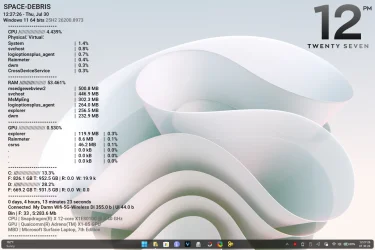
You don't need Recall enabled or installed to see it, just look at the WorkloadsSessionHost.exe processes in your task manager which are controlled by WSAIFabricSvc in Services. It's a known issue on ARM64. Also keep in mind you have double the RAM that I do on your surface so you're less likely to notice it then I am. The 2-4GB is noticeable to me with only 16GB. Also I have my CPU, RAM, and GPU use always displayed on my desktop so I tend to notice them at just a glance (see attachment) and I'd guess much more often then you normally do. Now my Core Ultra 9 Dell/Alienware machine has 64GB RAM so the Dell Support Assist is more of an annoyance and waste of RAM since I get my driver updates from the Dell website and usually much earlier as well. No point in running it since it eats RAM 24/7. Especially if it accumulates and I have to keep purging the app.
 

Attachments

  • Screenshot 2026-07-30 122734.webp
    Screenshot 2026-07-30 122734.webp
    137.4 KB · Views: 1

My Computers My Computers

  • At a glance

    Windows 11 25H2Intel Core Ultra 9 275HX (24-Core)64GB DDR5 6400MT/sNVIDIA GeForce RTX 5080 and Intel UHD Graphics
    OS
    Windows 11 25H2
    Computer type
    Laptop
    Manufacturer/Model
    Alienware 18 Area-51
    CPU
    Intel Core Ultra 9 275HX (24-Core)
    Motherboard
    Alienware
    Memory
    64GB DDR5 6400MT/s
    Graphics Card(s)
    NVIDIA GeForce RTX 5080 and Intel UHD Graphics
    Sound Card
    Onboard, Realtek high-performance Audio chips (ALC3329 & ALC1708))
    Monitor(s) Displays
    300HZ 18-inch QHD 500 nit Comfort View+
    Screen Resolution
    2560 x 1600
    Hard Drives
    2TB NVMe M.2 PCIe Gen 5 SSD
    Case
    Magnesium Alloy
    Cooling
    Advanced Cryo-Tech Quad-Fan Cooling system & large vapor chamber
    Keyboard
    Cherry MX ultra low profile mechanical keyboard with per key AlienFX RGB lighting
    Mouse
    Logitech MX Master 4
    Browser
    Vivaldi (main), Firefox, Chrome, Edge
    Antivirus
    MS Defender and Malwarebytes Free
  • At a glance

    Windows 11 25H2Qualcomm Snapdragon X Elite (12 Core) ARM bas...16GB LPDDR5Qualcomm Adreno X1-85
    Operating System
    Windows 11 25H2
    Computer type
    Laptop
    Manufacturer/Model
    Microsoft Surface Laptop 7
    CPU
    Qualcomm Snapdragon X Elite (12 Core) ARM based CPU
    Motherboard
    Microsoft Corp.
    Memory
    16GB LPDDR5
    Graphics card(s)
    Qualcomm Adreno X1-85
    Sound Card
    Omnisonic speakers with Dolby Atmos spatial sound
    Monitor(s) Displays
    120 Hz 13.8-inch 600 nit PixelSense Flow touchscreen
    Screen Resolution
    2304x1536
    Hard Drives
    1TB NVMe Gen 4 SSD
    Case
    Anodized Aluminum
    Cooling
    Traditional active cooling fan system
    Keyboard
    Mechanical QWERTY, backlit when in use
    Mouse
    Logitech MX Master 4 and Surface Arc Mouse
    Browser
    Vivaldi (main), Firefox, Chrome, Edge
    Antivirus
    MS Defender and Malwarebytes Free

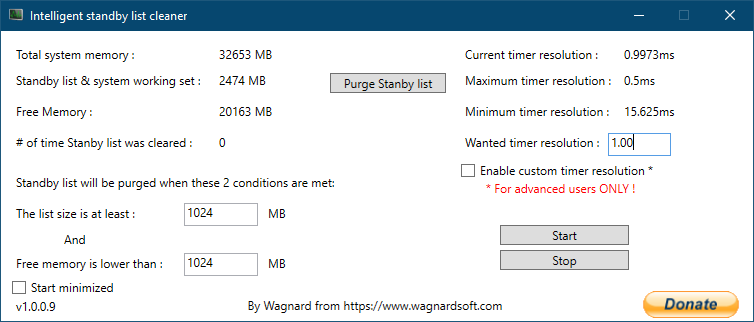
This app from the maker of DDU may help?
 

My Computers My Computers

  • At a glance

    Windows11 Pro 26200.8973Intel Core i9 14900F (24 -Core, 68 MB Total C...32GB DDR5RTX 4080 Super w/610.74
    OS
    Windows11 Pro 26200.8973
    Computer type
    PC/Desktop
    Manufacturer/Model
    Dell Alienware Aurora R16
    CPU
    Intel Core i9 14900F (24 -Core, 68 MB Total Cache)
    Motherboard
    Dell Alienware
    Memory
    32GB DDR5
    Graphics Card(s)
    RTX 4080 Super w/610.74
    Sound Card
    Realtec
    Monitor(s) Displays
    Corsair XENEON 32QHD165
    Screen Resolution
    2560 X 1440
    Hard Drives
    1-2TB Samsung 990 Pro PCIe NVMe M2 SSD
    1-4TB Samsung 990 Pro PCIe NVMe M2 SSD
    PSU
    1000 Watt Platinum Dell
    Case
    Alienware
    Cooling
    Liquid Closed Loop
    Keyboard
    Corsair Strafe RGB
    Mouse
    Logitech MK270 Wireless
    Internet Speed
    100Gb's Down-20 Up
    Browser
    Firefox 153.0.1
    Antivirus
    Defender
    Other Info
    Very Quiet And Fast
    CyberPower UPS CP1500PFCLCD
  • At a glance

    PClinuxOS Mate (2025.7)13th Gen Inter(R) Core(TM) i3-1315U64 GB DDR4 @3200 MHz.Internal
    Operating System
    PClinuxOS Mate (2025.7)
    Computer type
    PC/Desktop
    Manufacturer/Model
    Intel
    CPU
    13th Gen Inter(R) Core(TM) i3-1315U
    Motherboard
    Intel
    Memory
    64 GB DDR4 @3200 MHz.
    Graphics card(s)
    Internal
    Sound Card
    None
    Monitor(s) Displays
    Dell 2419HGCF
    Screen Resolution
    1920 X 1080
    Hard Drives
    SAMSUNG 980 PRO SSD 2TB, PCIe 4.0 M.2 2280
    PSU
    Chicony 30 Watt
    Case
    Small
    Keyboard
    Dell
    Mouse
    Razor
    Internet Speed
    1GB
    Browser
    Slimjet
You don't need Recall enabled or installed to see it, just look at the WorkloadsSessionHost.exe processes in your task manager which are controlled by WSAIFabricSvc in Services. It's a known issue on ARM64. Also keep in mind you have double the RAM that I do on your surface so you're less likely to notice it then I am. The 2-4GB is noticeable to me with only 16GB. Also I have my CPU, RAM, and GPU use always displayed on my desktop so I tend to notice them at just a glance (see attachment) and I'd guess much more often then you normally do. Now my Core Ultra 9 Dell/Alienware machine has 64GB RAM so the Dell Support Assist is more of an annoyance and waste of RAM since I get my driver updates from the Dell website and usually much earlier as well. No point in running it since it eats RAM 24/7. Especially if it accumulates and I have to keep purging the app.
What do you use to always display your CPU, RAM, and GPU?
 

My Computers My Computers

  • At a glance

    Windows 11 ProIntel Series 3 Core Ultra X9 388H64GB LPDDR5x 9600 MT/sIntel Arc graphics B390 Panther Lake
    OS
    Windows 11 Pro
    Computer type
    Laptop
    Manufacturer/Model
    Dell XPS 16 DA16260
    CPU
    Intel Series 3 Core Ultra X9 388H
    Memory
    64GB LPDDR5x 9600 MT/s
    Graphics Card(s)
    Intel Arc graphics B390 Panther Lake
    Monitor(s) Displays
    16" 3.2K Tandem OLED Infinity Edge
    Screen Resolution
    3200 x 2000 16:10 236 PPI
    Hard Drives
    1 Terabyte M.2 PCIe NVMe SSD
    Case
    Black Anodized Aluminum
    Cooling
    Vapor Chamber Cooling
    Mouse
    None
    Internet Speed
    942 Mbps Netgear Mesh + 2 Satellites
    Browser
    Microsoft Edge (Chromium)
    Antivirus
    Windows Security (Defender)
    Other Info
    NPU delivering 67 TOPS
    Microsoft 365 subscription
    Microsoft Office 365
    Microsoft OneDrive 1TB Cloud
    Microsoft Visual Studio
    Microsoft Visual Studio Code
    Microsoft Sysinternals Suite
    Microsoft BitLocker
    Microsoft Copilot
    Dell Support Assist
    Dell Command | Update
    Macrium Reflect X subscription
    1Password Password Manager
    Amazon Kindle for PC
    Lightroom/Photoshop subscription
    Interactive Brokers Trader Workstation
  • At a glance

    Windows 11 ProSnapdragon® X Elite (12 Core) with Hexagon NP...32GB LPDDR5x 8448 MT/sIntegrated Adreno GPU
    Operating System
    Windows 11 Pro
    Computer type
    Laptop
    Manufacturer/Model
    Microsoft Surface Laptop 7
    CPU
    Snapdragon® X Elite (12 Core) with Hexagon NPU delivering 45 TOPS
    Memory
    32GB LPDDR5x 8448 MT/s
    Graphics card(s)
    Integrated Adreno GPU
    Sound Card
    Omnisonic speakers with Dolby Atmos spatial sound
    Monitor(s) Displays
    13.8″ PixelSense Flow touchscreen 120 Hz 600 NIT
    Screen Resolution
    2304 × 1536 (201 PPI), 3:2 aspect ratio
    Hard Drives
    1 TB PCIe NVMe Gen 4 SSD
    Case
    Black Anodized Aluminum
    Cooling
    Vapor Chamber Cooling
    Mouse
    None
    Internet Speed
    942 Mbps Netgear Mesh + 2 Satellites
    Browser
    Microsoft Edge (Chromium)
    Antivirus
    Windows Security (Defender)
    Other Info
    Microsoft 365 subscription (Office)
    Microsoft Office 365
    Microsoft OneDrive 1TB Cloud
    Microsoft Visual Studio 2026
    Microsoft Visual Studio Code
    Interactive Brokers Trader Workstation
    Lightroom/Photoshop subscription
    1Password Password Manager
    Microsoft Sysinternals
    Amazon Kindle for PC
    Microsoft BitLocker
    Microsoft Copilot
What do you use to always display your CPU, RAM, and GPU?
That one is a Rainmeter skin I use on the Surface and Core Ultra 9 machines. My other machine I also use HWINFO integrated into different rainmeter skins that display the temps as well as that machine tends to run hotter by nature.
 

My Computers My Computers

  • At a glance

    Windows 11 25H2Intel Core Ultra 9 275HX (24-Core)64GB DDR5 6400MT/sNVIDIA GeForce RTX 5080 and Intel UHD Graphics
    OS
    Windows 11 25H2
    Computer type
    Laptop
    Manufacturer/Model
    Alienware 18 Area-51
    CPU
    Intel Core Ultra 9 275HX (24-Core)
    Motherboard
    Alienware
    Memory
    64GB DDR5 6400MT/s
    Graphics Card(s)
    NVIDIA GeForce RTX 5080 and Intel UHD Graphics
    Sound Card
    Onboard, Realtek high-performance Audio chips (ALC3329 & ALC1708))
    Monitor(s) Displays
    300HZ 18-inch QHD 500 nit Comfort View+
    Screen Resolution
    2560 x 1600
    Hard Drives
    2TB NVMe M.2 PCIe Gen 5 SSD
    Case
    Magnesium Alloy
    Cooling
    Advanced Cryo-Tech Quad-Fan Cooling system & large vapor chamber
    Keyboard
    Cherry MX ultra low profile mechanical keyboard with per key AlienFX RGB lighting
    Mouse
    Logitech MX Master 4
    Browser
    Vivaldi (main), Firefox, Chrome, Edge
    Antivirus
    MS Defender and Malwarebytes Free
  • At a glance

    Windows 11 25H2Qualcomm Snapdragon X Elite (12 Core) ARM bas...16GB LPDDR5Qualcomm Adreno X1-85
    Operating System
    Windows 11 25H2
    Computer type
    Laptop
    Manufacturer/Model
    Microsoft Surface Laptop 7
    CPU
    Qualcomm Snapdragon X Elite (12 Core) ARM based CPU
    Motherboard
    Microsoft Corp.
    Memory
    16GB LPDDR5
    Graphics card(s)
    Qualcomm Adreno X1-85
    Sound Card
    Omnisonic speakers with Dolby Atmos spatial sound
    Monitor(s) Displays
    120 Hz 13.8-inch 600 nit PixelSense Flow touchscreen
    Screen Resolution
    2304x1536
    Hard Drives
    1TB NVMe Gen 4 SSD
    Case
    Anodized Aluminum
    Cooling
    Traditional active cooling fan system
    Keyboard
    Mechanical QWERTY, backlit when in use
    Mouse
    Logitech MX Master 4 and Surface Arc Mouse
    Browser
    Vivaldi (main), Firefox, Chrome, Edge
    Antivirus
    MS Defender and Malwarebytes Free

My Computers My Computers

  • At a glance

    Windows 11 Pro 25H2 build: (26200.7623)32GB
    OS
    Windows 11 Pro 25H2 build: (26200.7623)
    Computer type
    Laptop
    Manufacturer/Model
    Microsoft Surface Pro
    Memory
    32GB
  • At a glance

    Microsoft 25H2 ProIntel Core Ultra 764GBIntel Integrated Graphics
    Operating System
    Microsoft 25H2 Pro
    Computer type
    Laptop
    Manufacturer/Model
    Dell Pro 14 - PC14250
    CPU
    Intel Core Ultra 7
    Memory
    64GB
    Graphics card(s)
    Intel Integrated Graphics
    Hard Drives
    Micron 1TB SSD

Latest Support Threads

Back
Top Bottom