Why does my FileExplorer Freeze for 10-25 seconds and then become usable?


CartmansPiehole

Well-known member
Member
Local time
1:02 PM
Posts
89
OS
Windows 11
I've been just dealing with this problem for awhile and finally decided to tackle it. Awhile ago, I was having issues with my sound and blue screens. I actually just uninstalled BitDefender and that problem went away, this was several weeks ago. I've been since depending on Windows Defender, I know...gutsy move.

Whenever I open an app, then do something like File->Open, the navigation pane is blank and the dialog box freezes. Finally 10-25 seconds later, it shows up. This happens on pretty much ever app I've tested: Word, Notepad, several web browsers where I need to upload a file or save to (and I have it set to prompt to tell where to save).

How can I go about fixing this?
 

My Computer My Computer

At a glance

Windows 11Intel Core i7-5960x64GB RAMEVGA GTX 980 SC'd
OS
Windows 11
Computer type
PC/Desktop
Manufacturer/Model
N/A
CPU
Intel Core i7-5960x
Motherboard
Rampage V Extreme
Memory
64GB RAM
Graphics Card(s)
EVGA GTX 980 SC'd
Sound Card
N/A
Monitor(s) Displays
ASUS 27" Monitor
Screen Resolution
1920x1080p
Hard Drives
Samsung 960 Pro NVME 2TB (System Drive)
Samsung QVO 8TB SSD (Data) - Installed on Feb 2024
Seagate BarraCuda Pro 10TB HDD (Backup, haven't used much since installing the 8TB SSD.
This guide focuses on how you can fix Windows File Explorer not responding on a Windows 10 or Windows 11 operating systems.


My Computer My Computer

At a glance

Windows 11AMD Ryzen 7 5700GMicron Technology DDR4-3200 16GBNVIDIA GeForce RTX 3060
OS
Windows 11
Computer type
PC/Desktop
Manufacturer/Model
HP Pavilion
CPU
AMD Ryzen 7 5700G
Motherboard
Erica6
Memory
Micron Technology DDR4-3200 16GB
Graphics Card(s)
NVIDIA GeForce RTX 3060
Sound Card
Realtek ALC671
Monitor(s) Displays
Samsung SyncMaster U28E590
Screen Resolution
3840 x 2160
Hard Drives
SAMSUNG MZVLQ1T0HALB-000H1
SFC/DISM
Make sure you have no corrupt system files that is causing this problem. Open a command prompt as administrator and type sfc /scannow
Pay attention to the scan results to see if SFC found anything it could not repair. If it found corruption it could not fix followup with this command (note the spaces)
dism /online /cleanup-image /restorehealth
Restart computer
You can followup with another SFC command to verify files were fixed.

CLEAN BOOT
Perform a clean boot to eliminate software conflict causing the issue. If it doesn't happen in a clean boot, you have some software conflicting with Windows. Brink's procedure will help you weed out which one. Perform a Clean Boot in Windows 11 to Troubleshoot Software Conflicts Tutorial

Repair Install Windows 11 Repair Install Windows 11 with an In-place Upgrade Tutorial
 

My Computers My Computers

  • At a glance

    Windows 11 Pro 25H2 26200.8655i9-10900 10 core 20 threads32 gbnone-Intel UHD Graphics 630
    OS
    Windows 11 Pro 25H2 26200.8655
    Computer type
    PC/Desktop
    Manufacturer/Model
    Dell Optiplex 7080
    CPU
    i9-10900 10 core 20 threads
    Motherboard
    DELL 0J37VM
    Memory
    32 gb
    Graphics Card(s)
    none-Intel UHD Graphics 630
    Sound Card
    Integrated Realtek
    Monitor(s) Displays
    Benq 27
    Screen Resolution
    2560x1440
    Hard Drives
    2x1tb Solidigm m.2 nvme /External drives 512gb Samsung m.2 sata+2tb Kingston m2.nvme
    PSU
    500w
    Case
    MT
    Cooling
    Dell Premium
    Keyboard
    Logitech wired
    Mouse
    Logitech wireless
    Internet Speed
    so slow I'm too embarrassed to tell
    Browser
    #1 Edge #2 Firefox
    Antivirus
    Defender+MWB Premium
  • At a glance

    Windows 11 Pro 24H2 26200.8457AMD Ryzen 7 6800U32 gbintegrated
    Operating System
    Windows 11 Pro 24H2 26200.8457
    Computer type
    PC/Desktop
    Manufacturer/Model
    Beelink Mini PC SER5
    CPU
    AMD Ryzen 7 6800U
    Memory
    32 gb
    Graphics card(s)
    integrated
    Sound Card
    integrated
    Monitor(s) Displays
    Benq 27
    Screen Resolution
    2560x1440
    Hard Drives
    1TB Crucial nvme
    Keyboard
    Logitech wired
    Mouse
    Logitech wireless
    Internet Speed
    still too embarrassed to tell
    Browser
    Firefox
    Antivirus
    Defender
    Other Info
    System 3 is non compliant Dell 9020 i7-4770/24gb ram Win11 PRO 26200.8457
A few months ago I had the same problem and eventually it appeared to be a problem with the SSD-system-drive in the PC:

A few days ago I had such a problem as well, that my computer (see my specs) was freezing regularly, without any real reason why. It did that in my browser, in File Explorer, VirtualBox testenvironment and many more programs. Restarting often was not possible, I had to touch the reset button on the panel of the PC. And it seemed to become more serious by days, eventually resulting in a totally unusable computer.

The first thing I did was testing the memory by a selfstarting USB-key with MemTest86. No problems detected.

Because I had read some reports about one of the last updates slowing down the system (in particular the File Explorer), I tried to restore an older image of the system drive, from about one month ago. I do such saving and restoring always with Clonezilla, which is situated on a selfstarting USB-key with Linux driver, totally offline, nothing to do with the Windows system on the system drive.

For some reason the restore did about the same as in the (normal) Windows environment: at a certain point (let's say 21%) it stopped or delayed counting up the Mbytes that were ready or did that very slow (where normally it goes steady on and on). When I would do the same restore again, it would stop or delay about the same percentage. Conclusion: the SSD system drive has bad sectors, which for some reason are not automatically replaced by good ones by the build in managing system in the SSD (I think it would normally function like that).

Because my son had told quite recently, he had similar problems (on an identical system, same make, same components) and he had repaired it by installing Windows 11 again (he too thought the updates were to blame), I tried that first, but already decided that I would replace the SSD-drive anyway. So I ordered another M.2 SSD (of another make).

In the meantime I reinstalled Windows completely, after deleting all partitions from that drive, using AOMEI on a Hirens Boot USB-key. Reinstalled Windows from a fresh downloaded Windows 11 23H2 USB, made by the Windows 11 Media Creation Tool (on another computer). Installation was done very well and rather fast.

Result: problem gone. Did partitioning as the drive was partitioned before, restored the most recent image. No problem anymore. I was very happy with that, because I did not need to reinstall all software and redo all settings that I changed (I have done many tweaks through registry changes, to be found here in the tutorials). Appearently the new windows installation had moved the system to another physical place on the SSD, thus 'repairing' the failure. That's what i suppose has happened, never can be sure about that, of course.

But I did not trust the SSD anymore, which was only one year old, so my decision to replace it, was there to stay.

One day later the new SSD arrived, I installed that, installed Windows 11 again from the Win11 USB, did the partitioning, restored the most recent image and everything was functioning very well. The new SSD had better specs than the old one, so the system is somewhat faster too. Since I changed the SSD and reinstalled the system etc., four days have been passing now without any problems. So I suppose the fault has been cured by replacing that SSD!

So maybe your problem is completely different from mine, but it could be caused by a 'hard disk' failure as well. That's why I mention it here.

The old SSD was of the make 'Kingston' of which @TechnoMage2021 has written some negative things, appearantly rightfully so. Was the first and the last SSD of that make I will buy...

After a few weeks the opening poster wrote this:

An UPDATE with a twist---
Back on 03/08 I stated my issue was gone and I was back to a normal bootup and functioning machine
That was short lived.
3-days later the freeze issue came back and was more numerous.
Long story short-
I did indeed have a hardware issue---a faulty OE SSD.
I replaced the original drive with a WD item (same capacity) but the larger size-2280 verses the original 2230.
I restored my latest IMAGE to the new drive and NO more freeze issues.
My desktop is now back to a normal boot up and has been working for almost 1-1/2 weeks without a single freeze event.
PLS disregard the information I provided earlier regarding services that caused my machine to freeze. That information is faulty as I still had a freeze issue with those services disabled as I was still using the OE SSD.

That does not mean that you have the same problem, but that it is a possibility.
 

My Computer My Computer

At a glance

Windows 11 Pro 25H2 26200.8457AMD Ryzen 7 5700GKingston FURY Beast 2x16GB DIMM DDR4 2666 CL16MSI GeForce GT 730 2GB LP V1
OS
Windows 11 Pro 25H2 26200.8457
Computer type
PC/Desktop
Manufacturer/Model
Build by vendor to my specs
CPU
AMD Ryzen 7 5700G
Motherboard
MSI PRO B550M-P Gen3
Memory
Kingston FURY Beast 2x16GB DIMM DDR4 2666 CL16
Graphics Card(s)
MSI GeForce GT 730 2GB LP V1
Sound Card
Creative Sound Blaster Audigy FX
Monitor(s) Displays
Samsung S24E450F 24"
Screen Resolution
1920 x 1080
Hard Drives
1. SSD Crucial P5 Plus 500GB PCIe M.2
2. SSD-SATA Crucial MX500-2TB
PSU
Corsair CV650W
Case
Cooler Master Silencio S400
Cooling
Cooler Master Hyper H412R with Be Quiet Pure Wings 2 PWM BL038 fan
Keyboard
Cherry Stream (wired, scissor keys)
Mouse
Asus WT465 (wireless)
Internet Speed
70 Mbps down / 80 Mbps up
Browser
Firefox 130.0
Antivirus
F-Secure (Internetprovider version)
Other Info
Router: FRITZBox 7490
Oracle VirtualBox 7 for testing software on Win 10 or 11
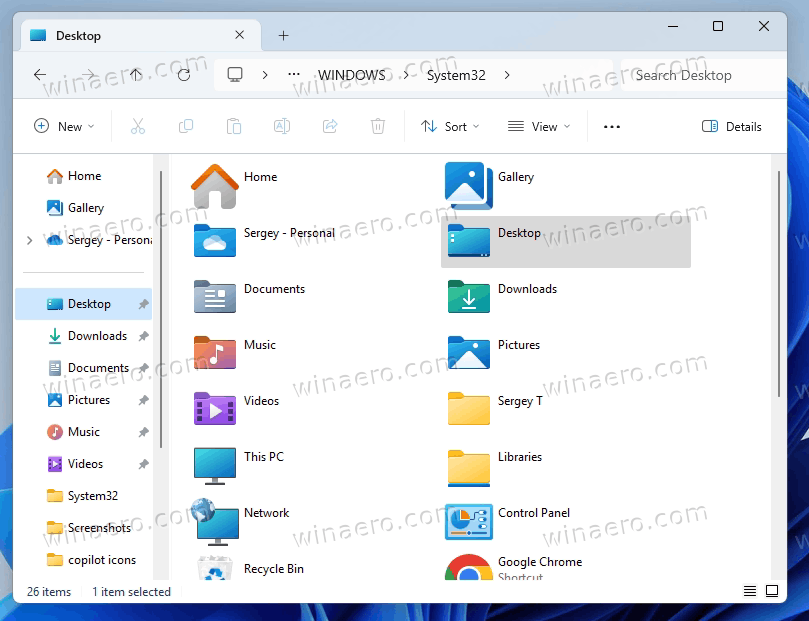
This registry entry may improve your issue.
Code:
Windows Registry Editor Version 5.00


; Created by Sergey Tkachenko
; Tutorial: These two tricks can significantly speed up File Explorer in Windows 11
; URL: https://winaero.com/speed-up-file-explorer-windows-11/


[HKEY_CURRENT_USER\Software\Classes\Local Settings\Software\Microsoft\Windows\Shell\Bags\AllFolders\Shell]
"FolderType"="NotSpecified"
From :
 

My Computers My Computers

  • At a glance

    All Branches but ReleaseAMD Ryzen 7 7735HS 3200-4500 Mhz 8 cores x 232 GB DDR5Radeon Graphic / NVIDIA GeForce RTX 4060 8 GB...
    OS
    All Branches but Release
    Computer type
    Laptop
    Manufacturer/Model
    Acer Nitro ANV15-51
    CPU
    AMD Ryzen 7 7735HS 3200-4500 Mhz 8 cores x 2
    Motherboard
    Sportage_RBH
    Memory
    32 GB DDR5
    Graphics Card(s)
    Radeon Graphic / NVIDIA GeForce RTX 4060 8 GB GDDR6
    Sound Card
    AMD/Realtek(R) Audio
    Monitor(s) Displays
    Integrated Monitor (15.3"vis)
    Screen Resolution
    FHD 1920X1080 16:9 144Hz
    Hard Drives
    KINGSTON OM8SEP4512Q-AA 1TB
    Western Digital 256GB
    PSU
    19V DC 6.32 A 120 W
    Cooling
    Dual Fans
    Mouse
    MS Bluetooth
    Internet Speed
    Fiber 1GB Cox -us & 1GB Orange-fr
    Browser
    Edge Canary- Firefox Nightly-Chrome Dev-Chrome Dev
    Antivirus
    Windows Defender
  • At a glance

    Windows 11 BetaAMD A9-94208 GB of DDR4AMD Radeon R5
    Operating System
    Windows 11 Beta
    Computer type
    Laptop
    Manufacturer/Model
    Asus X751BP
    CPU
    AMD A9-9420
    Memory
    8 GB of DDR4
    Graphics card(s)
    AMD Radeon R5
    Screen Resolution
    1600x900
    Hard Drives
    Seagate 1 TB
The Bluetooth file bug, which happens on all 22H2 and 23H2 installations, doesn't break Windows Explorer. It does not cause the behavior you are describing.
If CBS.log shows nothing but complaints about a Bluetooth file, that's not your problem.
 

My Computers My Computers

  • At a glance

    Windows 11 Pro x64 24H2Ryzen 9 5900X64 GB G.Skill RipJaws V F4-3200C16D-64GVKASRock Steel Legend Arc B580 12 GB
    OS
    Windows 11 Pro x64 24H2
    Computer type
    PC/Desktop
    CPU
    Ryzen 9 5900X
    Motherboard
    ASRock B550 PG Velocita (UEFI-BIOS 3.90)
    Memory
    64 GB G.Skill RipJaws V F4-3200C16D-64GVK
    Graphics Card(s)
    ASRock Steel Legend Arc B580 12 GB
    Monitor(s) Displays
    Alienware AW3423DWF OLED ultrawide
    Hard Drives
    Samsung 990 Pro 1 TB NVMe SSD
    PSU
    eVGA Supernova 750 G3
    Case
    Corsair 275R
    Internet Speed
    VTel FTTH 1 Gb down and 1 Gb up
  • At a glance

    Windows 11 Home x64 25H2Ryzen 7 5800X3D32 GB (2x16 GB G.Skill TridentZ Neo)Sapphire Nitro+ Radeon RX 6750 XT
    Operating System
    Windows 11 Home x64 25H2
    Computer type
    PC/Desktop
    CPU
    Ryzen 7 5800X3D
    Motherboard
    Asus ROG Strix B550-F Gaming (UEFI-BIOS version 3636)
    Memory
    32 GB (2x16 GB G.Skill TridentZ Neo)
    Graphics card(s)
    Sapphire Nitro+ Radeon RX 6750 XT
    Hard Drives
    Samsung 970 Pro 512 GB NVMe SSD
    PSU
    Corsair RM850x
    Case
    Fractal Focus G
Disable the Nahimic service. Set it to manual start. Reboot pc. See how many issues are resolved. ASUS is infamous for this PoS causing issues on many levels. Gaming, VLC delayed launching, FE slow loading, etc.
 

My Computer My Computer

At a glance

Windows 11 Pro
OS
Windows 11 Pro
Riddle me this. This is my computer's specs:
CPU: 5960X
Mobo: Rampage V Extreme
64-GB RAM
GTX 980 SC
C:\ Drive - Samsung 960 Pro NVMe 2TB - 234 GB Free
D:\ Drive - Samsung 8TB SSD - 4.46 TB Free
E:\ Drive - 10 TB Seagate HDD - 2.06 TB Free

On my D:\ Drive, I have 25 Hyper-V VMs. Now, I honestly don't remember if my problems started when I put in the new hard drive or if it was after. It doesn't matter if I have my Hyper-V VMs shut down or in the running state, I still have the slow Explorer issue. I can have at least 8 of them running and they run just fine on my PC, my RAM handles it.

Could the problem be related to my VMs?
 

My Computer My Computer

At a glance

Windows 11Intel Core i7-5960x64GB RAMEVGA GTX 980 SC'd
OS
Windows 11
Computer type
PC/Desktop
Manufacturer/Model
N/A
CPU
Intel Core i7-5960x
Motherboard
Rampage V Extreme
Memory
64GB RAM
Graphics Card(s)
EVGA GTX 980 SC'd
Sound Card
N/A
Monitor(s) Displays
ASUS 27" Monitor
Screen Resolution
1920x1080p
Hard Drives
Samsung 960 Pro NVME 2TB (System Drive)
Samsung QVO 8TB SSD (Data) - Installed on Feb 2024
Seagate BarraCuda Pro 10TB HDD (Backup, haven't used much since installing the 8TB SSD.
So far, what actions you took to elimate the problem?
 

My Computer My Computer

At a glance

Windows 11AMD Ryzen 7 5700GMicron Technology DDR4-3200 16GBNVIDIA GeForce RTX 3060
OS
Windows 11
Computer type
PC/Desktop
Manufacturer/Model
HP Pavilion
CPU
AMD Ryzen 7 5700G
Motherboard
Erica6
Memory
Micron Technology DDR4-3200 16GB
Graphics Card(s)
NVIDIA GeForce RTX 3060
Sound Card
Realtek ALC671
Monitor(s) Displays
Samsung SyncMaster U28E590
Screen Resolution
3840 x 2160
Hard Drives
SAMSUNG MZVLQ1T0HALB-000H1

Latest Support Threads

Back
Top Bottom