Why Linux isn't a replacement for Windows 10 if you can't run Windows 11 - debate!


Status
Not open for further replies.
There is a lot on the internet about installing Linux when Windows 10 becomes EOL - for people who can't upgrade to Windows 11. But to me there is one very big issue that makes this not an option for most people:

Scaling.

That thing we take for granted - that whatever your screen size, the operating system will scale to fit and be readable.

This is not the case with Linux. Installing it is fine on a smaller screen - but if you happen to have a 14" or larger screen, everything is so tiny it is literally unseeable (for anyone - even if you have good eyesight). It's ridiculous. There are one or two distros that do scaling (plain Ubuntu is one) but I would think many people will have older hardware or hardware with lower specs and need to run something with XFCE in - Linux Mint or Xubuntu - and be presented with a screen with microscopic menus and text.

It is a major flaw in my book. It has to be usable after install! Even manual work arounds don't work very well. One options doubles the size of windows and taskbar (but leaves all the "close window" icons and text teeny tiny. Lots of manual adjustments and then blurry fonts and being stuck with teeny tiny close icons.

Another manual scaling option changes the screen resolution but leaves everything a bit blurry or just not working effectively.

So unless someone has a powerful enough computer to run Ubuntu (assuming they actually like Ubuntu) or possibly Linux Mint Cinnamon version, then Linux doesn't seem like an option to me.

It's good for small netbooks with small screens though.

Please Engage brain before opening mouth. Linux video is quite capable of even 8K UHD video - and it runs on almost any hardware - even very modest - and its multi-user too.

I've no problems at all with people who don't like it pr don't want to use it but then please make sensible arguments. Pretty well any Linux distro running KDE is more than windows-y enough for any windows user to use it and there are loads of others - plus you can continue to run W10 or any other Windows version you like as a VM until the end of time.

Cheers
jimbo
 

My Computer

System One

  • OS
    Windows XP,11 Linux Fedora Rawhide pre-release 45
    Computer type
    PC/Desktop
    CPU
    2 X Intel i7
    Screen Resolution
    4KUHD X 2
Sensible arguments:

1) Cannot find a substitute for every application I use in Windows and those I find don't have the same functionality.
2) Ubuntu (Gnome) or Kubuntu (KDE) have been improved over the years in terms of user friendliness, but as long as you still need to resort to the terminal for many tasks and settings, they are nowhere near Windows yet.
3) Most hardware has third-party limited function drivers, if it has at all. They make the device work, but they don't provide access to advanced features or they don't have the same performance as in Windows. For example, a third-party printer driver just prints in draft or normal, on plain paper of various sizes. The same is true for a generic driver from Windows Update. A proprietary official driver from manufacturer provides quality control, many paper types, duplex printing and others. Similarly for other devices. I want maximum performance and access to all the features, which in Linux is very difficult to achieve.
4) I am a Windows expert while in Linux I need to Google a lot of things, not very convenient, especially for simple functions that are done with a few clicks in Windows.
 

My Computers

System One System Two

  • OS
    Windows 11 Pro 23H2 (5699), 25H2 (8457)
    Computer type
    Laptop
    Manufacturer/Model
    Acer Extensa 5630EZ
    CPU
    Mobile DualCore Intel Core 2 Duo T7250, 2000 MHz
    Motherboard
    Acer Extensa 5630
    Memory
    4GB
    Graphics Card(s)
    Mobile Intel(R) GMA 4500M (Mobile 4 series)
    Sound Card
    Realtek ALC268 @ Intel 82801IB ICH9 - High Definition Audio Controller
    Monitor(s) Displays
    1
    Screen Resolution
    1280x800
    Hard Drives
    Samsung SSD 850 EVO 250GB SATA Device (250 GB, SATA-III)
    Internet Speed
    VDSL 50 Mbps
    Browser
    MICROSOFT EDGE
    Antivirus
    WINDOWS DEFENDER
    Other Info
    Legacy MBR installation, no TPM, no Secure Boot, no WDDM 2.0 graphics drivers, no SSE4.2, cannot get more unsupported ;) This is only my test laptop. I had installed Windows 11 here before upgrading my main PC. For my main PC I use everyday see my 2nd system specs.
  • Operating System
    Windows 11 Pro v25H2 (build 26200.8457)
    Computer type
    PC/Desktop
    Manufacturer/Model
    Custom-built PC
    CPU
    Intel Core-i7 3770 3.40GHz s1155 (3rd generation)
    Motherboard
    Asus P8H61 s1155 ATX
    Memory
    2x Kingston Hyper-X Blu 8GB DDR3-1600
    Graphics card(s)
    GIGABYTE GeForce RTX 3050 WINDFORCE OC V2 6GB (GV-N3050WF2OCV2-6GD)
    Sound Card
    Realtek HD audio (ALC887)
    Monitor(s) Displays
    Sony Bravia KDL-19L4000 19" LCD TV via VGA
    Screen Resolution
    1440x900 32-bit 60Hz
    Hard Drives
    WD Blue SA510 2.5 1000GB SSD as system disk, Western Digital Caviar Purple 4TB SATA III (WD40PURZ) as second
    PSU
    Thermaltake Litepower RGB 550W Full Wired
    Case
    SUPERCASE MIDI-TOWER
    Cooling
    Deepcool Gamma Archer CPU cooler, 1x 8cm fan at the back
    Keyboard
    Mitsumi 101-key PS/2
    Mouse
    Sunnyline OptiEye PS/2
    Internet Speed
    100Mbps
    Browser
    Microsoft Edge, Mozilla Firefox
    Antivirus
    Microsoft Windows Defender
    Other Info
    Legacy BIOS (MBR) installation, no TPM, no Secure Boot, WDDM 3.0 graphics drivers, WEI score 7.4
Having to run Linux Terminal all day long is a common misconception. I rarely run the terminal for anything. For compiling code YES. But that's just one command. Not difficult to learn.

Printing on Linux has been more reliable than on Windows ever since more modern printers than a DOT matrix was invented. Linux follows a printing standard, not some BS HP or other proprietary stuff that only works half the time.
 

My Computers

System One System Two

  • OS
    Win 11 Pro 25H2 26200.8457 / Linux Mint 22.3
    Computer type
    Laptop
    Manufacturer/Model
    Lenovo A485
    CPU
    Ryzen 7 2700U Pro
    Motherboard
    Lenovo (WiFi/BT module upgraded to Intel Wireless-AC-9260)
    Memory
    32GB
    Graphics Card(s)
    iGPU Vega 10
    Sound Card
    Realtek
    Monitor(s) Displays
    14" FHD (built-in) + 14" Lenovo Thinkvision M14t (touch+pen) + 32" Asus PB328
    Screen Resolution
    FHD + FHD + 1440p
    Hard Drives
    Intel 660p m.2 nVME PCIe3.0 x2 512GB
    PSU
    125W(Dock)/65W(Travel Adapter)
    Keyboard
    Thinkpad / Logitech MX Keys
    Mouse
    Logitech MX Master 2S
    Internet Speed
    1/1Gbit
    Browser
    Firefox
    Antivirus
    Windows Defender
    Other Info
    SecureBoot: Enabled
    TPM2.0: Enabled
    AMD-V: Enabled
  • Operating System
    Win 11 Pro 25H2 26200.8521(RP)
    Computer type
    PC/Desktop
    Manufacturer/Model
    Custom
    CPU
    i7-7700k @4.8GHz
    Motherboard
    Asus PRIME Z270-A
    Memory
    32GB 2x16GB 2133MHz CL15
    Graphics card(s)
    EVGA GTX1080Ti FTW 11GB
    Sound Card
    Integrated
    Monitor(s) Displays
    32" 10-bit Asus PB328Q
    Screen Resolution
    WQHD 2560x1440
    Hard Drives
    512GB ADATA SX8000NP NVMe PCIe Gen 3 x4
    PSU
    850W
    Case
    Fractal Design Define 7
    Cooling
    Noctua NH-D15 chromax.black
    Keyboard
    Logitech MX Keys
    Mouse
    Logitech MX Master 2S
    Internet Speed
    1/1Gbit
    Browser
    Firefox
    Antivirus
    Windows Defender
    Other Info
    AC WiFi Card
Having to run Linux Terminal all day long is a common misconception. I rarely run the terminal for anything. For compiling code YES. But that's just one command. Not difficult to learn.

Printing on Linux has been more reliable than on Windows ever since more modern printers than a DOT matrix was invented. Linux follows a printing standard, not some BS HP or other proprietary stuff that only works half the time.
If all you do is use Firefox to check your socials and Libre Office to type a document, then no, you don't need the Terminal all the time. If you dare to tweak a setting or install new software, then you may need the Terminal (80% chance). Also standardized printing is not enough to persuade the average user to abandon their convenience and high compatibility of Windows and struggle with Linux. At least not for me. Let alone we are talking about old models with existing drivers. What about buying a new printer?
 

My Computers

System One System Two

  • OS
    Windows 11 Pro 23H2 (5699), 25H2 (8457)
    Computer type
    Laptop
    Manufacturer/Model
    Acer Extensa 5630EZ
    CPU
    Mobile DualCore Intel Core 2 Duo T7250, 2000 MHz
    Motherboard
    Acer Extensa 5630
    Memory
    4GB
    Graphics Card(s)
    Mobile Intel(R) GMA 4500M (Mobile 4 series)
    Sound Card
    Realtek ALC268 @ Intel 82801IB ICH9 - High Definition Audio Controller
    Monitor(s) Displays
    1
    Screen Resolution
    1280x800
    Hard Drives
    Samsung SSD 850 EVO 250GB SATA Device (250 GB, SATA-III)
    Internet Speed
    VDSL 50 Mbps
    Browser
    MICROSOFT EDGE
    Antivirus
    WINDOWS DEFENDER
    Other Info
    Legacy MBR installation, no TPM, no Secure Boot, no WDDM 2.0 graphics drivers, no SSE4.2, cannot get more unsupported ;) This is only my test laptop. I had installed Windows 11 here before upgrading my main PC. For my main PC I use everyday see my 2nd system specs.
  • Operating System
    Windows 11 Pro v25H2 (build 26200.8457)
    Computer type
    PC/Desktop
    Manufacturer/Model
    Custom-built PC
    CPU
    Intel Core-i7 3770 3.40GHz s1155 (3rd generation)
    Motherboard
    Asus P8H61 s1155 ATX
    Memory
    2x Kingston Hyper-X Blu 8GB DDR3-1600
    Graphics card(s)
    GIGABYTE GeForce RTX 3050 WINDFORCE OC V2 6GB (GV-N3050WF2OCV2-6GD)
    Sound Card
    Realtek HD audio (ALC887)
    Monitor(s) Displays
    Sony Bravia KDL-19L4000 19" LCD TV via VGA
    Screen Resolution
    1440x900 32-bit 60Hz
    Hard Drives
    WD Blue SA510 2.5 1000GB SSD as system disk, Western Digital Caviar Purple 4TB SATA III (WD40PURZ) as second
    PSU
    Thermaltake Litepower RGB 550W Full Wired
    Case
    SUPERCASE MIDI-TOWER
    Cooling
    Deepcool Gamma Archer CPU cooler, 1x 8cm fan at the back
    Keyboard
    Mitsumi 101-key PS/2
    Mouse
    Sunnyline OptiEye PS/2
    Internet Speed
    100Mbps
    Browser
    Microsoft Edge, Mozilla Firefox
    Antivirus
    Microsoft Windows Defender
    Other Info
    Legacy BIOS (MBR) installation, no TPM, no Secure Boot, WDDM 3.0 graphics drivers, WEI score 7.4
@spapakons

Your argument nr 3) is really invalid these days unless you have some really eseoteric leading edge hardware that windows itself probably has trouble with -- the number of posts on even this forum about "lost / invalid/ incorrect" drivers or other problems is HUGE. Gone are the days where you had to spend days probably writing your own driver in Linux to get a bit of hardware to work.

Most applications can replicate Windows easily enough and if users typically use their machines just for email and internet browsing / multi media playing then typical apps have the same GUI, name and functionality as Windows -- e.g VLC, firefox/chrome, thunderbird etc. Even GIMP if you want a reasonable FREE photoshop clone with layering, white balance etc etc.

You can't replicate everything of course -- Ms Office is probably the biggest block here to typical User resistance to Linux - but run a windows VM then no problem.

BTW even Edge these days runs on native Linux systems !!.

Cheers
jimbo
 

My Computer

System One

  • OS
    Windows XP,11 Linux Fedora Rawhide pre-release 45
    Computer type
    PC/Desktop
    CPU
    2 X Intel i7
    Screen Resolution
    4KUHD X 2
so someone with a computer that wont or they will not update or are unable to replace or afford to replace
can continue to use Windows 10 on that computer or install a different operating system.

the world is full of choices.
best of luck, Steve ..
 

My Computers

System One System Two

  • OS
    Windows 11 Home
    Computer type
    PC/Desktop
    Manufacturer/Model
    HP 24" AiO
    CPU
    Ryzen 7 5825u
    Motherboard
    HP
    Memory
    64GB DDR4 3200
    Graphics Card(s)
    Ryzen 7 5825u
    Sound Card
    RealTek
    Monitor(s) Displays
    24" HP AiO
    Screen Resolution
    1920 x 1080 @60 Hz
    Hard Drives
    1TB WD Blue SN580 M2 SSD Partitioned.
    2x 1TB USB HDD External Backup/Storage.
    PSU
    90W external power brick
    Case
    24" All in One
    Cooling
    Default Air Cooling
    Keyboard
    HP WiFi UK extended
    Mouse
    HP WiFi 3 Button
    Internet Speed
    1GB full fibre
    Browser
    Edge & Firefox
    Antivirus
    AVG Internet Security/Windows Defender
    Other Info
    Mainly Open Source Software
  • Operating System
    Ubuntu 22.04.5 LTS
    Computer type
    Laptop
    Manufacturer/Model
    Dell 13" Latitude 2017
    CPU
    i5 7200u
    Motherboard
    Dell
    Memory
    16GB DDR4
    Graphics card(s)
    Intel
    Sound Card
    Intel
    Monitor(s) Displays
    13" Dell Laptop
    Hard Drives
    250GB Crucial 2.5" SSD
    Mouse
    Generic WiFi 3 button
    Internet Speed
    WiFi only
    Browser
    Firefox
    Antivirus
    ClamAV TK
    Other Info
    Mainly Open Source Software
As a very experienced UNIX/Linux user/ex developer, the last thing I would do, is suggest Linux as an alternative to a Windows user.

A PC would have to be extremely old, to be actually unable to run Win 11, even with registry mods, and I would suggest for most Windows users in this position, the only alternative is to buy at least a used 8th gen intel cpu based, ex corporate, replacement machine, with Windows 10 COA key, in firmware.
 

My Computers

System One System Two

  • OS
    Fedora/KDE Plasma F43
    Computer type
    PC/Desktop
    Manufacturer/Model
    HP Z640
    CPU
    Xeon 2667 v4
    Motherboard
    Xeon V4 Motherboard
    Memory
    48GB ECC DDR4
    Graphics Card(s)
    nVidia GTX 1650
    Monitor(s) Displays
    LG 27"
    Screen Resolution
    1920x1080@144hz
    Hard Drives
    NVME, SSD
    PSU
    850W
  • Operating System
    Windows 11 IOT Enterprise LTSC/RHEL 10.1 KDE Plasma
    Computer type
    PC/Desktop
    Manufacturer/Model
    HP Z440
    CPU
    Intel Xeom 2680 V4
    Motherboard
    HP Z440
    Memory
    64gb DDR4 ECC
    Graphics card(s)
    AMD RX560
    Monitor(s) Displays
    LG Gsync 27" 144hz
    Screen Resolution
    1920x1080@144hz
    Hard Drives
    SSD/nVme/HDD
    PSU
    standard 700W
    Case
    standard
    Cooling
    Standard
    Browser
    MS Edge
    Antivirus
    BitDefender
I find it ironic that the use of the Linux command line is so often quoted on this forum as a serious downside to the use of a Linux distribution, considerering the volume of queries, advice and guides on this forum which directly relate to tinkering with the use of the Windows 'command line', RegEdits and Batch Files in some shape or form, icluding the insstallation of Windows itself!

To me, the only real difference (and real downside) in choosing a Linux distribution alongside, or even as a potential replacement for Windows is the sheer variety of choice. Windows, is of course is the easy choice because of familiarity; and being limited to a maximum of 2 supported versions, currently 10/11. In contrast, the Linux Kernel (Note: Not Operating System) is the base for more than 200 currently actively Operating Systems, which use a variety of simlar but not identical command lines, e.g. APT, DNF etc. depending on which 'parent' Operating System spawned the chosen derivative distribution; multiple Desktop options, etc., etc. The sheer variety of choice is, in my opinion, both the strength and weakness of 'Linux', i.e. you could gather a random group of 10 Linux Users in a room and you could easily find that they are running 10 different Operating Systems and a variety of Deskop GUIs.
 

My Computers

System One System Two

  • OS
    macOS 14.x (plus Windows 11, Debian, FreeBSD for ARM64)
    Computer type
    Laptop
    Manufacturer/Model
    MacBook Pro M1 MAX
    CPU
    Apple M1 Max (T6001) - 8 performance 2 efficiency cores
    Memory
    32GB LPDDR5
    Graphics Card(s)
    Apple M1 Max (32-core)
    Hard Drives
    a) 1TB SSD + + 1TB SD Card + external SSD Drives
    Browser
    1. Safari 2. DuckDuckGo
    Antivirus
    -
  • Operating System
    Windows 11 Pro, plus VirtualBox VMs: various Windows & Linux
    Computer type
    Laptop
    Manufacturer/Model
    Microsoft Surface Laptop Studio
    CPU
    i7
    Memory
    32GB
    Hard Drives
    1TB SSD, plus external SSDs for Virtual Machines etc.
    Browser
    1. MS Edge 2. DuckDuckGo
    Antivirus
    Defender
@spapakons

Your argument nr 3) is really invalid these days unless you have some really eseoteric leading edge hardware that windows itself probably has trouble with -- the number of posts on even this forum about "lost / invalid/ incorrect" drivers or other problems is HUGE. Gone are the days where you had to spend days probably writing your own driver in Linux to get a bit of hardware to work.

Most applications can replicate Windows easily enough and if users typically use their machines just for email and internet browsing / multi media playing then typical apps have the same GUI, name and functionality as Windows -- e.g VLC, firefox/chrome, thunderbird etc. Even GIMP if you want a reasonable FREE photoshop clone with layering, white balance etc etc.

You can't replicate everything of course -- Ms Office is probably the biggest block here to typical User resistance to Linux - but run a windows VM then no problem.

BTW even Edge these days runs on native Linux systems !!.

Cheers
jimbo
I didn't say you have to write your own driver, but the ones that exist are usually third-party, ie not official, and have limited functionality. I remember some friends looking at the specs of every single device before buying to make sure it works on Linux. In Windows you can blindly buy anything and you are guaranteed to have Windows drivers. Also not every Windows app is available in Linux and the substitutes are just that, substitutes. They don't compare to the original Windows app in terms of compatibility and features. It's like comparing sugar and artificial sweeteners. Both are sweet but not the same. I hate compromises, so I use Windows and never recommend Linux to others. If I do, I will have to support them all the time and they will blame me for everything. No thanks.
 

My Computers

System One System Two

  • OS
    Windows 11 Pro 23H2 (5699), 25H2 (8457)
    Computer type
    Laptop
    Manufacturer/Model
    Acer Extensa 5630EZ
    CPU
    Mobile DualCore Intel Core 2 Duo T7250, 2000 MHz
    Motherboard
    Acer Extensa 5630
    Memory
    4GB
    Graphics Card(s)
    Mobile Intel(R) GMA 4500M (Mobile 4 series)
    Sound Card
    Realtek ALC268 @ Intel 82801IB ICH9 - High Definition Audio Controller
    Monitor(s) Displays
    1
    Screen Resolution
    1280x800
    Hard Drives
    Samsung SSD 850 EVO 250GB SATA Device (250 GB, SATA-III)
    Internet Speed
    VDSL 50 Mbps
    Browser
    MICROSOFT EDGE
    Antivirus
    WINDOWS DEFENDER
    Other Info
    Legacy MBR installation, no TPM, no Secure Boot, no WDDM 2.0 graphics drivers, no SSE4.2, cannot get more unsupported ;) This is only my test laptop. I had installed Windows 11 here before upgrading my main PC. For my main PC I use everyday see my 2nd system specs.
  • Operating System
    Windows 11 Pro v25H2 (build 26200.8457)
    Computer type
    PC/Desktop
    Manufacturer/Model
    Custom-built PC
    CPU
    Intel Core-i7 3770 3.40GHz s1155 (3rd generation)
    Motherboard
    Asus P8H61 s1155 ATX
    Memory
    2x Kingston Hyper-X Blu 8GB DDR3-1600
    Graphics card(s)
    GIGABYTE GeForce RTX 3050 WINDFORCE OC V2 6GB (GV-N3050WF2OCV2-6GD)
    Sound Card
    Realtek HD audio (ALC887)
    Monitor(s) Displays
    Sony Bravia KDL-19L4000 19" LCD TV via VGA
    Screen Resolution
    1440x900 32-bit 60Hz
    Hard Drives
    WD Blue SA510 2.5 1000GB SSD as system disk, Western Digital Caviar Purple 4TB SATA III (WD40PURZ) as second
    PSU
    Thermaltake Litepower RGB 550W Full Wired
    Case
    SUPERCASE MIDI-TOWER
    Cooling
    Deepcool Gamma Archer CPU cooler, 1x 8cm fan at the back
    Keyboard
    Mitsumi 101-key PS/2
    Mouse
    Sunnyline OptiEye PS/2
    Internet Speed
    100Mbps
    Browser
    Microsoft Edge, Mozilla Firefox
    Antivirus
    Microsoft Windows Defender
    Other Info
    Legacy BIOS (MBR) installation, no TPM, no Secure Boot, WDDM 3.0 graphics drivers, WEI score 7.4
In Windows you can blindly buy anything and you are guaranteed to have Windows drivers. Also not every Windows app is available in Linux and the substitutes are just that, substitutes. They don't compare to the original Windows app in terms of compatibility and features.

The comparison actually goes further than just Linux and Windows.

Last year, when the prospect was on the horizon, of MS Windows dictating my next hardware refresh, I "temporarily" considered purchase of slightly older Mac mini 2017, for the purpose of replacing Microsoft Windows in my house, resorting to Linux/Mac h/w, only.

We all know, Apple, for years, has dictated the obsolescence of their hardware, but Mac fanbois, just obediently like being dictated to in every manner.

To add icing on the cake, an IT associate spoke to his boss, who confirmed, MS Office on Mac OS, is "meh", compared to MS Office on Windows PCs, with updates/features, always lagging behind, so we can forget about LibreOffice on Linux, being a "drop in" replacement, for MS Office on Windows.

Even last week, I edited a document first using Linux Libreoffice, and then the free online version of Word, and a website refused to accept the document upload, stating docs "must be" MS Office Word format.

The Website only accepted uploads, of document saved from Office 365 suite, installed on my PC.
Maybe a nuance, but no more time wasting for me.
 

My Computers

System One System Two

  • OS
    Fedora/KDE Plasma F43
    Computer type
    PC/Desktop
    Manufacturer/Model
    HP Z640
    CPU
    Xeon 2667 v4
    Motherboard
    Xeon V4 Motherboard
    Memory
    48GB ECC DDR4
    Graphics Card(s)
    nVidia GTX 1650
    Monitor(s) Displays
    LG 27"
    Screen Resolution
    1920x1080@144hz
    Hard Drives
    NVME, SSD
    PSU
    850W
  • Operating System
    Windows 11 IOT Enterprise LTSC/RHEL 10.1 KDE Plasma
    Computer type
    PC/Desktop
    Manufacturer/Model
    HP Z440
    CPU
    Intel Xeom 2680 V4
    Motherboard
    HP Z440
    Memory
    64gb DDR4 ECC
    Graphics card(s)
    AMD RX560
    Monitor(s) Displays
    LG Gsync 27" 144hz
    Screen Resolution
    1920x1080@144hz
    Hard Drives
    SSD/nVme/HDD
    PSU
    standard 700W
    Case
    standard
    Cooling
    Standard
    Browser
    MS Edge
    Antivirus
    BitDefender
First things first - there's this psychological terminology - which explains why the mind can have a tunnel vision perspective in regards to a subject - focused only on evidence which supports that perspective - while dismissing or uninterested in any evidence that goes against it. And it's called "Confirmation bias".

"Confirmation bias is the tendency to search for, interpret, favor and recall information in a way that confirms or supports one's prior beliefs or values."

That's actually the main reason - why we have a Flat Earth Society. Which are clearly, not just some internet trolls: On a nationwide US survey, around 10% of respondents agreed with conspiracy claims that the Earth is flat, NASA faked the Moon landings... some even died - trying to prove that the Earth is actually flat.

So yeah, confirmation bias is definitely worth taking into account - while approaching subjects/products - which have a fan base. Even fanatical users - in the sense - that they expect other products to work "exactly" the same or they're discouraged to even trying them. Or if they do decided to give it a try - from Start they'll look for things they dislike about it.. Quite literally the case with Windows 11 - where even the Start Menu being positioned in the middle - enraged a lot of Windows users - fans of the old left position style - making a huge thing out of nothing (every social media platform was filled with complaints - why Windows 11 is such a big failure for positioning the Start Menu in the middle). If even such a small thing was made to a huge deal - imagine how this people would react switching to a different OS.

Yet, same people didn't have an issue - adapting to Android or iOS - and using only Google Play to get their phone apps - the entire environment being highly different from Windows - even closer to many Linux distros (not a Linux distro, but Android actually uses Linux at its core). Some of those, the Windows tweak fanatics - even used third party tools to hack the proprietary OS of a given Smartphone - to access the root and make all kinds of changes - even installing a different OS - since many brands - dropped support couple of years after a given phone model was released - dropping access even to security Updates. And in many cases - the alternatives proved to be problematic or limiting in features and functionality (for example: the phone camera or other features not working properly).

That being said, realistically and objectively speaking (beyond fanaticism and such) - it all comes down to personal needs, preferences and adaptability to a new environment which is slightly different (a mix between Windows and Androis/iOS). Tho, some Linux Distros are actually shaped for a Windows like experience - such as: Zorin OS. While Linux Gamers (high support for most single player games - but not competitive - using Kernel Level Anti-Cheat - which goes against Linux security policies) seem to prefer Bazite. But frankly - you might be better of sticking to Windows - if you're that addicted to Windows appearance and its setup environment, while missing out on Linux strengths (same way you'd be missing out on Android and iOS - if you'd be against any phone/tablet - which doesn't have Windows like appearance and functionality). This coming from someone who has machines both with Windows (tho, only Windows 11 - leaving Win 10 behind was an easy choice for me - even prefer the middle Start Menu) and Linux distros -but this days i don't have the time and patience for highly customizable type like Arch (the core Distro - cause Arch based where the devs put in the effort and it's as easy to install and setup as Windows - are a different story) - so mainly i used - dumbed down user friendly distros like MX Linux or Linux Mint (eveny for home user clients - due to longer support for a specific build).
 

My Computer

System One

  • OS
    WinDOS 25H2
    Computer type
    Laptop
    CPU
    Intel & AMD
    Memory
    SO-DIMM SK Hynix 15.8 GB Dual-Channel DDR4-2666 (2 x 8 GB) 1329MHz (19-19-19-43)
    Graphics Card(s)
    nVidia RTX 2060 6GB Mobile GPU (TU106M)
    Sound Card
    Onbord Realtek ALC1220
    Screen Resolution
    1920 x 1080
    Hard Drives
    1x Samsung PM981 NVMe PCIe M.2 512GB / 1x Seagate Expansion ST1000LM035 1TB
I am now using PClinuxOS Mate on my Intel NUC. It was the very first Linux Distro that I ever used. It really has not changed much over the years, but I still like it. It seems that Textar lost a great deal in that flood in Texas. All of the post above mine makes sense.
 

My Computers

System One System Two

  • OS
    Windows11 Pro 26200.8524
    Computer type
    PC/Desktop
    Manufacturer/Model
    Dell Alienware Aurora R16
    CPU
    Intel Core i9 14900F (24 -Core, 68 MB Total Cache)
    Motherboard
    Dell Alienware
    Memory
    32GB DDR5
    Graphics Card(s)
    RTX 4080 Super w/581.95
    Sound Card
    Realtec
    Monitor(s) Displays
    Corsair XENEON 32QHD165
    Screen Resolution
    2560 X 1440
    Hard Drives
    1-2TB Samsung 990 Pro PCIe NVMe M2 SSD
    1-4TB Samsung 990 Pro PCIe NVMe M2 SSD
    PSU
    1000 Watt Platinum Dell
    Case
    Alienware
    Cooling
    Liquid Closed Loop
    Keyboard
    Logitech MK270 Wireless Keyboard
    Mouse
    Logitech MK270 Wireless
    Internet Speed
    100Gb's Down-20 Up
    Browser
    Firefox 151.0.2
    Antivirus
    Defender
    Other Info
    Very Quiet And Fast
    CyberPower UPS CP1500PFCLCD
  • Operating System
    PClinuxOS Mate (2025.7)
    Computer type
    PC/Desktop
    Manufacturer/Model
    Intel
    CPU
    13th Gen Inter(R) Core(TM) i3-1315U
    Motherboard
    Intel
    Memory
    64 GB DDR4 @3200 MHz.
    Graphics card(s)
    Internal
    Sound Card
    None
    Monitor(s) Displays
    Dell 2419HGCF
    Screen Resolution
    1920 X 1080
    Hard Drives
    SAMSUNG 980 PRO SSD 2TB, PCIe 4.0 M.2 2280
    PSU
    Chicony 30 Watt
    Case
    Small
    Keyboard
    Dell
    Mouse
    Razor
    Internet Speed
    1GB
    Browser
    Slimjet
The bottom line is I don't like Linux for reasons I said in my earlier post, so I cannot recommend it to anyone else unless I hate him.
 

My Computers

System One System Two

  • OS
    Windows 11 Pro 23H2 (5699), 25H2 (8457)
    Computer type
    Laptop
    Manufacturer/Model
    Acer Extensa 5630EZ
    CPU
    Mobile DualCore Intel Core 2 Duo T7250, 2000 MHz
    Motherboard
    Acer Extensa 5630
    Memory
    4GB
    Graphics Card(s)
    Mobile Intel(R) GMA 4500M (Mobile 4 series)
    Sound Card
    Realtek ALC268 @ Intel 82801IB ICH9 - High Definition Audio Controller
    Monitor(s) Displays
    1
    Screen Resolution
    1280x800
    Hard Drives
    Samsung SSD 850 EVO 250GB SATA Device (250 GB, SATA-III)
    Internet Speed
    VDSL 50 Mbps
    Browser
    MICROSOFT EDGE
    Antivirus
    WINDOWS DEFENDER
    Other Info
    Legacy MBR installation, no TPM, no Secure Boot, no WDDM 2.0 graphics drivers, no SSE4.2, cannot get more unsupported ;) This is only my test laptop. I had installed Windows 11 here before upgrading my main PC. For my main PC I use everyday see my 2nd system specs.
  • Operating System
    Windows 11 Pro v25H2 (build 26200.8457)
    Computer type
    PC/Desktop
    Manufacturer/Model
    Custom-built PC
    CPU
    Intel Core-i7 3770 3.40GHz s1155 (3rd generation)
    Motherboard
    Asus P8H61 s1155 ATX
    Memory
    2x Kingston Hyper-X Blu 8GB DDR3-1600
    Graphics card(s)
    GIGABYTE GeForce RTX 3050 WINDFORCE OC V2 6GB (GV-N3050WF2OCV2-6GD)
    Sound Card
    Realtek HD audio (ALC887)
    Monitor(s) Displays
    Sony Bravia KDL-19L4000 19" LCD TV via VGA
    Screen Resolution
    1440x900 32-bit 60Hz
    Hard Drives
    WD Blue SA510 2.5 1000GB SSD as system disk, Western Digital Caviar Purple 4TB SATA III (WD40PURZ) as second
    PSU
    Thermaltake Litepower RGB 550W Full Wired
    Case
    SUPERCASE MIDI-TOWER
    Cooling
    Deepcool Gamma Archer CPU cooler, 1x 8cm fan at the back
    Keyboard
    Mitsumi 101-key PS/2
    Mouse
    Sunnyline OptiEye PS/2
    Internet Speed
    100Mbps
    Browser
    Microsoft Edge, Mozilla Firefox
    Antivirus
    Microsoft Windows Defender
    Other Info
    Legacy BIOS (MBR) installation, no TPM, no Secure Boot, WDDM 3.0 graphics drivers, WEI score 7.4
I hate Windows, Linux, MacOS, Android and iOS, they're all dogs poop in the end tbh. That is if you're looking for such things.

But at the same time I love them all, they have all their strengths aswell as their weaknesses. Some design choices I question, but nothing is so horrible that I couldn't use any of the mentioned as a daily driver.

I mostly use Android these days, and with the help of some Linux and Samsung "magic" I can do way beyond what Android was originally designed to do. Very powerful stuff.

I can easily recommend any OS, depending on what the user want to do.

What comes to buying used corporate hardware. Not every one has that luxury and can't afford it even though the hardware usually is a bargain.
 

My Computers

System One System Two

  • OS
    Win 11 Pro 25H2 26200.8457 / Linux Mint 22.3
    Computer type
    Laptop
    Manufacturer/Model
    Lenovo A485
    CPU
    Ryzen 7 2700U Pro
    Motherboard
    Lenovo (WiFi/BT module upgraded to Intel Wireless-AC-9260)
    Memory
    32GB
    Graphics Card(s)
    iGPU Vega 10
    Sound Card
    Realtek
    Monitor(s) Displays
    14" FHD (built-in) + 14" Lenovo Thinkvision M14t (touch+pen) + 32" Asus PB328
    Screen Resolution
    FHD + FHD + 1440p
    Hard Drives
    Intel 660p m.2 nVME PCIe3.0 x2 512GB
    PSU
    125W(Dock)/65W(Travel Adapter)
    Keyboard
    Thinkpad / Logitech MX Keys
    Mouse
    Logitech MX Master 2S
    Internet Speed
    1/1Gbit
    Browser
    Firefox
    Antivirus
    Windows Defender
    Other Info
    SecureBoot: Enabled
    TPM2.0: Enabled
    AMD-V: Enabled
  • Operating System
    Win 11 Pro 25H2 26200.8521(RP)
    Computer type
    PC/Desktop
    Manufacturer/Model
    Custom
    CPU
    i7-7700k @4.8GHz
    Motherboard
    Asus PRIME Z270-A
    Memory
    32GB 2x16GB 2133MHz CL15
    Graphics card(s)
    EVGA GTX1080Ti FTW 11GB
    Sound Card
    Integrated
    Monitor(s) Displays
    32" 10-bit Asus PB328Q
    Screen Resolution
    WQHD 2560x1440
    Hard Drives
    512GB ADATA SX8000NP NVMe PCIe Gen 3 x4
    PSU
    850W
    Case
    Fractal Design Define 7
    Cooling
    Noctua NH-D15 chromax.black
    Keyboard
    Logitech MX Keys
    Mouse
    Logitech MX Master 2S
    Internet Speed
    1/1Gbit
    Browser
    Firefox
    Antivirus
    Windows Defender
    Other Info
    AC WiFi Card
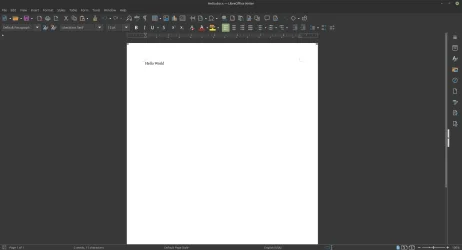
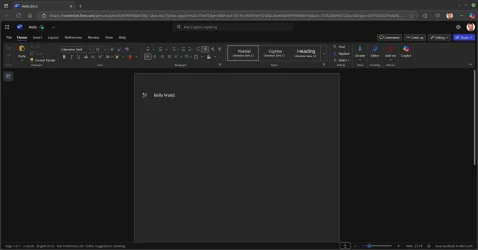
Even last week, I edited a document first using Linux Libreoffice, and then the free online version of Word, and a website refused to accept the document upload, stating docs "must be" MS Office Word format.
I just tried this and there were no issues what so ever.

1753204927574.webp1753204885249.webp
 

My Computers

System One System Two

  • OS
    Win 11 Pro 25H2 26200.8457 / Linux Mint 22.3
    Computer type
    Laptop
    Manufacturer/Model
    Lenovo A485
    CPU
    Ryzen 7 2700U Pro
    Motherboard
    Lenovo (WiFi/BT module upgraded to Intel Wireless-AC-9260)
    Memory
    32GB
    Graphics Card(s)
    iGPU Vega 10
    Sound Card
    Realtek
    Monitor(s) Displays
    14" FHD (built-in) + 14" Lenovo Thinkvision M14t (touch+pen) + 32" Asus PB328
    Screen Resolution
    FHD + FHD + 1440p
    Hard Drives
    Intel 660p m.2 nVME PCIe3.0 x2 512GB
    PSU
    125W(Dock)/65W(Travel Adapter)
    Keyboard
    Thinkpad / Logitech MX Keys
    Mouse
    Logitech MX Master 2S
    Internet Speed
    1/1Gbit
    Browser
    Firefox
    Antivirus
    Windows Defender
    Other Info
    SecureBoot: Enabled
    TPM2.0: Enabled
    AMD-V: Enabled
  • Operating System
    Win 11 Pro 25H2 26200.8521(RP)
    Computer type
    PC/Desktop
    Manufacturer/Model
    Custom
    CPU
    i7-7700k @4.8GHz
    Motherboard
    Asus PRIME Z270-A
    Memory
    32GB 2x16GB 2133MHz CL15
    Graphics card(s)
    EVGA GTX1080Ti FTW 11GB
    Sound Card
    Integrated
    Monitor(s) Displays
    32" 10-bit Asus PB328Q
    Screen Resolution
    WQHD 2560x1440
    Hard Drives
    512GB ADATA SX8000NP NVMe PCIe Gen 3 x4
    PSU
    850W
    Case
    Fractal Design Define 7
    Cooling
    Noctua NH-D15 chromax.black
    Keyboard
    Logitech MX Keys
    Mouse
    Logitech MX Master 2S
    Internet Speed
    1/1Gbit
    Browser
    Firefox
    Antivirus
    Windows Defender
    Other Info
    AC WiFi Card
I hate Windows, Linux, MacOS, Android and iOS, they're all dogs poop in the end tbh. That is if you're looking for such things.

But at the same time I love them all, they have all their strengths aswell as their weaknesses. Some design choices I question, but nothing is so horrible that I couldn't use any of the mentioned as a daily driver.

I mostly use Android these days, and with the help of some Linux and Samsung "magic" I can do way beyond what Android was originally designed to do. Very powerful stuff.

I can easily recommend any OS, depending on what the user want to do.

What comes to buying used corporate hardware. Not every one has that luxury and can't afford it even though the hardware usually is a bargain.
It depends what you do with your computer. All OSes are good for a "smart typewriter". In analogy to a smart TV which is a monitor with TV tuner that can also connect to the internet, a "smart typewriter" is a simple office computer that can open/edit documents, connect to the internet to check your socials and e-mail or watch YouTube, Netflix and play the occasional online game. If you want to do some more advanced stuff, things change. See my earlier post. I consider installing Linux on a PC demoting it from a general purpose PC to a "smart typewriter" which I don't like. I will never demote my PC that way and I will certainly won't recommend it to others. It's that simple, not a matter of GUI preference.
 

My Computers

System One System Two

  • OS
    Windows 11 Pro 23H2 (5699), 25H2 (8457)
    Computer type
    Laptop
    Manufacturer/Model
    Acer Extensa 5630EZ
    CPU
    Mobile DualCore Intel Core 2 Duo T7250, 2000 MHz
    Motherboard
    Acer Extensa 5630
    Memory
    4GB
    Graphics Card(s)
    Mobile Intel(R) GMA 4500M (Mobile 4 series)
    Sound Card
    Realtek ALC268 @ Intel 82801IB ICH9 - High Definition Audio Controller
    Monitor(s) Displays
    1
    Screen Resolution
    1280x800
    Hard Drives
    Samsung SSD 850 EVO 250GB SATA Device (250 GB, SATA-III)
    Internet Speed
    VDSL 50 Mbps
    Browser
    MICROSOFT EDGE
    Antivirus
    WINDOWS DEFENDER
    Other Info
    Legacy MBR installation, no TPM, no Secure Boot, no WDDM 2.0 graphics drivers, no SSE4.2, cannot get more unsupported ;) This is only my test laptop. I had installed Windows 11 here before upgrading my main PC. For my main PC I use everyday see my 2nd system specs.
  • Operating System
    Windows 11 Pro v25H2 (build 26200.8457)
    Computer type
    PC/Desktop
    Manufacturer/Model
    Custom-built PC
    CPU
    Intel Core-i7 3770 3.40GHz s1155 (3rd generation)
    Motherboard
    Asus P8H61 s1155 ATX
    Memory
    2x Kingston Hyper-X Blu 8GB DDR3-1600
    Graphics card(s)
    GIGABYTE GeForce RTX 3050 WINDFORCE OC V2 6GB (GV-N3050WF2OCV2-6GD)
    Sound Card
    Realtek HD audio (ALC887)
    Monitor(s) Displays
    Sony Bravia KDL-19L4000 19" LCD TV via VGA
    Screen Resolution
    1440x900 32-bit 60Hz
    Hard Drives
    WD Blue SA510 2.5 1000GB SSD as system disk, Western Digital Caviar Purple 4TB SATA III (WD40PURZ) as second
    PSU
    Thermaltake Litepower RGB 550W Full Wired
    Case
    SUPERCASE MIDI-TOWER
    Cooling
    Deepcool Gamma Archer CPU cooler, 1x 8cm fan at the back
    Keyboard
    Mitsumi 101-key PS/2
    Mouse
    Sunnyline OptiEye PS/2
    Internet Speed
    100Mbps
    Browser
    Microsoft Edge, Mozilla Firefox
    Antivirus
    Microsoft Windows Defender
    Other Info
    Legacy BIOS (MBR) installation, no TPM, no Secure Boot, WDDM 3.0 graphics drivers, WEI score 7.4
As a very experienced UNIX/Linux user/ex developer, the last thing I would do, is suggest Linux as an alternative to a Windows user.

A PC would have to be extremely old, to be actually unable to run Win 11, even with registry mods, and I would suggest for most Windows users in this position, the only alternative is to buy at least a used 8th gen intel cpu based, ex corporate, replacement machine, with Windows 10 COA key, in firmware.
Point taken although some 2 to 3 year old computers won't run it, depending on hardware. And I would agree to get a used 8th to 10th generation machine.

I just have an "old" one I really like and there is no real new equivalent for. It works perfectly fine but it doesn't have SSE4.2 so it won't run Windows 11 24H2. So I did put xubuntu on it, rather than throw it away. I did quite like xubuntu for a secondary machine as it reminds me of Windows 7. So I tried it on a 14" laptop and it was awful - as no scaling - which was mainly what I started out saying. That it's not really an option for the average Windows user to just put Linux on computers that won't run 24H2 (bearing in mind 23H2 ends in October) because it just isn't usable out of the box - and adjusting the scaling is a nightmare and end results not that satisfactory. If however someone had an old "powerful" machine and could run ubuntu they'd be ok probably - as it does have scaling (that's if they like/want ubuntu).
 

My Computers

System One System Two

  • OS
    Windows 11 Home 25H2
    Computer type
    Laptop
    Manufacturer/Model
    HP Pavilion 14-ce3606sa
    CPU
    Core i5-1035G1
    Memory
    32gb
    Hard Drives
    Samsung 870 evo sata ssd
    Cooling
    Could be better
    Internet Speed
    50 mbps Starlink
    Browser
    Firefox
    Other Info
    Originally came installed with a 500gb H10 Optane ssd
  • Operating System
    Windows 11 Home
    Computer type
    Laptop
    Manufacturer/Model
    HP Pavilion ce3606sa
    CPU
    Intel Core i5-1035G1
    Memory
    16gb
    Hard Drives
    Hynix Gold P31 2TB
    Internet Speed
    200mbps Starlink
    Browser
    Firefox
    Antivirus
    Defender
An alternative for old machines without SSE4.2 is to install Windows 10 IoT Enterprise LTSC 21H2 which will receive support until the 13th of January 2032. However, I am not sure if this is allowed for a home computer and what the cost is. Anyone can comment on that?
 

My Computers

System One System Two

  • OS
    Windows 11 Pro 23H2 (5699), 25H2 (8457)
    Computer type
    Laptop
    Manufacturer/Model
    Acer Extensa 5630EZ
    CPU
    Mobile DualCore Intel Core 2 Duo T7250, 2000 MHz
    Motherboard
    Acer Extensa 5630
    Memory
    4GB
    Graphics Card(s)
    Mobile Intel(R) GMA 4500M (Mobile 4 series)
    Sound Card
    Realtek ALC268 @ Intel 82801IB ICH9 - High Definition Audio Controller
    Monitor(s) Displays
    1
    Screen Resolution
    1280x800
    Hard Drives
    Samsung SSD 850 EVO 250GB SATA Device (250 GB, SATA-III)
    Internet Speed
    VDSL 50 Mbps
    Browser
    MICROSOFT EDGE
    Antivirus
    WINDOWS DEFENDER
    Other Info
    Legacy MBR installation, no TPM, no Secure Boot, no WDDM 2.0 graphics drivers, no SSE4.2, cannot get more unsupported ;) This is only my test laptop. I had installed Windows 11 here before upgrading my main PC. For my main PC I use everyday see my 2nd system specs.
  • Operating System
    Windows 11 Pro v25H2 (build 26200.8457)
    Computer type
    PC/Desktop
    Manufacturer/Model
    Custom-built PC
    CPU
    Intel Core-i7 3770 3.40GHz s1155 (3rd generation)
    Motherboard
    Asus P8H61 s1155 ATX
    Memory
    2x Kingston Hyper-X Blu 8GB DDR3-1600
    Graphics card(s)
    GIGABYTE GeForce RTX 3050 WINDFORCE OC V2 6GB (GV-N3050WF2OCV2-6GD)
    Sound Card
    Realtek HD audio (ALC887)
    Monitor(s) Displays
    Sony Bravia KDL-19L4000 19" LCD TV via VGA
    Screen Resolution
    1440x900 32-bit 60Hz
    Hard Drives
    WD Blue SA510 2.5 1000GB SSD as system disk, Western Digital Caviar Purple 4TB SATA III (WD40PURZ) as second
    PSU
    Thermaltake Litepower RGB 550W Full Wired
    Case
    SUPERCASE MIDI-TOWER
    Cooling
    Deepcool Gamma Archer CPU cooler, 1x 8cm fan at the back
    Keyboard
    Mitsumi 101-key PS/2
    Mouse
    Sunnyline OptiEye PS/2
    Internet Speed
    100Mbps
    Browser
    Microsoft Edge, Mozilla Firefox
    Antivirus
    Microsoft Windows Defender
    Other Info
    Legacy BIOS (MBR) installation, no TPM, no Secure Boot, WDDM 3.0 graphics drivers, WEI score 7.4
So I tried it on a 14" laptop and it was awful - as no scaling - which was mainly what I started out saying.

Right on. Here we are, almost to five pages, and the only person who has offered up any possible solution to the scaling was me, the guy who administers Windows boxes for a living. The most we've gotten from the Linux people is "works for me. 🤷‍♂️"

And in general, you're quite right. If you install Linux and give it an average home Windows user, and it goes well, you're in business. But if you have real issues, they're not the kind of thing those folks are going to tackle.
 

My Computer

System One

  • OS
    Windows 11 Pro 25H2
    Computer type
    PC/Desktop
    Manufacturer/Model
    Intel NUC12WSHi7
    CPU
    12th Gen Core i7-1260P
    Motherboard
    NUC12WSBi7
    Memory
    64 GB Micron PC4-25600
    Graphics Card(s)
    Intel Iris Xe Graphics
    Sound Card
    on-board Realtek HD Audio
    Monitor(s) Displays
    Dell U3219Q
    Screen Resolution
    3840 x 2160
    Hard Drives
    Samsung SSD 990 PRO 1TB
    Crucial MX500 2 TB
    Antivirus
    Microsoft Defender
I agree. You give a novice user Linux, point a few things (how to open Firefox, how to open Libre Office) and as long as he stays in those known apps, it's OK. All the problems begin if he tries to do something new like install a new device, install a new app. Almost likely he won't succeed, we will call you for help (not my favorite trying to solve problems in Linux or Mac OS) and blame you for persuading him to install Linux. And he will be absolutely right, so I won't tell him to install Linux and put myself in this undesirable position.
 

My Computers

System One System Two

  • OS
    Windows 11 Pro 23H2 (5699), 25H2 (8457)
    Computer type
    Laptop
    Manufacturer/Model
    Acer Extensa 5630EZ
    CPU
    Mobile DualCore Intel Core 2 Duo T7250, 2000 MHz
    Motherboard
    Acer Extensa 5630
    Memory
    4GB
    Graphics Card(s)
    Mobile Intel(R) GMA 4500M (Mobile 4 series)
    Sound Card
    Realtek ALC268 @ Intel 82801IB ICH9 - High Definition Audio Controller
    Monitor(s) Displays
    1
    Screen Resolution
    1280x800
    Hard Drives
    Samsung SSD 850 EVO 250GB SATA Device (250 GB, SATA-III)
    Internet Speed
    VDSL 50 Mbps
    Browser
    MICROSOFT EDGE
    Antivirus
    WINDOWS DEFENDER
    Other Info
    Legacy MBR installation, no TPM, no Secure Boot, no WDDM 2.0 graphics drivers, no SSE4.2, cannot get more unsupported ;) This is only my test laptop. I had installed Windows 11 here before upgrading my main PC. For my main PC I use everyday see my 2nd system specs.
  • Operating System
    Windows 11 Pro v25H2 (build 26200.8457)
    Computer type
    PC/Desktop
    Manufacturer/Model
    Custom-built PC
    CPU
    Intel Core-i7 3770 3.40GHz s1155 (3rd generation)
    Motherboard
    Asus P8H61 s1155 ATX
    Memory
    2x Kingston Hyper-X Blu 8GB DDR3-1600
    Graphics card(s)
    GIGABYTE GeForce RTX 3050 WINDFORCE OC V2 6GB (GV-N3050WF2OCV2-6GD)
    Sound Card
    Realtek HD audio (ALC887)
    Monitor(s) Displays
    Sony Bravia KDL-19L4000 19" LCD TV via VGA
    Screen Resolution
    1440x900 32-bit 60Hz
    Hard Drives
    WD Blue SA510 2.5 1000GB SSD as system disk, Western Digital Caviar Purple 4TB SATA III (WD40PURZ) as second
    PSU
    Thermaltake Litepower RGB 550W Full Wired
    Case
    SUPERCASE MIDI-TOWER
    Cooling
    Deepcool Gamma Archer CPU cooler, 1x 8cm fan at the back
    Keyboard
    Mitsumi 101-key PS/2
    Mouse
    Sunnyline OptiEye PS/2
    Internet Speed
    100Mbps
    Browser
    Microsoft Edge, Mozilla Firefox
    Antivirus
    Microsoft Windows Defender
    Other Info
    Legacy BIOS (MBR) installation, no TPM, no Secure Boot, WDDM 3.0 graphics drivers, WEI score 7.4
Status
Not open for further replies.
Back
Top Bottom