
Solved Will an ASUS ProArt 238Q monitor work with W11?


chiropterist

Active member
Member
Local time
7:29 AM
Posts
20
OS
Windows 11 Pro 22H2, Version10.0.22621, Build 22621
Previously I used it with W7.
 

My Computers My Computers

  • At a glance

    Windows 11 Pro 22H2, Version10.0.22621, Build...20.0 GBIntel HD Graphics
    OS
    Windows 11 Pro 22H2, Version10.0.22621, Build 22621
    Computer type
    PC/Desktop
    Manufacturer/Model
    Gateway DX4870-UB318
    Motherboard
    Gateway DX4870
    Memory
    20.0 GB
    Graphics Card(s)
    Intel HD Graphics
    Monitor(s) Displays
    ASUS ProArt PA238Q
    Screen Resolution
    1920 x 1080
    Keyboard
    proud owner of an IBM Model M
    Mouse
    Logitech M570 Wireless Trackball Mouse & Logitech Trackman T-BC21 Wired Marble Mouse
    Browser
    Google Chrome
    Antivirus
    Microsoft Defender
  • At a glance

    Windows 7
    Operating System
    Windows 7
    Computer type
    Laptop
    Manufacturer/Model
    HP 250 G3 Notebook PC
    Other Info
    This is the 2nd system that I'm currently using to try to get System 1 up and running.
Shouldn't be an issue. Just use the same display cable you used with W7.
 

My Computers My Computers

  • At a glance

    Win 11 Pro 25H2 26200.8737Intel® Core™ i7-14700KG.SKILL Ripjaws S5 Series 64GB (2 x 32GB) DDR5ASUS GeForce RTX 4070 Super 12GB
    OS
    Win 11 Pro 25H2 26200.8737
    Computer type
    PC/Desktop
    Manufacturer/Model
    Self Built
    CPU
    Intel® Core™ i7-14700K
    Motherboard
    ASUS TUF Z690-PLUS WIFI (BIOS 4505)
    Memory
    G.SKILL Ripjaws S5 Series 64GB (2 x 32GB) DDR5
    Graphics Card(s)
    ASUS GeForce RTX 4070 Super 12GB
    Sound Card
    Sound Blaster AE-5 Plus
    Monitor(s) Displays
    ASUS TUF Gaming 27" 2K HDR Gaming
    Screen Resolution
    2560 x 1440
    Hard Drives
    Samsung 990 Pro 1TB NVMe (Win 11 25H2)
    SK hynix P41 500GB NVMe
    SK hynix P41 2TB NVMe (x3)
    Crucial P3 Plus 4TB
    PSU
    Corsair RM850x Shift
    Case
    Antec Dark Phantom DP502 FLUX
    Cooling
    Corsair Nautilus 360 RS AIO
    Keyboard
    Logitech MK 320
    Mouse
    Razer Basilisk V3
    Internet Speed
    750Mbs
    Browser
    Firefox
    Antivirus
    Winows Security
    Other Info
    MR 8.1 Home
  • At a glance

    Win 11 Pro 25H2 26200.8737Intel Core i5-1140064 GB DDR4MSI GeForce RTX 3060 Ventus 2X 12GB
    Operating System
    Win 11 Pro 25H2 26200.8737
    Computer type
    PC/Desktop
    Manufacturer/Model
    Self Built
    CPU
    Intel Core i5-11400
    Motherboard
    Asus TUF Gaming Z590 Plus WiFi (BIOS 2803)
    Memory
    64 GB DDR4
    Graphics card(s)
    MSI GeForce RTX 3060 Ventus 2X 12GB
    Sound Card
    SoundBlaster Audigy Fx V2
    Monitor(s) Displays
    Samsung F27T350
    Screen Resolution
    1920x1080
    Hard Drives
    Samsung 980 Pro 1TB
    Samsung 970 EVO Plus 2TB
    Samsung 870 EVO 500GB SSD
    PSU
    Corsair HX750
    Case
    Cougar MX330-G Window
    Cooling
    Thermalright Frozen Edge 240 Black AIO
    Internet Speed
    350Mbps
    Browser
    Firefox
    Antivirus
    Windows Security
  • System Three
    Win 11 Pro 25H2 26200.8737
    ASUS PRIME Z370-P II BIOS 3004 7/12/21
    Intel Core i7-8700 CPU @ 3.20GHz
    32GB DDR4 RAM (4x8)
    iGPU Intel UHD Graphics 630
    Mid-Tower Desktop
Sure, if you can connect to the graphics output of the PC. As it has HDMI, D Sub (VGA), DVI-D, and DsiplayPort inputs, that covers most PCs.


The "drivers" for it only list support through Windows 8. (Get the 64 bit version.)


But as they mainly include an ICM (color management profile) for the monitor, they should be OK under 11. Just expand the ZIP file. right click on the .inf file, and choose "install".
 

My Computers My Computers

  • At a glance

    Windows 11 26200.8728Amd Threadripper 7970X128GB (4 X 32) G.Skill DDR5 6400 (RDIMM)Gigabyte RTX 4090 OC
    OS
    Windows 11 26200.8728
    Computer type
    PC/Desktop
    Manufacturer/Model
    homebuilt
    CPU
    Amd Threadripper 7970X
    Motherboard
    Gigabyte TRX50 Aero D Rev. 1.0
    Memory
    128GB (4 X 32) G.Skill DDR5 6400 (RDIMM)
    Graphics Card(s)
    Gigabyte RTX 4090 OC
    Sound Card
    none (USB to speakers), Realtek
    Monitor(s) Displays
    Innocn 32" OLED
    Screen Resolution
    3840 X 2160 @ 60Hz
    Hard Drives
    Crucial T700 2TB M.2 NVME SSD
    WD 4TB Blue SATA SSD
    Seagate 18TB IronWolf Pro
    PSU
    BeQuiet! Straight Power 12 1500W
    Case
    Lian Li 011 Dynamic Evo XL
    Cooling
    SilverStone Technology XE360-TR5, with 3 Phanteks T30 fans
    Keyboard
    Cherry KC 500 MX LP (mechanical)
    Mouse
    Logitech M500s (wired)
    Internet Speed
    2000/250 Mbps (down/up)
    Other Info
    xFinity gateway
  • At a glance

    windows 11 26200.8728Intel I9-13900K64GB G.Skill DDR5-6000Gigabyte RTX 3090 ti
    Operating System
    windows 11 26200.8728
    Computer type
    PC/Desktop
    Manufacturer/Model
    homebuilt
    CPU
    Intel I9-13900K
    Motherboard
    Asus RoG Strix Z690-E
    Memory
    64GB G.Skill DDR5-6000
    Graphics card(s)
    Gigabyte RTX 3090 ti
    Sound Card
    built in Realtek
    Monitor(s) Displays
    Philips 27E1N8900 27" OLED
    Screen Resolution
    3840 X 2160 @60Hz
    Hard Drives
    WDC SN850 1TB
    8TB Seagate Ironwolf
    4TB Seagate Ironwolf
    PSU
    eVGA SuperNOVA 1300 GT
    Case
    Lian Li 011 Dynamic Evo
    Cooling
    Corsair iCUE H150i ELITE CAPELLIX Liquid CPU Cooler
    Keyboard
    Cherry Streaming (wired)
    Mouse
    Logitech M500s (wired)
Thanks for your prompt reply. I ask because when I turn on monitor, I get "HDMI no signal" and monitor goes to sleep. Now what, please.
 

My Computers My Computers

  • At a glance

    Windows 11 Pro 22H2, Version10.0.22621, Build...20.0 GBIntel HD Graphics
    OS
    Windows 11 Pro 22H2, Version10.0.22621, Build 22621
    Computer type
    PC/Desktop
    Manufacturer/Model
    Gateway DX4870-UB318
    Motherboard
    Gateway DX4870
    Memory
    20.0 GB
    Graphics Card(s)
    Intel HD Graphics
    Monitor(s) Displays
    ASUS ProArt PA238Q
    Screen Resolution
    1920 x 1080
    Keyboard
    proud owner of an IBM Model M
    Mouse
    Logitech M570 Wireless Trackball Mouse & Logitech Trackman T-BC21 Wired Marble Mouse
    Browser
    Google Chrome
    Antivirus
    Microsoft Defender
  • At a glance

    Windows 7
    Operating System
    Windows 7
    Computer type
    Laptop
    Manufacturer/Model
    HP 250 G3 Notebook PC
    Other Info
    This is the 2nd system that I'm currently using to try to get System 1 up and running.
Thanks for your prompt reply. I ask because when I turn on monitor, I get "HDMI no signal" and monitor goes to sleep. Now what, please.
The information that you provide is limited.

Are you connecting the PA 238Q to the Gateway DX4870-UB318? (That PC is roughly 10 years old. Gen3 Intel CPU.)

There's a downloadable manual for the PA328Q.


I suggest pressing the input select button on the PA328Q to manually select the HDMI input. (It's the second button, from the bottom.)

If that doesn't work, you could try clearing the CMOS.

One possible (but unlikely) explanation: if a discrete graphics card has been added to the DX4870-UB318, it probably disables the graphics outputs in the rear I/O panel. Connect the HDMI cable to the graphics card.
 

My Computers My Computers

  • At a glance

    Windows 11 26200.8728Amd Threadripper 7970X128GB (4 X 32) G.Skill DDR5 6400 (RDIMM)Gigabyte RTX 4090 OC
    OS
    Windows 11 26200.8728
    Computer type
    PC/Desktop
    Manufacturer/Model
    homebuilt
    CPU
    Amd Threadripper 7970X
    Motherboard
    Gigabyte TRX50 Aero D Rev. 1.0
    Memory
    128GB (4 X 32) G.Skill DDR5 6400 (RDIMM)
    Graphics Card(s)
    Gigabyte RTX 4090 OC
    Sound Card
    none (USB to speakers), Realtek
    Monitor(s) Displays
    Innocn 32" OLED
    Screen Resolution
    3840 X 2160 @ 60Hz
    Hard Drives
    Crucial T700 2TB M.2 NVME SSD
    WD 4TB Blue SATA SSD
    Seagate 18TB IronWolf Pro
    PSU
    BeQuiet! Straight Power 12 1500W
    Case
    Lian Li 011 Dynamic Evo XL
    Cooling
    SilverStone Technology XE360-TR5, with 3 Phanteks T30 fans
    Keyboard
    Cherry KC 500 MX LP (mechanical)
    Mouse
    Logitech M500s (wired)
    Internet Speed
    2000/250 Mbps (down/up)
    Other Info
    xFinity gateway
  • At a glance

    windows 11 26200.8728Intel I9-13900K64GB G.Skill DDR5-6000Gigabyte RTX 3090 ti
    Operating System
    windows 11 26200.8728
    Computer type
    PC/Desktop
    Manufacturer/Model
    homebuilt
    CPU
    Intel I9-13900K
    Motherboard
    Asus RoG Strix Z690-E
    Memory
    64GB G.Skill DDR5-6000
    Graphics card(s)
    Gigabyte RTX 3090 ti
    Sound Card
    built in Realtek
    Monitor(s) Displays
    Philips 27E1N8900 27" OLED
    Screen Resolution
    3840 X 2160 @60Hz
    Hard Drives
    WDC SN850 1TB
    8TB Seagate Ironwolf
    4TB Seagate Ironwolf
    PSU
    eVGA SuperNOVA 1300 GT
    Case
    Lian Li 011 Dynamic Evo
    Cooling
    Corsair iCUE H150i ELITE CAPELLIX Liquid CPU Cooler
    Keyboard
    Cherry Streaming (wired)
    Mouse
    Logitech M500s (wired)
@Scott, I was using a DVI cable, but the PC only has VGA & HDMI connectors.

@bobkn, Yes I'm trying to connect these devices; the monitor is about the same vintage as the PC. I'm looking for other HDMI & VGA cables in case the one I'm using is bad. I'm not sure how much I can do without a monitor though (I'm writing on my phone at the moment). After I check the cables I'll be back. Thanks
 

My Computers My Computers

  • At a glance

    Windows 11 Pro 22H2, Version10.0.22621, Build...20.0 GBIntel HD Graphics
    OS
    Windows 11 Pro 22H2, Version10.0.22621, Build 22621
    Computer type
    PC/Desktop
    Manufacturer/Model
    Gateway DX4870-UB318
    Motherboard
    Gateway DX4870
    Memory
    20.0 GB
    Graphics Card(s)
    Intel HD Graphics
    Monitor(s) Displays
    ASUS ProArt PA238Q
    Screen Resolution
    1920 x 1080
    Keyboard
    proud owner of an IBM Model M
    Mouse
    Logitech M570 Wireless Trackball Mouse & Logitech Trackman T-BC21 Wired Marble Mouse
    Browser
    Google Chrome
    Antivirus
    Microsoft Defender
  • At a glance

    Windows 7
    Operating System
    Windows 7
    Computer type
    Laptop
    Manufacturer/Model
    HP 250 G3 Notebook PC
    Other Info
    This is the 2nd system that I'm currently using to try to get System 1 up and running.
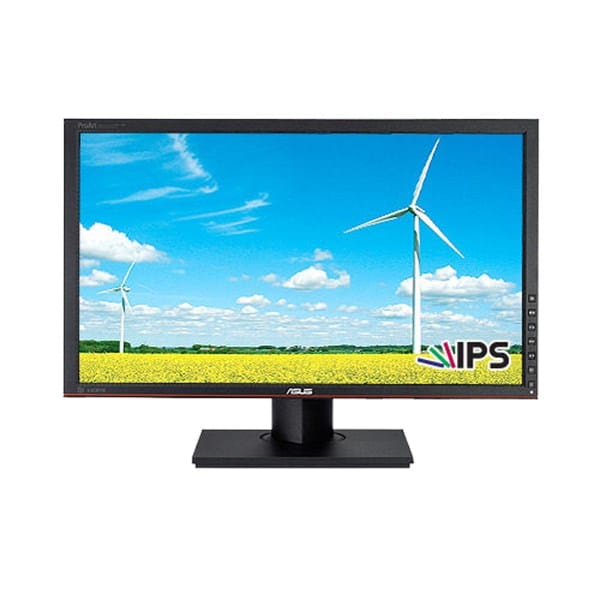
@Scott, I was using a DVI cable, but the PC only has VGA & HDMI connectors.

@bobkn, Yes I'm trying to connect these devices; the monitor is about the same vintage as the PC. I'm looking for other HDMI & VGA cables in case the one I'm using is bad. I'm not sure how much I can do without a monitor though. I'm writing on my phone at the moment.

(Two hours later) Brand new HDMI cable, still no signal. I'm going to keep looking for a VGA cable.
 

My Computers My Computers

  • At a glance

    Windows 11 Pro 22H2, Version10.0.22621, Build...20.0 GBIntel HD Graphics
    OS
    Windows 11 Pro 22H2, Version10.0.22621, Build 22621
    Computer type
    PC/Desktop
    Manufacturer/Model
    Gateway DX4870-UB318
    Motherboard
    Gateway DX4870
    Memory
    20.0 GB
    Graphics Card(s)
    Intel HD Graphics
    Monitor(s) Displays
    ASUS ProArt PA238Q
    Screen Resolution
    1920 x 1080
    Keyboard
    proud owner of an IBM Model M
    Mouse
    Logitech M570 Wireless Trackball Mouse & Logitech Trackman T-BC21 Wired Marble Mouse
    Browser
    Google Chrome
    Antivirus
    Microsoft Defender
  • At a glance

    Windows 7
    Operating System
    Windows 7
    Computer type
    Laptop
    Manufacturer/Model
    HP 250 G3 Notebook PC
    Other Info
    This is the 2nd system that I'm currently using to try to get System 1 up and running.

Have you manually set the monitor to use its HDMI input?

(Button on the lower right front. The second one from the bottom.)

I wouldn't expect it to be necessary, but I've never used HDMI. (Always DisplayPort.)
 

My Computers My Computers

  • At a glance

    Windows 11 26200.8728Amd Threadripper 7970X128GB (4 X 32) G.Skill DDR5 6400 (RDIMM)Gigabyte RTX 4090 OC
    OS
    Windows 11 26200.8728
    Computer type
    PC/Desktop
    Manufacturer/Model
    homebuilt
    CPU
    Amd Threadripper 7970X
    Motherboard
    Gigabyte TRX50 Aero D Rev. 1.0
    Memory
    128GB (4 X 32) G.Skill DDR5 6400 (RDIMM)
    Graphics Card(s)
    Gigabyte RTX 4090 OC
    Sound Card
    none (USB to speakers), Realtek
    Monitor(s) Displays
    Innocn 32" OLED
    Screen Resolution
    3840 X 2160 @ 60Hz
    Hard Drives
    Crucial T700 2TB M.2 NVME SSD
    WD 4TB Blue SATA SSD
    Seagate 18TB IronWolf Pro
    PSU
    BeQuiet! Straight Power 12 1500W
    Case
    Lian Li 011 Dynamic Evo XL
    Cooling
    SilverStone Technology XE360-TR5, with 3 Phanteks T30 fans
    Keyboard
    Cherry KC 500 MX LP (mechanical)
    Mouse
    Logitech M500s (wired)
    Internet Speed
    2000/250 Mbps (down/up)
    Other Info
    xFinity gateway
  • At a glance

    windows 11 26200.8728Intel I9-13900K64GB G.Skill DDR5-6000Gigabyte RTX 3090 ti
    Operating System
    windows 11 26200.8728
    Computer type
    PC/Desktop
    Manufacturer/Model
    homebuilt
    CPU
    Intel I9-13900K
    Motherboard
    Asus RoG Strix Z690-E
    Memory
    64GB G.Skill DDR5-6000
    Graphics card(s)
    Gigabyte RTX 3090 ti
    Sound Card
    built in Realtek
    Monitor(s) Displays
    Philips 27E1N8900 27" OLED
    Screen Resolution
    3840 X 2160 @60Hz
    Hard Drives
    WDC SN850 1TB
    8TB Seagate Ironwolf
    4TB Seagate Ironwolf
    PSU
    eVGA SuperNOVA 1300 GT
    Case
    Lian Li 011 Dynamic Evo
    Cooling
    Corsair iCUE H150i ELITE CAPELLIX Liquid CPU Cooler
    Keyboard
    Cherry Streaming (wired)
    Mouse
    Logitech M500s (wired)
Yes, I did. I'm still looking for that elusive VGA cable. That way, if all else fails, I might be able to attach one of the ancient monitors sitting in my basement.
 

My Computers My Computers

  • At a glance

    Windows 11 Pro 22H2, Version10.0.22621, Build...20.0 GBIntel HD Graphics
    OS
    Windows 11 Pro 22H2, Version10.0.22621, Build 22621
    Computer type
    PC/Desktop
    Manufacturer/Model
    Gateway DX4870-UB318
    Motherboard
    Gateway DX4870
    Memory
    20.0 GB
    Graphics Card(s)
    Intel HD Graphics
    Monitor(s) Displays
    ASUS ProArt PA238Q
    Screen Resolution
    1920 x 1080
    Keyboard
    proud owner of an IBM Model M
    Mouse
    Logitech M570 Wireless Trackball Mouse & Logitech Trackman T-BC21 Wired Marble Mouse
    Browser
    Google Chrome
    Antivirus
    Microsoft Defender
  • At a glance

    Windows 7
    Operating System
    Windows 7
    Computer type
    Laptop
    Manufacturer/Model
    HP 250 G3 Notebook PC
    Other Info
    This is the 2nd system that I'm currently using to try to get System 1 up and running.
Yes, I did. I'm still looking for that elusive VGA cable. That way, if all else fails, I might be able to attach one of the ancient monitors sitting in my basement.
That might be useful in checking the BIOS settings in that old PC.

Good luck.
 

My Computers My Computers

  • At a glance

    Windows 11 26200.8728Amd Threadripper 7970X128GB (4 X 32) G.Skill DDR5 6400 (RDIMM)Gigabyte RTX 4090 OC
    OS
    Windows 11 26200.8728
    Computer type
    PC/Desktop
    Manufacturer/Model
    homebuilt
    CPU
    Amd Threadripper 7970X
    Motherboard
    Gigabyte TRX50 Aero D Rev. 1.0
    Memory
    128GB (4 X 32) G.Skill DDR5 6400 (RDIMM)
    Graphics Card(s)
    Gigabyte RTX 4090 OC
    Sound Card
    none (USB to speakers), Realtek
    Monitor(s) Displays
    Innocn 32" OLED
    Screen Resolution
    3840 X 2160 @ 60Hz
    Hard Drives
    Crucial T700 2TB M.2 NVME SSD
    WD 4TB Blue SATA SSD
    Seagate 18TB IronWolf Pro
    PSU
    BeQuiet! Straight Power 12 1500W
    Case
    Lian Li 011 Dynamic Evo XL
    Cooling
    SilverStone Technology XE360-TR5, with 3 Phanteks T30 fans
    Keyboard
    Cherry KC 500 MX LP (mechanical)
    Mouse
    Logitech M500s (wired)
    Internet Speed
    2000/250 Mbps (down/up)
    Other Info
    xFinity gateway
  • At a glance

    windows 11 26200.8728Intel I9-13900K64GB G.Skill DDR5-6000Gigabyte RTX 3090 ti
    Operating System
    windows 11 26200.8728
    Computer type
    PC/Desktop
    Manufacturer/Model
    homebuilt
    CPU
    Intel I9-13900K
    Motherboard
    Asus RoG Strix Z690-E
    Memory
    64GB G.Skill DDR5-6000
    Graphics card(s)
    Gigabyte RTX 3090 ti
    Sound Card
    built in Realtek
    Monitor(s) Displays
    Philips 27E1N8900 27" OLED
    Screen Resolution
    3840 X 2160 @60Hz
    Hard Drives
    WDC SN850 1TB
    8TB Seagate Ironwolf
    4TB Seagate Ironwolf
    PSU
    eVGA SuperNOVA 1300 GT
    Case
    Lian Li 011 Dynamic Evo
    Cooling
    Corsair iCUE H150i ELITE CAPELLIX Liquid CPU Cooler
    Keyboard
    Cherry Streaming (wired)
    Mouse
    Logitech M500s (wired)
A few years ago a client was moving and rather that take it with her she left me an ASUS VE276 27" monitor. Because it works with the afore-mentioned 4 types of inputs I've kept it, works fine with Win11 and Win10. I've used it a couple times to recover broken Notebooks [one by lightning hitting house and other by child stepping on it] by using the HDMI connection and keep it for a backup, it won't fit my regular space that can only handle my 24" Dell.

I should have mentioned the monitor has a button near the power button for changing the input choice between the 4 types.
 
Last edited:

My Computers My Computers

  • At a glance

    Win11 Pro RTM Version 24H2 Build 26100.4202Intel Core i5 11th Gen. 2.40GHz12GB
    OS
    Win11 Pro RTM Version 24H2 Build 26100.4202
    Computer type
    Laptop
    Manufacturer/Model
    Dell Vostro 3400
    CPU
    Intel Core i5 11th Gen. 2.40GHz
    Memory
    12GB
    Hard Drives
    256GB SSD NVMe M.2
  • At a glance

    Win11 Pro RTM Version 24H2 Build 26100.4202Intel Core i5 10th Gen. 2.90GHz16GBOnboard, no VGA, using a DisplayPort-to-VGA a...
    Operating System
    Win11 Pro RTM Version 24H2 Build 26100.4202
    Computer type
    PC/Desktop
    Manufacturer/Model
    Dell Vostro 5890
    CPU
    Intel Core i5 10th Gen. 2.90GHz
    Memory
    16GB
    Graphics card(s)
    Onboard, no VGA, using a DisplayPort-to-VGA adapter
    Monitor(s) Displays
    24" Dell
    Hard Drives
    512GB SSD NVMe, 4TB Seagate HDD
    Browser
    Firefox, Edge
    Antivirus
    Windows Defender/Microsoft Security

My Computers My Computers

  • At a glance

    Windows 11 Pro 22H2, Version10.0.22621, Build...20.0 GBIntel HD Graphics
    OS
    Windows 11 Pro 22H2, Version10.0.22621, Build 22621
    Computer type
    PC/Desktop
    Manufacturer/Model
    Gateway DX4870-UB318
    Motherboard
    Gateway DX4870
    Memory
    20.0 GB
    Graphics Card(s)
    Intel HD Graphics
    Monitor(s) Displays
    ASUS ProArt PA238Q
    Screen Resolution
    1920 x 1080
    Keyboard
    proud owner of an IBM Model M
    Mouse
    Logitech M570 Wireless Trackball Mouse & Logitech Trackman T-BC21 Wired Marble Mouse
    Browser
    Google Chrome
    Antivirus
    Microsoft Defender
  • At a glance

    Windows 7
    Operating System
    Windows 7
    Computer type
    Laptop
    Manufacturer/Model
    HP 250 G3 Notebook PC
    Other Info
    This is the 2nd system that I'm currently using to try to get System 1 up and running.
@bobkn, Yes, but how can I check the BIOS settings without a functioning monitor?

In further news, I connected the W7 monitor with a W7 HP 250 G3 Notebook PC. They are communicating. Could this mean that the difference in OSs is the problem (just a thought)?

And seriously folks, just how do I use a desktop PC without a monitor?
 

My Computers My Computers

  • At a glance

    Windows 11 Pro 22H2, Version10.0.22621, Build...20.0 GBIntel HD Graphics
    OS
    Windows 11 Pro 22H2, Version10.0.22621, Build 22621
    Computer type
    PC/Desktop
    Manufacturer/Model
    Gateway DX4870-UB318
    Motherboard
    Gateway DX4870
    Memory
    20.0 GB
    Graphics Card(s)
    Intel HD Graphics
    Monitor(s) Displays
    ASUS ProArt PA238Q
    Screen Resolution
    1920 x 1080
    Keyboard
    proud owner of an IBM Model M
    Mouse
    Logitech M570 Wireless Trackball Mouse & Logitech Trackman T-BC21 Wired Marble Mouse
    Browser
    Google Chrome
    Antivirus
    Microsoft Defender
  • At a glance

    Windows 7
    Operating System
    Windows 7
    Computer type
    Laptop
    Manufacturer/Model
    HP 250 G3 Notebook PC
    Other Info
    This is the 2nd system that I'm currently using to try to get System 1 up and running.
@bobkn, Yes, but how can I check the BIOS settings without a functioning monitor?

In further news, I connected the W7 monitor with a W7 HP 250 G3 Notebook PC. They are communicating. Could this mean that the difference in OSs is the problem (just a thought)?

And seriously folks, just how do I use a desktop PC without a monitor?
Sorry if I wasn't clear.

I meant that if you could connect another monitor, it might allow you to see what the BIOS settings are like. However, if you don't have a VGA cable on hand, I'm not optimistic that you'll make progress that way.

I doubt very much that Windows 11 is an issue.

I'm confused. How did you install 11 on the machine? Usually, that is done with a monitor attached and working.
 

My Computers My Computers

  • At a glance

    Windows 11 26200.8728Amd Threadripper 7970X128GB (4 X 32) G.Skill DDR5 6400 (RDIMM)Gigabyte RTX 4090 OC
    OS
    Windows 11 26200.8728
    Computer type
    PC/Desktop
    Manufacturer/Model
    homebuilt
    CPU
    Amd Threadripper 7970X
    Motherboard
    Gigabyte TRX50 Aero D Rev. 1.0
    Memory
    128GB (4 X 32) G.Skill DDR5 6400 (RDIMM)
    Graphics Card(s)
    Gigabyte RTX 4090 OC
    Sound Card
    none (USB to speakers), Realtek
    Monitor(s) Displays
    Innocn 32" OLED
    Screen Resolution
    3840 X 2160 @ 60Hz
    Hard Drives
    Crucial T700 2TB M.2 NVME SSD
    WD 4TB Blue SATA SSD
    Seagate 18TB IronWolf Pro
    PSU
    BeQuiet! Straight Power 12 1500W
    Case
    Lian Li 011 Dynamic Evo XL
    Cooling
    SilverStone Technology XE360-TR5, with 3 Phanteks T30 fans
    Keyboard
    Cherry KC 500 MX LP (mechanical)
    Mouse
    Logitech M500s (wired)
    Internet Speed
    2000/250 Mbps (down/up)
    Other Info
    xFinity gateway
  • At a glance

    windows 11 26200.8728Intel I9-13900K64GB G.Skill DDR5-6000Gigabyte RTX 3090 ti
    Operating System
    windows 11 26200.8728
    Computer type
    PC/Desktop
    Manufacturer/Model
    homebuilt
    CPU
    Intel I9-13900K
    Motherboard
    Asus RoG Strix Z690-E
    Memory
    64GB G.Skill DDR5-6000
    Graphics card(s)
    Gigabyte RTX 3090 ti
    Sound Card
    built in Realtek
    Monitor(s) Displays
    Philips 27E1N8900 27" OLED
    Screen Resolution
    3840 X 2160 @60Hz
    Hard Drives
    WDC SN850 1TB
    8TB Seagate Ironwolf
    4TB Seagate Ironwolf
    PSU
    eVGA SuperNOVA 1300 GT
    Case
    Lian Li 011 Dynamic Evo
    Cooling
    Corsair iCUE H150i ELITE CAPELLIX Liquid CPU Cooler
    Keyboard
    Cherry Streaming (wired)
    Mouse
    Logitech M500s (wired)
Success! I found a VGA cable and now I'm in business.
@bobkin, thanks for all your help. Someday I'll try to figure out why the HDMI connection doesn't work, but it will be much easier now that I have a working monitor.
 

My Computers My Computers

  • At a glance

    Windows 11 Pro 22H2, Version10.0.22621, Build...20.0 GBIntel HD Graphics
    OS
    Windows 11 Pro 22H2, Version10.0.22621, Build 22621
    Computer type
    PC/Desktop
    Manufacturer/Model
    Gateway DX4870-UB318
    Motherboard
    Gateway DX4870
    Memory
    20.0 GB
    Graphics Card(s)
    Intel HD Graphics
    Monitor(s) Displays
    ASUS ProArt PA238Q
    Screen Resolution
    1920 x 1080
    Keyboard
    proud owner of an IBM Model M
    Mouse
    Logitech M570 Wireless Trackball Mouse & Logitech Trackman T-BC21 Wired Marble Mouse
    Browser
    Google Chrome
    Antivirus
    Microsoft Defender
  • At a glance

    Windows 7
    Operating System
    Windows 7
    Computer type
    Laptop
    Manufacturer/Model
    HP 250 G3 Notebook PC
    Other Info
    This is the 2nd system that I'm currently using to try to get System 1 up and running.
I'm glad that it works with the VGA cable, although I'd prefer a digital connection.

I have almost never used an HDMI cable, and can't guess what's causing your issue.

I still wonder how you set up 11 on that old PC without using a monitor. (Boot drive swap from another machine?)
 

My Computers My Computers

  • At a glance

    Windows 11 26200.8728Amd Threadripper 7970X128GB (4 X 32) G.Skill DDR5 6400 (RDIMM)Gigabyte RTX 4090 OC
    OS
    Windows 11 26200.8728
    Computer type
    PC/Desktop
    Manufacturer/Model
    homebuilt
    CPU
    Amd Threadripper 7970X
    Motherboard
    Gigabyte TRX50 Aero D Rev. 1.0
    Memory
    128GB (4 X 32) G.Skill DDR5 6400 (RDIMM)
    Graphics Card(s)
    Gigabyte RTX 4090 OC
    Sound Card
    none (USB to speakers), Realtek
    Monitor(s) Displays
    Innocn 32" OLED
    Screen Resolution
    3840 X 2160 @ 60Hz
    Hard Drives
    Crucial T700 2TB M.2 NVME SSD
    WD 4TB Blue SATA SSD
    Seagate 18TB IronWolf Pro
    PSU
    BeQuiet! Straight Power 12 1500W
    Case
    Lian Li 011 Dynamic Evo XL
    Cooling
    SilverStone Technology XE360-TR5, with 3 Phanteks T30 fans
    Keyboard
    Cherry KC 500 MX LP (mechanical)
    Mouse
    Logitech M500s (wired)
    Internet Speed
    2000/250 Mbps (down/up)
    Other Info
    xFinity gateway
  • At a glance

    windows 11 26200.8728Intel I9-13900K64GB G.Skill DDR5-6000Gigabyte RTX 3090 ti
    Operating System
    windows 11 26200.8728
    Computer type
    PC/Desktop
    Manufacturer/Model
    homebuilt
    CPU
    Intel I9-13900K
    Motherboard
    Asus RoG Strix Z690-E
    Memory
    64GB G.Skill DDR5-6000
    Graphics card(s)
    Gigabyte RTX 3090 ti
    Sound Card
    built in Realtek
    Monitor(s) Displays
    Philips 27E1N8900 27" OLED
    Screen Resolution
    3840 X 2160 @60Hz
    Hard Drives
    WDC SN850 1TB
    8TB Seagate Ironwolf
    4TB Seagate Ironwolf
    PSU
    eVGA SuperNOVA 1300 GT
    Case
    Lian Li 011 Dynamic Evo
    Cooling
    Corsair iCUE H150i ELITE CAPELLIX Liquid CPU Cooler
    Keyboard
    Cherry Streaming (wired)
    Mouse
    Logitech M500s (wired)
@bobkn, I bought it with W11 already installed, and it's the newest piece of hardware I own (except for my network setup). BTW: why John William Strutt?
 

My Computers My Computers

  • At a glance

    Windows 11 Pro 22H2, Version10.0.22621, Build...20.0 GBIntel HD Graphics
    OS
    Windows 11 Pro 22H2, Version10.0.22621, Build 22621
    Computer type
    PC/Desktop
    Manufacturer/Model
    Gateway DX4870-UB318
    Motherboard
    Gateway DX4870
    Memory
    20.0 GB
    Graphics Card(s)
    Intel HD Graphics
    Monitor(s) Displays
    ASUS ProArt PA238Q
    Screen Resolution
    1920 x 1080
    Keyboard
    proud owner of an IBM Model M
    Mouse
    Logitech M570 Wireless Trackball Mouse & Logitech Trackman T-BC21 Wired Marble Mouse
    Browser
    Google Chrome
    Antivirus
    Microsoft Defender
  • At a glance

    Windows 7
    Operating System
    Windows 7
    Computer type
    Laptop
    Manufacturer/Model
    HP 250 G3 Notebook PC
    Other Info
    This is the 2nd system that I'm currently using to try to get System 1 up and running.
@bobkn, I bought it with W11 already installed, and it's the newest piece of hardware I own (except for my network setup). BTW: why John William Strutt?
A box with an I5-3330 (2012) is your newest PC? Could be worse, I suppose.

Lord Rayleigh was a Nobel prize winning physicist of the late 19th and early 20th century. He made major contributions to optics (Rayleigh scattering, Rayleigh diffractions, etc.).

I'm an ex-optical engineer (not a physicist).
 

My Computers My Computers

  • At a glance

    Windows 11 26200.8728Amd Threadripper 7970X128GB (4 X 32) G.Skill DDR5 6400 (RDIMM)Gigabyte RTX 4090 OC
    OS
    Windows 11 26200.8728
    Computer type
    PC/Desktop
    Manufacturer/Model
    homebuilt
    CPU
    Amd Threadripper 7970X
    Motherboard
    Gigabyte TRX50 Aero D Rev. 1.0
    Memory
    128GB (4 X 32) G.Skill DDR5 6400 (RDIMM)
    Graphics Card(s)
    Gigabyte RTX 4090 OC
    Sound Card
    none (USB to speakers), Realtek
    Monitor(s) Displays
    Innocn 32" OLED
    Screen Resolution
    3840 X 2160 @ 60Hz
    Hard Drives
    Crucial T700 2TB M.2 NVME SSD
    WD 4TB Blue SATA SSD
    Seagate 18TB IronWolf Pro
    PSU
    BeQuiet! Straight Power 12 1500W
    Case
    Lian Li 011 Dynamic Evo XL
    Cooling
    SilverStone Technology XE360-TR5, with 3 Phanteks T30 fans
    Keyboard
    Cherry KC 500 MX LP (mechanical)
    Mouse
    Logitech M500s (wired)
    Internet Speed
    2000/250 Mbps (down/up)
    Other Info
    xFinity gateway
  • At a glance

    windows 11 26200.8728Intel I9-13900K64GB G.Skill DDR5-6000Gigabyte RTX 3090 ti
    Operating System
    windows 11 26200.8728
    Computer type
    PC/Desktop
    Manufacturer/Model
    homebuilt
    CPU
    Intel I9-13900K
    Motherboard
    Asus RoG Strix Z690-E
    Memory
    64GB G.Skill DDR5-6000
    Graphics card(s)
    Gigabyte RTX 3090 ti
    Sound Card
    built in Realtek
    Monitor(s) Displays
    Philips 27E1N8900 27" OLED
    Screen Resolution
    3840 X 2160 @60Hz
    Hard Drives
    WDC SN850 1TB
    8TB Seagate Ironwolf
    4TB Seagate Ironwolf
    PSU
    eVGA SuperNOVA 1300 GT
    Case
    Lian Li 011 Dynamic Evo
    Cooling
    Corsair iCUE H150i ELITE CAPELLIX Liquid CPU Cooler
    Keyboard
    Cherry Streaming (wired)
    Mouse
    Logitech M500s (wired)
***SUCCESS*** I unplugged the VGA cable and my monitor now works on HDMI. Thanks to @bobkn for sticking with me.

@bobkn, Yes it could be (and has been worse). Prior to this "new" pc I had a W7 box, which I was trying to switch over to Linux, so I was using the built-in admin account. In the process, I ended up with ransomware (despite all kinds of security in place), which bricked the computer. So when I found a used machine with W11 that I could afford I bought it and it's totally serviceable for my needs.
 

My Computers My Computers

  • At a glance

    Windows 11 Pro 22H2, Version10.0.22621, Build...20.0 GBIntel HD Graphics
    OS
    Windows 11 Pro 22H2, Version10.0.22621, Build 22621
    Computer type
    PC/Desktop
    Manufacturer/Model
    Gateway DX4870-UB318
    Motherboard
    Gateway DX4870
    Memory
    20.0 GB
    Graphics Card(s)
    Intel HD Graphics
    Monitor(s) Displays
    ASUS ProArt PA238Q
    Screen Resolution
    1920 x 1080
    Keyboard
    proud owner of an IBM Model M
    Mouse
    Logitech M570 Wireless Trackball Mouse & Logitech Trackman T-BC21 Wired Marble Mouse
    Browser
    Google Chrome
    Antivirus
    Microsoft Defender
  • At a glance

    Windows 7
    Operating System
    Windows 7
    Computer type
    Laptop
    Manufacturer/Model
    HP 250 G3 Notebook PC
    Other Info
    This is the 2nd system that I'm currently using to try to get System 1 up and running.

Your experience will cause me to avoid HDMI in the future (for computer to monitor connections, not AV gear).

To an engineer, there's nothing quite like having every component being healthy, but the system fails to work.
 

My Computers My Computers

  • At a glance

    Windows 11 26200.8728Amd Threadripper 7970X128GB (4 X 32) G.Skill DDR5 6400 (RDIMM)Gigabyte RTX 4090 OC
    OS
    Windows 11 26200.8728
    Computer type
    PC/Desktop
    Manufacturer/Model
    homebuilt
    CPU
    Amd Threadripper 7970X
    Motherboard
    Gigabyte TRX50 Aero D Rev. 1.0
    Memory
    128GB (4 X 32) G.Skill DDR5 6400 (RDIMM)
    Graphics Card(s)
    Gigabyte RTX 4090 OC
    Sound Card
    none (USB to speakers), Realtek
    Monitor(s) Displays
    Innocn 32" OLED
    Screen Resolution
    3840 X 2160 @ 60Hz
    Hard Drives
    Crucial T700 2TB M.2 NVME SSD
    WD 4TB Blue SATA SSD
    Seagate 18TB IronWolf Pro
    PSU
    BeQuiet! Straight Power 12 1500W
    Case
    Lian Li 011 Dynamic Evo XL
    Cooling
    SilverStone Technology XE360-TR5, with 3 Phanteks T30 fans
    Keyboard
    Cherry KC 500 MX LP (mechanical)
    Mouse
    Logitech M500s (wired)
    Internet Speed
    2000/250 Mbps (down/up)
    Other Info
    xFinity gateway
  • At a glance

    windows 11 26200.8728Intel I9-13900K64GB G.Skill DDR5-6000Gigabyte RTX 3090 ti
    Operating System
    windows 11 26200.8728
    Computer type
    PC/Desktop
    Manufacturer/Model
    homebuilt
    CPU
    Intel I9-13900K
    Motherboard
    Asus RoG Strix Z690-E
    Memory
    64GB G.Skill DDR5-6000
    Graphics card(s)
    Gigabyte RTX 3090 ti
    Sound Card
    built in Realtek
    Monitor(s) Displays
    Philips 27E1N8900 27" OLED
    Screen Resolution
    3840 X 2160 @60Hz
    Hard Drives
    WDC SN850 1TB
    8TB Seagate Ironwolf
    4TB Seagate Ironwolf
    PSU
    eVGA SuperNOVA 1300 GT
    Case
    Lian Li 011 Dynamic Evo
    Cooling
    Corsair iCUE H150i ELITE CAPELLIX Liquid CPU Cooler
    Keyboard
    Cherry Streaming (wired)
    Mouse
    Logitech M500s (wired)

Latest Support Threads

Back
Top Bottom



