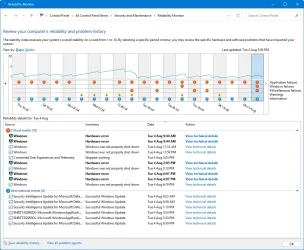
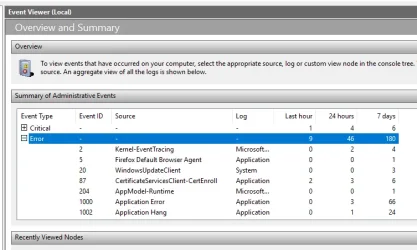
Hi guys. In the last two weeks or so, my Win 11 Pro PC has been locking up,, seemingly at random. The mouse can be moved around the desktop, but clicking won't do anything. Alt+Tab doesn't work, and I can't type anything if an open doc had the focus at the lock-up moment. Shift+Ctrl+Win+B to reset the graphics drivers does nothing. I end up having to forcibly shut down using the physical power button on my PC's case.
I have no malware according to both Defender and Malwarebytes (which I knew because I don't download much stuff, nor visit dodgy websites). All my drivers are up to date.
[Edit] I opened up the case and there some mild areas of dust on the motherboard, CPU, and fans, nothing thick, but I've cleaned all that in case overheating was the cause. Is there an app that can tell me if a PC is running too hot, in case that was the cause? But I guess if it doesn't lock up anymore after this dust clean, then that must've been it.
I have no malware according to both Defender and Malwarebytes (which I knew because I don't download much stuff, nor visit dodgy websites). All my drivers are up to date.
[Edit] I opened up the case and there some mild areas of dust on the motherboard, CPU, and fans, nothing thick, but I've cleaned all that in case overheating was the cause. Is there an app that can tell me if a PC is running too hot, in case that was the cause? But I guess if it doesn't lock up anymore after this dust clean, then that must've been it.
Last edited:
My Computer
At a glance
Windows 11 Pro
- OS
- Windows 11 Pro