- Local time
- 6:26 PM
- Posts
- 3,921
- OS
- WIN 11, WIN 10, WIN 8.1, WIN 7 U, WIN 7 PRO, WIN 7 HOME (32 Bit), LINUX MINT
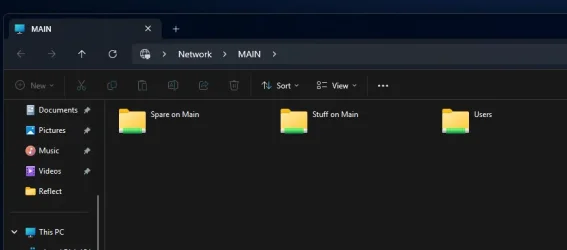
Uh-huh. That said, you did state that it used to work so the scientific approach to rule out that it isn't the hardware is to duplicate the working scenario. That way you can rule out the remotest possibility that nothing went awry in the hardware. If 24 still won't work after that then you can reinstall 23 on that test drive and if it works well then you have your answer. Myself I have no recollection of Windows asking me if I would be networking with other PCs as it did with Windows 10 and I'm pretty sure 23H2 asked me if I would be sharing publicly or privately but I could be having false memories. Definitely have no recollection of this with 24H2. Perhaps the issue is somewhere there, where you initially set up your internet connection. How can we test this? I'm sure you've already gone through the msconfig route and you've likely tried to re-activate through services. Doubtless you have already done all the DISM commands so what's left? I wish I could be more help but I only have two PCs running 24H2 and both of them see the network. *But I don't need a test to know that on a clean system it is going to work! Of course millions of people have perfectly working setups... it's my particular hardware and software configuration that borks it all (and / or the downgrade from 24 to 23 leaving stuff behind) - so even if I lost one week to reinstall and reconfigure it all, I'd only come back to this unworking combination. My point is to find a fix for this specific configuration.

*They don't see the entire network like my wife's Windows 10 (via MS account) does but they see enough. Maybe avoid using a local account? Blah. I feel like I just gave you bad advice.
My Computer
At a glance
WIN 11, WIN 10, WIN 8.1, WIN 7 U, WIN 7 PRO, ...Intel i7 6900K and i9-7960X / AMD 3800X (8 core)128 GB CORSAIR DOMINATOR PLATINUM (B DIE)NVIDIA 1070 and RTX 3070
- OS
- WIN 11, WIN 10, WIN 8.1, WIN 7 U, WIN 7 PRO, WIN 7 HOME (32 Bit), LINUX MINT
- Computer type
- PC/Desktop
- Manufacturer/Model
- DIY, ASUS, and DELL
- CPU
- Intel i7 6900K and i9-7960X / AMD 3800X (8 core)
- Motherboard
- ASUS X99E-WS USB 3.1 and ASUS X299 SAGE
- Memory
- 128 GB CORSAIR DOMINATOR PLATINUM (B DIE)
- Graphics Card(s)
- NVIDIA 1070 and RTX 3070
- Sound Card
- Crystal Sound (onboard)
- Monitor(s) Displays
- single Samsung 30" 4K and 8" aux monitor
- Screen Resolution
- 4K and something equally attrocious. I'll be working on this.
- Hard Drives
- A, B, C, D, E, F, G, H, I, J, K, L, M, N, O, P, Q, R, S, T, U, V, W
Ports X, Y, and Z are reserved for USB access and removable drives.
Drive types consist of the following: Various mechanical hard drives bearing the brand names, Seagate, Toshiba, and Western Digital. Various NVMe drives bearing the brand names Kingston, Intel, Silicon Power, Crucial, Western Digital, and Team Group. Various SATA SSDs bearing various different brand names.
RAID arrays included:
LSI RAID 10 (WD Velociraptors) 1115.72 GB
LSI RAID 10 (WD SSDS) 463.80 GB
INTEL RAID 0 (KINGSTON HYPER X) System 447.14 GB
INTEL RAID 1 TOSHIBA ENTERPRIZE class Data 2794.52 GB
INTEL RAID 1 SEAGATE HYBRID 931.51 GB
- PSU
- SEVERAL. I prefer my Corsair Platinum HX1000i but I also like EVGA power supplies
- Case
- ThermalTake Level 10 GT (among others)
- Cooling
- Noctua is my favorite and I use it in my main. I also own various other coolers.
- Keyboard
- all kinds.
- Mouse
- all kinds
- Internet Speed
- 360 mbps - 1 gbps (depending)
- Browser
- FIREFOX
- Antivirus
- KASPERSKY (no apologies)
- Other Info
- Gave Dell touch screen with Windows 11 to daughter and got me an OTVOC. Being a PC builder I own many desktop PCs as well. I am a father of five providing PCs, laptops, and tablets for all my family, most of which I have modified, rebuilt, or simply built from scratch. I do not own a cell phone, never have, never will.