
On my Dell 14 Pro, after two or three tries, these updates are stuck:
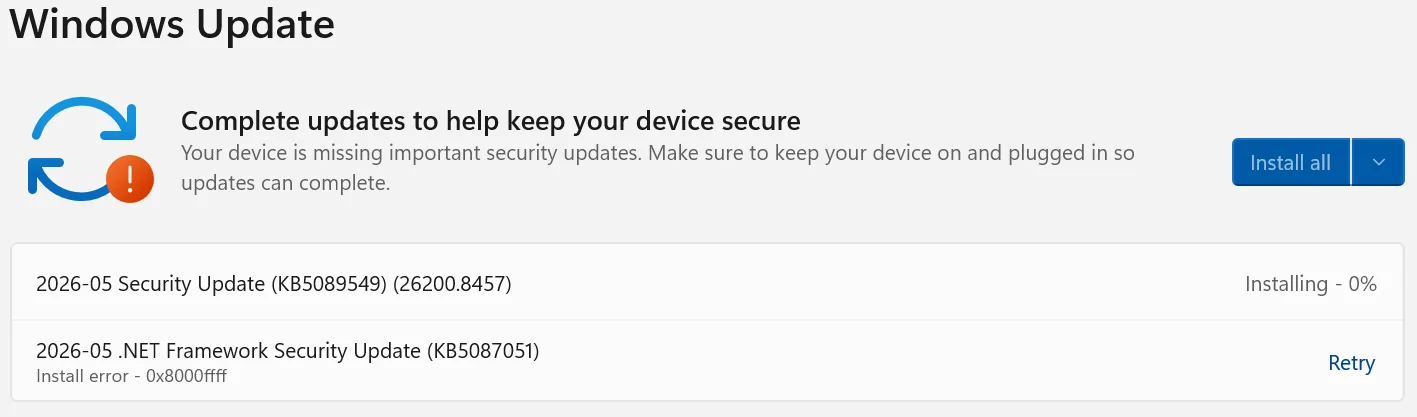
KB5087051 gives off an update failure and has a retry option. I went to the Windows Catalog to manually install it and it says it's not compatible with my system. Huh?

But that's the proper version for my system.
~
KB5089549 I went to the Windows Catalog to manually install it and after about 20 minutes, it said it installed it successfully, but it keeps coming back into the update queue like it didn't and then gets stuck at 6% again and again, even after a couple of re-boots.
Any help would be most appreciated, thanks
KB5087051 gives off an update failure and has a retry option. I went to the Windows Catalog to manually install it and it says it's not compatible with my system. Huh?
But that's the proper version for my system.
~
KB5089549 I went to the Windows Catalog to manually install it and after about 20 minutes, it said it installed it successfully, but it keeps coming back into the update queue like it didn't and then gets stuck at 6% again and again, even after a couple of re-boots.
Any help would be most appreciated, thanks
My Computers
-
At a glance
Windows 11 Pro 25H232GB- OS
- Windows 11 Pro 25H2
- Computer type
- Laptop
- Manufacturer/Model
- Microsoft Surface Pro
- Memory
- 32GB
-
At a glance
Windows 11 Pro 25H2 Pro (OS Build 262000.9711)Intel Core Ultra 764GBIntel Integrated Graphics- Operating System
- Windows 11 Pro 25H2 Pro (OS Build 262000.9711)
- Computer type
- Laptop
- Manufacturer/Model
- Dell Pro 14 - PC14250
- CPU
- Intel Core Ultra 7
- Memory
- 64GB
- Graphics card(s)
- Intel Integrated Graphics
- Hard Drives
- SanDisk PC_SN500S NVMe 1TB
- Browser
- Firefox, Brave
- Antivirus
- ESET








