Windows 11 Fast Startup suddenly stopped working


is fast startup/boot enabled in the BIOS ?
Not to discourage looking at fast startup in the BIOS at all, but I just want to be clear that when I reference Fast Startup I am specifically talking about Fast Startup in Windows, not in the BIOS.

Image1.webp
 

My Computers My Computers

  • At a glance

    Win11 Pro 25H2 (RTM+)Intel i7-14650HX32 GBNo GPU - Built-in Intel Graphics
    OS
    Win11 Pro 25H2 (RTM+)
    Computer type
    PC/Desktop
    Manufacturer/Model
    Acemagic
    CPU
    Intel i7-14650HX
    Memory
    32 GB
    Graphics Card(s)
    No GPU - Built-in Intel Graphics
    Sound Card
    Integrated
    Monitor(s) Displays
    Varies as machine will often be moved to locations with different monitors
    Screen Resolution
    Varies
    Hard Drives
    1 x 1TB Gen 4 NVMe SSD
    PSU
    120W Power Brick
    Keyboard
    Corsair K70 Max RGB Magnetic Keyboard
    Mouse
    Logitech MX Master 3
    Internet Speed
    1Gb Up / 1 Gb Down
    Browser
    Edge
    Antivirus
    Windows Defender
  • At a glance

    Win11 Pro 25H2 (RTM+)Intel i7-1255U16 GBIntel Iris Xe Graphics
    Operating System
    Win11 Pro 25H2 (RTM+)
    Computer type
    Laptop
    Manufacturer/Model
    Lenovo ThinkBook 13x Gen 2
    CPU
    Intel i7-1255U
    Memory
    16 GB
    Graphics card(s)
    Intel Iris Xe Graphics
    Sound Card
    Realtek® ALC3306-CG codec
    Monitor(s) Displays
    13.3-inch IPS Display
    Screen Resolution
    WQXGA (2560 x 1600)
    Hard Drives
    2 TB 4 x 4 NVMe SSD
    PSU
    USB-C / Thunderbolt 4 Power / Charging
    Keyboard
    Backlit, spill resistant keyboard
    Mouse
    Buttonless Glass Precision Touchpad
    Internet Speed
    1Gb Up / 1Gb Down
    Browser
    Edge
    Antivirus
    Windows Defender
    Other Info
    WiFi 6e / Bluetooth 5.1 / Facial Recognition / Fingerprint Sensor / ToF (Time of Flight) Human Presence Sensor
Not to discourage looking at fast startup in the BIOS at all, but I just want to be clear that when I reference Fast Startup I am specifically talking about Fast Startup in Windows, not in the BIOS.

View attachment 124207
no problem as i stated it was just a thought. it could be worth checking.

best of luck, Steve ..
 

My Computers My Computers

  • At a glance

    Windows 11 HomeRyzen 7 5825u64GB DDR4 3200Ryzen 7 5825u
    OS
    Windows 11 Home
    Computer type
    PC/Desktop
    Manufacturer/Model
    HP 24" AiO
    CPU
    Ryzen 7 5825u
    Motherboard
    HP
    Memory
    64GB DDR4 3200
    Graphics Card(s)
    Ryzen 7 5825u
    Sound Card
    RealTek
    Monitor(s) Displays
    24" HP AiO
    Screen Resolution
    1920 x 1080 @60 Hz
    Hard Drives
    1TB WD Blue SN580 M2 SSD Partitioned.
    2x 1TB USB HDD External Backup/Storage.
    PSU
    90W external power brick
    Case
    24" All in One
    Cooling
    Default Air Cooling
    Keyboard
    HP WiFi UK extended
    Mouse
    HP WiFi 3 Button
    Internet Speed
    1GB full fibre
    Browser
    Edge & Firefox
    Antivirus
    AVG Internet Security/Windows Defender
    Other Info
    Mainly Open Source Software
  • At a glance

    Ubuntu 22.04.5 LTSi5 7200u16GB DDR4Intel
    Operating System
    Ubuntu 22.04.5 LTS
    Computer type
    Laptop
    Manufacturer/Model
    Dell 13" Latitude 2017
    CPU
    i5 7200u
    Motherboard
    Dell
    Memory
    16GB DDR4
    Graphics card(s)
    Intel
    Sound Card
    Intel
    Monitor(s) Displays
    13" Dell Laptop
    Hard Drives
    250GB Crucial 2.5" SSD
    Mouse
    Generic WiFi 3 button
    Internet Speed
    WiFi only
    Browser
    Firefox
    Antivirus
    ClamAV TK
    Other Info
    Mainly Open Source Software
just a thought
is fast startup/boot enabled in the BIOS ?
just to note .. the fast startup on my system is disabled by my encryption software

you can also check settings > system tools > system configuration
in this window 'boot' tab
change the time out setting from 30 to 3
click OK and restart
this may help startup a little bit

best of luck, Steve ..
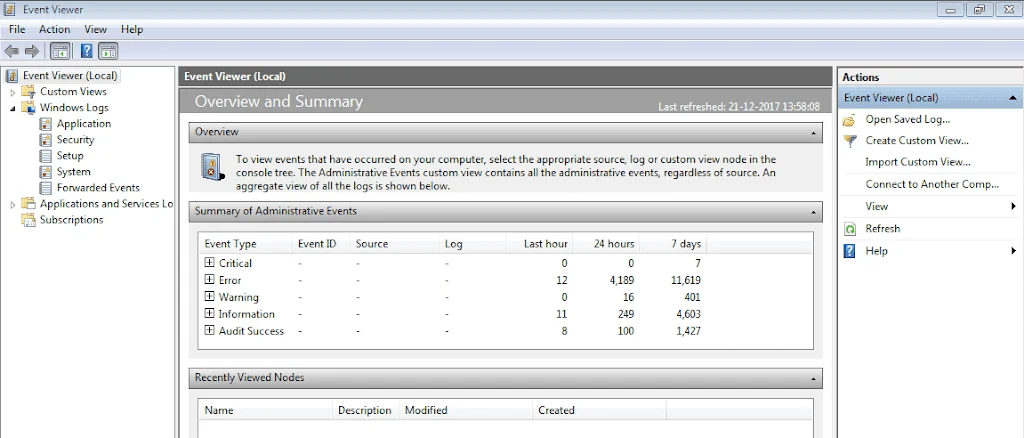
Thank you, yes, fast boot is enabled in the BIOS, of course, fast startup in Windows does not depend on it. What I found out is that the problem is not the incompatibility of devices and drivers in the system with the fast startup feature, as the Windows hibernation feature works perfectly without any problems and the powercfg /a report shows the same result and you can also watch the video I sent. The problem is the failure of the shutdown button, which during execution gives the system a full shutdown command instead of Entering Sleep, exactly like when we press the Shift button during shutdown!!. Anyway, it is strange because as I said before, everything in the system was fine and no changes, including updates, were made to software and Windows, and suddenly fast startup stopped automatically without any errors in the Event Viewer.
 

My Computer My Computer

At a glance

Windows 1112100F16GB 3200MHZ DUAL CHANNELXFX AMD 5700XT TRIPLE DISSIPATION
OS
Windows 11
Computer type
PC/Desktop
Manufacturer/Model
ASUS B660M-K
CPU
12100F
Motherboard
ASUS B660M-K
Memory
16GB 3200MHZ DUAL CHANNEL
Graphics Card(s)
XFX AMD 5700XT TRIPLE DISSIPATION
Hard Drives
WD SN580 1TB
it maybe worth while checking the power settings to see if the on/off power button is set to sleep.
control panel > power options
then on the left side of that window
'change what the power buttons do'

see if they are set to sleep (sometimes there are 2 entries there)
there is also this tutorial on power settings which maybe of help

as changing the power plan may reset the defaults so other system settings start to work again.
best of luck, Steve ..
 

My Computers My Computers

  • At a glance

    Windows 11 HomeRyzen 7 5825u64GB DDR4 3200Ryzen 7 5825u
    OS
    Windows 11 Home
    Computer type
    PC/Desktop
    Manufacturer/Model
    HP 24" AiO
    CPU
    Ryzen 7 5825u
    Motherboard
    HP
    Memory
    64GB DDR4 3200
    Graphics Card(s)
    Ryzen 7 5825u
    Sound Card
    RealTek
    Monitor(s) Displays
    24" HP AiO
    Screen Resolution
    1920 x 1080 @60 Hz
    Hard Drives
    1TB WD Blue SN580 M2 SSD Partitioned.
    2x 1TB USB HDD External Backup/Storage.
    PSU
    90W external power brick
    Case
    24" All in One
    Cooling
    Default Air Cooling
    Keyboard
    HP WiFi UK extended
    Mouse
    HP WiFi 3 Button
    Internet Speed
    1GB full fibre
    Browser
    Edge & Firefox
    Antivirus
    AVG Internet Security/Windows Defender
    Other Info
    Mainly Open Source Software
  • At a glance

    Ubuntu 22.04.5 LTSi5 7200u16GB DDR4Intel
    Operating System
    Ubuntu 22.04.5 LTS
    Computer type
    Laptop
    Manufacturer/Model
    Dell 13" Latitude 2017
    CPU
    i5 7200u
    Motherboard
    Dell
    Memory
    16GB DDR4
    Graphics card(s)
    Intel
    Sound Card
    Intel
    Monitor(s) Displays
    13" Dell Laptop
    Hard Drives
    250GB Crucial 2.5" SSD
    Mouse
    Generic WiFi 3 button
    Internet Speed
    WiFi only
    Browser
    Firefox
    Antivirus
    ClamAV TK
    Other Info
    Mainly Open Source Software
Hi guys

it seems I have exactly the same problem, my fast startup doesn't work since few weeks now and I don't know what s the cause :(
I tried all things described here : Redirecting
powercfg /hibernate off and on
cleaning up the Prefetch folder
.
but with no success, the PC takes some time to boot (I know it s still fast with SSD but when I check the time in taskmgr, it s always reinit whenever I start the computer.
My win 11 24h2 is up to date, my conf : Chipset X570, Ryzen 5900x, SSD Crucial MX 500 2 To, 32 Go DDR4 PC 3800, RTX 5070 Ti
I ve no more ideas, if u have an advise, thanks a lot.
 

My Computer My Computer

At a glance

Windows 11
OS
Windows 11
Computer type
PC/Desktop
Manufacturer/Model
asus
Personally, I simply disabled it. Shaving a few seconds off the startup time doesn't seem worth it with the other issues it can possibly bring. Truthfully, a full shutdown and boot seems like a really good idea once in a while.
 

My Computers My Computers

  • At a glance

    Win 11 Pro 25H2, Build 26200.8894Intel Core i5 1450064GB DDR4GeForce RTX 4060
    OS
    Win 11 Pro 25H2, Build 26200.8894
    Computer type
    PC/Desktop
    Manufacturer/Model
    Home Brew
    CPU
    Intel Core i5 14500
    Motherboard
    Gigabyte B760M G P WIFI
    Memory
    64GB DDR4
    Graphics Card(s)
    GeForce RTX 4060
    Sound Card
    Chipset Realtek
    Monitor(s) Displays
    LG 45" Ultragear, Acer 24" 1080p
    Screen Resolution
    5120x1440, 1920x1080
    Hard Drives
    Crucial P310 2TB 2280 PCIe Gen4 3D NAND NVMe M.2 SSD (O/S)
    Silicon Power 2TB US75 NVMe PCIe Gen4 M.2 2280 SSD (backup)
    Crucial BX500 2TB 3D NAND (2nd backup)
    Seagate 4TB Ironwolf, rotating HDD archive files
    External off-line backup Drives: 2 NVMe 4TB drives in external enclosures
    PSU
    Thermaltake Toughpower GF3 750W
    Case
    LIAN LI LANCOOL 216 E-ATX PC Case
    Cooling
    Lots of fans!
    Keyboard
    Microsoft Comfort Curve 2000
    Mouse
    Logitech G305
    Internet Speed
    Verizon FiOS 1GB
    Browser
    Firefox
    Antivirus
    Malware Bytes & Windows Defender Security
  • At a glance

    Win 11 Pro 25H2, Build 26200.8894Intel Core i5 1440032GB DDR5Intel 700 Embedded GPU
    Operating System
    Win 11 Pro 25H2, Build 26200.8894
    Computer type
    PC/Desktop
    Manufacturer/Model
    Home Brew
    CPU
    Intel Core i5 14400
    Motherboard
    Gigabyte B760M DS3H AX
    Memory
    32GB DDR5
    Graphics card(s)
    Intel 700 Embedded GPU
    Sound Card
    Realtek Embedded
    Monitor(s) Displays
    27" HP 1080p
    Screen Resolution
    1920x1080
    Hard Drives
    Crucial P310 2TB 2280 PCIe Gen4 eD NAND PCIe SSD
    Samsung EVO 990 2TB NVMe Gen4 SSD
    Samsung 2TB SATA SSD
    PSU
    Thermaltake Smart BM3 650W
    Case
    Okinos Micro ATX Case
    Cooling
    Fans
    Keyboard
    Microsoft Comfort Curve 2000
    Mouse
    Logitech G305
    Internet Speed
    Verizon FiOS 1GB
    Browser
    Firefox
    Antivirus
    Malware Bytes & Windows Defender Security
  • Nimo N171 17" Laptop, (Intel i3-1215U, 16GB RAM, 2TB NVMe, Win11 Pro)
    Acemagic Vista Mini PC V1 (Intel N150, 16GB RAM, 1TB NVMe, Win11 Pro)
    HP ENVY h8-1540t, (24GB RAM, 2TB SSD, 2TB HDD, Win11 Pro)
indeed, I read many forum and u re right, it seems a full start is better and avoid potential problem with fast reboot.
But It s strange this option doesn't seem to work (and I personnaly think many people doesn't even know that the function doesn't work on their rig.
A friend with ultra high end conf (9950x3d, 5090, 64 DDr5 etc etc.. Nvme 4 To) has exactly the same problem.
I checked the uptime once hos computer has booted after a start and the uptime reset everytime !
 

My Computer My Computer

At a glance

Windows 11
OS
Windows 11
Computer type
PC/Desktop
Manufacturer/Model
asus
Hi friend, I'm currently having the same problem with Windows Fast Startup (or rather, Hybrid Shutdown). This isn't the first time this has happened to me. The first time I managed to solve it was because I detected that the problem was a disk defragmenter I had installed, and I fixed it by deleting it. However, I realized yesterday that I'm having the same problem again. From the Event Viewer, I noticed that I've had it since April 27th, but I can't find out what caused the problem at that time. I've already tried all the solutions available in forums, chatgpt, IT groups, etc. If you've already been able to solve it, please tell me how to do it.
 

My Computer My Computer

At a glance

Windows 10/11
OS
Windows 10/11
Computer type
PC/Desktop
Manufacturer/Model
Intel, Nvidia, Cooler Master
Recently I came across this topic trying to find resolution for exactly the same problem I have and that is Fast startup which suddenly stop working.
I discovered that Windows Fast Startup does not work anymore after I did a repair (in-place upgrade) of Win 11 24H2 for other reasons. The Boot type is always 0x0, while it was 0x1 before. However, the reg key "HiberBootEnabled" is still set to 1 and the Hibernation and Sleep work OK. The command powercgf /a reports that Fast Startup and Hibernate are both available. However, fast startup does not work while Hibernation and Hybrid Sleep both work via power button. Both are disabled in timer.
 

My Computer My Computer

At a glance

Windows 11i7-9700k32 GBAsus 660 Ti
OS
Windows 11
Computer type
PC/Desktop
Manufacturer/Model
Custom
CPU
i7-9700k
Motherboard
Asus ROG Maximus X hero
Memory
32 GB
Graphics Card(s)
Asus 660 Ti
Hello everyone, it's been about 9 months now and the fast startup problem still persists. I haven't changed Windows yet, but I kept updating Windows so that maybe this problem would resolve itself, but it was useless. Now that I see that many people besides me have this problem, it's very strange why Microsoft doesn't fix it. No solution other than reinstalling Windows works, and even then it's not clear how long Fast Startup will work, And then it might fail again.
 

My Computer My Computer

At a glance

Windows 1112100F16GB 3200MHZ DUAL CHANNELXFX AMD 5700XT TRIPLE DISSIPATION
OS
Windows 11
Computer type
PC/Desktop
Manufacturer/Model
ASUS B660M-K
CPU
12100F
Motherboard
ASUS B660M-K
Memory
16GB 3200MHZ DUAL CHANNEL
Graphics Card(s)
XFX AMD 5700XT TRIPLE DISSIPATION
Hard Drives
WD SN580 1TB
Are you sure that clean install will fix this bug ? You said that you didn't try that personally ?
 

My Computer My Computer

At a glance

Windows 11i7-9700k32 GBAsus 660 Ti
OS
Windows 11
Computer type
PC/Desktop
Manufacturer/Model
Custom
CPU
i7-9700k
Motherboard
Asus ROG Maximus X hero
Memory
32 GB
Graphics Card(s)
Asus 660 Ti
Fast Startup requires hibernation to be enabled
 

My Computer My Computer

At a glance

Windows 11 ProAMD 9950X3D2G.Skill DDR5 64gb 6400mhzMSI RTX5090 Suprim Liquid
OS
Windows 11 Pro
Computer type
PC/Desktop
CPU
AMD 9950X3D2
Motherboard
Asus Crosshair Z790 Dark Hero
Memory
G.Skill DDR5 64gb 6400mhz
Graphics Card(s)
MSI RTX5090 Suprim Liquid
Sound Card
Sound Blaster ZxR
Monitor(s) Displays
MSI mpg321ur-qd
Screen Resolution
4K 144 hz
Hard Drives
Samsung 9100 Pro 1TB and 4TB NVME SSD and Samsung 860 Pro 4TB
PSU
Corsair RMx Shift 1200watt
Case
Cooler Master COSMOS C700P
Cooling
Asus Ryujin II
Keyboard
Logitech G413
Mouse
Asus ROG Strix Impact II
Internet Speed
100Mbps
Browser
Egde Chromium
Antivirus
Kaspersky
Is it so difficult to read what is written in post # 29 above?
 

My Computer My Computer

At a glance

Windows 11i7-9700k32 GBAsus 660 Ti
OS
Windows 11
Computer type
PC/Desktop
Manufacturer/Model
Custom
CPU
i7-9700k
Motherboard
Asus ROG Maximus X hero
Memory
32 GB
Graphics Card(s)
Asus 660 Ti
Please run the V2 log collector > post a share link


Open event viewer > system and application > post share links


My Computer My Computer

At a glance

Windows 10Intel(R) Core(TM) i7-4800MQ CPU @ 2.70GHz16 GB Total: Manufacturer : Samsung MemoryTyp...NVIDIA Quadro K3100M; Intel(R) HD Graphics 4600
OS
Windows 10
Computer type
Laptop
Manufacturer/Model
HP
CPU
Intel(R) Core(TM) i7-4800MQ CPU @ 2.70GHz
Motherboard
Product : 190A Version : KBC Version 94.56
Memory
16 GB Total: Manufacturer : Samsung MemoryType : DDR3 FormFactor : SODIMM Capacity : 8GB Speed : 1600
Graphics Card(s)
NVIDIA Quadro K3100M; Intel(R) HD Graphics 4600
Sound Card
IDT High Definition Audio CODEC; PNP Device ID HDAUDIO\FUNC_01&VEN_111D&DEV_76E0
Hard Drives
Model Hitachi HTS727575A9E364
Antivirus
Microsoft Defender
Other Info
Mobile Workstation
Are you sure that clean install will fix this bug ? You said that you didn't try that personally ?
Yes, I installed a new Windows, of course, on a separate drive from my original Windows, just to test Fast Startup, and in that Windows Fast Startup worked without problem, so this is not a hardware issue, but a bug in Windows that Microsoft doesn't even bother to explain.
 

My Computer My Computer

At a glance

Windows 1112100F16GB 3200MHZ DUAL CHANNELXFX AMD 5700XT TRIPLE DISSIPATION
OS
Windows 11
Computer type
PC/Desktop
Manufacturer/Model
ASUS B660M-K
CPU
12100F
Motherboard
ASUS B660M-K
Memory
16GB 3200MHZ DUAL CHANNEL
Graphics Card(s)
XFX AMD 5700XT TRIPLE DISSIPATION
Hard Drives
WD SN580 1TB
this is not a hardware issue, but a bug in Windows

I completely disagree. I'll bet that if you look real close, you have different driver versions.

At least for me, the issue seems to almost always be with the display driver. I have multiple machines on which Fast Startup works just fine if I am using the OEM supplied display driver. Install the driver from the video adapter manufacturer (for example, Intel) and Fast Startup no longer works.

So, I guess that technically you are correct about the part that it is not hardware - most likely it is a driver, not the physical hardware.

I have yet to ever encounter a machine where Fast Startup was not working that I could not resolve the Fast Startup issues by tweaking my drivers. The one thing that I have not been able to resolve is that WOL often simply will not work when Fast Startup is enabled.

However, I still disable Fast Startup on every single machine even if it is working because I see no noticeable difference in the start time on anything that boots from an SSD and for me, that is every machine. Granted, I have not taken a stopwatch to it, but I just notice no difference.

So the big question in my mind is this: Why even bother with Fast Startup? If it is not working for you, dump it and move on with life :-). Other than maybe saving a few seconds in boot, it makes zero difference in the operation of Windows. You have likely spent more time trying to resolve this than Fast Startup will save you in a year :-)

 

My Computers My Computers

  • At a glance

    Win11 Pro 25H2 (RTM+)Intel i7-14650HX32 GBNo GPU - Built-in Intel Graphics
    OS
    Win11 Pro 25H2 (RTM+)
    Computer type
    PC/Desktop
    Manufacturer/Model
    Acemagic
    CPU
    Intel i7-14650HX
    Memory
    32 GB
    Graphics Card(s)
    No GPU - Built-in Intel Graphics
    Sound Card
    Integrated
    Monitor(s) Displays
    Varies as machine will often be moved to locations with different monitors
    Screen Resolution
    Varies
    Hard Drives
    1 x 1TB Gen 4 NVMe SSD
    PSU
    120W Power Brick
    Keyboard
    Corsair K70 Max RGB Magnetic Keyboard
    Mouse
    Logitech MX Master 3
    Internet Speed
    1Gb Up / 1 Gb Down
    Browser
    Edge
    Antivirus
    Windows Defender
  • At a glance

    Win11 Pro 25H2 (RTM+)Intel i7-1255U16 GBIntel Iris Xe Graphics
    Operating System
    Win11 Pro 25H2 (RTM+)
    Computer type
    Laptop
    Manufacturer/Model
    Lenovo ThinkBook 13x Gen 2
    CPU
    Intel i7-1255U
    Memory
    16 GB
    Graphics card(s)
    Intel Iris Xe Graphics
    Sound Card
    Realtek® ALC3306-CG codec
    Monitor(s) Displays
    13.3-inch IPS Display
    Screen Resolution
    WQXGA (2560 x 1600)
    Hard Drives
    2 TB 4 x 4 NVMe SSD
    PSU
    USB-C / Thunderbolt 4 Power / Charging
    Keyboard
    Backlit, spill resistant keyboard
    Mouse
    Buttonless Glass Precision Touchpad
    Internet Speed
    1Gb Up / 1Gb Down
    Browser
    Edge
    Antivirus
    Windows Defender
    Other Info
    WiFi 6e / Bluetooth 5.1 / Facial Recognition / Fingerprint Sensor / ToF (Time of Flight) Human Presence Sensor
I completely disagree. I'll bet that if you look real close, you have different driver versions.

At least for me, the issue seems to almost always be with the display driver. I have multiple machines on which Fast Startup works just fine if I am using the OEM supplied display driver. Install the driver from the video adapter manufacturer (for example, Intel) and Fast Startup no longer works.

So, I guess that technically you are correct about the part that it is not hardware - most likely it is a driver, not the physical hardware.

I have yet to ever encounter a machine where Fast Startup was not working that I could not resolve the Fast Startup issues by tweaking my drivers. The one thing that I have not been able to resolve is that WOL often simply will not work when Fast Startup is enabled.

However, I still disable Fast Startup on every single machine even if it is working because I see no noticeable difference in the start time on anything that boots from an SSD and for me, that is every machine. Granted, I have not taken a stopwatch to it, but I just notice no difference.

So the big question in my mind is this: Why even bother with Fast Startup? If it is not working for you, dump it and move on with life :-). Other than maybe saving a few seconds in boot, it makes zero difference in the operation of Windows. You have likely spent more time trying to resolve this than Fast Startup will save you in a year :-)
Thanks for your explanation, I'm definitely sure that the problem can't be with the drivers or even the GPU driver because I installed them on the same day I installed Windows and Fast Startup worked without any problems. But suddenly, after a few days, it stopped working. I checked that day to see if there was a driver or Windows update, and the answer was no. I had only installed a few regular applications, which I even deleted them. The problem was not solved. Yes, I understand that having Fast Startup enabled is not that important at all, but I would like to know why it was disabled and why no errors related to it are seen in the Windows Event Viewer. Only the command to enter sleep has changed to full shutdown. And as you can see, many others besides me are struggling with this issue.
 

My Computer My Computer

At a glance

Windows 1112100F16GB 3200MHZ DUAL CHANNELXFX AMD 5700XT TRIPLE DISSIPATION
OS
Windows 11
Computer type
PC/Desktop
Manufacturer/Model
ASUS B660M-K
CPU
12100F
Motherboard
ASUS B660M-K
Memory
16GB 3200MHZ DUAL CHANNEL
Graphics Card(s)
XFX AMD 5700XT TRIPLE DISSIPATION
Hard Drives
WD SN580 1TB
I completely disagree. I'll bet that if you look real close, you have different driver versions.

At least for me, the issue seems to almost always be with the display driver. I have multiple machines on which Fast Startup works just fine if I am using the OEM supplied display driver. Install the driver from the video adapter manufacturer (for example, Intel) and Fast Startup no longer works.

So, I guess that technically you are correct about the part that it is not hardware - most likely it is a driver, not the physical hardware.

I have yet to ever encounter a machine where Fast Startup was not working that I could not resolve the Fast Startup issues by tweaking my drivers. The one thing that I have not been able to resolve is that WOL often simply will not work when Fast Startup is enabled.
If we agree that video driver is hibernated when fast startup is enabled how can you explain the situation when fast startup doesn't work but hibernation works ?
 

My Computer My Computer

At a glance

Windows 11i7-9700k32 GBAsus 660 Ti
OS
Windows 11
Computer type
PC/Desktop
Manufacturer/Model
Custom
CPU
i7-9700k
Motherboard
Asus ROG Maximus X hero
Memory
32 GB
Graphics Card(s)
Asus 660 Ti
Yes, I installed a new Windows, of course, on a separate drive from my original Windows, just to test Fast Startup, and in that Windows Fast Startup worked without problem, so this is not a hardware issue, but a bug in Windows that Microsoft doesn't even bother to explain.
It is strange that repair installation (in place upgrade) does not fix this fast startup issue. I wonder how a clean install is different from the repair install. The time it takes to finish is the same. The only difference from user point of view is that repair install preserves apps and settings.
Also I think that clean install just to fix the startup issue is not worth loosing time to install and set up all applications again.
 

My Computer My Computer

At a glance

Windows 11i7-9700k32 GBAsus 660 Ti
OS
Windows 11
Computer type
PC/Desktop
Manufacturer/Model
Custom
CPU
i7-9700k
Motherboard
Asus ROG Maximus X hero
Memory
32 GB
Graphics Card(s)
Asus 660 Ti
If we agree that video driver is hibernated when fast startup is enabled how can you explain the situation when fast startup doesn't work but hibernation works ?
The two are actually quite different. Hibernation saves everything whereas Fast Startup does NOT save apps or user data. It saves only the kernel session to the hibernation file. That can sometimes cause problems at boot time.

I guess that I am maybe coming at this a little differently than you because I once spent hours and hours playing with this on some systems that had problems with Fast Startup and I eventually came to the conclusion that, at least for me, I'm better off turning it off on every single machine. I have machines that work flawlessly with Fast Startup but I still disable it on them.

I am by no means discouraging you from trying to get this all sorted. It's possible that you may have more patience with this than I did :-)
 

My Computers My Computers

  • At a glance

    Win11 Pro 25H2 (RTM+)Intel i7-14650HX32 GBNo GPU - Built-in Intel Graphics
    OS
    Win11 Pro 25H2 (RTM+)
    Computer type
    PC/Desktop
    Manufacturer/Model
    Acemagic
    CPU
    Intel i7-14650HX
    Memory
    32 GB
    Graphics Card(s)
    No GPU - Built-in Intel Graphics
    Sound Card
    Integrated
    Monitor(s) Displays
    Varies as machine will often be moved to locations with different monitors
    Screen Resolution
    Varies
    Hard Drives
    1 x 1TB Gen 4 NVMe SSD
    PSU
    120W Power Brick
    Keyboard
    Corsair K70 Max RGB Magnetic Keyboard
    Mouse
    Logitech MX Master 3
    Internet Speed
    1Gb Up / 1 Gb Down
    Browser
    Edge
    Antivirus
    Windows Defender
  • At a glance

    Win11 Pro 25H2 (RTM+)Intel i7-1255U16 GBIntel Iris Xe Graphics
    Operating System
    Win11 Pro 25H2 (RTM+)
    Computer type
    Laptop
    Manufacturer/Model
    Lenovo ThinkBook 13x Gen 2
    CPU
    Intel i7-1255U
    Memory
    16 GB
    Graphics card(s)
    Intel Iris Xe Graphics
    Sound Card
    Realtek® ALC3306-CG codec
    Monitor(s) Displays
    13.3-inch IPS Display
    Screen Resolution
    WQXGA (2560 x 1600)
    Hard Drives
    2 TB 4 x 4 NVMe SSD
    PSU
    USB-C / Thunderbolt 4 Power / Charging
    Keyboard
    Backlit, spill resistant keyboard
    Mouse
    Buttonless Glass Precision Touchpad
    Internet Speed
    1Gb Up / 1Gb Down
    Browser
    Edge
    Antivirus
    Windows Defender
    Other Info
    WiFi 6e / Bluetooth 5.1 / Facial Recognition / Fingerprint Sensor / ToF (Time of Flight) Human Presence Sensor
Back
Top Bottom