
Windows 11 Fast Startup suddenly stopped working


You can bypass Fast Startup by holding down the Shift key while clicking Shut down from the Windows power menu. This method forces a full shutdown, rather than the hybrid shutdown that Fast Startup performs.

Fast Startup keeps the Windows kernel in a hibernated state to speed up boot times. Holding Shift while shutting down tells Windows to skip that shortcut and perform a complete shutdown instead.

Using this technique, you can easily compare the speed of a normal startup and Fast Startup.
 

My Computers My Computers

  • At a glance

    Windows 11 ProIntel Series 3 Core Ultra X9 388H64GB LPDDR5x 9600 MT/sIntel Arc graphics B390 Panther Lake
    OS
    Windows 11 Pro
    Computer type
    Laptop
    Manufacturer/Model
    Dell XPS 16 DA16260
    CPU
    Intel Series 3 Core Ultra X9 388H
    Memory
    64GB LPDDR5x 9600 MT/s
    Graphics Card(s)
    Intel Arc graphics B390 Panther Lake
    Monitor(s) Displays
    16" 3.2K Tandem OLED Infinity Edge
    Screen Resolution
    3200 x 2000 16:10 236 PPI
    Hard Drives
    1 Terabyte M.2 PCIe NVMe SSD
    Case
    Black Anodized Aluminum
    Cooling
    Vapor Chamber Cooling
    Mouse
    None
    Internet Speed
    942 Mbps Netgear Mesh + 2 Satellites
    Browser
    Microsoft Edge (Chromium)
    Antivirus
    Windows Security (Defender)
    Other Info
    NPU delivering 67 TOPS
    Microsoft 365 subscription
    Microsoft Office 365
    Microsoft OneDrive 1TB Cloud
    Microsoft Visual Studio
    Microsoft Visual Studio Code
    Microsoft Sysinternals Suite
    Microsoft BitLocker
    Microsoft Copilot
    Dell Support Assist
    Dell Command | Update
    Macrium Reflect X subscription
    1Password Password Manager
    Amazon Kindle for PC
    Lightroom/Photoshop subscription
    Interactive Brokers Trader Workstation
  • At a glance

    Windows 11 ProSnapdragon® X Elite (12 Core) with Hexagon NP...32GB LPDDR5x 8448 MT/sIntegrated Adreno GPU
    Operating System
    Windows 11 Pro
    Computer type
    Laptop
    Manufacturer/Model
    Microsoft Surface Laptop 7
    CPU
    Snapdragon® X Elite (12 Core) with Hexagon NPU delivering 45 TOPS
    Memory
    32GB LPDDR5x 8448 MT/s
    Graphics card(s)
    Integrated Adreno GPU
    Sound Card
    Omnisonic speakers with Dolby Atmos spatial sound
    Monitor(s) Displays
    13.8″ PixelSense Flow touchscreen 120 Hz 600 NIT
    Screen Resolution
    2304 × 1536 (201 PPI), 3:2 aspect ratio
    Hard Drives
    1 TB PCIe NVMe Gen 4 SSD
    Case
    Black Anodized Aluminum
    Cooling
    Vapor Chamber Cooling
    Mouse
    None
    Internet Speed
    942 Mbps Netgear Mesh + 2 Satellites
    Browser
    Microsoft Edge (Chromium)
    Antivirus
    Windows Security (Defender)
    Other Info
    Microsoft 365 subscription (Office)
    Microsoft Office 365
    Microsoft OneDrive 1TB Cloud
    Microsoft Visual Studio 2026
    Microsoft Visual Studio Code
    Interactive Brokers Trader Workstation
    Lightroom/Photoshop subscription
    1Password Password Manager
    Microsoft Sysinternals
    Amazon Kindle for PC
    Microsoft BitLocker
    Microsoft Copilot
You can bypass Fast Startup by holding down the Shift key while clicking Shut down from the Windows power menu.

Nice trick, Gary. I didn't know about that one.
 

My Computers My Computers

  • At a glance

    Win11 Pro 25H2 (RTM+)Intel i7-14650HX32 GBNo GPU - Built-in Intel Graphics
    OS
    Win11 Pro 25H2 (RTM+)
    Computer type
    PC/Desktop
    Manufacturer/Model
    Acemagic
    CPU
    Intel i7-14650HX
    Memory
    32 GB
    Graphics Card(s)
    No GPU - Built-in Intel Graphics
    Sound Card
    Integrated
    Monitor(s) Displays
    Varies as machine will often be moved to locations with different monitors
    Screen Resolution
    Varies
    Hard Drives
    1 x 1TB Gen 4 NVMe SSD
    PSU
    120W Power Brick
    Keyboard
    Corsair K70 Max RGB Magnetic Keyboard
    Mouse
    Logitech MX Master 3
    Internet Speed
    1Gb Up / 1 Gb Down
    Browser
    Edge
    Antivirus
    Windows Defender
  • At a glance

    Win11 Pro 25H2 (RTM+)Intel i7-1255U16 GBIntel Iris Xe Graphics
    Operating System
    Win11 Pro 25H2 (RTM+)
    Computer type
    Laptop
    Manufacturer/Model
    Lenovo ThinkBook 13x Gen 2
    CPU
    Intel i7-1255U
    Memory
    16 GB
    Graphics card(s)
    Intel Iris Xe Graphics
    Sound Card
    Realtek® ALC3306-CG codec
    Monitor(s) Displays
    13.3-inch IPS Display
    Screen Resolution
    WQXGA (2560 x 1600)
    Hard Drives
    2 TB 4 x 4 NVMe SSD
    PSU
    USB-C / Thunderbolt 4 Power / Charging
    Keyboard
    Backlit, spill resistant keyboard
    Mouse
    Buttonless Glass Precision Touchpad
    Internet Speed
    1Gb Up / 1Gb Down
    Browser
    Edge
    Antivirus
    Windows Defender
    Other Info
    WiFi 6e / Bluetooth 5.1 / Facial Recognition / Fingerprint Sensor / ToF (Time of Flight) Human Presence Sensor
Finally, I want to say that I have tried thousands of solutions but this problem is very stubborn. As mentioned, if I select the hibernate option, it runs without any problems. But Fast Startup, which is based on the same thing, does not work. Also, if I set a timer for the system to hibernate, Windows ignores it. The only solution to this problem is to clean reinstall Windows Which I think is not worth doing just for this situation. And even if Windows is reinstalled, it is not clear how long Fast Startup will work and then stop working again. I hope Microsoft becomes aware of this issue and takes action to solve it, but since most users don't value this Windows feature much, it's unlikely we'll see it fixed anytime soon.
 

My Computer My Computer

At a glance

Windows 1112100F16GB 3200MHZ DUAL CHANNELXFX AMD 5700XT TRIPLE DISSIPATION
OS
Windows 11
Computer type
PC/Desktop
Manufacturer/Model
ASUS B660M-K
CPU
12100F
Motherboard
ASUS B660M-K
Memory
16GB 3200MHZ DUAL CHANNEL
Graphics Card(s)
XFX AMD 5700XT TRIPLE DISSIPATION
Hard Drives
WD SN580 1TB
But Fast Startup, which is based on the same thing, does not work.

Not even close to the same thing. If it was, why have a separate option for it?

Also, the fact that you have very different results speaks to the fact that they are not anywhere close to the same thing.
 

My Computers My Computers

  • At a glance

    Win11 Pro 25H2 (RTM+)Intel i7-14650HX32 GBNo GPU - Built-in Intel Graphics
    OS
    Win11 Pro 25H2 (RTM+)
    Computer type
    PC/Desktop
    Manufacturer/Model
    Acemagic
    CPU
    Intel i7-14650HX
    Memory
    32 GB
    Graphics Card(s)
    No GPU - Built-in Intel Graphics
    Sound Card
    Integrated
    Monitor(s) Displays
    Varies as machine will often be moved to locations with different monitors
    Screen Resolution
    Varies
    Hard Drives
    1 x 1TB Gen 4 NVMe SSD
    PSU
    120W Power Brick
    Keyboard
    Corsair K70 Max RGB Magnetic Keyboard
    Mouse
    Logitech MX Master 3
    Internet Speed
    1Gb Up / 1 Gb Down
    Browser
    Edge
    Antivirus
    Windows Defender
  • At a glance

    Win11 Pro 25H2 (RTM+)Intel i7-1255U16 GBIntel Iris Xe Graphics
    Operating System
    Win11 Pro 25H2 (RTM+)
    Computer type
    Laptop
    Manufacturer/Model
    Lenovo ThinkBook 13x Gen 2
    CPU
    Intel i7-1255U
    Memory
    16 GB
    Graphics card(s)
    Intel Iris Xe Graphics
    Sound Card
    Realtek® ALC3306-CG codec
    Monitor(s) Displays
    13.3-inch IPS Display
    Screen Resolution
    WQXGA (2560 x 1600)
    Hard Drives
    2 TB 4 x 4 NVMe SSD
    PSU
    USB-C / Thunderbolt 4 Power / Charging
    Keyboard
    Backlit, spill resistant keyboard
    Mouse
    Buttonless Glass Precision Touchpad
    Internet Speed
    1Gb Up / 1Gb Down
    Browser
    Edge
    Antivirus
    Windows Defender
    Other Info
    WiFi 6e / Bluetooth 5.1 / Facial Recognition / Fingerprint Sensor / ToF (Time of Flight) Human Presence Sensor
Not even close to the same thing. If it was, why have a separate option for it?

Also, the fact that you have very different results speaks to the fact that they are not anywhere close to the same thing.
I'm sorry that your information on this issue is incorrect. Fast startup and hibernation are the same feature because they are both use the hiberfile.sys file. The requirements for hibernating a system are more complex than fast startup and require twice the size of the hiberfile.sys so if the problem was hardware or driver incompatibility, neither of these would work. As a user, I'm facing a strange problem in Windows, and you're just blaming me instead of providing a real solution. As you can see, many people are struggling with this problem, and you are simply saying that we should ignore Fast Startup in Windows. Yes, if this feature did not exist in Windows, I would ignore it.This means that Microsoft itself does not know that despite having an SSD, this feature is not needed and is providing it to users. Please don't mislead the discussion. You didn't even know that you could temporarily disable this feature by holding down the shift key, so you're not qualified to say what's right and wrong.
 

My Computer My Computer

At a glance

Windows 1112100F16GB 3200MHZ DUAL CHANNELXFX AMD 5700XT TRIPLE DISSIPATION
OS
Windows 11
Computer type
PC/Desktop
Manufacturer/Model
ASUS B660M-K
CPU
12100F
Motherboard
ASUS B660M-K
Memory
16GB 3200MHZ DUAL CHANNEL
Graphics Card(s)
XFX AMD 5700XT TRIPLE DISSIPATION
Hard Drives
WD SN580 1TB
Yep, I didn't know the one trick, that disqualifies me.

I still maintain that they are very different in that hibernation stores the entire system state and fast startup stores NO USER DATA, only kernel information is stored. Yes, it makes use of the same facilities as hibernation, in fact it requires that hibernation be supported on a system for fast startup to work so there are common features among them but it is still nowhere near the same.

You also assert that I was blaming you - that is not at all true. I am blaming your system for possibly being incompatible with that feature. Just because many people are dealing with this issue does not make this any less true. In fact, rather than blaming you, I made the assumption that you are well qualified to resolve the issue, assuming that it could be solved on that system. Since, according to you, you are so much better versed in the topic than am I, I would have to conclude that you are not at fault, it must be your system that is at fault.

Fast Startup has known incompatibilities. As an example, Wake On LAN for systems capable of waking from the S5 state or the S4 hibernation state works on virtually no systems if fast startup is enabled. Microsoft has never fixed this even though everyone knows about this because they simply cannot do so given the current architecture. Again, hibernation saves everything including the user context while fast startup does not save any user context information. This process may not properly initialize the network adapter to listen for magic packets. Microsoft can't fix this because the problem lies with the physical hardware, firmware, or the drivers that expect a proper initialization to be performed. That is just one more example of how it differs.

As noted, fast startup DOES NOT perform a full system initialization at startup. That is how it boosts the speed of startup. You are correct that fast startup is like hibernation in so much as fast startup saves session 0 (the kernel session) to the hibernation file which hibernation also does, but no user data is saved. At startup, the kernel is resumed but no user data is available. The reason that Microsoft has not fixed this is because they can't! It is not their fault - a driver or firmware is typically responsible for this and Microsoft has no power to alter every problematic piece of firmware or driver.

Fast startup also can cause other problems but I'm not trying to beat a dead horse so I'll spare those details.

I was merely noting that on some systems it is IMPOSSIBLE to make fast startup work so I didn't want you to have the false hope that it will ever work on your system if you have been struggling with this for months. One of the problems is that this condition is not something that Microsoft can detect so they cannot disable fast startup on incompatible systems because such incompatibilities is not something you can detect in advance.

Saying that it may simply not work on your system assumes that you already tried all the things that would make it work if it was ever going to work. Maybe you will get it to work and that would be great, but you need to also be realistic and consider that on some systems it will never work.

I understand your frustration, I really do. I've been through it myself. But attacking me for being the guy trying to give some realistic expectations does not help. I know that sometimes my assessments may come across a little bit blunt, but that is how I was trained at Microsoft to respond by not wasting time when bad news had to be delivered. In fact, I was responsible for training others in this. You seemed to think that I was not trying to help. Delivering the facts to you, even if they don't resolve the issue IS in fact a way of helping to try to bring some realistic expectations to the table.

I do wish you luck, I really do! I sincerely hope that my assessment is wrong and that you are able to get this working. That would be my wish for you.

No need to respond - I will never see the response as I am unsubscribing from this thread to ensure I do not chime in again with my unqualified opinions.

- Hannes (Unqualified Retired Microsoft Enterprise Support Engineer for over a decade and founding member of Microsoft Enterprise Support Services).
 

My Computers My Computers

  • At a glance

    Win11 Pro 25H2 (RTM+)Intel i7-14650HX32 GBNo GPU - Built-in Intel Graphics
    OS
    Win11 Pro 25H2 (RTM+)
    Computer type
    PC/Desktop
    Manufacturer/Model
    Acemagic
    CPU
    Intel i7-14650HX
    Memory
    32 GB
    Graphics Card(s)
    No GPU - Built-in Intel Graphics
    Sound Card
    Integrated
    Monitor(s) Displays
    Varies as machine will often be moved to locations with different monitors
    Screen Resolution
    Varies
    Hard Drives
    1 x 1TB Gen 4 NVMe SSD
    PSU
    120W Power Brick
    Keyboard
    Corsair K70 Max RGB Magnetic Keyboard
    Mouse
    Logitech MX Master 3
    Internet Speed
    1Gb Up / 1 Gb Down
    Browser
    Edge
    Antivirus
    Windows Defender
  • At a glance

    Win11 Pro 25H2 (RTM+)Intel i7-1255U16 GBIntel Iris Xe Graphics
    Operating System
    Win11 Pro 25H2 (RTM+)
    Computer type
    Laptop
    Manufacturer/Model
    Lenovo ThinkBook 13x Gen 2
    CPU
    Intel i7-1255U
    Memory
    16 GB
    Graphics card(s)
    Intel Iris Xe Graphics
    Sound Card
    Realtek® ALC3306-CG codec
    Monitor(s) Displays
    13.3-inch IPS Display
    Screen Resolution
    WQXGA (2560 x 1600)
    Hard Drives
    2 TB 4 x 4 NVMe SSD
    PSU
    USB-C / Thunderbolt 4 Power / Charging
    Keyboard
    Backlit, spill resistant keyboard
    Mouse
    Buttonless Glass Precision Touchpad
    Internet Speed
    1Gb Up / 1Gb Down
    Browser
    Edge
    Antivirus
    Windows Defender
    Other Info
    WiFi 6e / Bluetooth 5.1 / Facial Recognition / Fingerprint Sensor / ToF (Time of Flight) Human Presence Sensor
Yep, I didn't know the one trick, that disqualifies me.

I still maintain that they are very different in that hibernation stores the entire system state and fast startup stores NO USER DATA, only kernel information is stored. Yes, it makes use of the same facilities as hibernation, in fact it requires that hibernation be supported on a system for fast startup to work so there are common features among them but it is still nowhere near the same.

You also assert that I was blaming you - that is not at all true. I am blaming your system for possibly being incompatible with that feature. Just because many people are dealing with this issue does not make this any less true. In fact, rather than blaming you, I made the assumption that you are well qualified to resolve the issue, assuming that it could be solved on that system. Since, according to you, you are so much better versed in the topic than am I, I would have to conclude that you are not at fault, it must be your system that is at fault.

Fast Startup has known incompatibilities. As an example, Wake On LAN for systems capable of waking from the S5 state or the S4 hibernation state works on virtually no systems if fast startup is enabled. Microsoft has never fixed this even though everyone knows about this because they simply cannot do so given the current architecture. Again, hibernation saves everything including the user context while fast startup does not save any user context information. This process may not properly initialize the network adapter to listen for magic packets. Microsoft can't fix this because the problem lies with the physical hardware, firmware, or the drivers that expect a proper initialization to be performed. That is just one more example of how it differs.

As noted, fast startup DOES NOT perform a full system initialization at startup. That is how it boosts the speed of startup. You are correct that fast startup is like hibernation in so much as fast startup saves session 0 (the kernel session) to the hibernation file which hibernation also does, but no user data is saved. At startup, the kernel is resumed but no user data is available. The reason that Microsoft has not fixed this is because they can't! It is not their fault - a driver or firmware is typically responsible for this and Microsoft has no power to alter every problematic piece of firmware or driver.

Fast startup also can cause other problems but I'm not trying to beat a dead horse so I'll spare those details.

I was merely noting that on some systems it is IMPOSSIBLE to make fast startup work so I didn't want you to have the false hope that it will ever work on your system if you have been struggling with this for months. One of the problems is that this condition is not something that Microsoft can detect so they cannot disable fast startup on incompatible systems because such incompatibilities is not something you can detect in advance.

Saying that it may simply not work on your system assumes that you already tried all the things that would make it work if it was ever going to work. Maybe you will get it to work and that would be great, but you need to also be realistic and consider that on some systems it will never work.

I understand your frustration, I really do. I've been through it myself. But attacking me for being the guy trying to give some realistic expectations does not help. I know that sometimes my assessments may come across a little bit blunt, but that is how I was trained at Microsoft to respond by not wasting time when bad news had to be delivered. In fact, I was responsible for training others in this. You seemed to think that I was not trying to help. Delivering the facts to you, even if they don't resolve the issue IS in fact a way of helping to try to bring some realistic expectations to the table.

I do wish you luck, I really do! I sincerely hope that my assessment is wrong and that you are able to get this working. That would be my wish for you.

No need to respond - I will never see the response as I am unsubscribing from this thread to ensure I do not chime in again with my unqualified opinions.

- Hannes (Unqualified Retired Microsoft Enterprise Support Engineer for over a decade and founding member of Microsoft Enterprise Support Services).
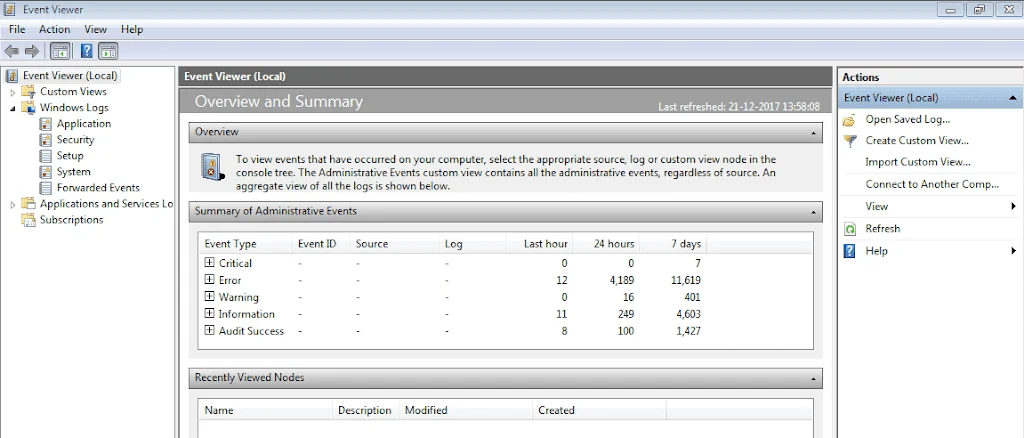
I have to answer you. You say there may be an incompatibility in the components or drivers or software. First of all, I said that on the first day, Fast Startup worked with all these drivers and hardware. If there was a problem, then why was it working in the first place to make me happy that Windows Fast Startup is working properly? I completely accept that there may be a problem with the hardware, drivers, or software. So why doesn't Windows report it in Event Viewer? And more importantly, when I run the Powercfg /a command, Windows incorrectly reports that Fast Startup is enabled and ready to use. So you're blaming my system, but Windows does not report anything about this. This is not related to the hardware or driver manufacturer. The operating system should show the reason and, for example, tell me that Fast Startup cannot be used, Not that it's a false report. In this case, I, as a regular user, will not be confused in this situation. You've worked at Microsoft for years, but I'm sorry to say that you still insist on a false theory.
 

My Computer My Computer

At a glance

Windows 1112100F16GB 3200MHZ DUAL CHANNELXFX AMD 5700XT TRIPLE DISSIPATION
OS
Windows 11
Computer type
PC/Desktop
Manufacturer/Model
ASUS B660M-K
CPU
12100F
Motherboard
ASUS B660M-K
Memory
16GB 3200MHZ DUAL CHANNEL
Graphics Card(s)
XFX AMD 5700XT TRIPLE DISSIPATION
Hard Drives
WD SN580 1TB
When available please update the progress with post #34.
 

My Computer My Computer

At a glance

Windows 10Intel(R) Core(TM) i7-4800MQ CPU @ 2.70GHz16 GB Total: Manufacturer : Samsung MemoryTyp...NVIDIA Quadro K3100M; Intel(R) HD Graphics 4600
OS
Windows 10
Computer type
Laptop
Manufacturer/Model
HP
CPU
Intel(R) Core(TM) i7-4800MQ CPU @ 2.70GHz
Motherboard
Product : 190A Version : KBC Version 94.56
Memory
16 GB Total: Manufacturer : Samsung MemoryType : DDR3 FormFactor : SODIMM Capacity : 8GB Speed : 1600
Graphics Card(s)
NVIDIA Quadro K3100M; Intel(R) HD Graphics 4600
Sound Card
IDT High Definition Audio CODEC; PNP Device ID HDAUDIO\FUNC_01&VEN_111D&DEV_76E0
Hard Drives
Model Hitachi HTS727575A9E364
Antivirus
Microsoft Defender
Other Info
Mobile Workstation
Looks like I am getting pulled back into this conversation. :-)

I know my response to you was long so you may have not seen my comment that Microsoft cannot detect this situation. This is why it cannot tell you about that scenario.

Let's detail this just a little bit. When fast startup saves the kernel, it's basically doing so as one big blob. So, when the system is starting up again, it is not initializing individual drivers. If it was, it would stand a chance of saying "hey, we tried to initialize driver X and when we did, it didn't respond correctly" or something to that effect. But that is not what is happening. Instead, it is simply loading the entire kernel state as one big entity so if something goes wrong it may not necessarily know what caused it. I'll admit I'm not familiar with all the inner workings here, but I base this upon some informed speculation.

Also, I think that you may be reading a little more into what I was saying then I was really trying to convey. I am not flat out saying that your system is to blame. What I am saying is that this is a strong possibility since you have been at this so long and neither you nor anyone else can identify a cause. I'm just saying that if you have been at it that long, you need to at least consider that possibility.

Finally, you note that it was working previously so clearly SOMETHING must have changed. Yes, it may not be a driver, I'll grant you that but it is still a possibility unless you know for 100% sure that every driver you installed is precisely the same as it was when it worked.

So, since our earlier conversation, I've been thinking about this and I have an idea on how to do some additional troubleshooting. Before I spell out the details I need to know the answer to this:

Do you have any disk image backups of the Windows drive from the time period where this working for you? If not, then my idea is a strikeout and won't work.

One more question: How flexible and available is your system for testing purposes? In other words, are you willing to go so far as backing up your current system and doing another clean install, should it come to that (not saying we need to do that now!)?

NOTE: If you reply back to me I will be unresponsive for quite a while as I'm heading out the door soon. I just don't want you to think that I am avoiding you :-).

Last, I want to do a bit more research on the topic as well, so bear with me a bit. I'm a bit buried with some other tasks at the moment. I respond to a few things here on the forum now and again when I take a little break so I can't quite give this the full attention it needs, but I hope that some time over the weekend I can do a deeper dive.

In the meantime, if you could just reply to my above questions I would greatly appreciate it.

Looking forward to chatting with you more later!
 

My Computers My Computers

  • At a glance

    Win11 Pro 25H2 (RTM+)Intel i7-14650HX32 GBNo GPU - Built-in Intel Graphics
    OS
    Win11 Pro 25H2 (RTM+)
    Computer type
    PC/Desktop
    Manufacturer/Model
    Acemagic
    CPU
    Intel i7-14650HX
    Memory
    32 GB
    Graphics Card(s)
    No GPU - Built-in Intel Graphics
    Sound Card
    Integrated
    Monitor(s) Displays
    Varies as machine will often be moved to locations with different monitors
    Screen Resolution
    Varies
    Hard Drives
    1 x 1TB Gen 4 NVMe SSD
    PSU
    120W Power Brick
    Keyboard
    Corsair K70 Max RGB Magnetic Keyboard
    Mouse
    Logitech MX Master 3
    Internet Speed
    1Gb Up / 1 Gb Down
    Browser
    Edge
    Antivirus
    Windows Defender
  • At a glance

    Win11 Pro 25H2 (RTM+)Intel i7-1255U16 GBIntel Iris Xe Graphics
    Operating System
    Win11 Pro 25H2 (RTM+)
    Computer type
    Laptop
    Manufacturer/Model
    Lenovo ThinkBook 13x Gen 2
    CPU
    Intel i7-1255U
    Memory
    16 GB
    Graphics card(s)
    Intel Iris Xe Graphics
    Sound Card
    Realtek® ALC3306-CG codec
    Monitor(s) Displays
    13.3-inch IPS Display
    Screen Resolution
    WQXGA (2560 x 1600)
    Hard Drives
    2 TB 4 x 4 NVMe SSD
    PSU
    USB-C / Thunderbolt 4 Power / Charging
    Keyboard
    Backlit, spill resistant keyboard
    Mouse
    Buttonless Glass Precision Touchpad
    Internet Speed
    1Gb Up / 1Gb Down
    Browser
    Edge
    Antivirus
    Windows Defender
    Other Info
    WiFi 6e / Bluetooth 5.1 / Facial Recognition / Fingerprint Sensor / ToF (Time of Flight) Human Presence Sensor

To be honest even when fast startup is working there are multiple errors in Event Viewer as well as in Reliability Monitor.

That errors are:
"The previous system shutdown at [time] on ‎[date] was unexpected".

"The system has rebooted without cleanly shutting down first" Event ID 41

Every user that has working fast startup can confirm this. There are numerous instances of these errors ?

Can somebody explain why is this happening ?
 

My Computer My Computer

At a glance

Windows 11i7-9700k32 GBAsus 660 Ti
OS
Windows 11
Computer type
PC/Desktop
Manufacturer/Model
Custom
CPU
i7-9700k
Motherboard
Asus ROG Maximus X hero
Memory
32 GB
Graphics Card(s)
Asus 660 Ti
To be honest even when fast startup is working there are multiple errors in Event Viewer as well as in Reliability Monitor.

That errors are:
"The previous system shutdown at [time] on ‎[date] was unexpected".

"The system has rebooted without cleanly shutting down first" Event ID 41

Every user that has working fast startup can confirm this. There are numerous instances of these errors ?

Can somebody explain why is this happening ?

Please open a new thread.

Post results from the commands in post #34.
 

My Computer My Computer

At a glance

Windows 10Intel(R) Core(TM) i7-4800MQ CPU @ 2.70GHz16 GB Total: Manufacturer : Samsung MemoryTyp...NVIDIA Quadro K3100M; Intel(R) HD Graphics 4600
OS
Windows 10
Computer type
Laptop
Manufacturer/Model
HP
CPU
Intel(R) Core(TM) i7-4800MQ CPU @ 2.70GHz
Motherboard
Product : 190A Version : KBC Version 94.56
Memory
16 GB Total: Manufacturer : Samsung MemoryType : DDR3 FormFactor : SODIMM Capacity : 8GB Speed : 1600
Graphics Card(s)
NVIDIA Quadro K3100M; Intel(R) HD Graphics 4600
Sound Card
IDT High Definition Audio CODEC; PNP Device ID HDAUDIO\FUNC_01&VEN_111D&DEV_76E0
Hard Drives
Model Hitachi HTS727575A9E364
Antivirus
Microsoft Defender
Other Info
Mobile Workstation
Finally, you note that it was working previously so clearly SOMETHING must have changed. Yes, it may not be a driver,
When I discovered that fast startup does not work it was after I made a repair Windows install (in place upgrade) for other reasons. However, there was a Windows update at that time and I also upgraded Intel MEI Drivers immediately before a repair install. I wonder if any of that could have damaged fast startup?
 
Last edited:

My Computer My Computer

At a glance

Windows 11i7-9700k32 GBAsus 660 Ti
OS
Windows 11
Computer type
PC/Desktop
Manufacturer/Model
Custom
CPU
i7-9700k
Motherboard
Asus ROG Maximus X hero
Memory
32 GB
Graphics Card(s)
Asus 660 Ti
Please open a new thread.

Post results from the commands in post #34.
That would make sense if I had done it at a time when fast startup was working. It is impossible to reproduce those errors now when fast startup does not work anymore.
BTW, I can't do it now as I am away from home on holiday and I have no access to my home desktop machine which has this fast startup problem.
I am posting this from a laptop with working fast startup feature.
 

My Computer My Computer

At a glance

Windows 11i7-9700k32 GBAsus 660 Ti
OS
Windows 11
Computer type
PC/Desktop
Manufacturer/Model
Custom
CPU
i7-9700k
Motherboard
Asus ROG Maximus X hero
Memory
32 GB
Graphics Card(s)
Asus 660 Ti
Looks like I am getting pulled back into this conversation. :-)

I know my response to you was long so you may have not seen my comment that Microsoft cannot detect this situation. This is why it cannot tell you about that scenario.

Let's detail this just a little bit. When fast startup saves the kernel, it's basically doing so as one big blob. So, when the system is starting up again, it is not initializing individual drivers. If it was, it would stand a chance of saying "hey, we tried to initialize driver X and when we did, it didn't respond correctly" or something to that effect. But that is not what is happening. Instead, it is simply loading the entire kernel state as one big entity so if something goes wrong it may not necessarily know what caused it. I'll admit I'm not familiar with all the inner workings here, but I base this upon some informed speculation.

Also, I think that you may be reading a little more into what I was saying then I was really trying to convey. I am not flat out saying that your system is to blame. What I am saying is that this is a strong possibility since you have been at this so long and neither you nor anyone else can identify a cause. I'm just saying that if you have been at it that long, you need to at least consider that possibility.

Finally, you note that it was working previously so clearly SOMETHING must have changed. Yes, it may not be a driver, I'll grant you that but it is still a possibility unless you know for 100% sure that every driver you installed is precisely the same as it was when it worked.

So, since our earlier conversation, I've been thinking about this and I have an idea on how to do some additional troubleshooting. Before I spell out the details I need to know the answer to this:

Do you have any disk image backups of the Windows drive from the time period where this working for you? If not, then my idea is a strikeout and won't work.

One more question: How flexible and available is your system for testing purposes? In other words, are you willing to go so far as backing up your current system and doing another clean install, should it come to that (not saying we need to do that now!)?

NOTE: If you reply back to me I will be unresponsive for quite a while as I'm heading out the door soon. I just don't want you to think that I am avoiding you :-).

Last, I want to do a bit more research on the topic as well, so bear with me a bit. I'm a bit buried with some other tasks at the moment. I respond to a few things here on the forum now and again when I take a little break so I can't quite give this the full attention it needs, but I hope that some time over the weekend I can do a deeper dive.

In the meantime, if you could just reply to my above questions I would greatly appreciate it.

Looking forward to chatting with you more later!
Ok I understand your intention to help. Thank you for that. You say that Fast Startup saves the entire session at once and then restores it, Therefore, it is impossible to say in detail and precisely what prevented it from being done, but the point is that Windows makes no attempt at all to perform Fast Startup when the system is shut down as in the Event Viewer, everything is normal. The system is only in full shutdown mode, just like when you always hold down the Shift key while the system is shutting down. So it can't say what's stopping it, In the Powercfg /a command, it incorrectly says that this feature is available and enabled. but at least it shouldn't say that Fast Startup failed like it did on other systems and even when I had Fast Startup myself? Sometimes I would get this error and on the next boot fast startup would work again. You might say maybe I'm not sure if a driver has been updated but I've checked all of them the day it happened and as much as I could, either from Device Manager or Programs. It might be reasonable to say that Windows has a deactivation flag on the Fast Startup feature and has permanently disabled it. If I Install a clean Windows, Fast Startup will work again just like I did on a separate drive. But right now, due to the large number of programs and games I have installed, I cannot reinstall this Windows on the current drive. Unfortunately, I don't have any backups to restore Windows to before this problem occurred because I didn't expect such a situation at all. Maybe if I reinstall Windows, I will definitely do this.
 

My Computer My Computer

At a glance

Windows 1112100F16GB 3200MHZ DUAL CHANNELXFX AMD 5700XT TRIPLE DISSIPATION
OS
Windows 11
Computer type
PC/Desktop
Manufacturer/Model
ASUS B660M-K
CPU
12100F
Motherboard
ASUS B660M-K
Memory
16GB 3200MHZ DUAL CHANNEL
Graphics Card(s)
XFX AMD 5700XT TRIPLE DISSIPATION
Hard Drives
WD SN580 1TB
Please run the V2 log collector > post a share link


Open event viewer > system and application > post share links


Thank you. I have tested this before. There were no abnormalities or errors. However, I will re-take this report and upload it, but unfortunately, it will most likely not help in this specific current situation.
 

My Computer My Computer

At a glance

Windows 1112100F16GB 3200MHZ DUAL CHANNELXFX AMD 5700XT TRIPLE DISSIPATION
OS
Windows 11
Computer type
PC/Desktop
Manufacturer/Model
ASUS B660M-K
CPU
12100F
Motherboard
ASUS B660M-K
Memory
16GB 3200MHZ DUAL CHANNEL
Graphics Card(s)
XFX AMD 5700XT TRIPLE DISSIPATION
Hard Drives
WD SN580 1TB
If you post V2 with event viewer system and application then they can be scanned to see if there is anything useful.
 

My Computer My Computer

At a glance

Windows 10Intel(R) Core(TM) i7-4800MQ CPU @ 2.70GHz16 GB Total: Manufacturer : Samsung MemoryTyp...NVIDIA Quadro K3100M; Intel(R) HD Graphics 4600
OS
Windows 10
Computer type
Laptop
Manufacturer/Model
HP
CPU
Intel(R) Core(TM) i7-4800MQ CPU @ 2.70GHz
Motherboard
Product : 190A Version : KBC Version 94.56
Memory
16 GB Total: Manufacturer : Samsung MemoryType : DDR3 FormFactor : SODIMM Capacity : 8GB Speed : 1600
Graphics Card(s)
NVIDIA Quadro K3100M; Intel(R) HD Graphics 4600
Sound Card
IDT High Definition Audio CODEC; PNP Device ID HDAUDIO\FUNC_01&VEN_111D&DEV_76E0
Hard Drives
Model Hitachi HTS727575A9E364
Antivirus
Microsoft Defender
Other Info
Mobile Workstation
No one can help you as there is no error message, and we did not code the Microsoft so loved Windows 11 Fast Startup we don't have source code to fix a so-called bug you claim only exist with your system also i know you don't know anything as you want as to fix a ghost i will post anytime i want if you don't like it then don't start a public Thread.
:thumbsup::thumbsup::thumbsup:
 

My Computers My Computers

  • At a glance

    W11 Home 25H2 OS 26200.8875Intel(R) Core(TM) Ultra 5 processor 225F LGA ...Crucial 32Gb 2 x 16 6000MHzNvidia Geforce RTX 3050VENTUS 2 x 6G OC
    OS
    W11 Home 25H2 OS 26200.8875
    Computer type
    PC/Desktop
    Manufacturer/Model
    Self built
    CPU
    Intel(R) Core(TM) Ultra 5 processor 225F LGA 1851 20M
    Motherboard
    Gigabyte B860M DS3H WIFI6E 1.0 4 x DDR5
    Memory
    Crucial 32Gb 2 x 16 6000MHz
    Graphics Card(s)
    Nvidia Geforce RTX 3050VENTUS 2 x 6G OC
    Sound Card
    Nvidia HD audio + Realtek HD audio
    Monitor(s) Displays
    LG 32" HD TV as monitor
    Screen Resolution
    1920 X 1080
    Hard Drives
    Acer FA100 512Gb M2 NVMe Gen 3 3300MB/s
    Crucial SSD 1Tb
    WD 4Tb external HDD
    PSU
    MSI MAG A650BN 650W
    Case
    Antec NX200M
    Cooling
    3 onboard fans + Zalman CNPS9X Optima 2 120mm air cooler
    Keyboard
    Microsoft wireless 850
    Mouse
    Microsoft wireless 1000
    Internet Speed
    Fair to middlin'
    Browser
    Firefox
    Antivirus
    Microsoft defender
    Other Info
    MBAM
    Adware
    Glary utilities
    Open shell
    Revo uninstaller
    Macrium reflect
    Libre office suite
    VLC video player
  • At a glance

    Windows 10 Home 22H2 19045.5854Intel Haswell. BX80646174790 Core i7-4790 3.6...G.Skill Sniper 16Gb (8gbx2) DDR3 1600Gainward Nvidia GTX770 PCI-E VGA
    Operating System
    Windows 10 Home 22H2 19045.5854
    Computer type
    PC/Desktop
    Manufacturer/Model
    self built
    CPU
    Intel Haswell. BX80646174790 Core i7-4790 3.6 GHz 8mb LGA 1150
    Motherboard
    Gigabyte Model H97-D3H Intel H97 S1150
    Memory
    G.Skill Sniper 16Gb (8gbx2) DDR3 1600
    Graphics card(s)
    Gainward Nvidia GTX770 PCI-E VGA
    Sound Card
    Realtek
    Monitor(s) Displays
    Samsung 27" monitor
    Screen Resolution
    HD
    Hard Drives
    SSD: Samsung 840 PRO series. 256Gb SATA 3 winw + 1Tb WD black HDD
    PSU
    Antec HCG-620w High Current Gamer
    Case
    Thermaltake A41 USB3 Mid Tower
    Cooling
    Standard Intel with added heat sink
    Keyboard
    Microsoft
    Mouse
    Microsoft optical
    Internet Speed
    reasonable
    Browser
    Firefox
    Antivirus
    MSE

My Computer My Computer

At a glance

Windows 1112100F16GB 3200MHZ DUAL CHANNELXFX AMD 5700XT TRIPLE DISSIPATION
OS
Windows 11
Computer type
PC/Desktop
Manufacturer/Model
ASUS B660M-K
CPU
12100F
Motherboard
ASUS B660M-K
Memory
16GB 3200MHZ DUAL CHANNEL
Graphics Card(s)
XFX AMD 5700XT TRIPLE DISSIPATION
Hard Drives
WD SN580 1TB

My Computer My Computer

At a glance

Windows 10Intel(R) Core(TM) i7-4800MQ CPU @ 2.70GHz16 GB Total: Manufacturer : Samsung MemoryTyp...NVIDIA Quadro K3100M; Intel(R) HD Graphics 4600
OS
Windows 10
Computer type
Laptop
Manufacturer/Model
HP
CPU
Intel(R) Core(TM) i7-4800MQ CPU @ 2.70GHz
Motherboard
Product : 190A Version : KBC Version 94.56
Memory
16 GB Total: Manufacturer : Samsung MemoryType : DDR3 FormFactor : SODIMM Capacity : 8GB Speed : 1600
Graphics Card(s)
NVIDIA Quadro K3100M; Intel(R) HD Graphics 4600
Sound Card
IDT High Definition Audio CODEC; PNP Device ID HDAUDIO\FUNC_01&VEN_111D&DEV_76E0
Hard Drives
Model Hitachi HTS727575A9E364
Antivirus
Microsoft Defender
Other Info
Mobile Workstation
Back
Top Bottom





